1. Entwodiksyon
The DAYTECH Wireless Call Button Emergency Alarm System is designed to provide a reliable and convenient way for individuals to signal for assistance. This system is particularly beneficial for the elderly, patients, or anyone who may need immediate help, offering peace of mind for both the user and their caregivers. Its simple operation and versatile placement options make it an essential tool for various care environments, from homes to nursing facilities.

The DAYTECH Wireless Call Button System is suitable for a wide range of care scenarios, ensuring assistance is always available.
2. Pwodwi souview
2.1 Eleman
The DAYTECH Wireless Call Button Emergency Alarm System typically includes the following components:
- Inite reseptè: The main unit that emits an alarm sound and light when a call button is pressed.
- Call Button Transmitters: Portable buttons that send a signal to the receiver when activated.
- Lanyard: For wearing the call button around the neck.
- Double-sided Tape: For fixed installation of the call button.
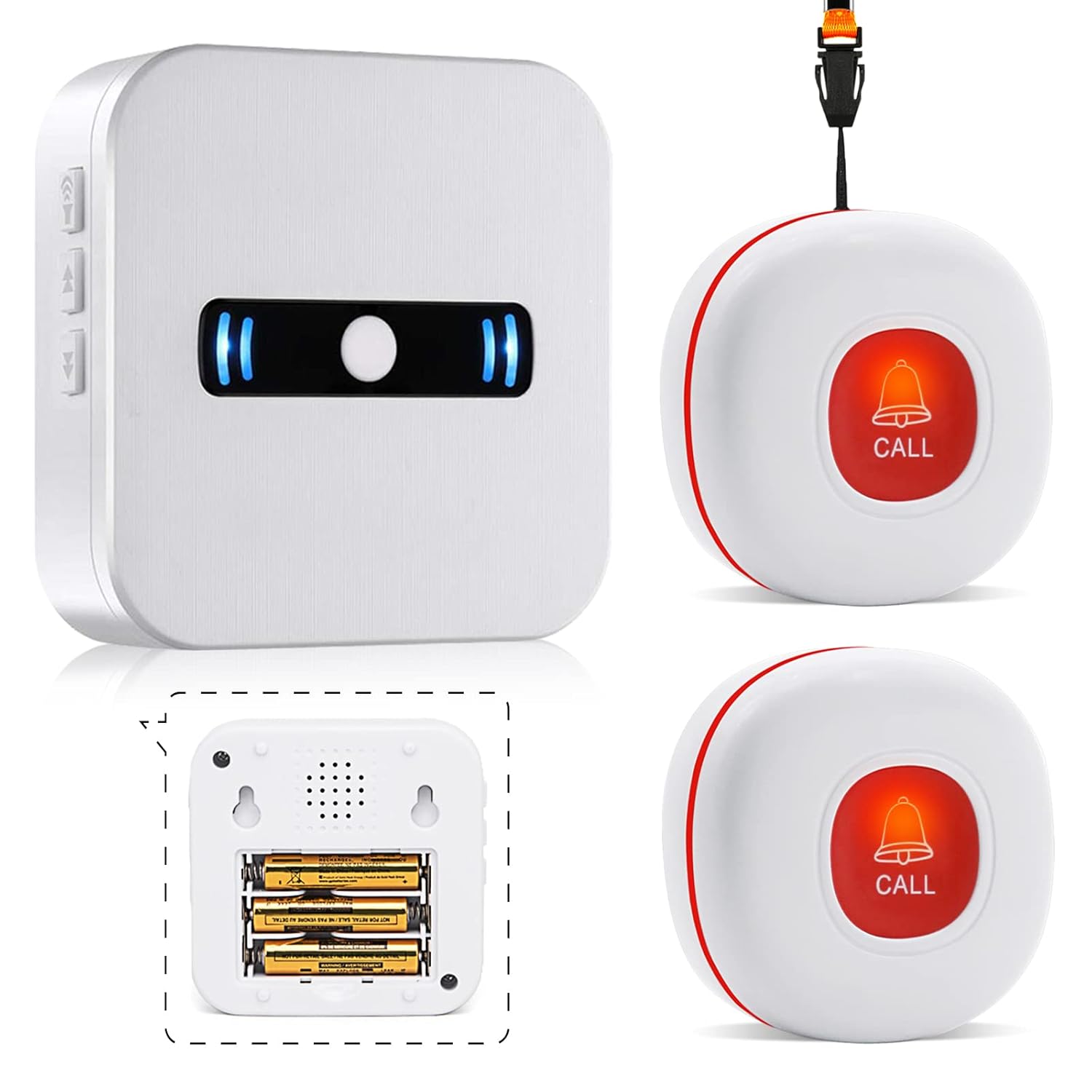
The system includes a receiver and two call button transmitters for comprehensive coverage.
2.2 Karakteristik kle
- Pòtabilite: The compact design of both the receiver and call buttons allows for easy carrying in pockets or bags, or wearing around the neck.
- Volim reglabl: The receiver offers 5 levels of volume adjustment, from 0dB (mute) to 110dB, suitable for various environments.
- Multiple Melodies: Choose from 55 different melodies for the alarm sound.
- IP55 Waterproof Call Button: The call button is designed to withstand water splashes, making it suitable for use in bathrooms or kitchens (do not immerse fully).
- Expandability: The system can be expanded with up to 30 additional transmitters and receivers to cover larger areas or more users.
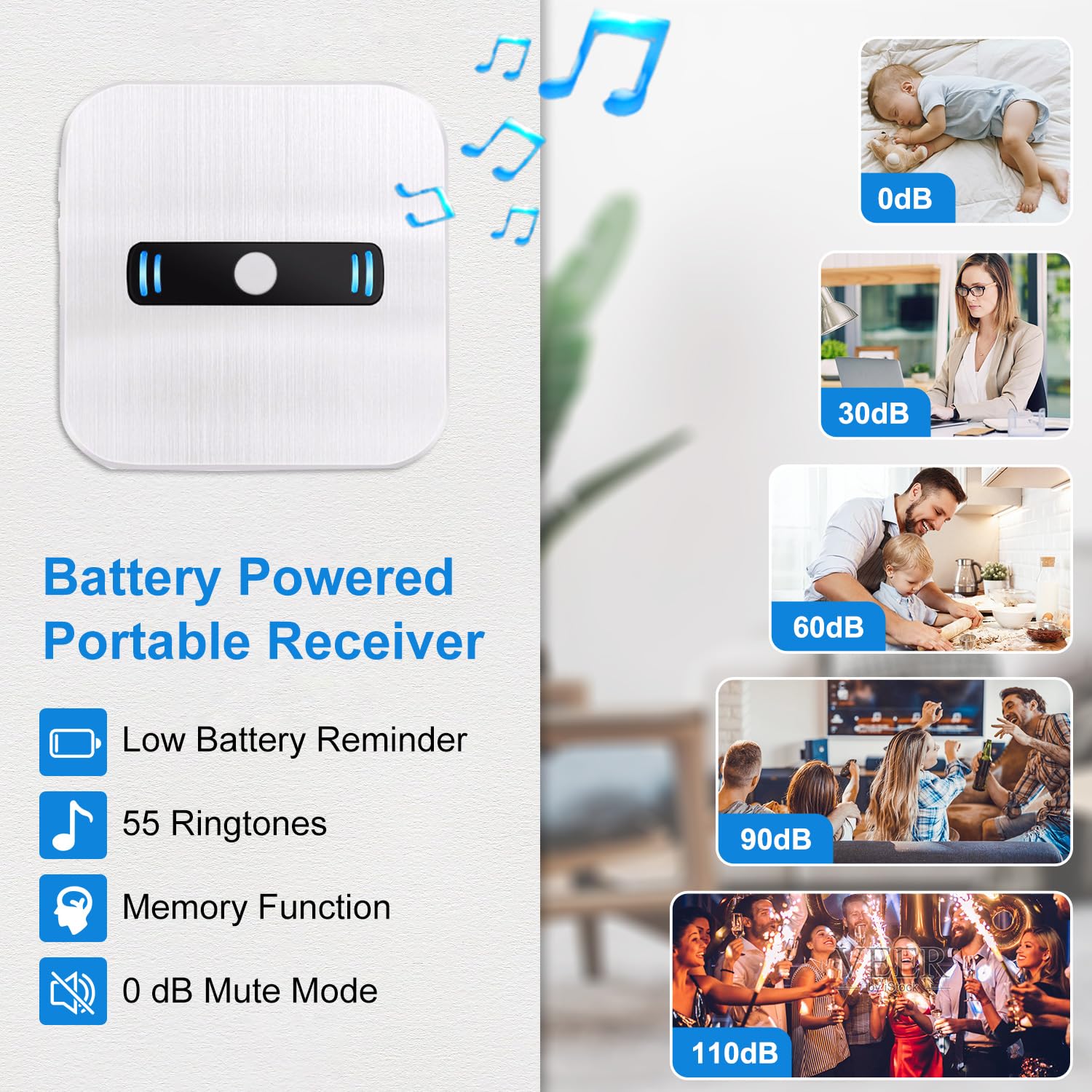
The portable receiver offers various features for user convenience, including volume control and melody selection.
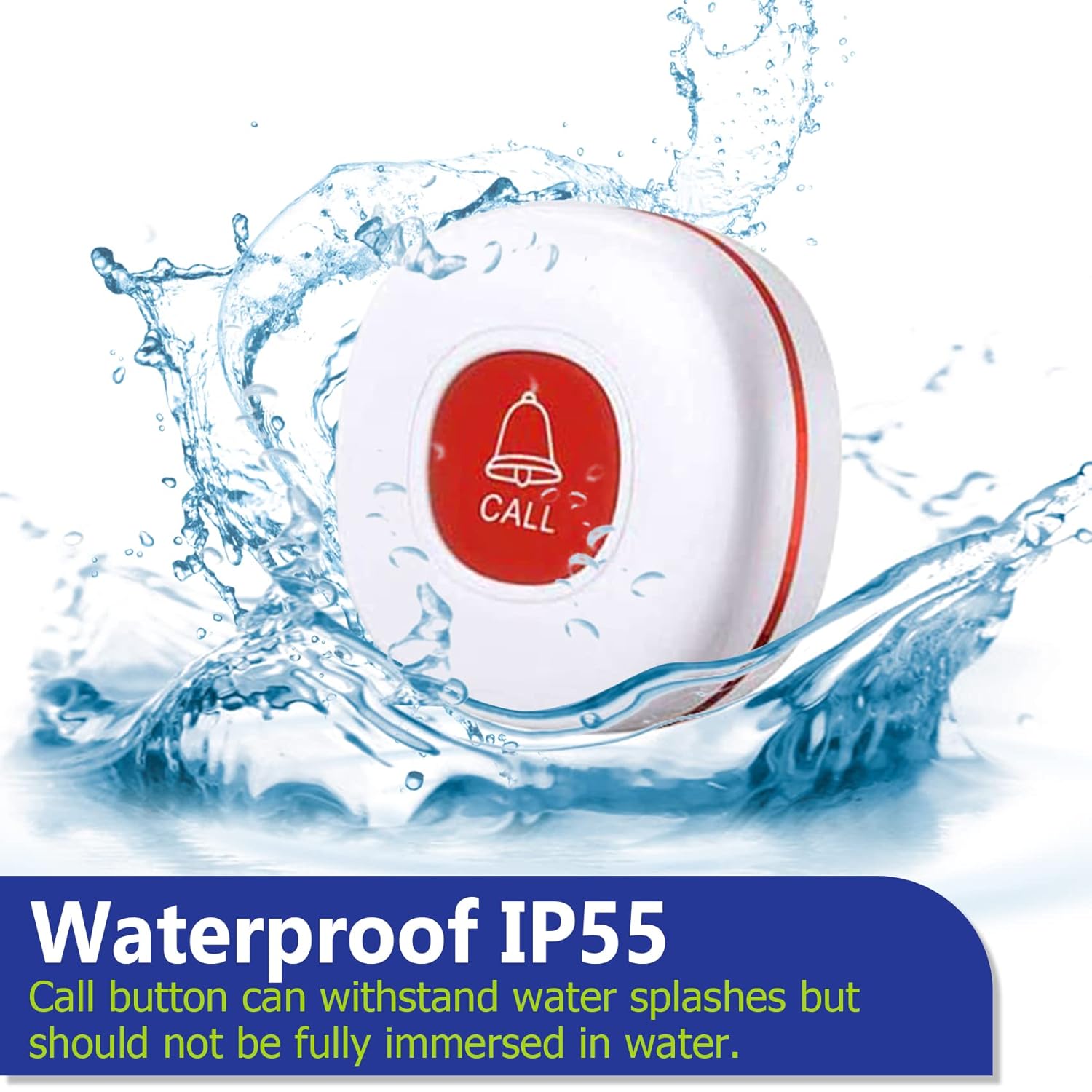
The call button features an IP55 waterproof design, making it suitable for use in environments where it might encounter water splashes.

The system is highly expandable, supporting up to 30 additional transmitters and receivers.
3. Enstalasyon
3.1 Enstale Batri
Inite reseptè:
- Louvri lòj batri a sou do reseptè a.
- Mete 3 pil AAA, asire w polarite ki kòrèk la (+/-).
- Fèmen lòj batri a byen.
Call Button Transmitter:
- Use a small screwdriver to open the back cover of the call button.
- Insert the included 12V 23A Alkaline battery, observing polarity.
- Byen fèmen kouvèti dèyè a.

The receiver uses 3 AAA batteries, and the call button uses a 12V 23A alkaline battery.
3.2 Pairing Transmitters with Receiver
To pair a call button with the receiver and set a melody:
- Step 1: Select Melody. On the receiver, press the 'Up' or 'Down' buttons to cycle through the available melodies until you find your preferred sound.
- Step 2: Enter Pairing Mode. Press and hold the volume button on the receiver for approximately 5 seconds until you hear a 'ding-dong' sound, indicating it has entered pairing mode. The LED indicator will flash.
- Step 3: Pair. Within 5 seconds, press the call button transmitter. The receiver will emit the selected melody, confirming successful pairing.

Follow these steps to easily pair your call button and customize the alert melody.
3.3 Plasman
Place the receiver in a central location where the sound can be easily heard by the caregiver. The call buttons can be placed in various strategic locations:
- Next to the bed
- In the bathroom/toilet
- Near a chair or sofa
- Worn around the neck with the lanyard
Use the included double-sided tape for fixed installations.

Strategically place call buttons in multiple locations for easy access.
4. Operasyon Enstriksyon
4.1 Fè yon apèl
To signal for assistance, simply press the large red 'CALL' button on the transmitter. The receiver will immediately sound the selected melody and flash its LED indicator.

The call button is designed for easy operation, even for individuals with limited hand mobility.
4.2 Adjusting Volume and Melody
On the receiver unit, use the dedicated volume buttons (up/down arrows) to adjust the sound level. There are 5 levels, including a mute mode (0dB). To change the melody, press the melody selection button (often combined with volume or a separate button) to cycle through the 55 available tunes.

The receiver offers 5 levels of volume adjustment, from silent to 110dB.

Choose from 55 different melodies to customize your alert sound.
4.3 Fonksyone Range
The system boasts an impressive operating range of up to 320 feet (100 meters) in an open area. The signal can effectively travel through walls and closed doors, ensuring reliable communication within most homes or facilities.

The system provides a wide operating range, with signals capable of passing through common household obstacles.
5. Antretyen
5.1 Ranplasman batri
Regularly check the battery levels of both the receiver and transmitters. The receiver may have a low battery reminder feature. Replace batteries as soon as they are depleted to ensure continuous operation.
Call Button Transmitter Battery Replacement:
- Step 1: Open. Use a small screwdriver to gently pry open the back cover of the call button by unscrewing the three screws.
- Step 2: Replace. Remove the old 12V 23A battery and insert a new one, ensuring correct polarity.
- Step 3: Close. Securely close the back cover and tighten the screws.

Follow these steps to replace the battery in the call button transmitter.
5.2 Netwayaj ak swen
- Siye inite yo ak yon twal mou epi sèk. Pa sèvi ak pwodui netwayaj abrazif oswa solvan.
- Keep the units away from extreme temperatures and direct sunlight.
- Ensure the call button is not fully immersed in water, despite its splash-proof design.
NAN. Depanaj
If you encounter issues with your DAYTECH Wireless Call Button Emergency Alarm System, refer to the following common problems and their solutions:
| Pwoblèm | Kòz posib | Solisyon |
|---|---|---|
| Receiver does not sound/flash when button is pressed. | Low or dead batteries in receiver or transmitter. Inite yo pa nan ranje a. Inite yo pa pè. Reseptè a an mòd silans. | Ranplase pil yo nan tou de inite yo. Move units closer together, reduce obstacles. Re-pair the transmitter with the receiver (see Section 3.2). Adjust receiver volume (see Section 4.2). |
| Ti distans fonksyònman. | Entèferans ki soti nan lòt aparèy elektwonik. Thick walls or metal structures. Batri ki ba. | Move receiver away from other electronics. Relocate receiver to a more central position. Ranplase pil. |
| Call button feels stiff or unresponsive. | Debris under the button. Pwoblèm mekanis entèn. | Gently clean around the button. If issue persists, contact customer support. |
7. Espesifikasyon
| Karakteristik | Detay |
|---|---|
| Nimewo Modèl | CC02 2-1 |
| Mak | DAYTECH |
| Kalite aliye | Tabletop mòn |
| Maksimòm Range | 100 mèt (320 pye) |
| Pwa pwodwi | 240 g |
| Dimansyon pwodwi (LxWxH) | 18.7 x 3 x 8 cm |
| Kalite batri reseptè | 3 pil alkalin AAA (enkli) |
| Kalite batri transmetè | 1 x 12V 23A Alkaline battery (included) |
| Waterproof Rating (Call Button) | IP55 (prèv projections) |
| Nivo volim | 5 (0dB pou rive 110dB) |
| Melodi | 55 Melody chwazi |
| Dilatabilite | Up to 30 units (transmitters/receivers) |
| Pwodwi pou Telefòn enkli | Double-sided tape, Lanyard |
| UPC | 791261632788 |
8. Garanti ak sipò
8.1 Enfòmasyon sou Garanti
Pwodwi sa a vini ak yon garanti kalite pou tout lavi soti nan dat acha a. Garanti sa a kouvri domaj nan materyèl ak atizan konn fè nan itilizasyon nòmal.
8.2 Sipò pou Kliyan
If you encounter any problems during use, or have questions regarding the product's operation, maintenance, or warranty, please do not hesitate to contact DAYTECH customer support for prompt assistance. We are committed to ensuring your satisfaction with our products.
Please refer to your purchase documentation or the DAYTECH official websit la pou jwenn enfòmasyon kontak espesifik.


