
1. Entwodiksyon
Thank you for choosing the Physionics ELTR01 Elliptical Trainer. This manual provides essential information for the safe assembly, operation, and maintenance of your fitness equipment. Please read it thoroughly before use and keep it for future reference.
The Physionics ELTR01 is designed to provide an effective full-body cardio workout in the comfort of your home, engaging various muscle groups while being gentle on your joints.

Image 1.1: Physionics ELTR01 Elliptical Trainer in use.
2. Enfòmasyon sou Sekirite
- Konsilte yon doktè anvan ou kòmanse nenpòt nouvo pwogram egzèsis.
- Kenbe timoun ak bèt kay lwen ekipman an pandan w ap itilize.
- Place the trainer on a flat, stable surface with adequate clearance around it.
- Asire w ke tout boulon ak nwa yo byen sere anvan chak itilizasyon.
- Pa depase pwa maksimòm itilizatè a 120 kg (265 liv).
- Mete rad ak soulye egzèsis ki apwopriye.
- Sispann fè egzèsis imedyatman si ou santi ou ap fèb, ou gen vètij, oswa ou gen doulè.
- The equipment is for home use only, not for commercial or therapeutic purposes.

Image 2.1: Maximum user weight capacity of 120 kg (265 lbs).
3. Pake kontni
Tanpri verifye ke tout konpozan yo prezan epi yo pa domaje. Si gen nenpòt pyès ki manke oswa ki domaje, kontakte sèvis kliyan.
- Konpozan prensipal ankadreman yo
- pedal (2)
- Handlebars (2) with Pulse Sensors
- LCD ki monitè kè bebe
- Abdominal Support Pad
- Materyèl asanblaj (boulon, rondelle, nwa)
- Assembly Tools (wrenches, Allen keys)
- Manyèl itilizatè
4. Enstalasyon ak Asanble
Assembly typically requires two people. Follow the numbered steps in the included assembly diagram. Ensure all connections are secure before use.
- Depake tout konpozan yo epi mete yo sou yon sifas pwòp e plat.
- Attach the front and rear stabilizers to the main frame using the provided bolts and washers.
- Mount the main upright post to the base frame.
- Connect the handlebars and pedal arms to the main frame, ensuring proper alignment.
- Install the abdominal support pad onto its adjustable post.
- Attach the LCD monitor to its bracket and connect the sensor wires (pulse and speed).
- Secure the pedals to the pedal arms.
- Double-check all bolts and nuts for tightness.

Imaj 4.1: Dimansyon pwodwi pou planifikasyon plasman.
5. Operasyon Enstriksyon
5.1 Kòmanse
Step onto the pedals one foot at a time, holding onto the handlebars for balance. Begin a smooth, elliptical motion. The movement should feel natural and fluid.

Image 5.1: Key features of the elliptical trainer.
5.2 Fonksyon Monitè LCD
The digital LCD monitor tracks your workout progress. It typically displays the following functions:
- PULS: Your heart rate (when holding the pulse sensors).
- TAN: Dire antrennman ou ap fè kounye a.
- TAN TOTAL: Cumulative workout time.
- KALORI: Estimasyon kalori boule.
- RPM (Revolisyon pou chak minit): Speed of your pedal strokes.
- ESKANYE: Chanje otomatikman nan tout fonksyon ekspozisyon yo.
Use the 'MODE' button to select a specific function or 'SCAN' mode. The 'RESET' button clears all values.

Image 5.2: Close-up of the LCD monitor and its functions.
5.3 Adjustable Abdominal Support
The abdominal support pad can be adjusted for height and depth to provide comfort and stability during your workout. Loosen the adjustment knob, position the pad, and then tighten the knob securely.

Image 5.3: Detail of the two-way adjustable abdominal support.
5.4 Grip Pulse Monitor
To measure your heart rate, firmly grasp the pulse sensors on the handlebars. Your pulse will be displayed on the LCD monitor after a few seconds.

Image 5.4: How to use the grip pulse monitor.
5.5 Non-Slip Pedals
The textured, non-slip pedals are designed to ensure stability and safety during your exercise. Always ensure your feet are centered and secure on the pedals.
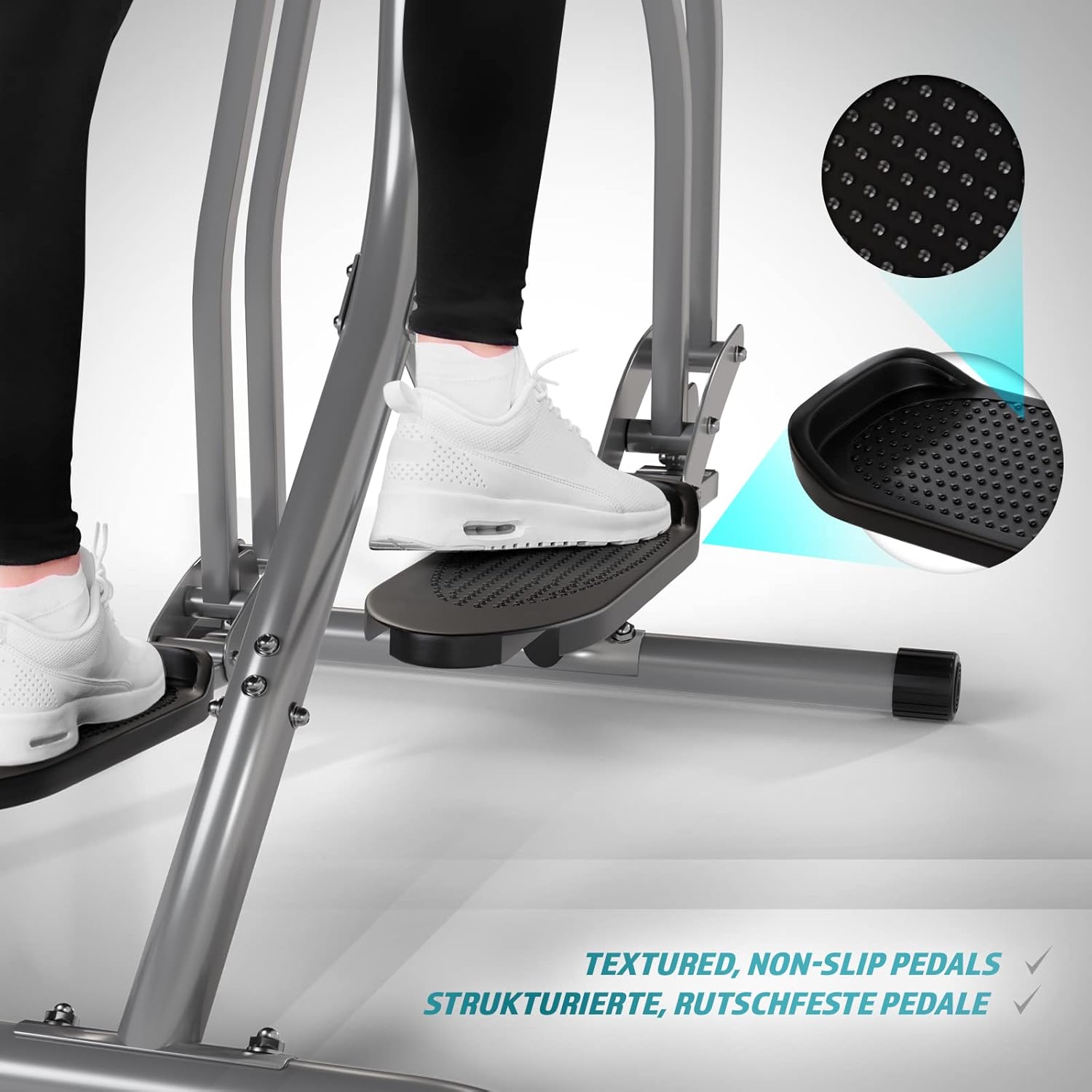
Image 5.5: Detail of the non-slip pedal surface.
5.6 Benefits of Elliptical Training
Elliptical training offers a low-impact workout that is beneficial for cardiovascular health, calorie burning, muscle toning, and improving balance and coordination. It is particularly gentle on joints compared to high-impact exercises.

Image 5.6: Elliptical training is gentle on joints.
6. Antretyen
- Netwayaj: Wipe down the trainer with a damp Siye twal la apre chak itilizasyon pou retire swe ak pousyè. Pa sèvi ak pwodui netwayaj abrazif.
- Enspeksyon: Regularly check all bolts, nuts, and moving parts for tightness and wear. Tighten any loose fasteners.
- Lubrifikasyon: Apply a small amount of silicone-based lubricant to moving joints and pivot points every few months to ensure smooth operation and prevent squeaking.
- Depo: Store the trainer in a dry, cool place away from direct sunlight and moisture.
NAN. Depanaj
| Pwoblèm | Kòz posib | Solisyon |
|---|---|---|
| Monitè LCD a pa montre anyen | Pil mouri; Koneksyon detèktè ki lach | Replace batteries; Check and secure all sensor cables. |
| Bri k ap grinnen oswa k ap grinnen | Loose bolts; Lack of lubrication; Worn parts | Tighten all bolts; Lubricate moving joints; Contact support if noise persists. |
| Lekti batman kè ki pa egzak | Men yo pa byen fèm sou detèktè yo; Men sèk | Ensure firm, consistent contact with sensors; Slightly moisten hands if too dry. |
| Unstable during use | Uneven surface; Loose frame connections | Move to a level surface; Check and tighten all frame bolts. |
8. Espesifikasyon
| Karakteristik | Detay |
|---|---|
| Non modèl | Air Walker |
| Nimewo Modèl | ELTR01 |
| Mak | Fizik |
| Koulè | Ajan/Nwa |
| Dimansyon pwodwi (L x W x H) | 97 x 60 x 144.5 cm |
| Pwa atik | 17 Kilogram |
| Materyèl prensipal | Asye, Plastik, Kim |
| Mekanis rezistans | Air, Manual |
| Rekòmandasyon pwa maksimòm | 120 Kilogram |
| Maximum Step Length | 90 santimèt |
| Gwosè ekspozisyon | 90 Centimeters (Note: This value from source data may refer to step length or a general display size, not the physical screen size of the LCD monitor.) |
| Manifakti | FF Europe |
9. Garanti ak sipò
For warranty information, please refer to the documentation included with your purchase or contact your retailer. If you require technical assistance, have questions about assembly, or need replacement parts, please contact Physionics customer support through their official website or the contact details provided at the point of purchase.
Please have your model number (ELTR01) and purchase date ready when contacting support.


