1. Entwodiksyon
This manual provides essential information for the installation, operation, and maintenance of your GIGABYTE GeForce GTX 1660 Ti Windforce OC 6G graphics card. Please read this manual thoroughly before installation and retain it for future reference.
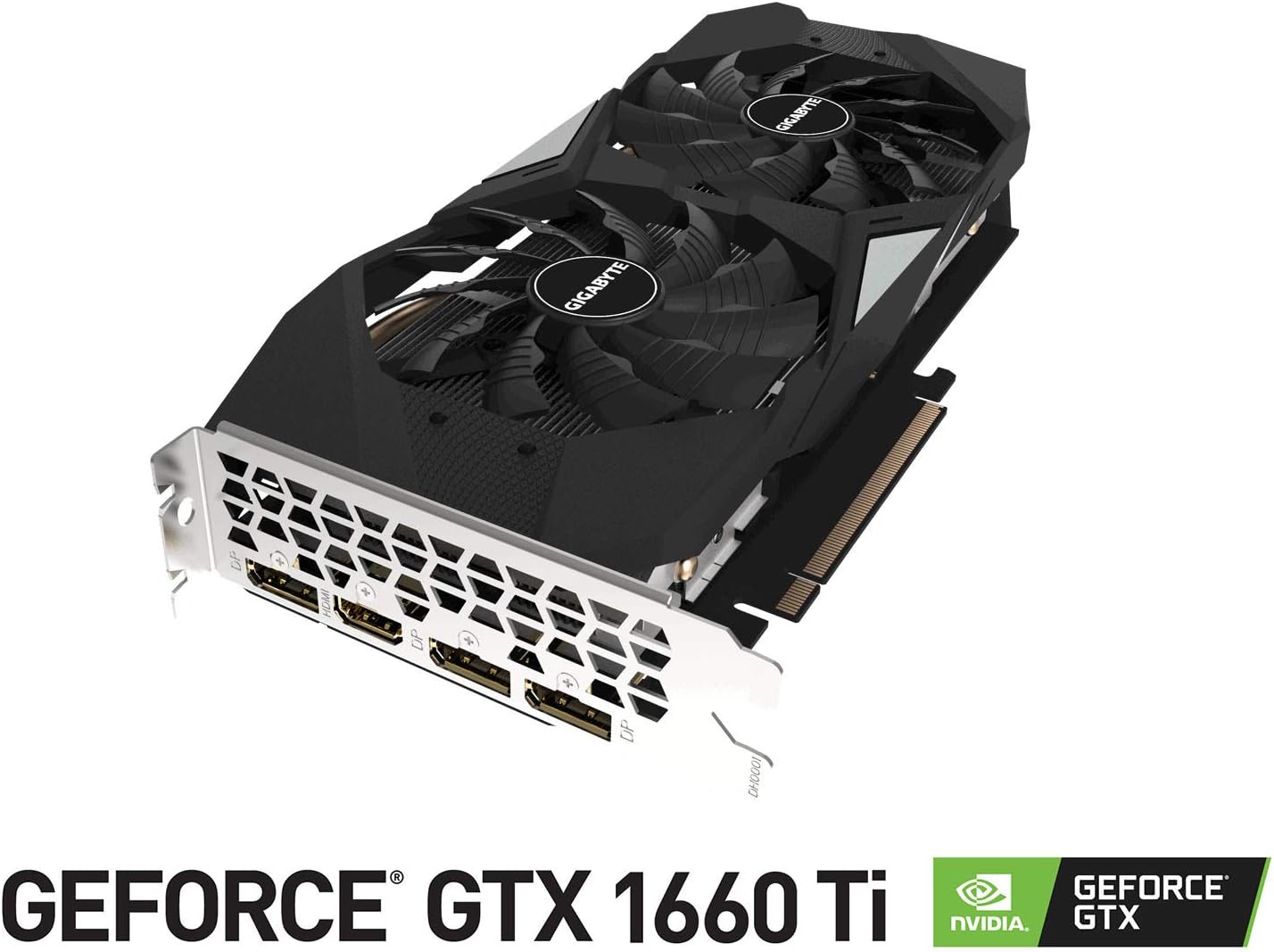
The GIGABYTE GeForce GTX 1660 Ti Windforce OC 6G is designed for enhanced graphics performance, featuring:
- Powered by GeForce GTX 1660 Ti integrated with 6GB GDDR6
- Windforce 2x cooling system with alternate spinning fans
- Intuitive controls with AORUS engine
- 6GB 192-bit GDDR6 memory interface
- Multiple display outputs: 1 x HDMI, 3 x DisplayPort
- PCI Express 3.0 x16 interface
2. Ki sa ki nan bwat la
Verifye ke tout atik yo prezan nan pakè a:
- GIGABYTE GeForce GTX 1660 Ti Windforce OC 6G Graphics Card
- Manyèl itilizatè
3. Espesifikasyon
| Karakteristik | Spesifikasyon |
|---|---|
| Graphics Processing Unit | NVIDIA GeForce GTX 1660 Ti |
| Videyo memwa | 6 GB GDDR6 |
| Vitès memwa | 12000 MHz |
| Entèfas memwa | 192-bit |
| Rezolisyon ekran maksimòm | 7680x4320 |
| Sòti pò | 1 x HDMI 2.0B, 3 x DisplayPort 1.4 |
| Estanda Otobis | PCI Express 3.0 x16 |
| Sistèm refwadisman | WINDFORCE 2X with alternate spinning fans |
| Dimansyon (LxWxH) | 10.43 x 4.76 x 1.57 pous |
| Pwa atik | 15.9 ons |
4. Enstalasyon ak Enstalasyon
Before proceeding with the installation, ensure your system meets the minimum requirements and that your power supply unit (PSU) has sufficient wattage and the necessary PCIe power connectors.
4.1 Verifikasyon Pre-enstalasyon
- Pouvwa Off: Etenn òdinatè w la epi debranche kòd kouran an nan priz miray la.
- Ka Ouvè: Retire panèl bò bwat òdinatè w la.
- Egzeyat estatik: Ground yourself by touching a metal part of your computer chassis to discharge any static electricity.
- Clearance: Ensure there is enough physical space in your case for the graphics card.
4.2 Enstalasyon Fizik
- Locate an available PCI Express 3.0 x16 slot on your motherboard.
- Remove any expansion slot covers that correspond to the graphics card's size (typically two slots).
- Carefully align the graphics card with the PCIe slot and press down firmly until it is securely seated. A click may be heard.
- Fikse kat grafik la sou bwat la ak vis.
- Connect the appropriate PCIe power cable(s) from your power supply to the graphics card. This model typically requires an 8-pin connector.
- Ranplase panèl bò bwat òdinatè a.
4.3 Enstalasyon chofè
- Connect your monitor to one of the graphics card's output ports (HDMI or DisplayPort).
- Pouvwa sou òdinatè w lan.
- Once the operating system loads, download the latest drivers from the official GIGABYTE or NVIDIA websit.
- Swiv enstriksyon ki sou ekran an pou konplete enstalasyon chofè a.
- Rekòmanse òdinatè w lan pou aplike chanjman yo.
5. Itilizasyon Kat Grafik la
Once installed and drivers are updated, your GIGABYTE GeForce GTX 1660 Ti is ready for use. It will automatically handle graphics processing for applications and games. For optimal performance, ensure your operating system and game titles are up-to-date.
You can use NVIDIA's control panel or GIGABYTE's AORUS Engine software to monitor performance, adjust fan curves, and customize settings for specific applications or games.
6. Antretyen
Bon antretyen asire lonjevite ak pèfòmans optimal kat grafik ou a.
- Netwayaj pousyè: Regularly clean dust from the fans and heatsink using compressed air. Ensure the computer is powered off and unplugged before cleaning.
- Mizajou chofè: Kenbe chofè grafik ou yo ajou pou benefisye amelyorasyon pèfòmans ak koreksyon pinèz.
- Siveyans Tanperati: Use monitoring software to keep an eye on the GPU temperature, especially during heavy loads. Ensure adequate airflow within your PC case.
- Enspeksyon fizik: Periodically check for any loose cables or connections.
NAN. Depanaj
If you encounter issues with your graphics card, try the following troubleshooting steps:
- Pa gen ekspozisyon: Ensure the monitor cable is securely connected to the graphics card and the monitor is powered on. Verify the graphics card is fully seated in the PCIe slot and power cables are connected.
- Pwoblèm chofè: Reinstall the latest drivers from the official GIGABYTE or NVIDIA website. Try using Display Driver Uninstaller (DDU) to completely remove old drivers before installing new ones.
- Surchof: Check for proper airflow in your PC case. Clean dust from the graphics card fans and heatsink. Ensure fan speeds are adequate using monitoring software.
- Pwoblèm Pèfòmans: Ensure your game or application settings are not excessively high for the card's capabilities. Check for background applications consuming resources.
- Enstabilite Sistèm: If your system crashes or freezes, ensure your power supply unit (PSU) is sufficient for the graphics card and other components. Check for any conflicts with other hardware.
8. Imaj pwodwi yo



9. Videyo pwodwi yo
10. Garanti ak sipò
GIGABYTE products are covered by a limited warranty. For detailed warranty terms and conditions, please refer to the official GIGABYTE websit la oswa kat garanti ki vini ak pwodwi ou a. Kenbe prèv acha ou pou reklamasyon garanti.
For technical support, driver downloads, and further assistance, visit the official GIGABYTE support page. You can also find FAQs and community forums for common issues and solutions.


