Entwodiksyon
Mèsi pou acha aasing the Lenco SCD-971 Boombox. This versatile audio system allows you to enjoy music from various sources, including CDs, cassette tapes, and FM radio. Its compact and durable design makes it ideal for children and portable use. Please read this manual carefully before using the device to ensure proper operation and to maximize its lifespan.

Image: The Lenco SCD-971 Boombox, showcasing its colorful design and highlighting its CD and cassette playback capabilities.
Enstriksyon Sekirite Enpòtan
- Pa ekspoze aparèy sa a ak dlo k ap koule oswa pwojeksyon.
- Pa bloke okenn ouvèti vantilasyon. Enstale li dapre enstriksyon manifakti a.
- Pa enstale tou pre okenn sous chalè tankou radyatè, rejis chalè, recho, oswa lòt aparèy (tankou amplifiers) ki pwodui chalè.
- Pwoteje kòd pouvwa a pou yo pa mache sou li oswa pense, patikilyèman nan ploge, resipyan konvenyans, ak pwen kote yo sòti nan aparèy la.
- Itilize sèlman atachman/akseswa manifakti a espesifye.
- Deploge aparèy sa a pandan tanpèt zèklè oswa lè li pa itilize pou yon tan long.
- Refere tout sèvis yo bay pèsonèl sèvis ki kalifye yo. Antretyen obligatwa lè aparèy la te domaje nan okenn fason.
Enstalasyon
Alimente inite a
The Lenco SCD-971 can be powered by either AC power or batteries, offering flexibility for both home and portable use.
Koneksyon pouvwa AC:
- Asire w ke inite a etenn.
- Insert the AC power cord into the AC IN jack located at the back of the unit.
- Plug the other end of the power cord into a standard wall outlet (AC 230V ~ 50Hz).
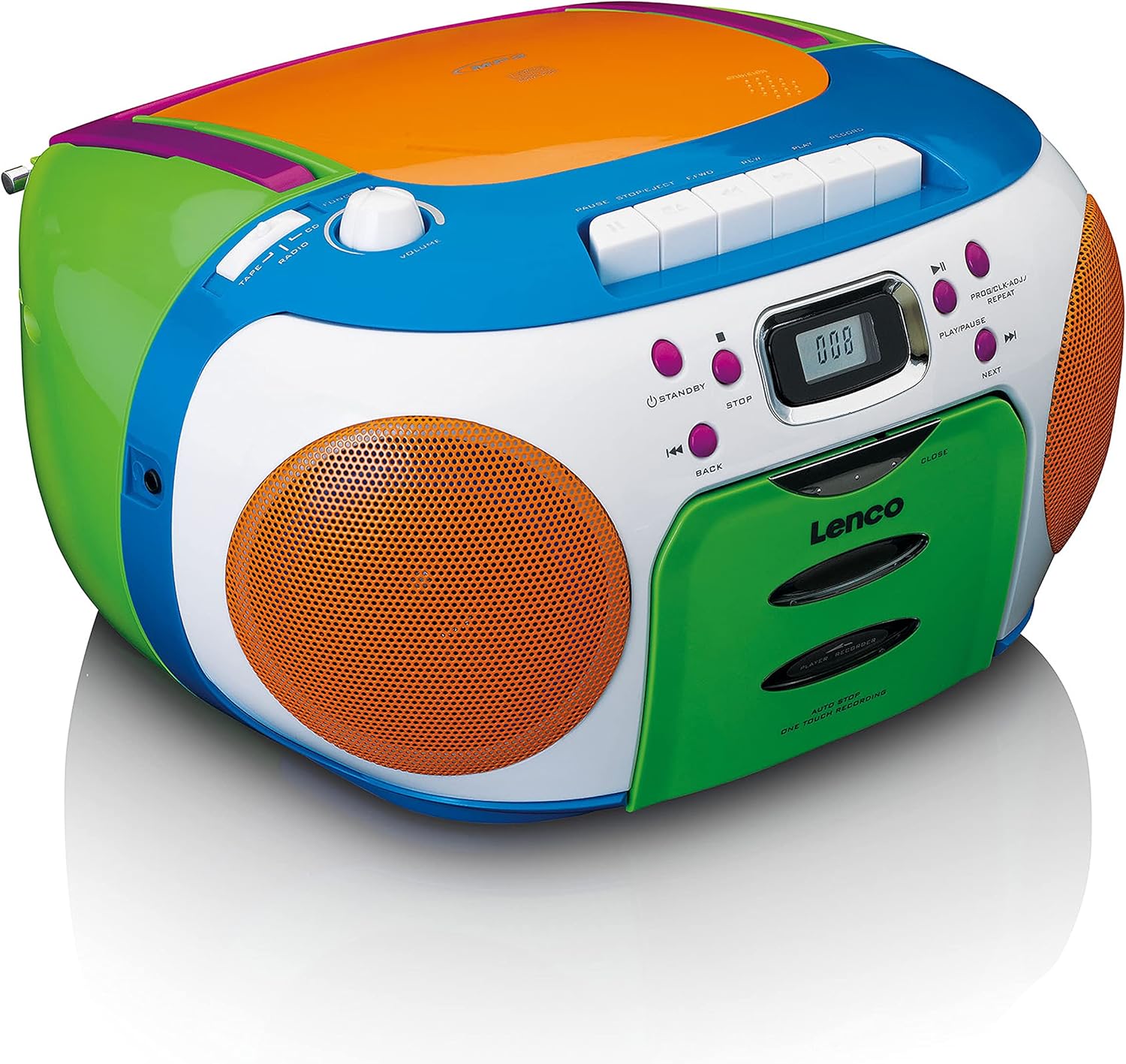
Image: Rear panel of the Lenco SCD-971, illustrating the AC power input and the battery compartment cover.
Operasyon batri:
- Louvri kouvèti konpatiman batri a ki sou dèyè aparèy la.
- Insert 6 x C-size (UM-2) batteries (not included), ensuring correct polarity (+/-).
- Fèmen kouvèti lòj batri a byen.
- When operating on batteries, disconnect the AC power cord.
Nòt: Retire pil yo si ou pa pral itilize aparèy la pou yon peryòd tan pwolonje pou evite flit ak domaj.
Enstriksyon Operasyon
Kontwòl Jeneral Souview
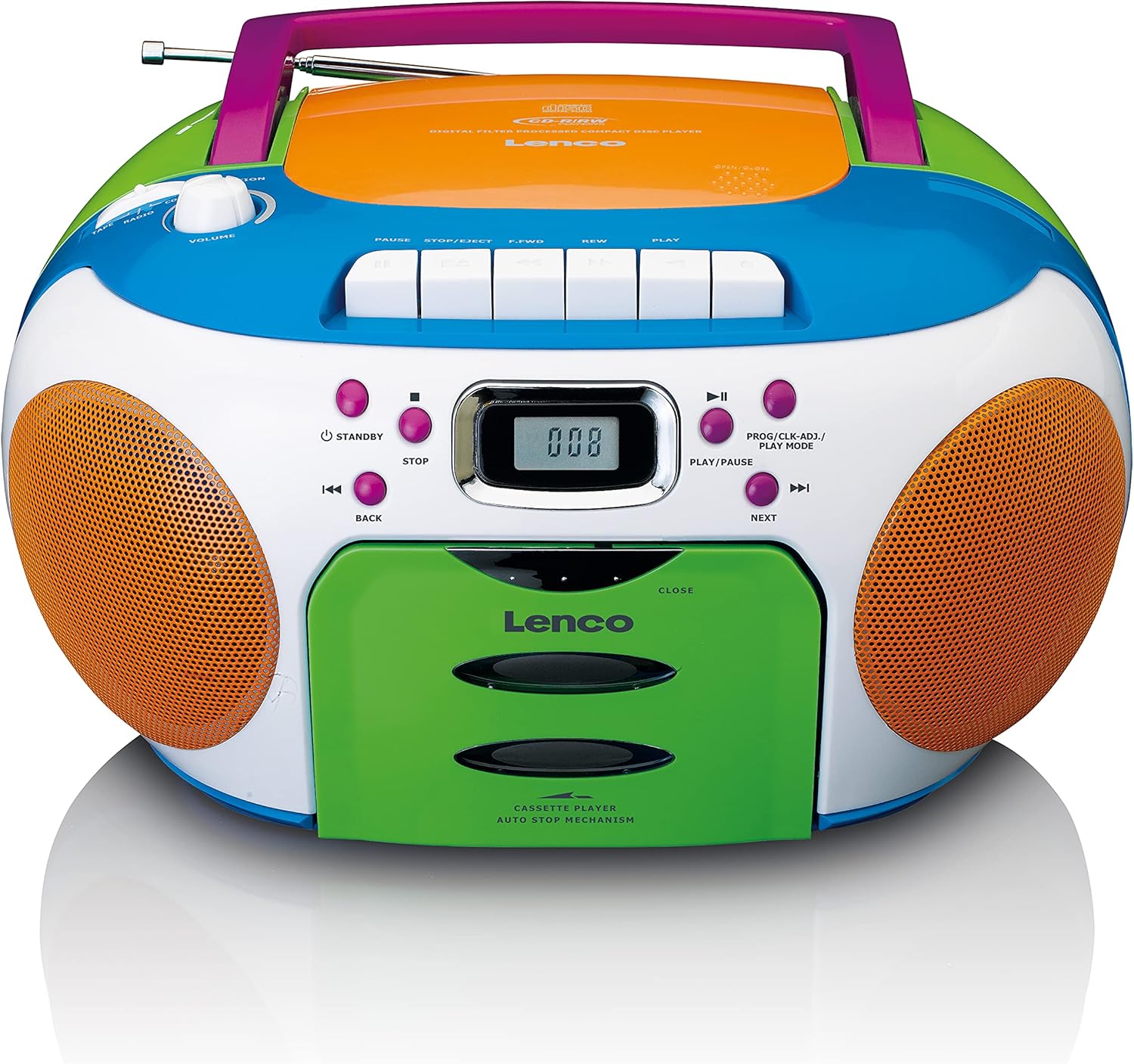
Imaj: Anlè view of the Lenco SCD-971, highlighting the main control panel with buttons for CD, cassette, and radio functions.
- Bouton STANDBY: Limen oswa etenn inite a.
- Bouton VOLIM: Ajiste nivo pwodiksyon odyo a.
- Selektè Fonksyon: Switches between CD, Radio, and Tape modes.
- Ekspozisyon LCD: Shows track number, radio frequency, and mode.
- CD Control Buttons: Play/Pause, Stop, Skip Forward/Backward, Program.
- Bouton kontwòl kasèt: Play, Stop/Eject, Fast Forward, Rewind, Pause, Record (if applicable).
- Bouton akor: Pou chwazi estasyon radyo yo.

Imaj: Detaye view of the central control panel, showing the digital display and the various playback and mode selection buttons.
Operasyon jwè CD
- Peze a atant bouton yo vire sou inite a.
- Mete la FONKSYON selector to "CD".
- Louvri pòt konpatiman CD a lè w leve l dousman.
- Mete yon CD ak bò etikèt la anlè sou aks la.
- Close the CD compartment door firmly until it clicks. The display will show "---" then the total number of tracks.
- Peze a JWE/POZ button (►/▮▮) to start playback. The current track number will be displayed.
- Pou fè yon poz, peze JWE/POZ. Peze ankò pou rekòmanse.
- Pou sispann lèktur, peze la SISPANN bouton (■).
- To skip tracks, press PWOCHÈ (►►|) or TOUNEN (◀◀|).
- To search within a track, press and hold PWOCHÈ or TOUNEN pandan lekti.
Operasyon radyo
- Peze a atant bouton yo vire sou inite a.
- Mete la FONKSYON selector to "RADIO".
- Lonje antèn teleskopik la pou yon resepsyon FM optimal.
- Vire a REGLAGE knob to select your desired radio station. The frequency will be shown on the display.
- Ajiste a VOLIM bouton an nan nivo koute ou prefere a.
Operasyon jwè kasèt
- Peze a atant bouton yo vire sou inite a.
- Mete la FONKSYON selector to "TAPE".
- Peze a STOP/EJECT bouton pou ouvri pòt konpatiman kasèt la.
- Mete yon kasèt ak bò ouvè a anlè.
- Fèmen pòt konpatiman kasèt la.
- Peze a JWE button (►) to start playback.
- Pou sispann lèktur, peze la STOP/EJECT bouton.
- Pou avanse rapid, peze la F-FWD bouton. Peze JWE rekòmanse.
- Pou remonte, peze la REW bouton. Peze JWE rekòmanse.
- Pou fè yon poz lekti, peze la POZ button (▮▮). Press again to resume.
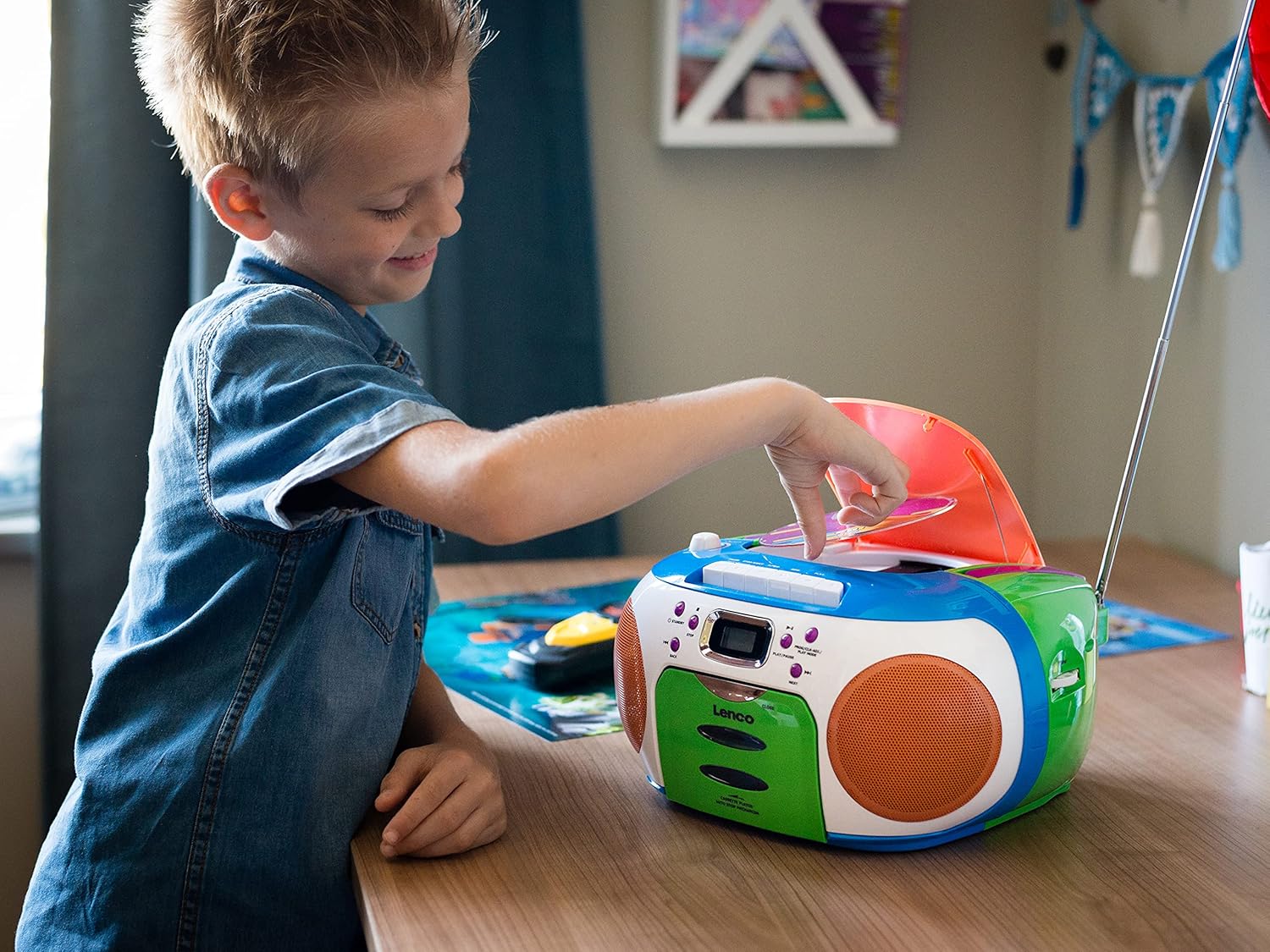
Image: A young user interacting with the Lenco SCD-971, demonstrating the ease of opening the CD player compartment.
Antretyen
Netwaye inite a
- Toujou deploge aparèy la nan sous kouran an anvan w netwaye.
- Sèvi ak yon mou, damp twal pou siye sifas ekstèn yo. Pa sèvi ak pwodui netwayaj abrazif oswa solvan.
- For the CD lens, use a specialized CD lens cleaner disc. Do not touch the lens directly.
- For the cassette deck, periodically clean the tape heads, capstan, and pinch roller with a cotton swab lightly dampfini ak alkòl izopropilik.
Depo
When not in use for extended periods, store the unit in a cool, dry place away from direct sunlight and extreme temperatures. Remove batteries if storing for more than a few weeks.
Depanaj
| Pwoblèm | Kòz posib | Solisyon |
|---|---|---|
| Pa gen pouvwa | Kòd kouran altènatif la pa konekte; Pil yo fin itilize oswa yo pa byen mete. | Tcheke koneksyon kòd kouran altènatif la; Ranplase pil yo oubyen asire w polarite a kòrèk. |
| CD a pa ap jwe / erè "PA GEN DISK" | CD inserted incorrectly; CD dirty or scratched; CD compartment not closed; Unit in wrong function mode. | Insert CD label side up; Clean or replace CD; Close compartment firmly; Select "CD" function. |
| Resepsyon radyo pòv | Antèn pa lonje; Siyal fèb. | Lonje antèn teleskopik la nèt epi ajiste li; Eseye deplase aparèy la nan yon lòt kote. |
| Cassette not playing | Tape tangled; Unit in wrong function mode. | Check tape condition; Select "TAPE" function. |
| Pa gen son ki soti nan moun kap pale | Volume too low; Headphones connected. | Increase volume; Disconnect headphones from the headphone jack. |
Espesifikasyon
- Modèl: SCD-971
- Sous pouvwa: AC 230V ~ 50Hz or 6 x C-size (UM-2) batteries
- Sòti pouvwa: 13 Watts (as per product specifications, likely peak or total)
- Jwè CD: Top-loading CD player, compatible with CD/CD-R/CD-RW
- Lektè kasèt: Auto-stop mechanism
- Radyo: FM Stereo
- Koneksyon: Auxiliary input (3.5mm headphone jack)
- Dimansyon (L x W x H): 28.8 x 23.8 x 15.5 cm (apeprè 11.3 x 9.4 x 6.1 pous)
- Pwa: 2.2 kg (apeprè 4.85 lbs)
- Koulè: Plizyè koulè
Garanti ak sipò
Lenco products are designed and manufactured to the highest quality standards. In the unlikely event of a problem with your product, please refer to the warranty information provided with your purchase or visit the official Lenco websit pou sipò ak detay kontak.
For technical assistance or service inquiries, please contact Lenco customer support. Keep your proof of purchase for warranty claims.
Websit: www.lenco.com


