1. Entwodiksyon
The FEITIAN bR500-C45F is a versatile and portable smart card reader designed for secure ID authentication, e-payment, and access control. It supports both USB and Bluetooth connectivity, making it compatible with a wide range of devices including mobile phones, tablets, and computers. This manual provides essential information for setting up, operating, and maintaining your bR500-C45F reader.
2. Pwodwi Features
- Ploge epi jwe: Easy setup with most operating systems.
- Readily Compliant: Meets industry standards for smart card reading.
- Suits Any Application: Ideal for secure ID authentication, e-payment, and access control.
- Segondè fyab: Meantime Between Failure (MTBF) of 500,000 hours.
- Long lavi batri: Equipped with a 350mAh Li Battery, providing over a week of normal usage.
3. Pake kontni
Tanpri verifye ke tout atik yo prezan nan pakè ou a:
- FEITIAN bR500-C45F Smart Card Reader
- USB Chaje / Done Kab

Figure 3.1: FEITIAN bR500-C45F Smart Card Reader and USB cable as packaged.
4. Enstalasyon
4.1 Premye chaj
Before first use, it is recommended to fully charge the bR500-C45F. Connect the provided USB cable to the reader's port and the other end to a USB power source (e.g., computer USB port, USB wall adapter).
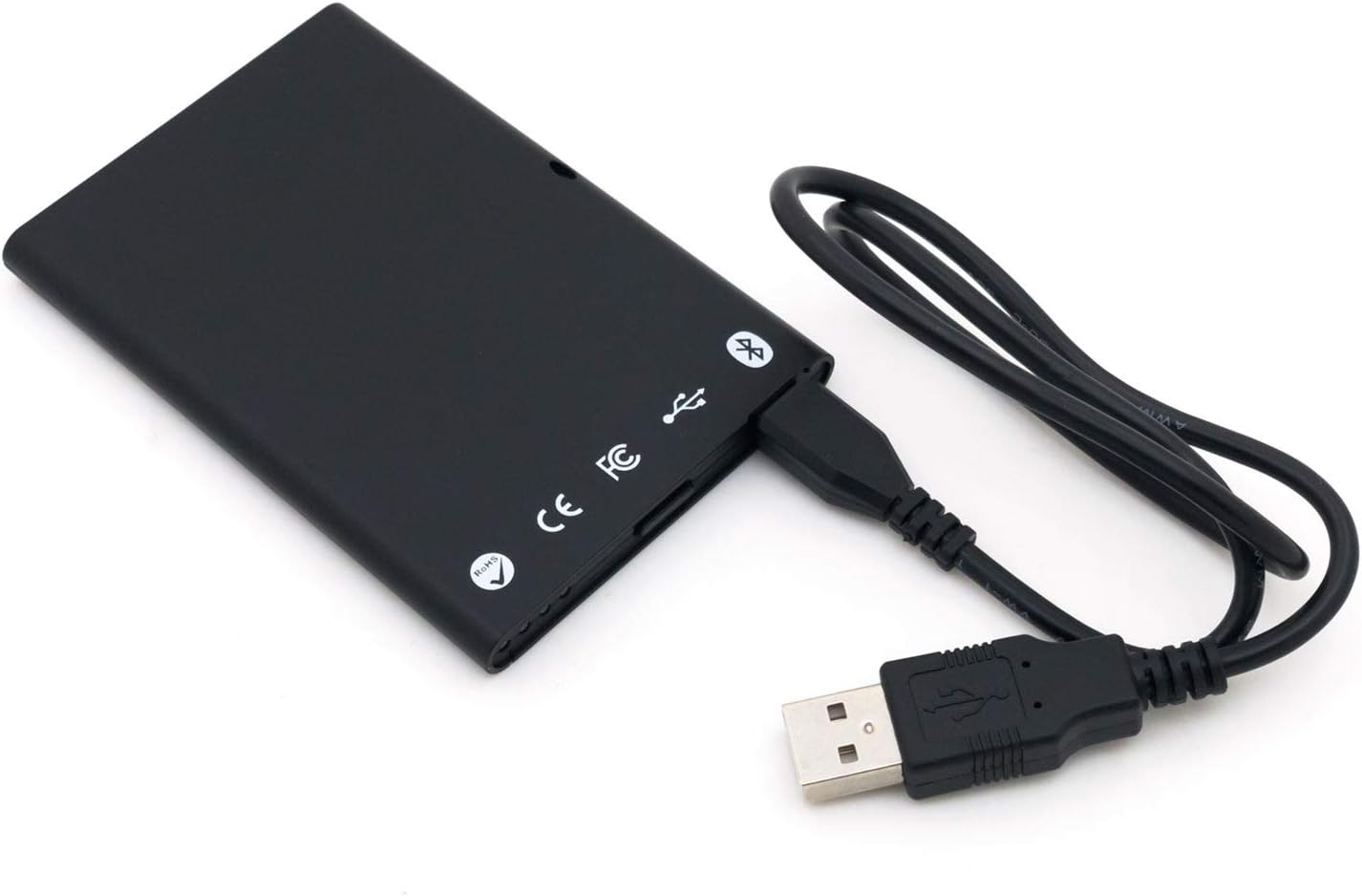
Figure 4.1: Connecting the bR500-C45F to a USB power source.
4.2 Konekte atravè USB
For direct connection to a computer, simply plug the USB cable into the reader and then into an available USB port on your computer. The device is designed to be Plug and Play, and necessary drivers should install automatically.
4.3 Konekte via Bluetooth
- Ensure the bR500-C45F is charged.
- Turn on the reader (if applicable, refer to device indicators for power status).
- Aktive Bluetooth sou aparèy mobil ou oswa òdinatè w la.
- Chèche pou available Bluetooth devices. The reader should appear as 'FEITIAN bR500-C45F' or similar.
- Select the reader to pair. Follow any on-screen prompts for pairing codes if required (typically 0000 or 1234).
5. Operasyon Enstriksyon
5.1 Reading Contactless Smart Cards
The bR500-C45F is designed for contactless smart card operations. To read a card, hold the smart card directly over the designated contactless symbol on the reader's surface. Ensure the card is flat against the reader for optimal communication.

Figi 5.1: Devan view of the bR500-C45F, showing the contactless reading area.
5.2 Konpatibilite lojisyèl
This reader is compatible with various applications requiring secure ID authentication, e-payment, and access control. Ensure that the software you are using supports standard smart card reader protocols (e.g., PC/SC). For mobile use, specific applications may be required to interface with the reader via Bluetooth.
6. Antretyen
6.1 Netwayaj
To clean the device, use a soft, dry cloth. Do not use abrasive cleaners, solvents, or harsh chemicals, as these can damage the surface and internal components.
6.2 Swen Batri
To prolong battery life, avoid exposing the device to extreme temperatures. If storing the device for an extended period, ensure it has a partial charge (around 50%) and recharge it periodically.
NAN. Depanaj
- Aparèy la pa konekte:
- Asire w ke aparèy la chaje.
- For USB, try a different USB port or cable.
- For Bluetooth, ensure Bluetooth is enabled on your host device and the reader is in pairing mode. Try unpairing and re-pairing.
- Kat la pa ap li:
- Ensure the card is placed correctly over the contactless symbol.
- Verify the card type is supported by the reader and your application.
- Ensure the reader's firmware is up to date (check manufacturer's websit).
- Pwoblèm lojisyèl:
- Ensure your application software is compatible with the bR500-C45F.
- Check for updated drivers or software from the manufacturer.
8. Espesifikasyon
| Karakteristik | Spesifikasyon |
|---|---|
| Nimewo Modèl | BR500-C45F |
| Dimansyon (LxWxH) | 3.66 x 2.52 x 0.28 pous |
| Pwa atik | 1.16 ons |
| Koneksyon Teknoloji | Bluetooth, USB |
| Batri | 1 batri ityòm-ion (350mAh) |
| MTBF | 500,000 èdtan |

Figi 8.1: Retounen view of the bR500-C45F with regulatory markings.

Figure 8.2: Product box rear, listing key specifications and manufacturer contact.
9. Garanti ak sipò
For warranty information, technical support, and the latest drivers or firmware updates, please visit the official FEITIAN websit:
Tanpri kenbe prèv ou achte pou reklamasyon garanti.


