1. Entwodiksyon
Welcome to the user manual for your new Bissell EV675 Robot Vacuum Cleaner. This document provides essential information for the safe and efficient operation, maintenance, and troubleshooting of your robotic vacuum. Please read this manual thoroughly before using your device.
2. Enstriksyon Sekirite Enpòtan
To reduce the risk of fire, electric shock, or injury, always follow basic precautions, including the following:
- Li tout enstriksyon yo anvan ou sèvi ak aparèy la.
- Pa itilize deyò oswa sou sifas mouye.
- Pa pèmèt yo itilize kòm yon jwèt. Li nesesè anpil atansyon lè yo itilize pa oswa tou pre timoun yo.
- Sèvi ak li sèlman jan sa dekri nan manyèl sa a. Sèvi ak sèlman akseswa rekòmande pa manifakti a.
- Pa sèvi ak kòd oswa ploge ki domaje. Si aparèy la pa fonksyone jan li ta dwe, li te tonbe, andomaje, kite deyò, oswa tonbe nan dlo, retounen li nan yon sant sèvis.
- Pa rale oswa pote pa kòd, sèvi ak kòd kòm yon manch, fèmen yon pòt sou kòd, oswa rale kòd alantou kwen byen file oswa kwen. Pa pase aparèy la sou kòd. Kenbe kòd lwen sifas ki chofe.
- Pa deploge rale sou kòd. Pou deploge, atrab ploge a, pa kòd la.
- Pa okipe ploge oswa aparèy ak men mouye.
- Pa mete okenn objè nan ouvèti yo. Pa sèvi ak nenpòt ouvèti bloke; pa gen pousyè, pèl, cheve, ak nenpòt bagay ki ka diminye koule lè a.
- Kenbe cheve, rad ki lach, dwèt, ak tout pati nan kò a lwen ouvèti ak pati k ap deplase.
- Pa ranmase anyen k ap boule oswa fimen, tankou sigarèt, alimèt, oswa sann cho.
- Sèvi ak plis atansyon lè w ap netwaye sou eskalye.
- Pa itilize pou ranmase likid ki ka pran dife oswa ki ka pran dife, tankou gazolin, oswa itilize nan zòn kote yo ka prezan.
- Pa ranmase materyèl toksik (klowòks klò, amonyak, pwodui netwayaj drenaj, elatriye).
- Pa sèvi ak li nan yon espas fèmen kote ki gen vapè penti a baz lwil, diluant penti, kèk sibstans ki reziste mit, pousyè ki ka pran dife, oswa lòt vapè eksplozif oswa toksik.
- Pa sèvi avè l pou ranmase objè di oswa byen file tankou vè, klou, vis, pyès monnen, elatriye.
- Pa itilize san gode pousyè tè ak/oswa filtè an plas.
- Fèmen tout kontwòl anvan debranche.
- Debranche soti nan priz lè yo pa itilize ak anvan sèvis.
3. Pake kontni
Your Bissell EV675 Robot Vacuum Cleaner package includes the following items:
- Bissell EV675 Robot Vacuum Cleaner
- Self-Charging Dock
- Adaptè pouvwa
- Kontwòl Remote
- Bonus Filter
- Bonus Edge Cleaning Brushes (2 sets)
- Zouti netwayaj

This image displays the additional filter and two sets of edge cleaning brushes that come with your robot vacuum, ensuring you have spare parts for maintenance.
4. Pwodwi souview
The Bissell EV675 is a robotic vacuum designed for efficient floor cleaning, especially effective on pet hair. It features a low-profile design to clean hard-to-reach spaces and a self-charging dock for convenience.
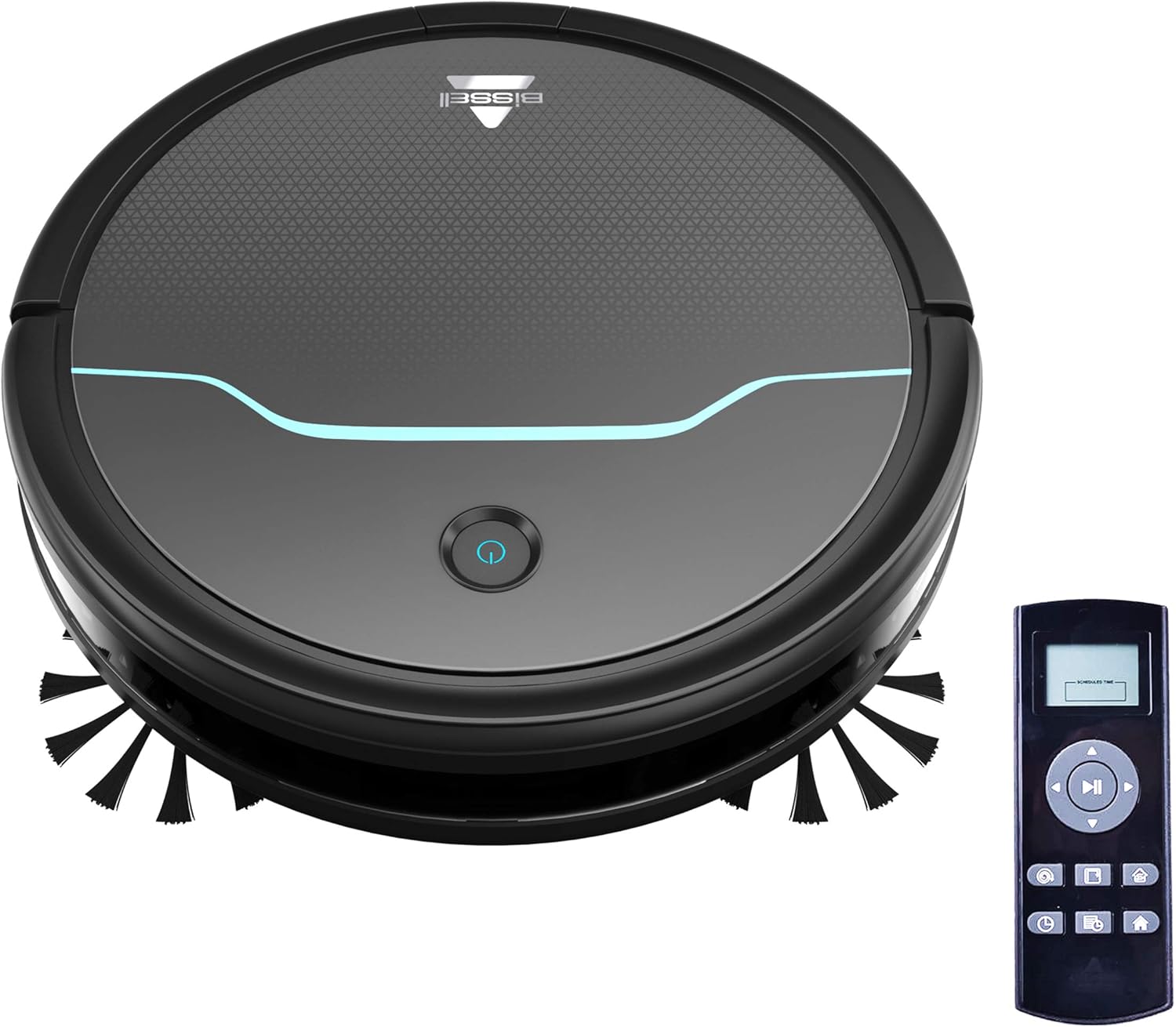
This image shows the main unit of the robot vacuum and its accompanying remote control, highlighting its compact, circular design.

This image illustrates the vacuum's ability to clean under furniture, reaching areas that are typically difficult to access.
5. Enstalasyon
5.1 Plasman Dock Chaje a
Place the self-charging dock against a wall in an open, uncluttered area. Ensure there is at least 0.5 meters (1.6 feet) of clear space on either side of the dock and 1.5 meters (4.9 feet) in front of it for optimal navigation and docking.
5.2 Premye chaj
Connect the power adapter to the charging dock and plug it into a wall outlet. Place the robot vacuum onto the charging contacts of the dock. Ensure the indicator light on the robot illuminates, indicating it is charging. Allow the robot to fully charge before its first use (approximately 4-5 hours).
5.3 Enstale bwòs bò yo
Gently press the side brushes onto the square posts on the underside of the robot until they click into place. Ensure they are securely attached.
6. Operasyon
6.1 Limen/Etenyen
To power on the robot, press and hold the power button on the top of the robot until the indicator light turns blue. To power off, press and hold the power button until the light turns off.
6.2 Kòmanse yon sik netwayaj
Press the power button once to start a cleaning cycle. The robot will automatically begin cleaning in a systematic pattern. Alternatively, use the remote control to select a cleaning mode or start cleaning.

This image shows the robot vacuum in action, effectively picking up debris from the floor.
6.3 netwayaj mòd
The remote control allows you to select various cleaning modes:
- Oto Netwaye: The robot automatically cleans based on its environment.
- Netwaye tach: The robot intensely cleans a specific small area.
- Netwayaj kwen: Robo a netwaye sou mi yo ak kwen mèb yo.
- Manyèl kontwòl: Use the directional buttons on the remote to guide the robot.

This image highlights the vacuum's versatility in cleaning different floor types, including carpets.
6.4 Orè
Use the remote control to set a cleaning schedule for your robot vacuum. Refer to the remote control section in the full manual for detailed instructions on setting daily or weekly cleaning times.

This image depicts the robot vacuum in a typical home setting, ready to execute its programmed cleaning schedule.
7. Antretyen
Regular maintenance ensures your Bissell EV675 operates efficiently and prolongs its lifespan. Always power off the robot before performing any maintenance.
7.1 Vide bwat pousyè a
It is recommended to empty the dust bin after each cleaning cycle, especially if you have pets. Press the release button on the dust bin, pull it out, open the lid, and discard the collected debris.
7.2 Netwayaj/Ranplasman Filtè yo
Remove the filter from the dust bin. Tap off loose dirt. Rinse the filter under running water if necessary, ensuring it is completely dry before reinserting. Replace the filter every 3-6 months, or as needed, to maintain optimal suction.
7.3 Netwayaj Bwòs
Remove the main brush and side brushes. Use the included cleaning tool to cut and remove any hair or debris tangled around the brushes. Ensure the brushes spin freely after cleaning.
7.4 Netwayaj Capteur ak Kontak Chaje
Wipe the cliff sensors, anti-collision sensors, and charging contacts on both the robot and the dock with a clean, dry cloth. This prevents dust buildup from affecting performance.
7.5 Maintenance Video
This video offers a visual demonstration of the Bissell EV675 Robot Vacuum Cleaner, covering its key functionalities and how it operates.
This short video clip showcases the Bissell EV675 Robotic Vacuum Cleaner performing a cleaning task, illustrating its mobility and cleaning path.
NAN. Depanaj
If your Bissell EV675 is not operating as expected, refer to the common issues and solutions below:
| Pwoblèm | Kòz posib | Solisyon |
|---|---|---|
| Robo a pa limen oswa li pa chaje. | Battery drained; charging contacts dirty; power adapter not connected. | Ensure robot is properly docked; clean charging contacts; check power adapter connection. |
| Robo a bloke souvan. | Obstacles (cords, rugs with tassels); low-hanging furniture. | Clear obstacles; use virtual barriers if available; ensure charging dock has sufficient clearance. |
| Li pa byen aspire oubyen li pa ranmase debri. | Dust bin full; filters clogged; main brush tangled. | Empty dust bin; clean or replace filters; clean main brush. |
| Side brushes not spinning. | Brushes tangled with hair/debris; brushes not installed correctly. | Remove and clean side brushes; ensure they are clicked into place. |
| Robo a fè bri dwòl. | Debris in main brush; foreign object in wheels. | Inspect and clean main brush and wheels for obstructions. |
9. Espesifikasyon
- Mak: Bissell
- Non modèl: BISSELL EV675 Robot Vacuum Cleaner for Pet Hair with Self Charging Dock, Bonus Filter, Bonus Edge Cleaning Brushes, 2503
- Nimewo Modèl: 2503
- Karakteristik espesyal: Koleksyon pousyè otomatik, pwogramasyon, woulo bwòs oto-netwayaj
- Koulè: Black With Disco Teal Accents
- Kalite filtre: Disk
- Lavi batri: 100 minit
- Kapasite: 0.4 lit
- Sous pouvwa: San fil rcharjabl
- Metòd kontwòl: Remote
- Faktè fòm: Robotik
- Dimansyon pwodwi: 12.75 x 12.75 x 3.5 pous
- Pwa atik: 6.62 liv
- Rekòmandasyon Sifas: Floors, Carpet, Floor
10. Garanti ak sipò
For warranty information, product registration, or customer support, please visit the official Bissell websit la oubyen kontakte depatman sèvis kliyan yo. Kenbe resi acha w la pou reklamasyon garanti.


