1. Entwodiksyon
This manual provides essential information for setting up, operating, and maintaining your HP Spectre x360 2-in-1 Laptop. This device combines the power of a traditional laptop with the versatility of a tablet, featuring a 15.6-inch 4K UHD touchscreen display and an Intel Core i7-8565U processor.
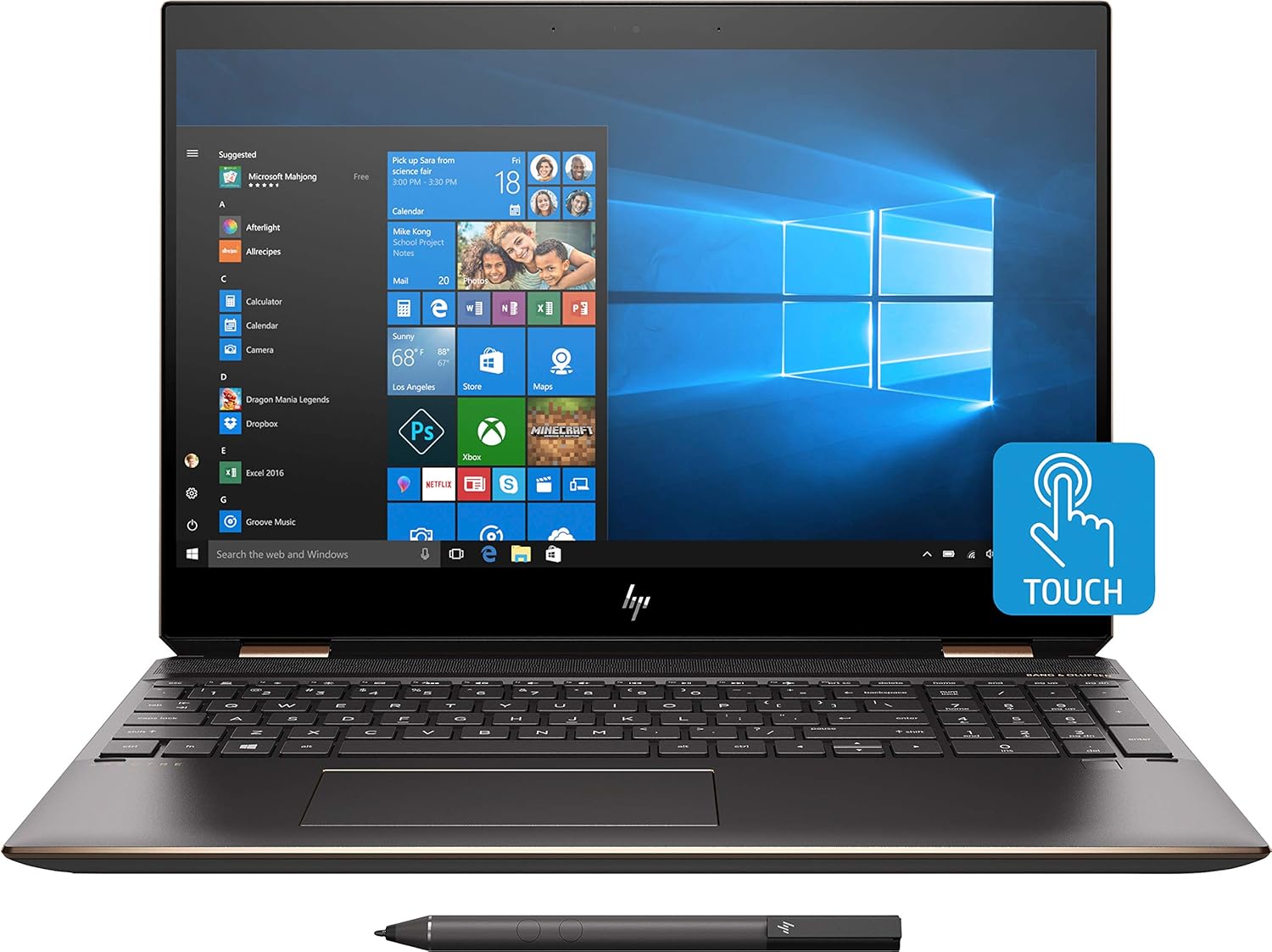
Imaj 1.1: Devan view of the HP Spectre x360 in laptop configuration.
2. Enstalasyon
2.1 Premye pouvwa-sou
- Unpack your HP Spectre x360 laptop and all accessories.
- Konekte adaptè kouran an nan laptop la ak nan yon priz kouran.
- Peze bouton pouvwa a pou limen aparèy la.
- Follow the on-screen instructions to complete the initial Windows 10 Home setup, including language, region, and user account creation.
2.2 Konekte ak yon rezo san fil
- During the Windows setup or afterward, click the Wi-Fi icon in the taskbar.
- Chwazi rezo san fil ou vle a nan lis la.
- Antre kle sekirite rezo a (modpas) si yo mande w.
- Klike sou "Konekte".
2.3 HP Active Stylus Setup
The HP Active Stylus is included for enhanced interaction with the touchscreen. Ensure the stylus has a working battery. The stylus should automatically pair with your device. If not, refer to the Windows Bluetooth settings for manual pairing.

Image 2.1: HP Spectre x360 with included Active Stylus.
3. Operasyon Enstriksyon
3.1 Fonksyonalite 2 an 1
The HP Spectre x360 can seamlessly transition between laptop, tablet, tent, and stand modes. Gently rotate the screen backward to switch modes. The system will automatically detect the orientation and adjust the display and keyboard functionality accordingly.

Image 3.1: HP Spectre x360 in a convertible mode.
3.2 Touchscreen and Stylus Usage
The 4K UHD touchscreen supports multi-touch gestures for intuitive navigation. Use the included HP Active Stylus for precise input, drawing, and note-taking directly on the screen. The stylus offers pressure sensitivity for a natural writing and drawing experience.
3.3 Klavye ak Touchpad
The full-size backlit keyboard provides comfortable typing in various lighting conditions. Adjust backlight intensity using the function keys. The HP Imagepad supports multi-touch gestures for scrolling, zooming, and navigating.
3.4 Pò ak Konektivite
Your laptop is equipped with various ports for connecting peripherals:
- 1 Thunderbolt 3 Port: For high-speed data transfer (up to 40 Gb/s), DisplayPort 1.2, and HP Sleep and Charge functionality.
- 1 USB 3.1 Type-C Gen 1 Port: For data transfer (up to 5 Gb/s), DisplayPort 1.2, and HP Sleep and Charge functionality.
- 1 USB 3.1 Gen 1 Port: For connecting standard USB devices and HP Sleep and Charge functionality.
- 1 pò HDMI: Pou konekte ak ekran ekstèn oswa pwojektè.
- 1 Headphone/Microphone Combo Jack: Pou antre ak sòti odyo.

Imaj 3.2: Pwofesyonèl bò kotefile of the HP Spectre x360 displaying its connectivity ports.
3.5 Sistèm Audio
Experience rich audio with the Bang & Olufsen dual speakers. The integrated dual array digital microphone ensures clear voice input for calls and recordings.
3.6 Karakteristik Sekirite Sosyal
The HP Spectre x360 includes advanced security features:
- Lektè anprent: Located on the keyboard deck for quick and secure login.
- HP Wide Vision FHD IR Camera: Supports Windows Hello for secure facial recognition login.
4. Antretyen
4.1 Netwaye òdinatè pòtab ou a
- Sèvi ak yon ti moso twal mou, ki san pèl dampRense avèk dlo oswa yon pwodui netwayaj ekran pou netwaye ekran an.
- For the keyboard and chassis, use a soft, dry cloth. Avoid harsh chemicals.
4.2 Swen Batri
- Pou pwolonje lavi batri a, evite tanperati ekstrèm.
- Detanzantan, kite batri a dechaje anba 20% anvan ou rechaje li.
4.3 Mizajou lojisyèl
Regularly check for and install Windows updates and HP driver updates to ensure optimal performance and security.
NAN. Depanaj
This section addresses common issues you might encounter. For more detailed troubleshooting, refer to the HP support websit.
- Pa gen pouvwa: Asire w adaptè kouran an byen konekte epi priz la ap fonksyone. Eseye yon lòt priz.
- Pwoblèm ekspozisyon: If the screen is blank, try pressing the power button briefly or connecting to an external monitor to diagnose.
- Pwoblèm koneksyon Wi-Fi: Check if Wi-Fi is enabled. Restart your router and laptop.
- Ekran taktil la pa reponn: Restart the laptop. Ensure no physical obstructions are on the screen.
6. Espesifikasyon
| Karakteristik | Detay |
|---|---|
| Non modèl | HP Spectre x360 2-in-1 (Model: Spectre) |
| Processeur | Intel Core i7-8565U (up to 4.6GHz) |
| Grafik | NVIDIA GeForce MX150 (2GB GDDR5 dedicated) |
| RAM | 16 GB DDR4-2400 SDRAM |
| Depo | SSD 512 GB PCIe NVMe M.2 |
| Ekspozisyon | 15.6" diagonal 4K IPS eDP micro-edge BrightView WLED-backlit (3840 x 2160) Touchscreen |
| Sistèm operasyon | Windows 10 Kay 64 |
| Koneksyon san fil | Intel 802.11b/g/n/ac (2x2) Wi-Fi and Bluetooth 4.2 Combo |
| Pò | 1x Thunderbolt 3, 1x USB 3.1 Type-C Gen 1, 1x USB 3.1 Gen 1, 1x HDMI, 1x Headphone/Microphone Combo |
| Odyo | Bang & Olufsen, Dual Speakers |
| Kamera | Kamera IR HP Wide Vision FHD ak mikwofòn dijital entegre doub |
| Pwodwi pou Telefòn enkli | HP Active Stylus, HP Sleeve |
| Koulè | Dark Ash Silver |
| Dimansyon (LxWxH) | 14.2 x 9.8 x 0.8 pous |
| Pwa atik | 12.3 ons (apeprè 0.35 kg) |
| Mwayèn lavi batri | Jiska 17.5 èdtan |
7. Garanti ak sipò
Pou enfòmasyon sou garanti, sipò teknik, ak lòt resous, tanpri vizite sit sipò ofisyèl HP la. website. You can find detailed documentation, driver downloads, and contact options there.
Sipò HP Websit: www.hp.com/support