Entwodiksyon
The Elitech PG-30Pro Digital Pressure Gauge is designed for precise real-time pressure measurement in various systems, including pipeline and refrigeration applications. It features a clear backlight display, automatic shutdown, low battery indication, and an over-pressure warning light for enhanced safety and usability. Its robust design and long battery life make it a reliable tool for professionals.
This manual provides essential information for the safe and effective operation, maintenance, and troubleshooting of your PG-30Pro Digital Pressure Gauge. Please read it thoroughly before use.
Karakteristik pwodwi
- Ekspozisyon ekleraj: Asire yon vizibilite klè nan lekti yo nan divès kondisyon ekleraj.
- Max/Min Value Display and Reset: Records maximum and minimum pressure values, with an option to reset for new data collection.
- Fonksyon zewo: Allows for calibration to correct any deviation at the zero point.
- Wide Refrigerant Compatibility: Supports over 90 common refrigerants, making it versatile for various AC and refrigeration systems.
- Auto Shut-Off Setting: Konsève lavi batri a pa otomatikman etenn apre yon peryòd inaktivite.
- Adjustable Temperature and Pressure Units: Users can select preferred units for both temperature and pressure measurements.
- Endikatè batri ki ba: Displays "LOB" when battery power is low.
- Over-Pressure Warning: Alerts the user to potentially damaging pressure levels.
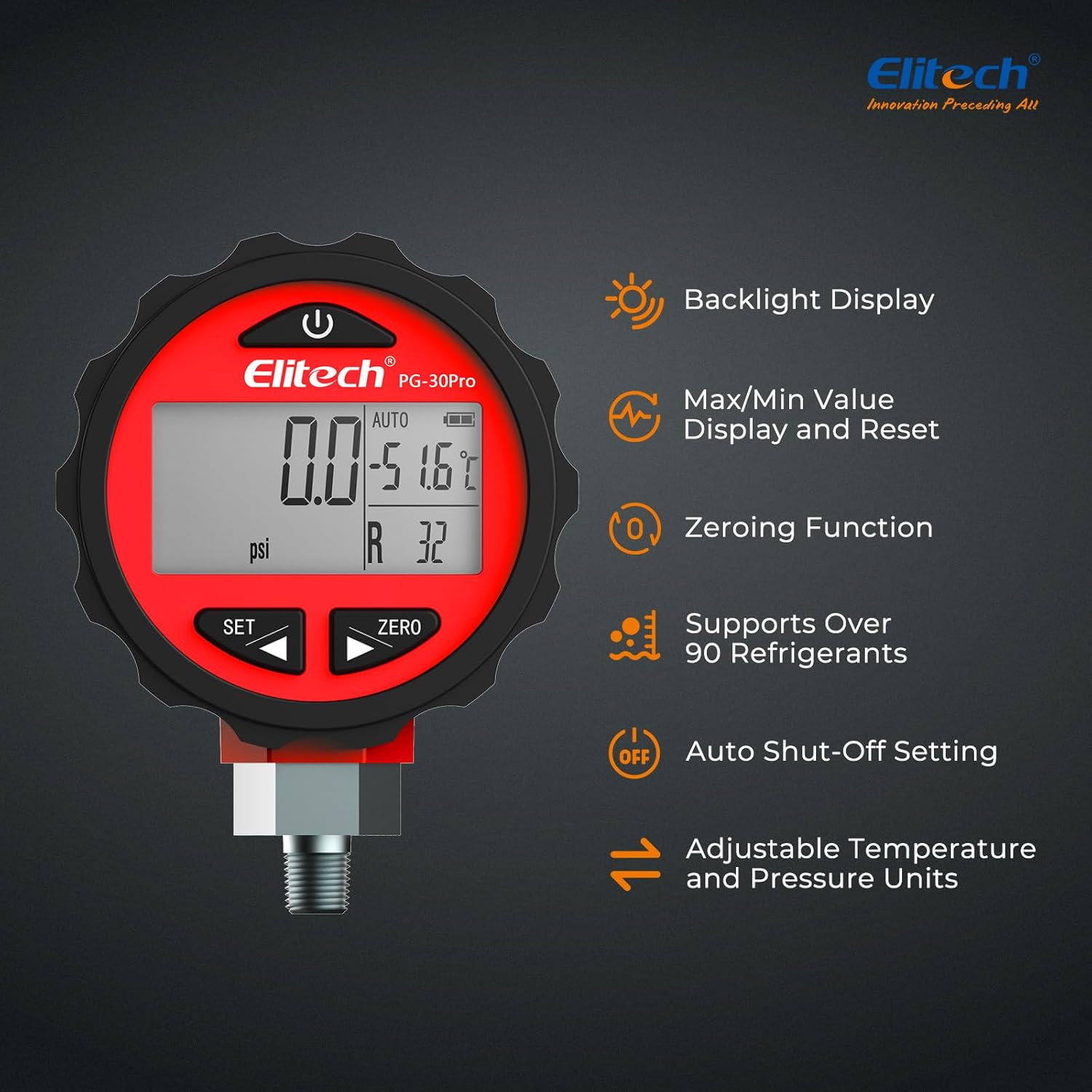
Image: Elitech PG-30Pro Digital Pressure Gauge showcasing its main features including backlight, Max/Min display, zeroing function, refrigerant compatibility, auto shut-off, and adjustable units.
Enstalasyon
1. Enstalasyon batri
- Jwenn kouvèti konpatiman batri a sou dèyè aparèy la.
- Open the cover and insert three (3) AAA batteries, ensuring correct polarity (+/-).
- Fèmen kouvèti lòj batri a byen.
2. Connecting the Gauge
- The PG-30Pro is equipped with a standard 1/8-inch NPT fitting.
- Ensure the system you are connecting to is compatible with this fitting size.
- Carefully thread the gauge onto the system's pressure port. Do not overtighten.
- Verify a secure, leak-free connection before proceeding with measurements.

Image: The Elitech PG-30Pro Digital Pressure Gauge illustrating its 1/8-inch NPT fitting and overall dimensions for connection reference.
Enstriksyon Operasyon
1. Power On/Off
Peze a POUVWA button (usually marked with a circle and vertical line) to turn the device on. Press and hold the POUVWA bouton pou etenn li.
2. Seleksyon Inite
Peze a SET button to cycle through available pressure units (MPa, kPa, bar, psi, kg/cm²) and temperature units (°C, °F). Select the desired units for your measurement.

Image: The Elitech PG-30Pro Digital Pressure Gauge showing its display with adjustable temperature and pressure units, such as psi and °C/°F.

Image: A close-up of the Elitech PG-30Pro Digital Pressure Gauge's LCD display with its blue backlight activated, showing pressure and temperature readings.
3. Zeroing Function
Before taking a measurement, especially in a new environment or after a long period of storage, it is recommended to zero the gauge. With no pressure applied, press the ZERO button to reset the reading to zero. This corrects any potential deviation and ensures accurate measurements.
4. Max/Min Value Recording
The gauge automatically records the maximum and minimum pressure values during operation. To view these values, press the SET button repeatedly until "MAX" or "MIN" appears on the display. To clear these recorded values and start a new recording cycle, press and hold the ZERO bouton pandan viewing the MAX/MIN display.

Image: The Elitech PG-30Pro Digital Pressure Gauge highlighting the Power and Zero buttons, used for Max/Min value display and reset.
5. Refrigerant Selection (PT Table)
The PG-30Pro has a built-in pressure-temperature (PT) comparison table for over 90 common refrigerants. This allows for convenient reference during HVAC and refrigeration system work. Consult the device's specific menu or accompanying documentation for how to access and utilize this feature.
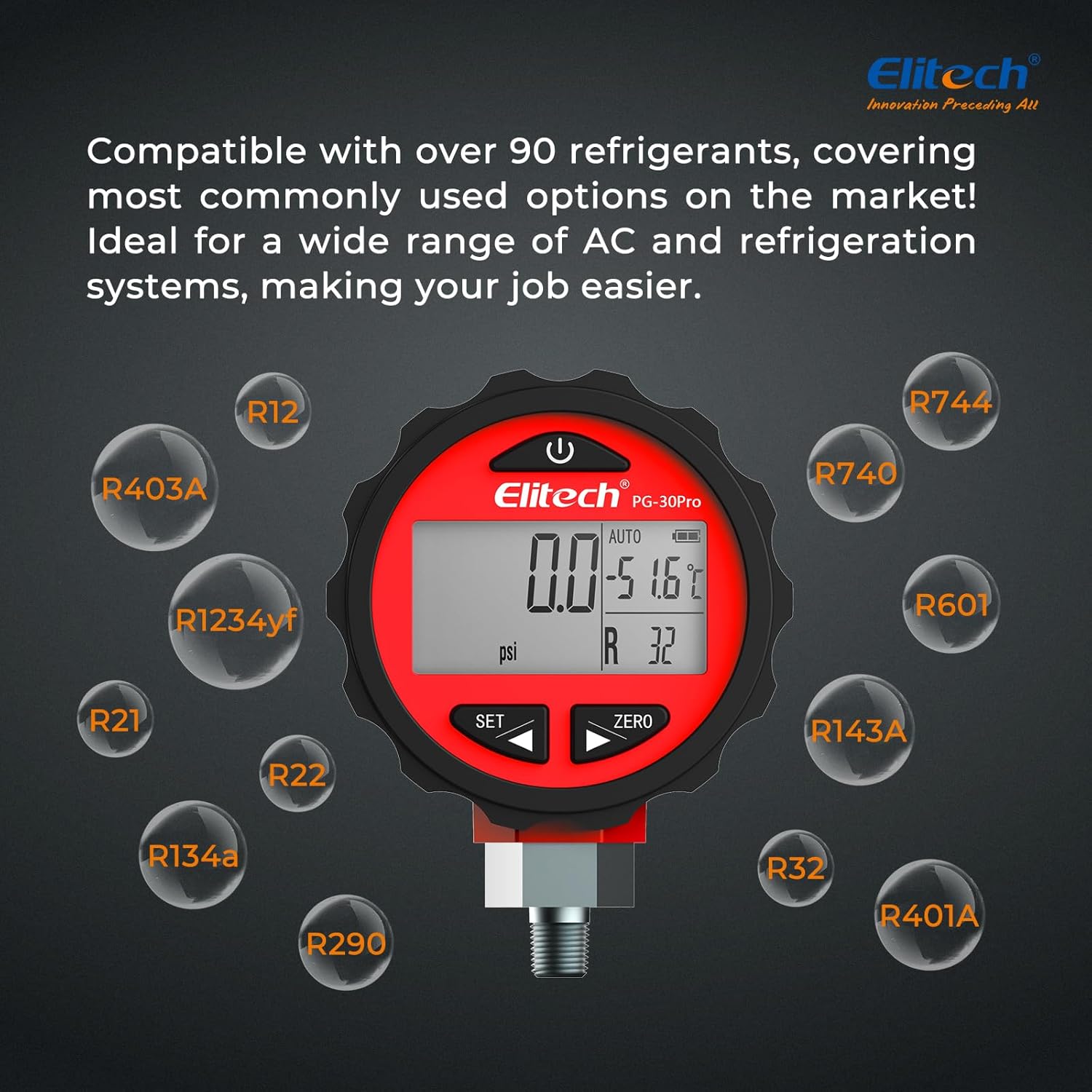
Image: The Elitech PG-30Pro Digital Pressure Gauge demonstrating its compatibility with a wide range of refrigerants, including R12, R22, R134a, R401A, and others.
Antretyen
- Netwayaj: Siye aparèy la ak yon mou, damp twal. Pa sèvi ak pwodui netwayaj abrazif oswa solvang.
- Depo: Store the gauge in a dry, cool place away from direct sunlight and extreme temperatures. If storing for extended periods, remove the batteries to prevent leakage.
- Ranplasman batri: Replace batteries when the "LOB" indicator appears on the display. Ensure to use three (3) new AAA batteries.
- Enspeksyon: Regularly inspect the pressure port and fitting for any signs of damage or wear. Replace if necessary to ensure accurate and safe operation.
Depanaj
| Pwoblèm | Kòz posib | Solisyon |
|---|---|---|
| Aparèy pa limen. | Pil ki mouri oswa ki mal enstale. | Tcheke polarite pil yo. Ranplase yo ak nouvo pil AAA. |
| Lekti ki pa kòrèk. | Gauge not zeroed; faulty connection; sensor issue. | Perform zeroing function. Check for leaks at the connection. If problem persists, contact support. |
| "LOB" displayed. | Ba pouvwa batri. | Ranplase pil yo imedyatman. |
| Ekran an fèb oswa li ap tranble. | Low battery power; environmental conditions. | Replace batteries. Ensure operating within specified temperature range. |
Espesifikasyon
| Paramèt | Valè |
|---|---|
| Modèl | PG-30Pro |
| Ranje Mezi Presyon | -0.100 to 5.515 MPa (0 to 800 psi) |
| Tanperati Fonksyònman | 10°C a 60°C (50°F a 140°F) |
| Operasyon Imidite | 35% a 85% RH |
| Rezolisyon | 0.001 MPa, 0.1 psi |
| Presizyon | ±0.5% FS (Full Scale) |
| Inite Tanperati | ° C / ° F. |
| Lavi batri | Jiska 1 ane |
| Pwovizyon pou pouvwa | 3 x AAA pil |
| Sampling Peryòd | 1 segonn |
| Ekspozisyon | 1.9 x 1 inch LCD with Blue Backlight |
| Inite Mezi | MPa, kPa, bar, psi, kg/cm², cmHg |
| Fitting | 1/8-pous NPT |
| Dimansyon pwodwi (L x W x H) | 45 x 45 x 197 mm (1.77 x 1.77 x 7.76 pous) |
| Pwa pwodwi | 248 g (8.78 ons) |
| Materyèl | Plastik |
| Konpatibilite frijidè | Over 90 types |

Imaj: Egzamples of the Elitech PG-30Pro Digital Pressure Gauge in use across various applications, including automotive AC maintenance, residential AC installation, cold storage temperature control, commercial refrigeration inspection, heat pump system pressure testing, and refrigerant recovery and charging.
Garanti ak sipò
For warranty information, technical support, or service inquiries, please contact Elitech customer service. Refer to the product packaging or Elitech's official websit la pou jwenn enfòmasyon kontak ki pi resan yo.
Websit: www.elitech.com
Please have your product model (PG-30Pro) and purchase date available when contacting support.


