1. Entwodiksyon
Thank you for choosing the Jocca Portable Air Conditioner & Heater. This versatile 3-in-1 unit is designed to provide optimal comfort by cooling, heating, and humidifying your indoor environment. Please read this manual thoroughly before operation to ensure proper use, maintenance, and safety.

Figi 1: Devan view of the Jocca Portable Air Conditioner and Heater.
Karakteristik pwodwi:
- Fonksyonalite 3-an-1: Cools, heats, and humidifies for year-round comfort.
- Lajè Kouvèti: Apwopriye pou chanm jiska 27 mèt kare.
- Operasyon trankil: Fèt pou minimize deranjman bri.
- Anviwònman reglabl: 3 fan speeds and 60° auto-adjusting oscillation.
- Pòtabilite: Integrated wheels for easy movement.
- Tank dlo pratik: Removable 3-liter water tank for easy filling and cleaning.
- Enèji efikas: 80W for cooling/humidifying, 2000W for heating.
- Refwadisman amelyore: Includes two ice packs for additional cooling effect.
2. Enstriksyon Sekirite
Pou diminye risk dife, chòk elektrik, oswa blesi, toujou swiv prekosyon sekirite debaz sa yo:
- Li tout enstriksyon yo anvan ou sèvi ak aparèy la.
- Pa opere aparèy la ak yon kòd oswa ploge ki domaje.
- Asire ke ekipman pou pouvwa a matche ak voltage espesifye sou etikèt evalyasyon an.
- Kenbe aparèy la lwen sous chalè, limyè solèy dirèk, ak materyèl ki ka pran dife.
- Pa plonje aparèy la, kòd la, oswa ploge a nan dlo oswa lòt likid.
- Always unplug the unit before cleaning, filling, or performing any maintenance.
- Do not block air inlets or outlets. Maintain at least 20 cm clearance from walls and furniture.
- Aparèy sa a se pou itilize andedan kay la sèlman.
- Sipèvize timoun yo epi asire yo pa jwe ak aparèy la.
- When using the cooling function, ensure the water level is between MAX and MIN lines.
- Ensure the water tank is properly in place to avoid water leakage.
3. Pwodwi konpozan
Kontni pake:
- Jocca Portable Air Conditioner & Heater Unit
- 2 x Pak glas
- Manyèl itilizatè
Inite souview and Dimensions:

Figure 2: Product dimensions (approx. 36 x 30 x 62 cm).

Figure 3: Top control panel with buttons.

Figure 4: Water tank with fill level indicators.
4. Enstalasyon
Debake:
Retire aparèy la nan anbalaj li avèk prekosyon. Kenbe anbalaj la pou depo oswa transpò pita.
Plasman:
Place the unit on a flat, stable surface. Ensure there is at least 20 cm of clear space around the unit for proper airflow. The integrated wheels allow for easy repositioning.
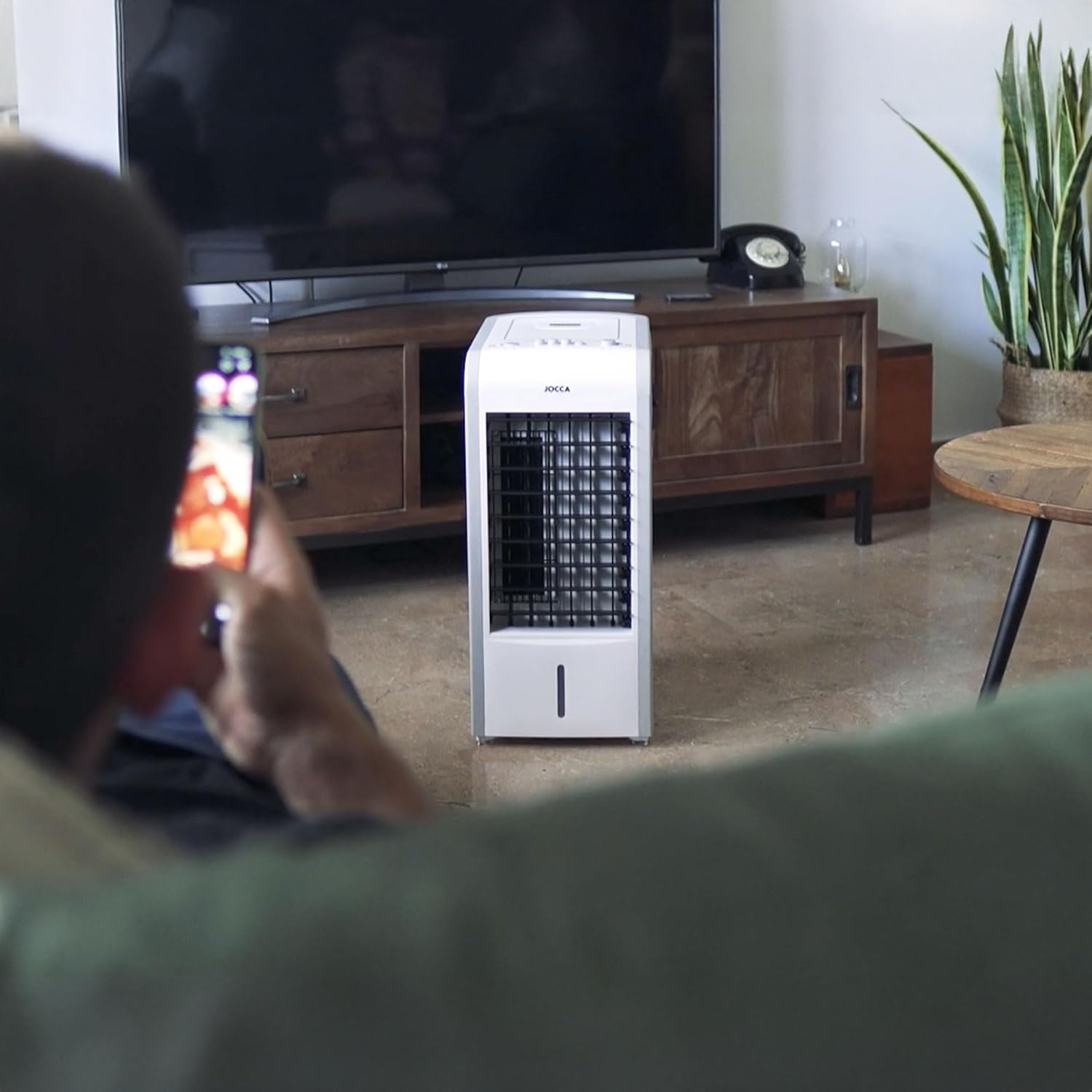
Figi 5: Egzample of unit placement in a room.
Filling the Water Tank (for Cooling/Humidifying):
- Pull out the removable water tank from the bottom rear of the unit.
- Fill the tank with clean, cool water. Ensure the water level is between the 'MIN' and 'MAX' indicators. Do not overfill.
- Glise tank dlo a tounen nan plas li avèk anpil atansyon jiskaske li fè yon klik byen fèm.
Inserting Ice Packs (for Enhanced Cooling):
For an even cooler air output, you can place the provided ice packs (after freezing them) into the water tank along with the water. This will help lower the water temperature and enhance the cooling effect.
5. Operasyon Enstriksyon
Limen/Etenyen:
- Ploge fil elektrik la nan yon priz elektrik apwopriye.
- Press the 'ON/OFF' button on the control panel to turn the unit on or off.
Ajiste vitès fanatik:
Press the 'SPEED' button repeatedly to cycle through the 3 available fan speeds (Low, Medium, High).
Cooling/Heating Mode Selection:
Use the physical switch located on the side of the unit to select between cooling/humidifying (snowflake icon) and heating (sun icon) modes.

Figure 6: Cooling/Heating mode switch.
Heating Power Selection:
When in heating mode, use the power switch on the back of the unit to select between 1000W and 2000W heating power.

Figure 7: Heating power selection switch.
Fonksyon osilasyon:
Press the 'SWING' button on the control panel to activate the automatic oscillation function, which distributes air more widely across the room. Press again to stop oscillation.
6. Antretyen
Regular cleaning and maintenance will ensure optimal performance and extend the lifespan of your unit. Always unplug the unit before cleaning.
Netwaye eksteryè a:
Siye sifas eksteryè yo ak yon mou, damp twal. Pa sèvi ak pwodui netwayaj abrazif oswa solvang.
Netwaye tank dlo a:
Remove the water tank and rinse it with clean water. For thorough cleaning, use a mild detergent and a soft brush, then rinse thoroughly. Allow it to air dry before reinserting.
Antretyen filtè:
The unit is equipped with a filter to prevent dust from entering. Periodically check and clean the filter located at the back of the unit. Gently remove the filter and rinse it under running water. Allow it to dry completely before reattaching.

Figure 8: Rear air filter.
Depo:
If the unit will not be used for an extended period, empty the water tank, clean all components, and ensure they are dry. Store the unit in a cool, dry place, preferably in its original packaging.
NAN. Depanaj
Anvan ou kontakte sèvis kliyan, tanpri gade tablo sa a pou pwoblèm komen ak solisyon yo:
| Pwoblèm | Kòz posib | Solisyon |
|---|---|---|
| Inite pa limen | No power supply; Power cord not properly plugged in; Unit is damaged. | Check power outlet; Ensure cord is securely plugged in; Contact customer support if damaged. |
| Flux lè fèb | Air inlets/outlets blocked; Filter is dirty. | Clear obstructions; Clean the air filter. |
| Pa gen efè refwadisman | Water tank is empty; Water level below MIN; Cooling mode not selected. | Fill water tank; Ensure water level is adequate; Select cooling mode. |
| No heating effect | Heating mode not selected; Heating power not set. | Select heating mode; Set heating power (1000W/2000W). |
| Dlo flit | Water tank not properly installed; Water tank overfilled. | Ensure tank is securely in place; Do not exceed MAX fill line. |
8. Espesifikasyon teknik
| Karakteristik | Spesifikasyon |
|---|---|
| Nimewo Modèl | 1137 |
| Dimansyon (L x W x H) | 36 x 30 x 62 cm |
| Pwa | 6.7 kg |
| Pouvwa refwadisman | 80W |
| Pouvwa chofaj | 1000W / 2000W |
| Kapasite tank dlo | 3 lit |
| Kapasite Airflow | 7.5 pye kib pa minit |
| Zòn Rekòmande | Jiska 27 mèt kare |
| Kalite kontwòl | Bouton manyèl |
| Koulè | Blan |
9. Garanti ak Sipò Kliyan
This product is covered by a manufacturer's warranty against defects in materials and workmanship. For specific warranty terms and conditions, please refer to the warranty card included with your purchase or contact Jocca customer support.
For technical assistance, troubleshooting beyond this manual, or spare parts, please contact Jocca customer service. You can find more information and contact details on the official Jocca websit entènèt la oubyen atravè magazen kote ou te achte pwodwi a.
Visit the Jocca store for more products: Jocca Official Store


