1. Entwodiksyon
This manual provides detailed instructions for the assembly, operation, and maintenance of your new VASAGLE Computer Desk, Model VSG-LWD40X. This industrial-style desk features a vintage brown tabletop and a black steel frame, designed for stability and ease of use in your home or office.
Please read these instructions carefully before beginning assembly to ensure correct setup and safe use of the product. Keep this manual for future reference.

Figure 1: VASAGLE Computer Desk (Model VSG-LWD40X)
2. Enfòmasyon sou Sekirite
- Sekirite timoun yo: For safety reasons, children should not climb or play on the product.
- Heat and Water: Keep the product away from heat sources and water to prevent damage.
- Kapasite chaj: Do not exceed the static load capacity of 50 kg (110 lbs) to ensure stability and prevent structural failure.
- Sifas ki estab: Always place the desk on a flat and stable surface. Use the adjustable feet to compensate for uneven floors.
- Asanble: Asire w tout vis ak eleman fikse yo byen sere anvan w itilize biwo a. Tcheke yo detanzantan epi sere yo ankò jan sa nesesè.
3. Pake kontni
Anvan asanblaj la, verifye si tout konpozan ki nan lis anba a yo prezan nan pake a:
- 1 x Computer Desk (Tabletop and Frame Components)
- 1 x Assembly Tool Kit (includes necessary wrenches/screwdrivers)
- 1 x Manyèl Enstriksyon (dokiman sa a)
- 1 x Accessory Bag (containing screws, bolts, and adjustable feet)
4. Enstriksyon pou enstalasyon ak asanblaj
The VASAGLE Computer Desk is designed for easy assembly. The side frames are provided in a single piece to simplify the process. Follow these general steps:
- Depake konpozan: Retire tout pyès yo nan anbalaj la avèk prekosyon epi mete yo sou yon sifas pwòp e mou (pa egzanp, yon dra oswa yon tapi) pou evite yo reyur.
- Idantifye pati yo: Refer to the included parts list in the accessory bag to identify each component (e.g., tabletop, side frames, crossbars, screws).
- Tache ankadreman bò yo: Connect the pre-assembled side frames to the crossbars using the provided screws. Ensure all connections are finger-tight at this stage.
- Tablo ki an sekirite: Place the tabletop onto the assembled frame. Align the pre-drilled holes on the tabletop with the frame and secure it using the appropriate screws.
- Sere tout Fastener: Once all components are in place, systematically tighten all screws and bolts using the provided assembly tool. Do not overtighten.
- Enstale pye reglabl yo: Vise pye reglabl yo nan pati anba pye biwo a.
- Nivo Biwo a: Place the desk in its desired location. Adjust the height of each foot individually by rotating them until the desk is stable and level on the floor.
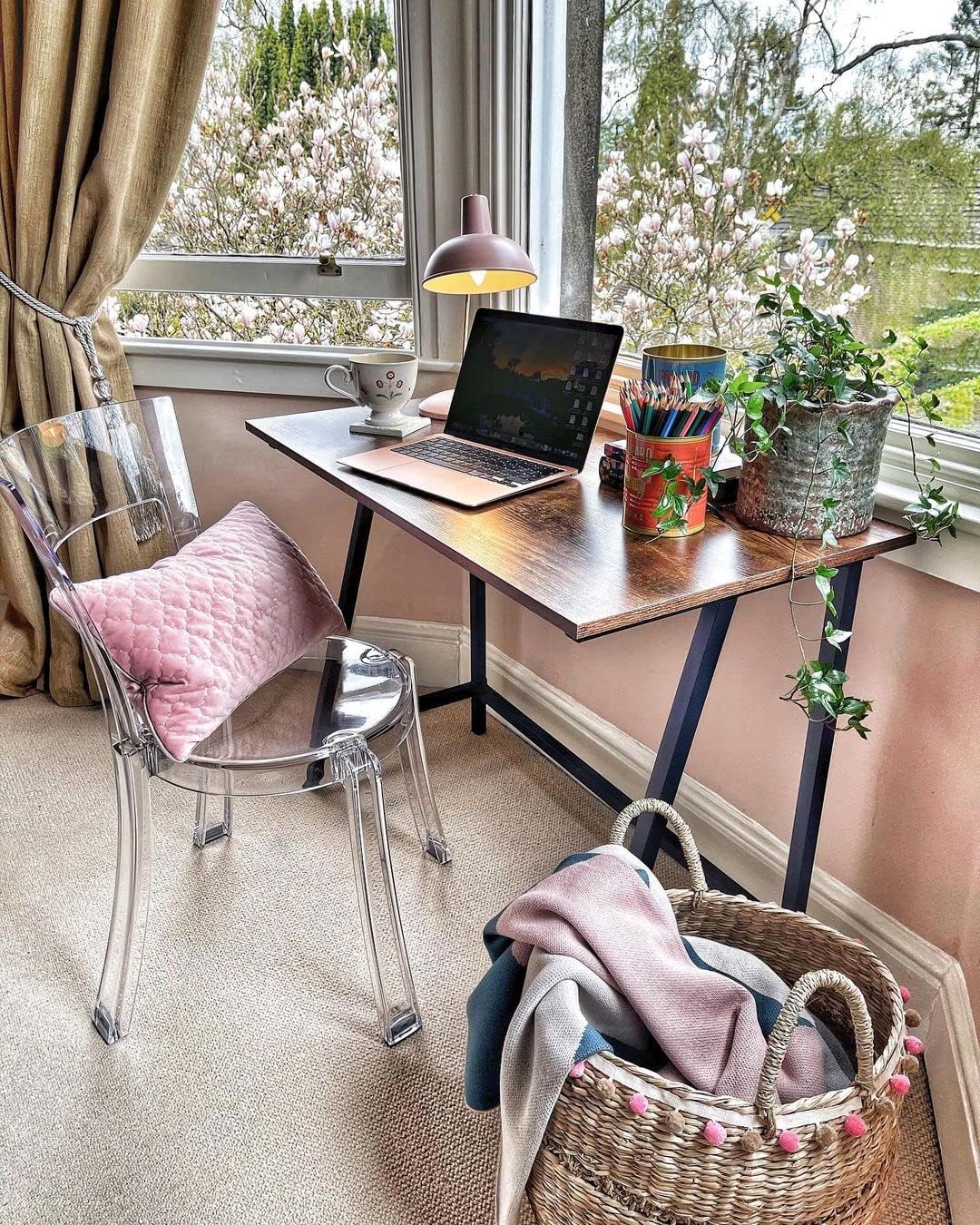
Figure 2: Adjustable Feet for Leveling
5. Operasyon Enstriksyon
Your VASAGLE Computer Desk is designed as a stable and functional workspace. No complex operation is required.
- Plasman: Position the desk in your desired study or office area. Ensure adequate space for movement and access to power outlets if using electronic devices.
- Espas travay: Utilize the spacious tabletop for your computer, books, printer, and other work essentials. The desk's robust construction supports the necessary supplies for your daily tasks.
- Tcheke estabilite: Periodically check the desk's stability. If any wobbling occurs, re-adjust the leveling feet as described in the assembly section.

Figure 3: Desk in use as a computer workstation
6. Antretyen
Bon swen ap pwolonje lavi ak aparans biwo ou:
- Netwayaj: Wipe the desk surface with a dry cloth for general dusting. For more thorough cleaning, use a damp cloth and mild detergent, then immediately dry with a clean cloth.
- Evite pwodwi chimik piman bouk: Do not use abrasive cleaners or strong chemical solvents, as these can damage the finish.
- Devèsman likid: Promptly wipe up any liquid spills to prevent staining or damage to the tabletop.
- Tcheke Fastener: Regularly inspect all screws and bolts to ensure they remain tight. Re-tighten if necessary to maintain structural integrity.
NAN. Depanaj
If you encounter any issues with your VASAGLE Computer Desk, consider the following:
- Desk Wobbles: Ensure the desk is on a flat surface. Adjust the individual leveling feet until the desk is stable. Check that all assembly screws are securely tightened.
- Pyès ki manke/domaje: If any parts were missing or damaged upon arrival, please contact VASAGLE customer support for assistance.
- Difikilte Asanblaj: Review the assembly instructions carefully. If you are still experiencing difficulties, consider seeking assistance from another person.
8. Espesifikasyon
| Atribi | Spesifikasyon |
|---|---|
| Nimewo Modèl | VSG-LWD40X |
| Dimansyon (L x W x H) | 100 x 50 x 75 cm (39.4 x 19.7 x 29.5 pous) |
| Koulè | Vintage Brown (Tabletop), Black (Frame) |
| Materyèl | Particleboard, Steel Alloy |
| Pwa pwodwi | 11.3 kg (24.9 liv) |
| Kapasite chaj estatik | 50 kg (110 liv) |
| Asanble obligatwa | Wi |
| Style | Endistriyèl |

Figi 4: Dimansyon pwodwi a
9. Garanti ak sipò
For any questions, concerns, or support needs regarding your VASAGLE Computer Desk, please contact the manufacturer directly. Refer to the packaging or the official VASAGLE website for specific warranty details and customer service contact information.
Please have your model number (VSG-LWD40X) and purchase information ready when contacting support.


