1. Entwodiksyon
This manual provides comprehensive instructions for the setup, operation, maintenance, and troubleshooting of your LMP USB Keyboard with Numeric Keypad. Designed for macOS, this keyboard offers a fluid and precise typing experience, featuring an Italian ISO layout with 110 keys, an integrated numeric keypad, and two USB-A ports for connecting peripherals. Its space gray aluminum design ensures durability and complements Apple devices. Please read this manual thoroughly to ensure proper use and longevity of your product.
2. Pwodwi souview
2.1 Karakteristik kle
- Wired USB keyboard with 110 ISO keys for Mac.
- Two integrated USB 2.0 ports for low-power peripherals.
- Durable aluminum top cover.
- Laser-etched keys for long-lasting legibility.
- Compatible with all Macs featuring a USB port and macOS 10.5 or higher.
2.2 Kontni pake a
- LMP USB Keyboard with Numeric Keypad
- Entegre USB kab
2.3 Dyagram pwodwi
Below are images illustrating the LMP USB Keyboard from various angles, highlighting its design and features.

Figi 2.3.1: Anwo-anba view of the LMP USB Keyboard, showcasing its full layout including the numeric keypad and function keys.
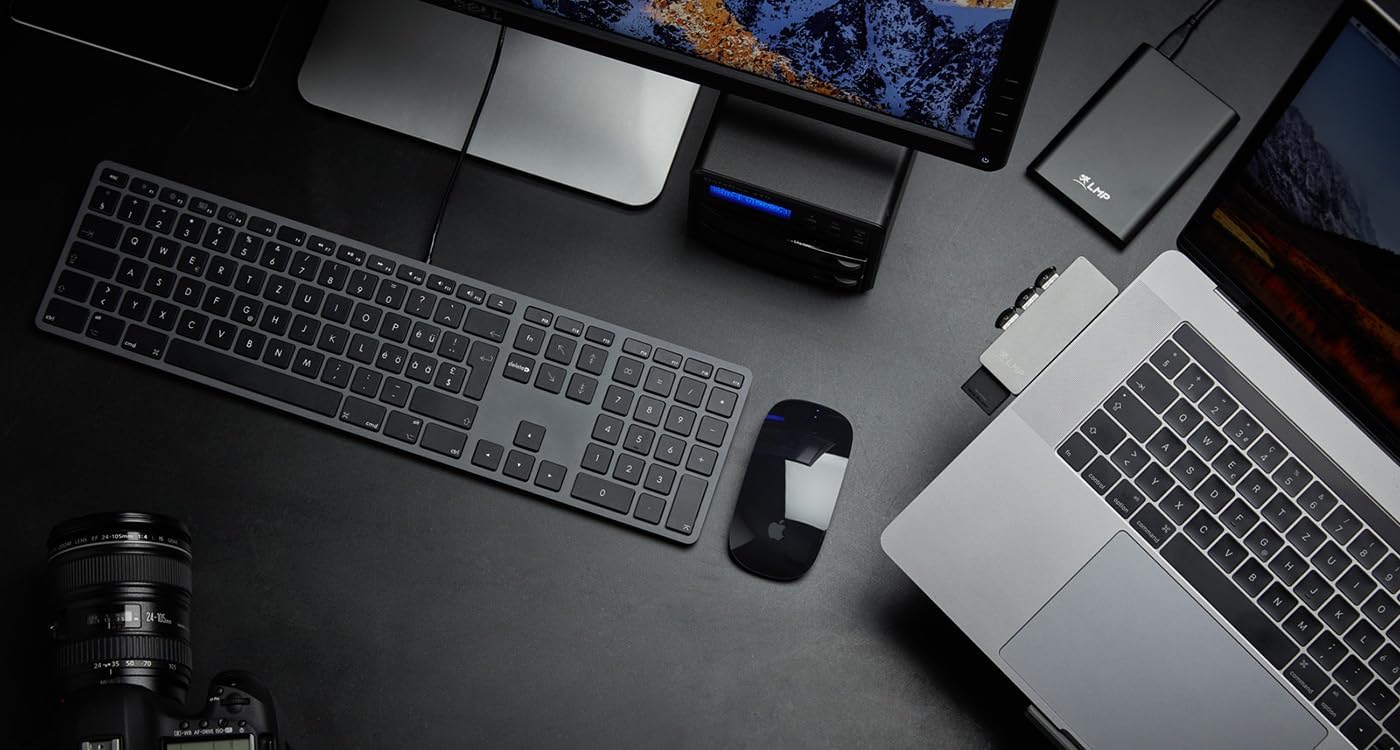
Figure 2.3.2: The keyboard shown in a typical Mac workstation environment, illustrating its compact design and seamless integration.
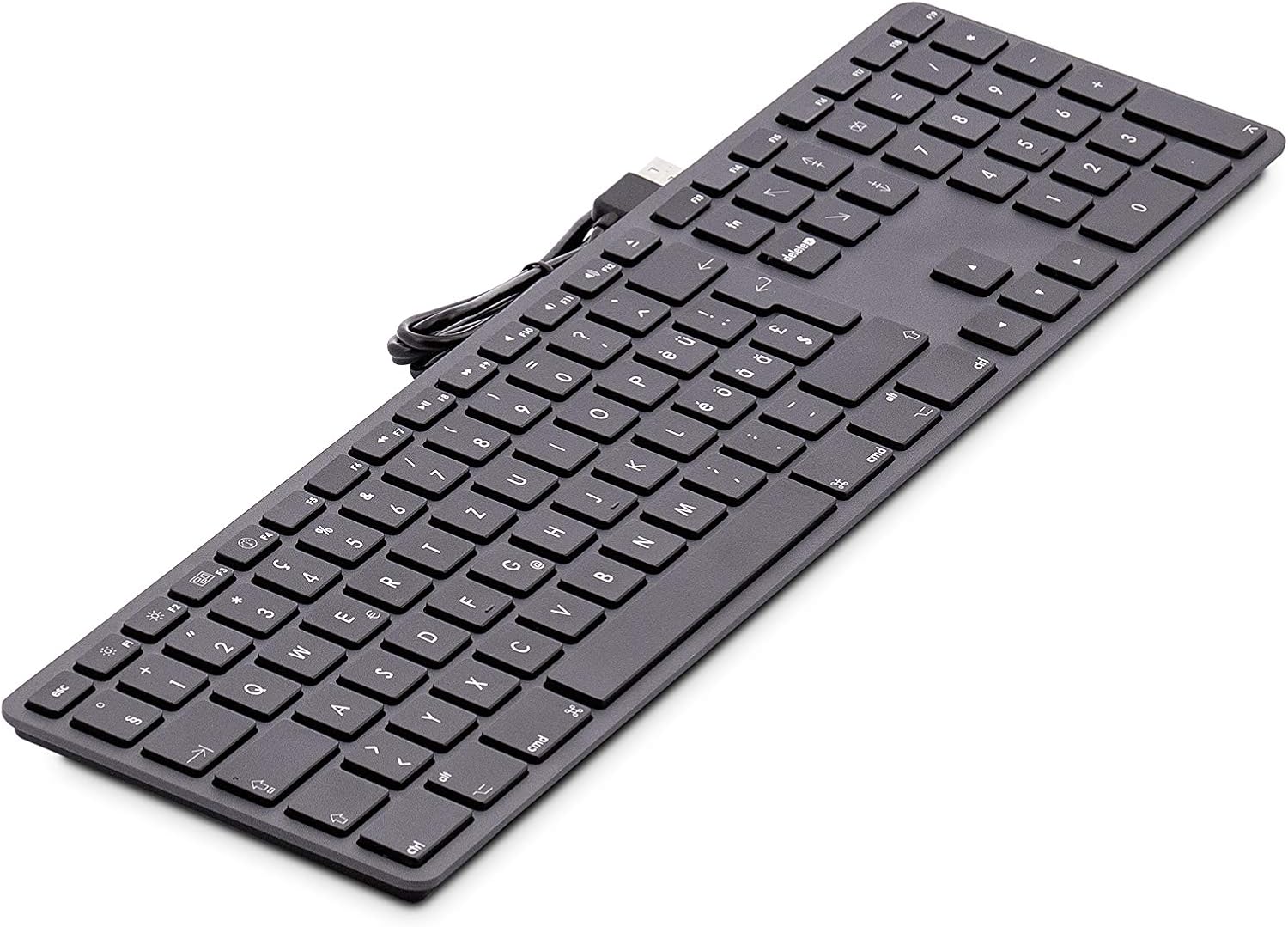
Figure 2.3.3: An angled perspective of the keyboard, emphasizing its sleek aluminum construction and keycap design.

Figi 2.3.4: A view from the rear, illustrating the integrated USB cable connection point.
3. Enstalasyon
The LMP USB Keyboard is designed for simple plug-and-play operation, requiring no additional drivers for macOS.
3.1 Kondisyon Sistèm
- Mac computer with an available USB-A port.
- macOS 10.5 (Leopard) or later.
3.2 Konekte klavye a
- Locate an available USB-A port on your Mac computer or a compatible USB hub.
- Insert the USB connector of the keyboard cable firmly into the USB-A port.
- Your Mac should automatically detect the keyboard. Follow any on-screen prompts for initial keyboard setup, if they appear.
No software installation is required. The keyboard is ready for use immediately after connection.
4. Operasyon Enstriksyon
4.1 Tape debaz
The keyboard functions as a standard QWERTY (Italian ISO) keyboard. Simply begin typing in any application.
4.2 Function Keys (F1-F19)
The top row of keys (F1-F19) provides quick access to various macOS functions. These typically include:
- Kontwòl klète: F1 (diminisyon), F2 (ogmantasyon)
- Kontwòl Misyon: F3
- Launchpad: F4
- Kontwòl medya yo: F7 (previous), F8 (play/pause), F9 (next)
- Kontwòl Volim: F10 (fèmen son), F11 (diminye), F12 (ogmante)
- Additional keys may include eject, screen lock, etc., depending on your macOS version and settings.
To use the standard F-key functions (e.g., F5 for refresh in a browser), you may need to hold down the Fn key located on the keyboard, or adjust your keyboard settings in macOS System Settings/Preferences.
4.3 Klavye nimerik
The dedicated numeric keypad on the right side of the keyboard allows for efficient data entry, calculations, and navigation. It functions identically to a standard numeric keypad.
4.4 USB 2.0 pò
The keyboard features two integrated USB 2.0 ports. These ports are suitable for connecting low-power USB devices such as:
- USB mice
- Kondwi flash USB
- Small USB accessories
Nòt: These ports are not designed for high-power devices like external hard drives that require significant power, or for charging devices. For optimal performance, connect high-power devices directly to your Mac's USB ports.
5. Antretyen ak Swen
Proper care will ensure the longevity and optimal performance of your LMP USB Keyboard.
5.1 Netwayaj
- Dekonekte: Always disconnect the keyboard from your Mac before cleaning.
- Netwayaj sifas: Sèvi ak yon ti moso twal mou, ki san pèl dampened with water or a mild, non-abrasive cleaning solution. Avoid harsh chemicals, aerosols, or solvents.
- Keycaps: For dust and debris between keys, use compressed air. Hold the can upright and spray in short bursts.
- Evite imidite: Pa kite imidite antre nan okenn ouvèti.
5.2 Depo
When not in use, store the keyboard in a clean, dry environment away from extreme temperatures, direct sunlight, and excessive dust.
NAN. Depanaj
If you encounter issues with your LMP USB Keyboard, refer to the following common problems and solutions.
6.1 Klavye a pa reponn
- Tcheke Koneksyon: Ensure the USB cable is securely plugged into a USB port on your Mac. Try a different USB port.
- Restart Mac: Sometimes a simple restart of your computer can resolve connectivity issues.
- Test on Another Mac: If possible, test the keyboard on another Mac to determine if the issue is with the keyboard or your computer.
- USB Hub: If using a USB hub, try connecting the keyboard directly to your Mac. Ensure the USB hub is powered if it's a passive hub with many devices.
6.2 Kle espesifik ki pa fonksyone
- Kle Netwaye: Check for any debris or foreign objects lodged under the non-functioning keys. Use compressed air to clear them.
- Entèferans lojisyèl: Ensure no third-party keyboard utilities or accessibility settings are interfering with key input. Resetting keyboard preferences in macOS System Settings/Preferences might help.
6.3 Peripherals Connected to Keyboard USB Ports Not Working
- Kondisyon pou pouvwa: Ensure the connected peripheral is a low-power device. High-power devices (e.g., external hard drives) may not function correctly when connected through the keyboard's USB ports.
- Koneksyon dirèk: Try connecting the peripheral directly to your Mac's USB port to confirm it functions independently.
If the problem persists after trying these solutions, please contact LMP customer support for further assistance.
7. Espesifikasyon
| Karakteristik | Detay |
|---|---|
| Mak | LMP |
| Nimewo Modèl | 18251 |
| Koneksyon Teknoloji | USB (branche) |
| Aparèy konpatib | Mac (macOS 10.5 or higher) |
| Kantite kle | 110 (ISO Layout) |
| Deskripsyon klavye | Nimerik |
| Karakteristik espesyal | Pliable (Note: This might refer to adjustable feet.) |
| Koulè | Espas Gri |
| Materyèl | Aluminum (Top Cover) |
| Dimansyon pwodwi | 45 x 14 x 4 cm |
| Pwa atik | 630 g |
| Pò USB | 2 x USB 2.0 |
| Sous pouvwa | Fil elektrik (manyen pa USB) |
8. Garanti ak sipò
LMP products are manufactured to high-quality standards. For information regarding warranty coverage and technical support, please refer to the warranty card included with your product or visit the official LMP websit la. Kenbe prèv acha ou pou reklamasyon garanti.
LMP is a Swiss company with over 20 years of experience, specializing in high-quality accessories for Apple products, focusing on innovation and design.


