Entwodiksyon
Thank you for choosing the Cauldryn Coffee Pro Smart Mug. This innovative device is designed to keep your beverages at your desired temperature for extended periods, whether you are at home, in the office, or on the go. Please read this manual carefully to ensure proper use, maintenance, and to maximize your experience with the Cauldryn Coffee Pro.
Enfòmasyon sou Sekirite
AVÈTISMAN: Pwodui sa a gen pwodui chimik ke Eta Kalifòni rekonèt kòm lakòz kansè ak domaj nesans oswa lòt pwoblèm repwodiktif. Pou plis enfòmasyon, ale nan www.P65Warnings.ca.gov.
- Do not immerse the heating element or battery base in water or other liquids.
- Ensure the mug is securely assembled before heating liquids.
- Keep out of reach of children when in operation, especially with hot liquids.
- Use only the provided power cord and desk base for charging.
- Avoid extreme temperatures or direct sunlight for prolonged periods.
- Do not use if any part of the mug, heating element, or battery is damaged.
- Be cautious when unscrewing the base from the mug, especially when it contains hot liquid.
Kontni pake
Verify that all items are present in your Cauldryn Coffee Pro package:
- 16 oz Travel Mug
- 2.0 Eleman chofaj
- Batri rechargeable
- Baz biwo
- Kòd pouvwa
- Kouvèti
Pwodwi souview
The Cauldryn Coffee Pro consists of several key components that work together to provide precise temperature control for your beverages.

Imaj: Devan view of the Cauldryn Coffee Pro Smart Mug, highlighting the digital temperature display and the four battery indicator lights below it.
The mug features an integrated LCD display for temperature readout and control buttons, along with a removable battery base and heating element for versatile use.
Enstalasyon
Inisyal chaje
Before first use, fully charge the Cauldryn Coffee Pro battery. Connect the power cord to the desk base, and place the mug with the battery attached onto the desk base. The battery indicator lights will illuminate to show charging progress. A full charge typically takes approximately 2 hours.

Image: The Cauldryn Coffee Pro Smart Mug resting on its desk base, indicating it is connected for charging or continuous power.
Asanble
- Ensure the heating element is securely screwed into the bottom of the mug.
- Attach the battery pack to the heating element by twisting it clockwise until it clicks into place.
- Fill the mug with your desired beverage. Do not overfill.
- Securely attach the lid to prevent spills and maintain temperature.
App Installation and Bluetooth Pairing
For enhanced control, download the Cauldryn app from your device's app store. Follow the in-app instructions to pair your Cauldryn Coffee Pro via Bluetooth. This allows for remote temperature control and access to preset temperature options.
Enstriksyon Operasyon
Limen / Off
Press and hold the power button located on the battery base to turn the mug on or off. The LCD display will illuminate when powered on.
Setting Temperature (Mug Buttons)
Use the up and down arrow buttons located next to the LCD display to adjust the target temperature. The display will show the current temperature and then briefly flash the target temperature as you adjust it. Once set, the mug will automatically work to reach and maintain this temperature.

Image: The Cauldryn Coffee Pro Smart Mug on a desk, displaying a temperature of 176°F, demonstrating its active heating function.
Setting Temperature (Cauldryn App)
Once paired via Bluetooth, open the Cauldryn app. You can select from preset temperatures for common beverages like green tea, black tea, or coffee. Alternatively, use the custom dial control to set a precise temperature. The mug will regulate the temperature automatically, even if the phone disconnects.
Limyè endikatè batri
The four lights under the power button on the battery indicate the current power level. More lights illuminated mean a higher charge. These lights also show charging progress when connected to the desk base.
Itilizasyon versatile
The Cauldryn Coffee Pro is designed for various applications:
- Kafe ak te: Maintain your preferred drinking temperature throughout the day.
- Dlo bouyi: Heat water for instant noodles, tea, or other needs.
- Freeze-Dried Foods: Cook freeze-dried meals directly in the mug.
- Soup: Keep soup warm or heat it up on the go.
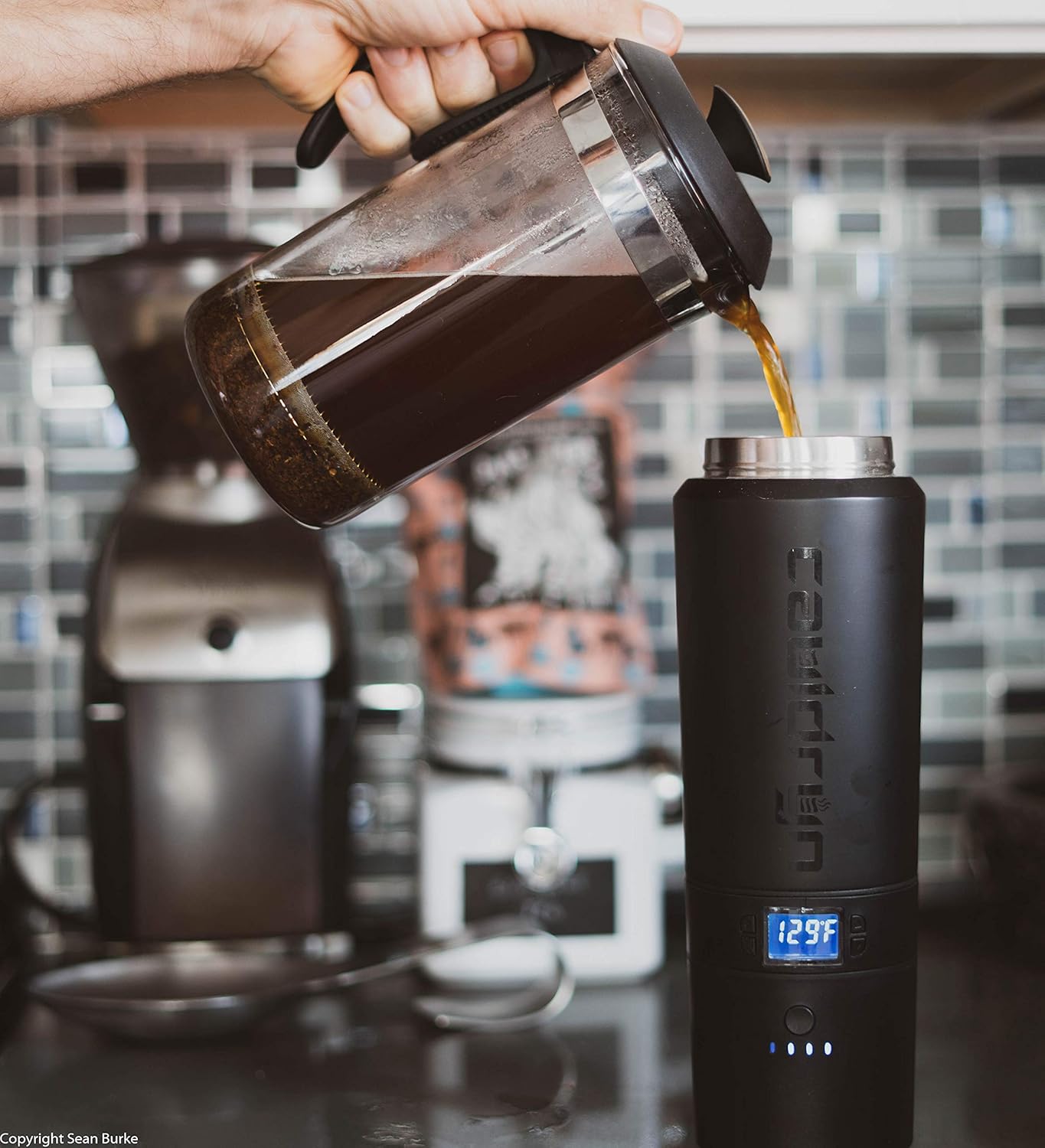
Image: A person pouring freshly brewed coffee from a French press into the Cauldryn Coffee Pro Smart Mug, demonstrating its use for maintaining beverage temperature.
Antretyen ak Swen
Netwayaj
To clean the mug, detach the battery and heating element. Wash the stainless steel mug and lid with warm, soapy water. The heating element and battery base should be wiped clean with a damp cloth. Do not submerge the heating element or battery base in water. Ensure all components are dry before reassembly.
Swen batri
To prolong battery life, avoid fully discharging the battery frequently. Store the mug and battery in a cool, dry place when not in use. If storing for an extended period, ensure the battery has a partial charge (around 50%).
Depanaj
| Pwoblèm | Kòz posib | Solisyon |
|---|---|---|
| Mug not heating or maintaining temperature. | Low battery; heating element not properly connected; power saving mode active. | Charge the battery; ensure heating element is securely screwed in; check app settings for power saving mode. |
| Tanperati ekspozisyon inexacte. | Sensor calibration variance. | Note that minor variances (e.g., 10 degrees) may occur. Adjust target temperature slightly if needed to achieve desired liquid temperature. |
| Batri pa chaje. | Power cord or desk base not connected properly; damaged battery. | Ensure all connections are secure; try a different outlet; contact support if battery appears damaged. |
| Mug leaks. | Lid not sealed properly; mug overfilled. | Ensure lid is tightly secured; do not fill liquid above the maximum fill line. |
| Pwoblèm koneksyon Bluetooth. | Mug not in pairing mode; device Bluetooth off; interference. | Ensure mug is on; restart mug and device; try pairing in a different location. |
Espesifikasyon
| Karakteristik | Detay |
|---|---|
| Dimansyon pwodwi | 7.75 x 7.75 x 4 pous |
| Pwa atik | 1.6 liv |
| Nimewo Modèl | CCS1 |
| Kalite batri | 1 batri ityòm Ion (enkli) |
| Kapasite | 16 ons |
| Materyèl | Nerjaveèi asye |
Garanti ak sipò
Cauldryn products are designed for durability and performance. For information regarding warranty coverage, product registration, or technical support, please visit the official Cauldryn websit la oubyen kontakte sèvis kliyan yo dirèkteman. Kenbe resi acha w la kòm prèv acha.
For further assistance, please refer to the contact information provided on the Cauldryn official websit: www.cauldryn.com


