Entwodiksyon
Thank you for choosing the Monarch Specialties Computer Desk. This desk combines industrial design with rustic charm, offering a functional and stylish solution for your home office. Featuring a spacious tabletop, two side drawers with metal pulls, and a wide middle drawer with a leather pull, this desk is designed to accommodate your computer and other office essentials. This manual provides detailed instructions for assembly, operation, maintenance, and troubleshooting to ensure a long-lasting and satisfying experience with your new furniture.

Image: Monarch Specialties Computer Desk in a home office setting, showcasing konsepsyon ak fonksyonalite li yo.
Enfòmasyon sou Sekirite
Tanpri li tout enstriksyon yo ak anpil atansyon anvan ou asanble epi itilize li. Si ou pa swiv direktiv sa yo, ou ka blese oswa domaje pwodwi a.
- Kenbe tout ti pyès ak materyèl anbalaj lwen timoun ak bèt kay pou evite danje toufe.
- Assemble the desk on a soft, clean surface (e.g., carpet or cardboard) to prevent scratching.
- Ensure all screws and fasteners are securely tightened before using the desk. Periodically check and re-tighten as needed.
- Do not overload the desk or drawers. Refer to the specifications for weight capacities.
- Avoid placing hot items directly on the desk surface without protective padding.
- Pa kanpe oswa chita sou biwo a.
- Si gen nenpòt pyès ki manke oswa ki domaje, pa kontinye ak asanblaj la. Kontakte sèvis kliyan imedyatman.
Lis Pati
Before beginning assembly, verify that all components are present and undamaged. The following is a general list of parts you should expect:
- Desk Top Panel
- Side Drawer Units (2)
- Middle Drawer Unit (1)
- Metal Legs (4)
- Metal Crossbar (1)
- Drawer Pulls (3 - 2 metal, 1 leather)
- Materyèl pou asanblaj (vis, boulon, rondelle, kle Allen)

Image: Detailed diagram showing the dimensions of the Monarch Specialties Computer Desk and its individual drawer components.
Enstalasyon ak Asanble
Assembly is required for this product. It is recommended to have two people for easier and safer assembly. Please follow these general steps:
- Depake epi idantifye pyès yo: Carefully remove all components from the packaging. Lay them out on a clean, soft surface. Refer to the parts list and diagrams to identify each piece.
- Attach Legs to Desk Top: Secure the metal legs to the underside of the desk top panel using the provided screws and an Allen wrench. Ensure the legs are oriented correctly as per the diagram.
- Enstale ba kwaze a: Attach the metal crossbar between the legs to provide additional stability.
- Rasanble tiwa yo: Follow the specific instructions for assembling the drawer boxes. This typically involves attaching the front, back, and side panels, and then the bottom panel.
- Enstale glisad pou tiwa yo: Attach the drawer glides to the inside of the desk frame and to the sides of the assembled drawers. Ensure they are aligned for smooth operation.
- Mete tiwa yo: Glise tiwa yo ki reyini yo avèk anpil atansyon nan konpatiman respektif yo.
- Tache manch tiwa yo: Secure the metal and leather drawer pulls to the front of each drawer.
- Tcheke final la: Once assembled, gently lift and move the desk to its desired location. Ensure all connections are tight and the desk is stable.

Image: The Monarch Specialties Computer Desk fully assembled, showcasing its taupe wood-look finish and black metal legs.
Enstriksyon Operasyon
The Monarch Specialties Computer Desk is designed for straightforward use in a home office environment.
- Sifas biwo: Use the spacious tabletop for your computer, laptop, monitor, and other work essentials. Consider using a desk pad to protect the surface from scratches and spills.
- Tiwa: The desk features two side drawers and one wide middle drawer. Pull the respective handles to open and push to close. Ensure drawers are fully closed when not in use to prevent accidental opening or damage.
- Distribisyon pwa: Distribute weight evenly across the desk surface and within the drawers to maintain stability and prevent tipping.
- Jesyon kab: While not explicitly designed with cable management features, you can use adhesive cable clips or ties (not included) to organize wires behind the desk for a tidy workspace.
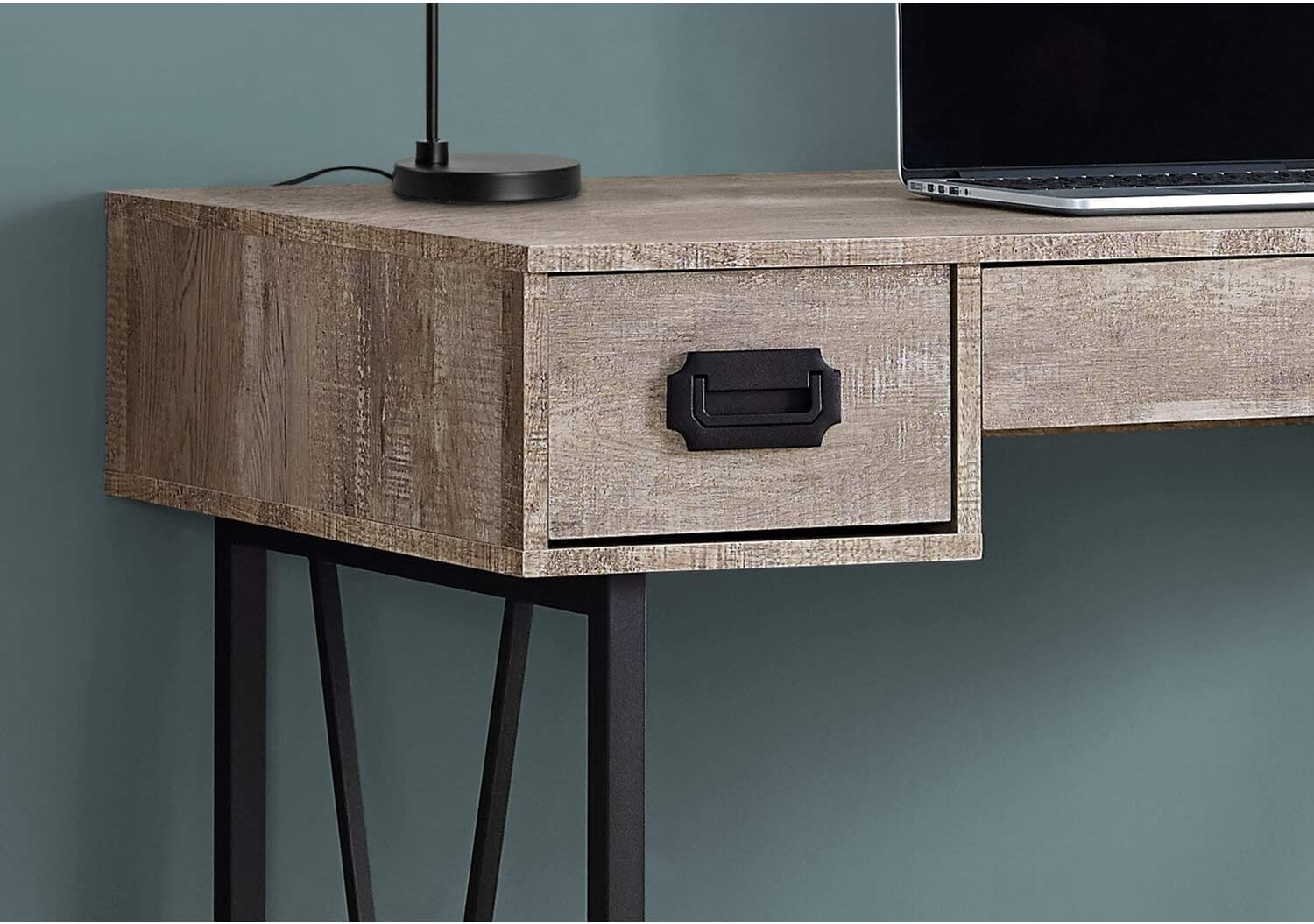
Imaj: Yon gwo plan view of one of the side drawers on the Monarch Specialties Computer Desk, highlighting the metal pull handle and wood-look finish.
Swen ak Antretyen
Bon swen ap pwolonje lavi ak aparans biwo ou.
- Netwayaj: Siye sifas biwo a ak pye yo ak yon twal mou.amp twal. Evite itilize pwodui chimik ki agresif, pwodui netwayaj abrazif, oswa pwodui poli ki ka domaje fini an.
- Devèsman: Immediately wipe up any spills to prevent staining or damage to the laminate finish.
- Chalè ak imidite: Protect the surface from extreme heat and moisture. Use coasters for drinks and heat pads for hot items.
- Limyè solèy la: Evite ekspoze a limyè solèy dirèk pou yon tan ki long, sa ka lakòz li pèdi koulè oswa pèdi koulè avèk tan.
- Materyèl: Periodically check all screws and fasteners to ensure they remain tight. Re-tighten as necessary to maintain stability.
- Deplase: Lè w ap deplase biwo a, leve l olye pou w trennen l pou evite domaje pye yo ak ankadreman an.
Depanaj
Men kèk solisyon pou pwoblèm komen ou ka rankontre:
- Biwo a tranble:
Solisyon: Ensure all assembly screws and bolts are securely tightened. Check that the desk is on a level surface. If not, use furniture glides or shims under the legs to stabilize it. - Tiwa yo ap kole oswa yo pa glise byen:
Solisyon: Check that the drawer glides are properly aligned and free of obstructions. Ensure the drawers are not overloaded. A small amount of silicone spray on the glides can improve smoothness. - Pati ki manke oswa ki domaje:
Solisyon: Do not attempt to assemble the product with missing or damaged parts. Contact Monarch Specialties customer support with your model number and a description of the issue to request replacement parts. - Sifas rayures:
Solisyon: For minor scratches, furniture repair markers or wax sticks matching the finish color may help. Always use a desk pad or protective mat to prevent future scratches.
Espesifikasyon
| Karakteristik | Detay |
|---|---|
| Mak | Espesyalite Monak |
| Nimewo Modèl | mwen 7414 |
| Dimansyon pwodwi (D x W x H) | 23.75"D x 47.25"W x 30.75"H |
| Koulè | Taupe |
| Style | CONTEMPORARY, INDUSTRIAL, MODERN |
| Materyèl de baz | Metal |
| Fini Kalite | Enjenieri bwa |
| Karakteristik espesyal | Kontra enfòmèl ant |
| Kantite tiwa | 3 (2 side, 1 middle) |
| Pwa atik | 61 liv |
| Asanble obligatwa | Wi |
Garanti ak sipò
Monarch Specialties products are manufactured to high standards. For specific warranty information, please refer to the documentation included with your purchase or visit the official Monarch Specialties website. If you require assistance with assembly, have questions about your product, or need to report missing/damaged parts, please contact Monarch Specialties customer support directly. Keep your purchase receipt and model number handy for faster service.
Pou plis enfòmasyon, ou ka vizite Monarch Specialties Store on Amazon.


