1. Entwodiksyon
This manual provides detailed instructions for the DIERYA DK63 Wireless Mechanical Gaming Keyboard. Please read this manual thoroughly before using the product to ensure proper operation and to maximize your user experience. The DK63 is a compact 60% mechanical keyboard designed for versatility across various platforms, offering both wired and wireless connectivity options.

Image 1.1: DIERYA DK63 60% Mechanical Keyboard showcasing its compact layout and dimensions (292.8mm width, 101mm height).
2. Karakteristik kle
- 60% Konsepsyon Konpak: The DK63 features a streamlined 60% layout, optimizing desk space while retaining essential functionality through function layer keys.
- Mòd koneksyon doub: Seamlessly switch between wired (USB-C) and wireless (Bluetooth 5.1) connections.
- Sipò pou plizyè aparèy: Connects to up to 3 devices via Bluetooth, compatible with Mac, Windows, and Android operating systems.
- True Mechanical Switches: Equipped with durable mechanical switches (available in Blue, Brown, or Red variants) for a responsive typing and gaming experience.
- Ekleraj RGB dinamik: Features 8 distinct lighting effects and supports 16.8 million colors for personalized aesthetics.
- Lojisyèl personnalisable: Utilize the DIERYA customizable software for macro recording and remapping keyboard buttons.

Image 2.1: The DIERYA DK63 keyboard demonstrating its ability to connect to up to 3 devices via Bluetooth, compatible with Mac, Windows, and Android.

Imaj 2.2: Yon gwo plan view of the true mechanical switches on the DIERYA DK63 keyboard, highlighting their design for durability and responsiveness.
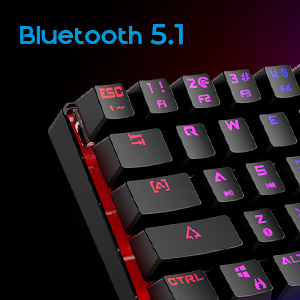
Image 2.3: Detail shot indicating Bluetooth 5.1 connectivity on the DIERYA DK63 keyboard.
3. Gid Enstalasyon
3.1 Koneksyon branche
- Jwenn pò USB-C a sou klavye a.
- Konekte kab USB-C ki founi an nan klavye a.
- Ploge lòt bout kab USB-C a nan yon pò USB ki disponib sou òdinatè w lan.
- The keyboard will be automatically recognized by your system and is ready for use.
3.2 Koneksyon san fil Bluetooth
- Ensure the keyboard is charged or connected via USB-C initially.
- To switch to wireless mode, press Fn + R. The keyboard's indicator light will change to signify Bluetooth mode.
- Pou konekte ak yon aparèy, peze epi kenbe Fn+Z, Fn + X, oswa Fn + C for 3-5 seconds. The corresponding key's backlight will flash rapidly, indicating pairing mode.
- On your device (computer, tablet, or smartphone), enable Bluetooth and search for available devices.
- Select "DIERYA DK63" from the list of available devices to complete the pairing process.
- Once paired, the key's backlight will stop flashing and remain steadily lit.
- Pou chanje ant aparèy Bluetooth ki asosye yo, peze Fn+Z, Fn + X, oswa Fn + C (short press) to select the desired device.
4. Operasyon Enstriksyon
4.1 Konbinezon kle fonksyon
The DK63 utilizes the Fn key to access secondary functions printed on the keycaps. Hold down the Fn key and press the desired key to activate its secondary function.
- Fn + 1! to 0): F1 to F10 keys.
- Fn + -_ and =+: F11 and F12 keys.
- Fn + P: Enprime ekran.
- Fn + [: Lakay.
- Fn +]: Fen.
- Fn + ;: Page Up.
- Fn + ': Paj anba.
- Fn + Flèch yo: Navigation (e.g., Fn + Up Arrow for Page Up, Fn + Down Arrow for Page Down, etc., depending on specific keycap legends).
4.2 Kontwòl ekleraj dèyè RGB
The keyboard offers various lighting effects and customization options:
- Fn + \| Cycle through different lighting effects.
- Fn + Up Arrow: Ogmante klète limyè dèyè a.
- Fn + Down Arrow: Diminye klète limyè dèyè a.
- Fn + Left Arrow: Adjust lighting effect speed.
- Fn + Right Arrow: Adjust lighting effect speed.
- Specific keys may have additional lighting controls indicated on their keycaps.

Image 4.1: Screenshot of the DIERYA customizable software, showing options for lighting effects, color selection, macro recording, and key remapping.
4.3 Customizable Software
The DIERYA DK63 supports dedicated software for advanced customization. This software allows users to:
- Record and assign macros to specific keys.
- Remap individual key functions.
- Fine-tune RGB lighting effects, colors, and patterns.
Please refer to the DIERYA official website for software download and detailed instructions on its usage.
Videyo 4.2: Prezantasyon videyo pwodwi ofisyèl laasing the DIERYA DK63 60% Mechanical Gaming Keyboard, highlighting its design and RGB lighting effects.
5. Antretyen
To ensure the longevity and optimal performance of your DIERYA DK63 keyboard, follow these maintenance guidelines:
- Netwayaj: Regularly clean the keyboard with a soft, dry cloth. For deeper cleaning, use a can of compressed air to remove dust and debris from between the keycaps. If necessary, gently wipe keycaps with a slightly damp cloth and mild soap solution, ensuring no liquid enters the keyboard.
- Evite likid: Pa vide likid sou klavye a. Si gen likid ki koule, dekonekte klavye a imedyatman epi kite l sèk nèt anvan ou rekonekte li.
- Depo: Sere klavye a nan yon kote ki fre epi sèk, lwen limyè solèy dirèk ak tanperati ekstrèm.
- Swen kab: Evite pliye oswa tòde kab USB-C a twòp pou evite domaje li.
NAN. Depanaj
If you encounter issues with your DIERYA DK63 keyboard, refer to the following common solutions:
6.1 Klavye a pa reponn (ak fil)
- Asire w kab USB-C a byen konekte ak klavye a ak òdinatè a.
- Eseye konekte klavye a nan yon lòt pò USB sou òdinatè w la.
- Test the keyboard with a different USB-C cable if available.
- Rekòmanse òdinatè w lan.
6.2 Pwoblèm koneksyon Bluetooth
- Ensure the keyboard is in Bluetooth mode (Fn + R).
- Verifye ke Bluetooth aktive sou aparèy ou an.
- Make sure the keyboard is sufficiently charged. Low battery can affect Bluetooth performance.
- If already paired, try unpairing the keyboard from your device's Bluetooth settings and then re-pairing it.
- Ensure the keyboard is within the effective range of your Bluetooth device (typically up to 10 meters).
- Evite entèferans ki soti nan lòt aparèy san fil.
6.3 Backlighting Not Working or Incorrect
- Ogmante klète a lè l sèvi avèk Fn + Flèch moute.
- Cycle through lighting effects using Fn + \|.
- Ensure the keyboard is not in a mode where backlighting is intentionally off or dimmed.
- If using the customizable software, check the lighting settings within the application.
7. Spécifications pwodwi
| Karakteristik | Detay |
|---|---|
| Nimewo Modèl | DK63 |
| Mak | DIERYA |
| Kalite san fil | Bluetooth 5.1 |
| Koneksyon Teknoloji | USB-C, Bluetooth |
| Platfòm pyès ki nan konpitè | Laptop, PC |
| Pwa atik | 1.5 liv (apeprè 0.68 kg) |
| Dimansyon pwodwi (LxWxH) | 12 x 5.6 x 1.9 pous (apeprè 30.5 x 14.2 x 4.8 cm) |
| Sous pouvwa | Batri Powered (1 batri ityòm Ion enkli) |
| Opsyon Kalite Chanjman | Ble (Klike), Mawon (Taktil), Wouj (Lineyè) |
| Konpozan ki enkli | USB kab |
8. Garanti ak sipò
DIERYA products are manufactured to high-quality standards. For information regarding warranty coverage, technical support, or service inquiries, please refer to the official DIERYA websit la oubyen kontakte sèvis kliyan yo dirèkteman. Kenbe resi acha w la kòm prèv acha pou reklamasyon garanti.


