1. Entwodiksyon
This manual provides essential information for the proper setup, operation, and maintenance of your Acer V247Y bmipx 23.8" Full HD IPS Monitor. Please read this manual thoroughly before using the product to ensure optimal performance and safety.
Kontni pake
Verifye ke tout atik ki nan lis anba a yo prezan nan pakè ou a:
- Acer V247Y bmipx Monitor
- Sipò Monitè (Baz ak Kou)
- Kòd pouvwa
- HDMI kab
- DisplayPort kab
- VGA kab
- Manyèl itilizatè ak kat garanti
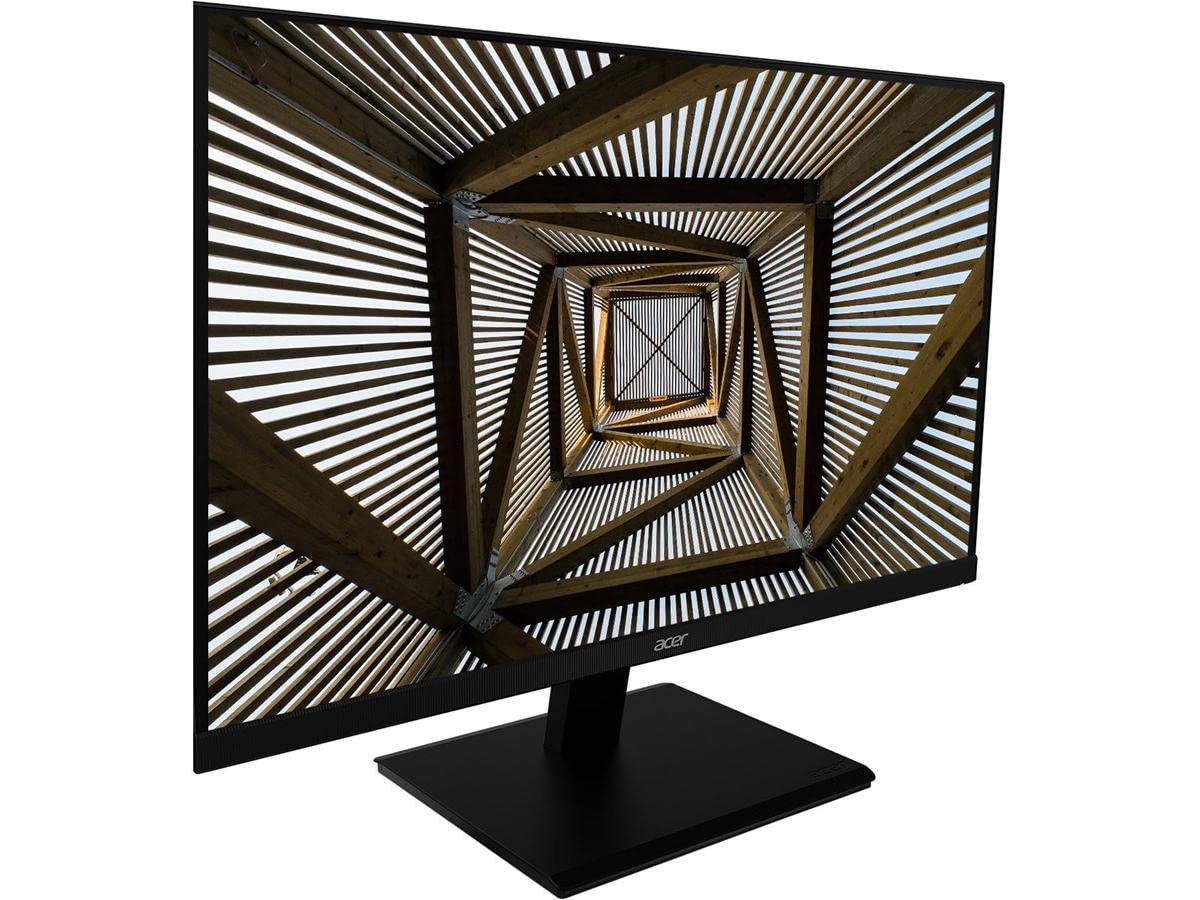
Imaj 1.1: Devan view of the Acer V247Y bmipx 23.8 inch Full HD IPS Monitor.
2. Enfòmasyon sou Sekirite
Obsève prekosyon sekirite sa yo pou evite domaje monitè a epi asire sekirite itilizatè a:
- Mete monitè a sou yon sifas ki plat e ki estab pou anpeche l tonbe.
- Asire w ke gen ase vantilasyon toutotou monitè a. Pa bloke ouvèti vantilasyon yo.
- Sèvi sèlman ak kòd kouran an ak adaptè ki vini ak monitè a.
- Pa ekspoze monitè a anba lapli oswa imidite pou evite chòk elektrik.
- Kenbe monitè a lwen limyè solèy dirèk, sous chalè, ak tanperati ekstrèm.
- Deploge monitè a nan priz kouran anvan w netwaye.
- Pa eseye fè reparasyon monitè a tèt ou. Konfye tout antretyen bay pèsonèl sèvis kalifye.
3. Enstalasyon
3.1 Asanblaj Sipò Monitè a
- Retire konpozan monitè a ak sipò a nan anbalaj la avèk prekosyon.
- Kole kou sipò a sou panèl monitè a lè w aliyen ti lang yo epi pouse jiskaske li fè yon klik an plas.
- Kole baz sipò a nan kou sipò a. Sere l byen ak vis kaptif ki sitiye anba baz la.
- Place the assembled monitor on a stable desk or surface.
3.2 Konekte monitè a
Your monitor supports DisplayPort, HDMI, and VGA connections. Cables for all three are included.
- Koneksyon pouvwa: Konekte kòd kouran an nan antre kouran monitè a, answit branche lòt bout la nan yon priz elektrik ki gen tè.
- Koneksyon videyo: Chwazi youn nan opsyon sa yo:
- DisplayPort: Connect one end of the DisplayPort cable to the monitor's DisplayPort input and the other end to the DisplayPort output on your computer.
- HDMI: Connect one end of the HDMI cable to the monitor's HDMI input and the other end to the HDMI output on your computer.
- VGA: Connect one end of the VGA cable to the monitor's VGA input and the other end to the VGA output on your computer.
- Koneksyon odyo (Si ou vle): If using VGA and your computer has an audio output, connect an audio cable (not included) from your computer's audio output to the monitor's audio input. For DisplayPort and HDMI, audio is typically transmitted digitally through the video cable.
4. Operasyon Enstriksyon
4.1 Limen/Etenyen
Press the power button, usually located on the bottom right bezel or rear of the monitor, to turn the monitor on or off. The power indicator light will illuminate when the monitor is on.
4.2 Itilizasyon meni ekspozisyon sou ekran an (OSD)
The OSD menu allows you to adjust various display settings. Buttons for OSD navigation are typically located on the bottom right bezel or rear of the monitor.
- Peze bouton meni an pou ouvri OSD la.
- Use the navigation buttons (up/down, left/right, or joystick) to move through menu options.
- Press the Select/Enter button to confirm a selection or enter a sub-menu.
- Press the Exit button to close the OSD or go back to the previous menu.
4.3 Opsyon meni OSD
- Foto: Ajiste klète, kontras, netteté, ak gama.
- Koulè: Select color temperature, sRGB mode, or custom color settings.
- Odyo: Adjust volume for the built-in speakers (2 speakers, 2 Watts per speaker).
- Antre: Manually select the input source (DisplayPort, HDMI, VGA).
- OSD: Ajiste delè OSD a, lang lan, ak transparans lan.
- Sistèm: Access information about the monitor, reset settings, or enable/disable features.
5. Antretyen
5.1 Netwaye monitè a
- Toujou debranche monitè a nan priz kouran anvan ou netwaye li.
- Sèvi ak yon moso twal mou, ki san pèl damplave avèk dlo oswa yon pwodui netwayaj ekran ki pa abrazif.
- Pa flite pwodui netwayaj la dirèkteman sou ekran an.
- Evite itilize pwodui chimik ki agresif, solvang, oswa materyèl abrazif.
5.2 Depo
Si w ap sere monitè a pou yon peryòd tan pwolonje, dekonekte tout kab yo, mete l nan anbalaj orijinal li si sa posib, epi sere l nan yon kote ki fre epi sèk, lwen limyè solèy dirèk ak tanperati ekstrèm.
NAN. Depanaj
Gade tablo ki anba a pou pwoblèm komen ak solisyon yo.
| Pwoblèm | Kòz posib | Solisyon |
|---|---|---|
| Pa gen pouvwa | Kòd kouran an pa konekte; Priz kouran an pa fonksyone | Asire w kòd kouran an byen konekte ak monitè a ak priz la; Teste priz la ak yon lòt aparèy. |
| Pa gen imaj sou ekran an | Kab videyo a pa konekte; Sous antre ki pa kòrèk la chwazi; Odinatè a an mòd dòmi | Check video cable connections; Select correct input source via OSD; Wake up computer. |
| Imaj la twoub oswa defòme | Incorrect resolution; Loose video cable | Set computer's display resolution to 1920x1080; Reconnect video cable securely. |
| Pa gen son ki soti nan moun kap pale | Volume too low; Muted; Incorrect audio source; Audio cable not connected (for VGA) | Adjust volume in OSD and computer; Unmute audio; Ensure audio cable is connected for VGA. |
7. Espesifikasyon
Detailed technical specifications for the Acer V247Y bmipx monitor:
| Karakteristik | Deskripsyon |
|---|---|
| Non modèl | V247Y bmipx |
| Gwosè ekran | 23.8 pous (60.5 cm) |
| Kalite Panel | IPS (Chanjman nan avyon) |
| Rezolisyon | Full HD (1920 x 1080) |
| Aspè rapò | 16:9 |
| Tan repons | 4 ms |
| Klète | Not specified (typical for IPS) |
| Pwopòsyon kontras | 100,000,000:1 (Dinamik) |
| Viewang yo | Not specified (typical for IPS: 178° H/V) |
| Koneksyon | 1 x DisplayPort, 1 x HDMI, 1 x VGA |
| Moun kap pale | 2 x 2 Watt speakers |
| Ergonomi | Tilt: -5 degrees to 25 degrees |
| Dimansyon (LxWxH) | 21.3 x 7.7 x 16.7 pous (ak sipò a) |
| Pwa | 7.87 liv (ak sipò a) |
| Konsomasyon pouvwa | 120 Volts (Energy Star & EPEAT Gold compliant) |
8. Garanti ak sipò
8.1 Enfòmasyon sou Garanti
Acer monitors typically come with a limited warranty covering defects in materials and workmanship. Please refer to the warranty card included in your product package or visit the official Acer website for specific terms, conditions, and duration applicable to your region.
8.2 Sipò pou Kliyan
For technical assistance, troubleshooting beyond this manual, or warranty claims, please contact Acer customer support. You can find contact information, FAQs, and driver downloads on the official Acer support websit.


