Entwodiksyon
The DigiTech Multi-Function LCD Wall Clock (Model XC0225) is a versatile device designed to provide convenient time display along with additional environmental information. This clock features a large LCD screen displaying time, date, day of the week, indoor temperature, and humidity. It also includes alarm and snooze functions, making it suitable for various settings, whether mounted on a wall or placed on a desktop.
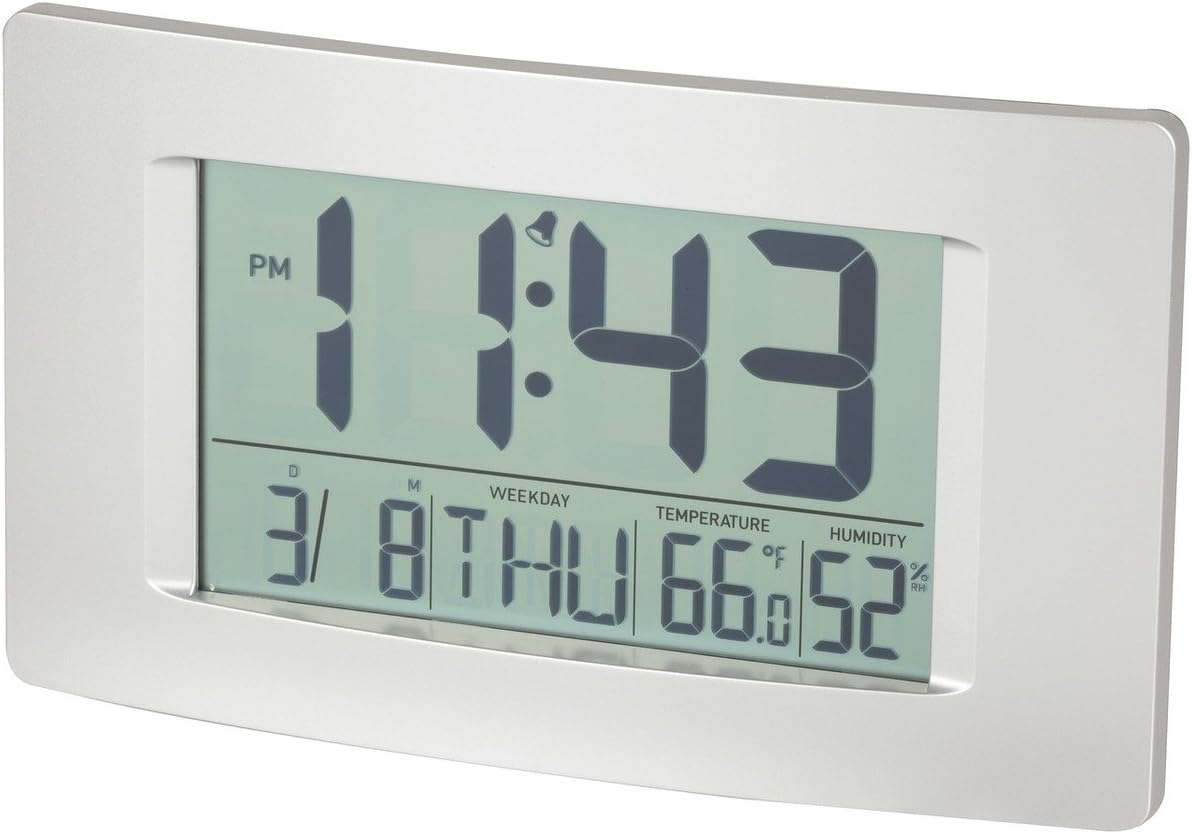
Figi 1: Devan view of the Multi-Function LCD Wall Clock.
Kontni pake
- DigiTech Multi-Function LCD Wall Clock (Model XC0225)
- Manyèl Itilizatè (dokiman sa a)
Nòt: 3 x AA batteries are required for operation and are not included in the package.

Figure 2: Product packaging illustrating the clock and its features.
Enstalasyon
1. Enstalasyon batri
- Jwenn lòj batri a sou do revèy la.
- Louvri kouvèti lòj batri a.
- Insert 3 x AA batteries, ensuring correct polarity (+ and -) as indicated inside the compartment.
- Fèmen kouvèti lòj batri a byen.
2. Premye Limen
Upon battery installation, the clock will power on automatically and display default settings. You may need to adjust the time, date, and other settings as described in the "Operating Instructions" section.
3. Montaj Opsyon
- Plasman Desktop: Utilize the integrated stand on the back of the clock to place it on any flat surface.
- Montaj mi: Use the integrated hang-hole on the back of the clock to mount it securely on a wall using a suitable screw or hook (not included).
Enstriksyon Operasyon
The clock features several buttons on the back for setting and adjusting functions. Refer to the labels next to each button for their specific functions (e.g., MODE, UP, DOWN, ALARM, SNOOZE/LIGHT).
1. Mete Tan ak Dat
- Peze a MÒD button repeatedly until the time display starts flashing.
- Sèvi ak la UP or DESANN bouton pou ajiste lè a.
- Peze MÒD ankò pou ale nan minit, answit itilize UP or DESANN pou ajiste.
- Kontinye peze MÒD pou chanje paramèt ane, mwa ak jou, epi ajiste chak ak UP or DESANN.
- Peze MÒD yon dènye fwa pou sòti nan mòd paramèt.
2. Mete Alam
- Peze a ALAM bouton an yon fwa pou montre lè alam aktyèl la.
- Peze epi kenbe la ALAM bouton an jiskaske lè alam lan kòmanse flache.
- Sèvi ak la UP or DESANN bouton pou ajiste lè alam la.
- Peze ALAM again to move to alarm minutes, then use UP or DESANN pou ajiste.
- Peze ALAM yon dènye fwa pou konfime epi sòti nan mòd reglaj alam la.
- Pou aktive/dezaktive alam lan, peze bouton an ALAM Peze bouton an yon ti moman lè ou pa nan mòd konfigirasyon. Yon ikòn alam ap parèt/disparèt sou ekran an.
3. Fonksyon repetisyon
Lè alam la son, peze la SNOOZE / limyè button to activate the snooze function. The alarm will temporarily stop and sound again after the set snooze interval (1-60 minutes, adjustable in settings).
4. Seleksyon Inite Tanperati (°C/°F)
Yon ti tan peze la UP button (or a dedicated °C/°F button if present) to toggle between Celsius (°C) and Fahrenheit (°F) temperature display.
5. Fòma 12/24 èdtan
Yon ti tan peze la DESANN button (or a dedicated 12/24H button if present) to switch between 12-hour and 24-hour time formats.
Antretyen
1. Netwayaj
- Siye sifas revèy la ak yon twal mou epi sèk.
- Do not use abrasive cleaners, solvents, or chemical sprays, as these may damage the display or casing.
2. Ranplasman batri
When the display becomes dim or functions become erratic, it is time to replace the batteries. Follow the "Battery Installation" steps in the Setup section to replace the 3 x AA batteries. Always replace all batteries at the same time with new ones.
Depanaj
| Pwoblèm | Kòz posib | Solisyon |
|---|---|---|
| Ekran an vid oswa li fèb. | Pil yo mouri oswa yo mal enstale. | Replace batteries with new 3 x AA batteries, ensuring correct polarity. |
| Lè/Dat la pa kòrèk. | Not set correctly after battery installation or power interruption. | Swiv enstriksyon "Mete Dat ak Lè" yo pou retabli. |
| Alam lan pa sonnen. | Alarm is not activated or alarm time is incorrect. | Ensure the alarm icon is displayed. Verify the alarm time setting. |
| Temperature/Humidity readings seem inaccurate. | Clock placed near heat sources, vents, or in direct sunlight. | Relocate the clock to an area with stable ambient temperature and humidity. Allow time for readings to stabilize. |
Espesifikasyon
| Karakteristik | Detay |
|---|---|
| Modèl | XC0225 |
| Kalite ekspozisyon | Digital LCD |
| LCD Size | 194mm (W) x 110mm (H) |
| Fonksyon | Time, Date, Day of Week, Alarm, Snooze, Indoor Temperature, Indoor Humidity |
| Fòma tan | 12 Hour / 24 Hour selectable |
| Ranje Tanperati | -9.9°C a +50°C (14.1°F a 122.0°F) |
| Range imidite | 20% a 95% imidite relatif (RH) |
| Duration Snooze | 1 - 60 minutes (adjustable) |
| Sous pouvwa | 3 x AA pil (pa enkli) |
| Dimensions (Overall, W x H x D) | 306mm x 176mm x 36mm (apeprè) |
| Pwa | 540g (without batteries) / 660g (shipping weight) |
| Opsyon Montaj | Integrated Stand, Wall Hang-hole |

Figure 3: Main display area dimensions of the clock for reference.
Garanti ak sipò
This DigiTech product comes with a 1-ane garanti soti nan dat acha a. Garanti sa a kouvri domaj nan materyèl ak atizan konn fè nan itilizasyon nòmal.
For technical support, warranty claims, or further assistance, please contact your retailer or the DigiTech customer service department. Please have your model number (XC0225) and proof of purchase ready when contacting support.


