1. Entwodiksyon
This manual provides comprehensive instructions for the installation, operation, and maintenance of the FAAC E600 (D600) Electronic Board Remote Control. Please read this manual carefully before using the product to ensure safe and efficient operation. Keep this manual for future reference.
2. Enfòmasyon sou Sekirite
Toujou obsève prekosyon sekirite sa yo pou evite blesi oswa domaj nan pwodwi a:
- Ensure the power supply is disconnected before any installation or maintenance procedures.
- Se sèlman pèsonèl kalifye ki ta dwe fè enstalasyon ak reparasyon.
- Pa ekspoze aparèy la nan tanperati ekstrèm, imidite, oswa limyè solèy la dirèk.
- Kenbe aparèy la lwen timoun ak bèt kay.
- Use only original FAAC spare parts and accessories.
3. Pake kontni
Verifye ke tout atik yo prezan nan pakè a:
- FAAC E600 (D600) Electronic Board Remote Control
- Manyèl Itilizatè (dokiman sa a)
- Montaj pyès ki nan konpitè (si sa aplikab)
4. Pwodwi souview
The FAAC E600 (D600) is an electronic board remote control designed for reliable operation of compatible FAAC systems. It features a robust design and ergonomic handling.
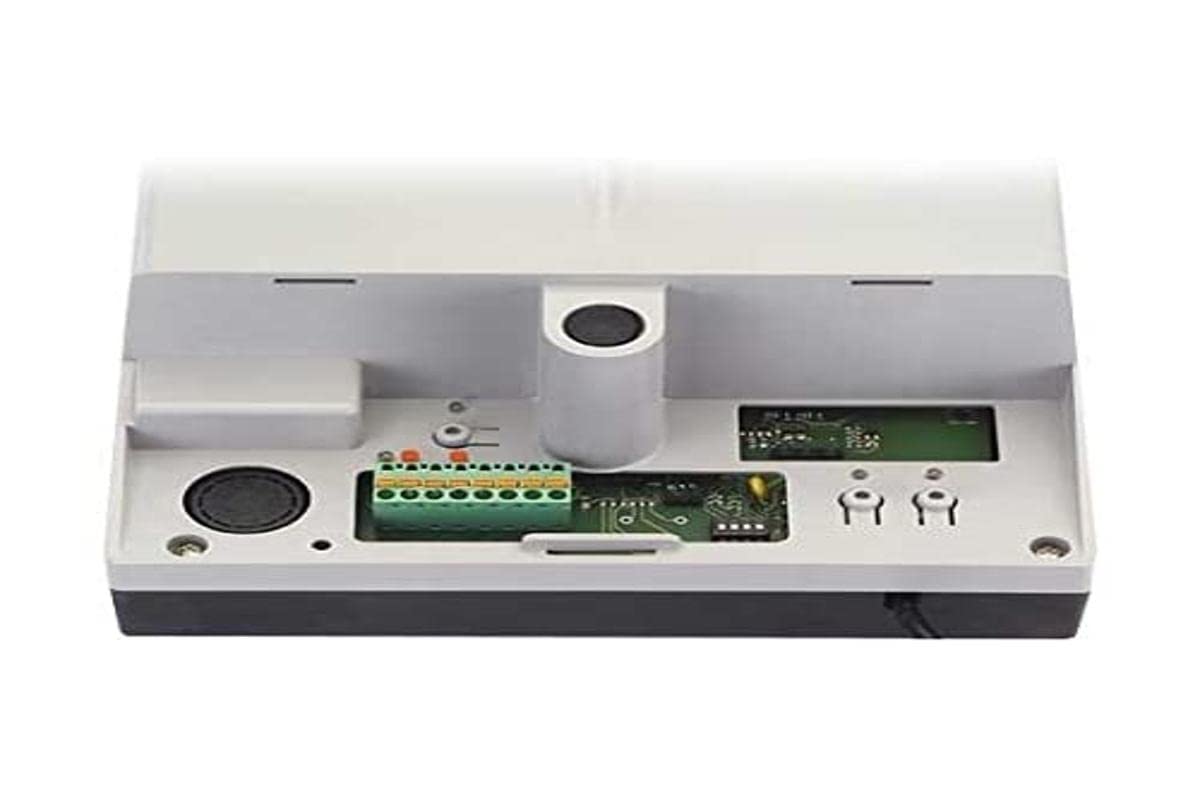
Image 1: FAAC E600 (D600) Electronic Board Remote Control. This image shows the compact design of the remote control unit.
Karakteristik kle yo enkli:
- Konsepsyon ergonomique: Konfòtab pou kenbe epi itilize.
- Koneksyon: Radio frequency and Infrared technology for versatile control.
- Kantite bouton: 1 button for simple operation.
5. Enstalasyon ak Enstalasyon
Follow these steps to set up your FAAC E600 (D600) remote control:
- Enstalasyon batri:
Open the battery compartment on the back of the remote control. Insert the required batteries, ensuring correct polarity (+/-). Close the compartment securely.
- Pairing ak reseptè:
Refer to the manual of your FAAC receiver unit (e.g., gate opener, barrier system) for specific pairing instructions. Typically, this involves pressing a programming button on the receiver and then pressing the button on the E600 (D600) remote control within a short timeframe.
- Tès:
After successful pairing, test the remote control's functionality by operating the connected device from a safe distance.
6. Operasyon Enstriksyon
The FAAC E600 (D600) remote control is designed for simple, single-button operation.
- Aktive: Press and hold the single button on the remote control. The connected FAAC device will respond according to its programmed function (e.g., open/close gate, activate barrier).
- Ranje: Ensure you are within the operational range of the receiver for reliable communication. Obstacles can reduce the effective range.
7. Antretyen
Pou asire lonjevite ak pèfòmans optimal kontwòl remote ou a, swiv gid antretyen sa yo:
- Netwayaj: Siye kontwòl remote la avèk yon twal mou epi sèk. Pa sèvi ak pwodui netwayaj abrazif oswa solvan.
- Ranplasman batri: Replace batteries when the operational range decreases or the indicator light (if present) signals low power. Dispose of old batteries responsibly.
- Depo: Store the remote control in a dry place, away from direct sunlight and extreme temperatures, when not in use for extended periods.
NAN. Depanaj
If you encounter issues with your FAAC E600 (D600) remote control, refer to the following table:
| Pwoblèm | Kòz posib | Solisyon |
|---|---|---|
| Remote kontwòl pa travay. | Pil ki mouri. | Ranplase pil. |
| Remote control has short range. | Low batteries; Obstruction between remote and receiver. | Replace batteries; Ensure clear line of sight or reduce distance. |
| Device not responding after battery change. | Remote control lost pairing with receiver. | Re-pair the remote control with the receiver (refer to Section 5). |
If the problem persists, contact FAAC customer support or a qualified technician.
9. Espesifikasyon
| Karakteristik | Detay |
|---|---|
| Mak | FAAC |
| Non modèl | E600 (D600) |
| Karakteristik espesyal | Ergonomik |
| Aparèy konpatib | FAAC Camera Systems (and other compatible FAAC devices) |
| Koneksyon Teknoloji | Frekans Radyo, Enfrawouj |
| Kantite bouton | 1 |
| Kalite kontwolè | Kontwòl bouton |
| Pwa atik | 100 gram |
| Kòd Atik Entènasyonal (EAN) | 08055195014853 |
10. Garanti ak sipò
For warranty information and technical support, please refer to the official FAAC website or contact your authorized FAAC dealer. Keep your proof of purchase for warranty claims.


