1. Entwodiksyon
The UDIRC U46 Mini Drone is a compact quadcopter designed for beginners and recreational flying. It features user-friendly controls and safety mechanisms to ensure an enjoyable experience. This manual provides essential information for operating and maintaining your drone.

Image 1.1: The UDIRC U46 Mini Drone, its remote controller, and three included batteries.
2. Gid Sekirite
- Rekòmandasyon laj: This product is recommended for users 14 years and older.
- Itilizasyon andedan kay la: The U46 drone is primarily designed for indoor use. Avoid flying in windy conditions outdoors, as this can lead to loss of control.
- Zòn klè: Operate the drone in an open area free from obstacles, people, and pets.
- Sekirite Elis: Keep fingers, hair, and loose clothing away from the spinning propellers. The drone features propeller guards for added safety.
- Sekirite batri: Do not overcharge batteries. Use only the provided USB charger. Discontinue use if batteries show signs of damage or swelling.
- Ekspozisyon dlo: Avoid contact with water or moisture to prevent damage to electronic components.
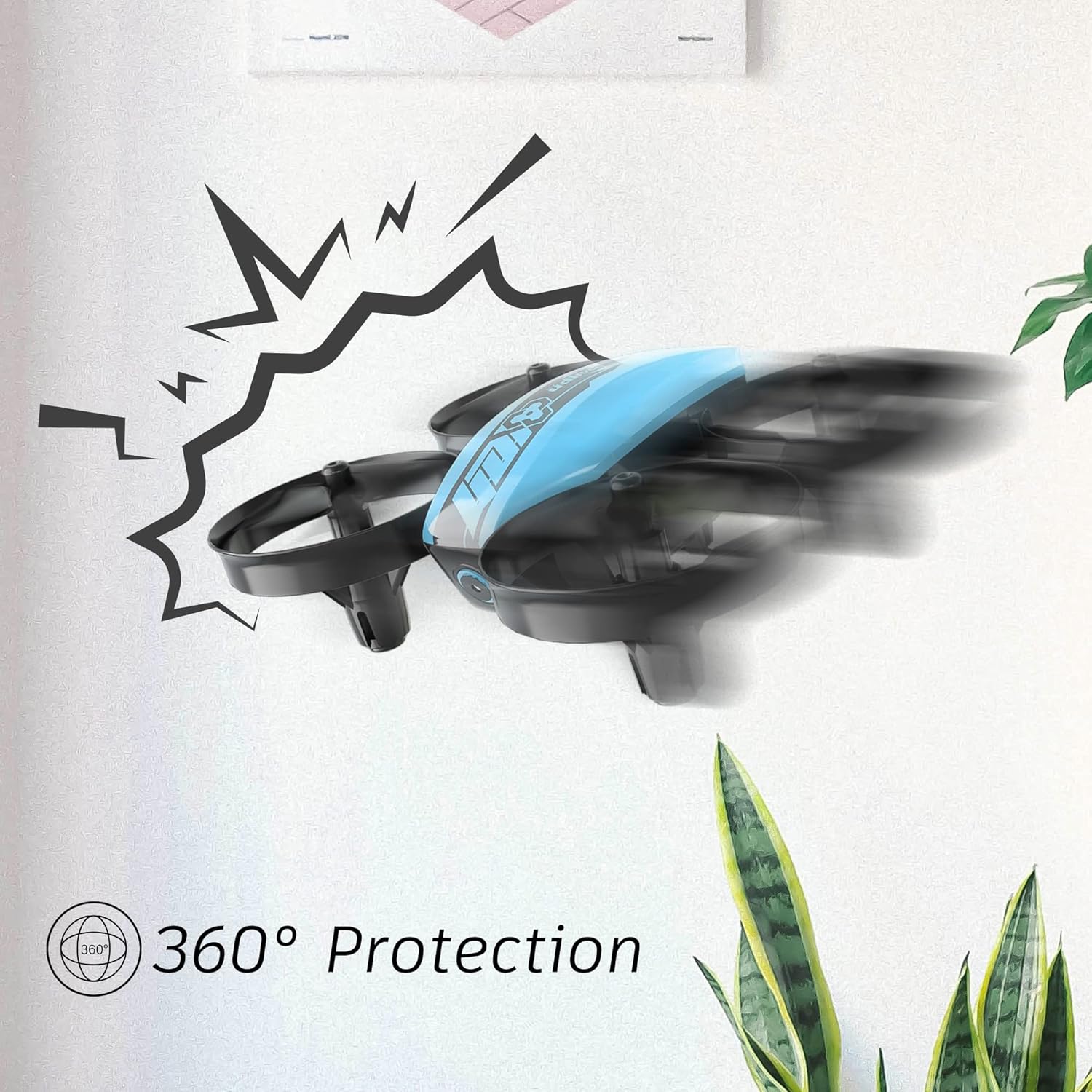
Image 2.1: The drone's 360-degree propeller protection guards help prevent damage during minor collisions.
3. Pake kontni
Verifye ke tout atik yo prezan nan pakè a:
- 1 x U46 Mini Drone
- XN Kontwolè x
- 3 x Pil pou dròn
- 1 x USB Charger
- 4 x Extra Propellers
- 1 x manyèl itilizatè

Image 3.1: All components included in the UDIRC U46 Mini Drone package.
4. Konpozan souview
Familiarize yourself with the drone and controller components.
4.1 Konpozan Dròn yo
- Propulsè: Four rotating blades for lift and movement.
- Pwoteksyon Elis yo: Integrated protective rings around each propeller.
- Kò prensipal: Houses the electronics and battery.
- Limyè endikatè: Provide status information (e.g., pairing, low battery).
4.2 Konpozan Kontwolè yo
- Joystick gòch (Akseleratè/Lag): Kontwole altitid ak wotasyon.
- Joystick dwat (Pitch/Woule): Kontwole mouvman pou pi devan/dèyè ak agoch/adwat.
- One Key Take-off/Landing Button: Kòmanse dekolaj oswa aterisaj otomatik.
- Speed Mode Button: Chanje ant diferan vitès vòl.
- Bouton mòd san tèt: Activates headless flight.
- Pouvwa switch: Limen/etenn kontwolè a.
- Limyè Endikatè: Shows controller status.
5. Enstalasyon
5.1 Chaje Batri Dròn nan
- Connect the drone battery to the USB charger.
- Plug the USB charger into a USB power source (e.g., computer, USB wall adapter).
- The indicator light on the USB charger will illuminate during charging and turn off when fully charged.
- Charging time is approximately 30 minutes per battery.
5.2 Installing Controller Batteries
- Open the battery compartment on the back of the controller.
- Insert 3 x 1.5V AA batteries (not included), ensuring correct polarity.
- Fèmen lòj batri a byen.
5.3 Pairing the Drone and Controller
- Mete abèy la sou yon sifas plat, nivo.
- Limen bouton pouvwa dron an. Limyè endikatè dron an ap flache.
- Turn on the controller's power switch. The controller's indicator light will flash.
- Push the left joystick (throttle) all the way up, then all the way down.
- The drone and controller indicator lights will become solid, indicating successful pairing.
Video 5.1: This video demonstrates the simple frequency pairing process, one-key take-off/landing, headless mode, altitude hold, and low battery alarm features of the UDI U46 Mini Drone.
6. Itilizasyon Dròn nan
6.1 Yon kle dekolaj ak aterisaj
- After pairing, press the One Key Take-off/Landing button. The drone will automatically ascend to a stable hovering altitude.
- To land, press the One Key Take-off/Landing button again. The drone will slowly descend and land.
6.2 Kontwòl vòl
- Joystick gòch (akseleratè): Push up to increase altitude, pull down to decrease altitude.
- Left Joystick (Yaw): Push left or right to rotate the drone horizontally.
- Right Joystick (Pitch): Push up to fly forward, pull down to fly backward.
- Right Joystick (Roll): Push left to fly left, push right to fly right.
6.3 Mode san tèt
- Press the Headless Mode button to activate. In this mode, the drone's orientation is irrelevant; it will always move relative to the pilot's position.
- Press the button again to exit Headless Mode.
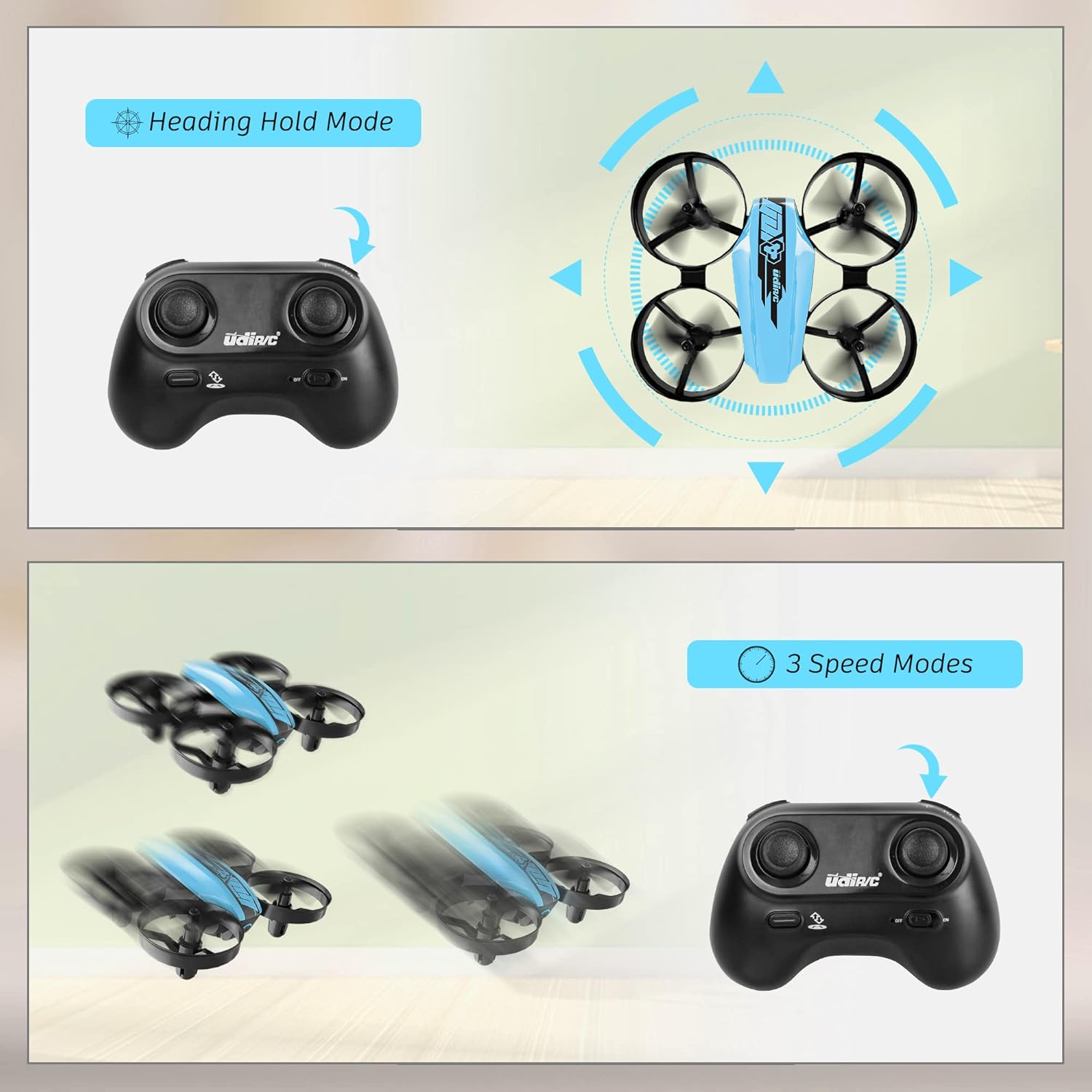
Image 6.1: Illustration of the Headless Mode feature and its activation on the controller.
6.4 Fonksyon Kenbe Altitid
- The U46 drone features an altitude hold function, allowing it to maintain a stable height automatically. This simplifies control, especially for beginners.

Image 6.2: Visual representation of Altitude Hold Mode, One Button Take Off/Landing, and Emergency Stop features.
6.5 mòd vitès
- The drone has three speed modes (low, medium, high). Press the Speed Mode button to cycle through them.
- Start with low speed for learning and gradually increase as you gain proficiency.
6.6 Arè Ijans
- In case of an emergency or loss of control, press and hold the One Key Take-off/Landing button for a few seconds to perform an emergency stop. The propellers will immediately cease rotation.
7. Antretyen
7.1 Ranplasman Propeller
- If a propeller is damaged, carefully remove it and replace it with a new one from the spare parts. Ensure the correct propeller (A or B) is installed on the corresponding motor.
7.2 Netwayaj ak Depo
- Wipe the drone with a soft, dry cloth after use. Avoid using water or cleaning agents.
- Store the drone and controller in a cool, dry place, away from direct sunlight and extreme temperatures.
- Remove batteries from the controller if storing for extended periods.
NAN. Depanaj
- Dròn nan pa reponn: Ensure both drone and controller are powered on and successfully paired. Check controller batteries.
- Dron an ap derive pandan vòl la: Perform calibration on a flat surface. Use the trim buttons on the controller to adjust for minor drifts.
- Tan vòl kout: Ensure batteries are fully charged. Flight time can vary based on flight style and environmental factors.
- Elis yo pa vire: Check for obstructions or damage to propellers. Ensure they are correctly installed.
- Alam batri ki ba: The controller will emit an alarm sound when the drone's battery is low, indicating it's time to land and recharge.
9. Espesifikasyon
| Mak | UDIRC |
| Non modèl | U46S |
| Pwa abèy | 0.05 Liv (apeprè 22.68 gram) |
| Dimansyon Dròn | 3.54"L x 3.54"L x 1.25"H |
| Tan vòl | 6-7 minutes per battery (up to 21 minutes with 3 batteries) |
| Frekans Kontwolè | 2.4 GHz |
| Batri kontwolè | 3 pil AA 1.5V (pa enkli) |
| Kapasite batri | 180 Miliamp Èdtan (Li-Po) |
| Nivo konpetans | debutan |
| Karakteristik espesyal | Altitude Hold, Headless Mode, One Key Take-off/Landing, 3 Speed Modes, 360° Protection |

Image 9.1: Flight time illustration, showing extended flight with multiple batteries.

Image 9.2: Dimensions of the UDIRC U46 Mini Drone, shown next to a smartphone for size comparison.
10. Garanti ak sipò
For warranty information or technical support, please refer to the contact details provided with your purchase or visit the official UDIRC websit la. Kenbe prèv acha ou pou reklamasyon garanti.


