1. Entwodiksyon
The ANNKE 1080P Indoor Wireless Security Camera (Model 41CJ) provides high-definition video surveillance for your home or business. Featuring pan and tilt capabilities, two-way audio, motion detection, and night vision, this camera offers comprehensive monitoring. It is designed for easy setup and remote access via mobile and desktop applications.

Image 1.1: The ANNKE 1080P Indoor Wireless Security Camera, a compact device for indoor surveillance.
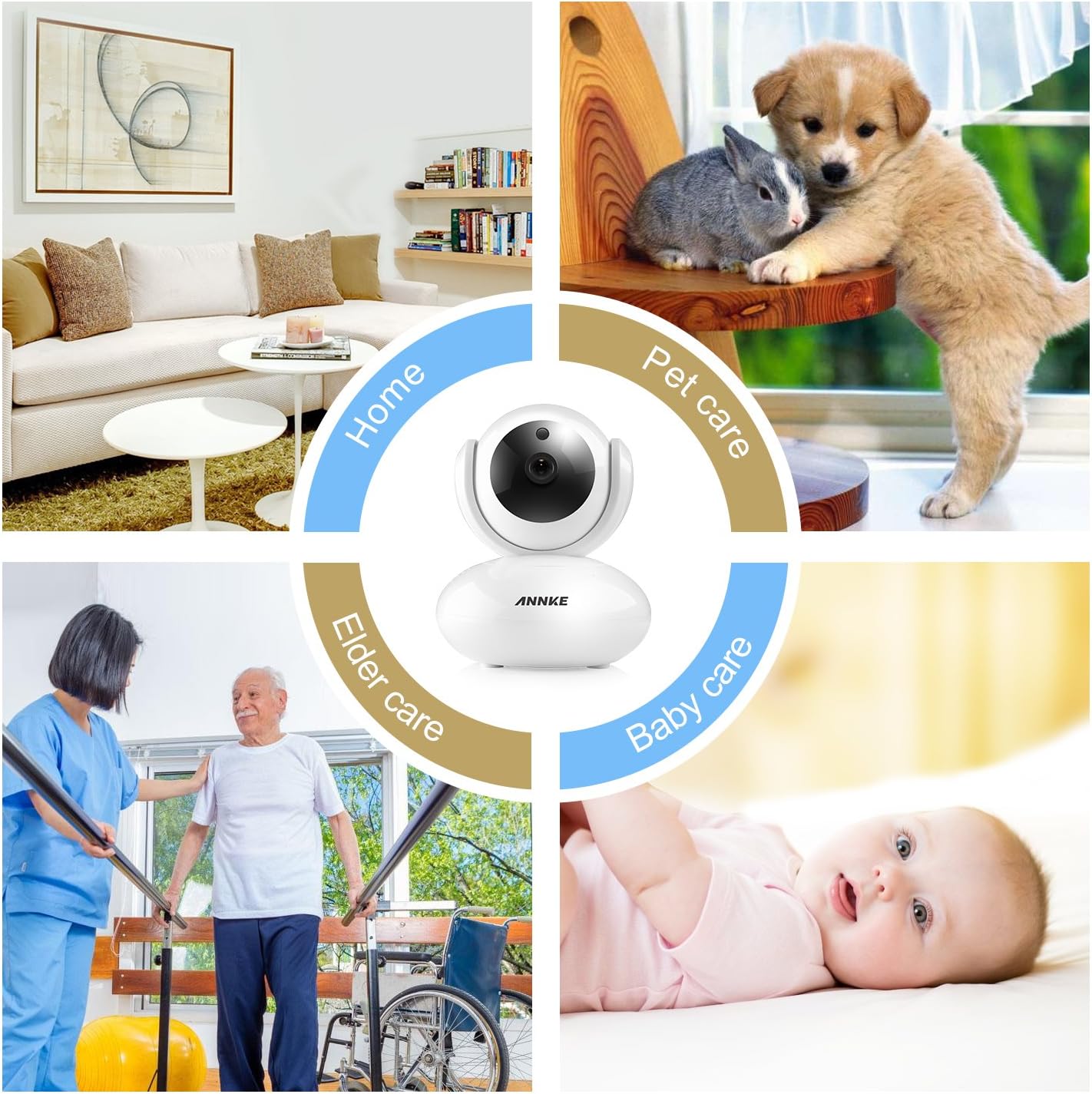
Image 1.2: The camera is suitable for various indoor applications including home security, pet monitoring, elder care, and baby monitoring.
2. Pake kontni
Verifye ke tout atik ki nan lis anba a yo enkli nan pakè ou a. Si gen nenpòt atik ki manke oswa ki domaje, tanpri kontakte sèvis kliyan.
- 1x Wireless Security Camera
- 1x manyèl itilizatè
- 1x pouvwa adaptè
- 1x CD Software
- 1x Mounting Vis
- 1x Drill Template Sticker
- 1x Ethernet kab
- 1x Mounting Support
3. Pwodwi Features
- Videyo 1080P HD: Experience clear video quality with smooth on-screen movements.
- Fonksyonalite Pan & Tilt: The camera offers 350° horizontal pan and 100° vertical tilt for a wide monitoring area, eliminating blind spots.
- De-fason Audio: Built-in microphone and speaker with noise reduction allow for clear communication.
- Vizyon lannwit: Automatic night vision with IR LEDs provides clear visibility up to 33ft (10m) in low-light conditions.
- Motion Detection & Push Alerts: Receive instant alarm push notifications with snapshots and email alerts when unexpected movements are detected.
- Aksè Remote: Access and control the camera remotely using free desktop and mobile applications for smartphones, tablets, and PCs.
- Konpresyon H.264: Efficient video compression reduces storage space requirements without significant loss of quality.
- Sipò pou kat mikwo SD: Supports up to 64GB Micro SD card for local video storage, useful during network interruptions.
- Mizajou firmwèr sou entènèt: The camera automatically detects and allows for firmware upgrades via your smartphone.

Image 3.1: The camera features 350° horizontal rotation and 100° vertical rotation for comprehensive coverage.

Image 3.2: The camera provides clear 1080P video quality during both day and night conditions.

Image 3.3: Smart motion-triggered push notifications keep you informed of detected activity.
4. Gid Enstalasyon
Follow these steps to set up your ANNKE 1080P Indoor Wireless Security Camera.
4.1 Inisyal Enstalasyon
- Pouvwa sou: Plug in the power adapter to the camera and a power outlet.
- Download app: Download and install the free 'My ANNKE' app from your device's app store (iOS or Android).
- Enskripsyon/Koneksyon Kont: Anrejistre yon nouvo kont oubyen konekte si ou deja genyen youn.
- Ajoute kamera: In the app, tap the '+' icon to add a new camera. Select 'PTC cameras'.
- Fè eskanè kòd QR: Scan the QR code located on the label at the bottom of the camera to obtain its ID and password.

Image 4.1: The camera is designed for quick and straightforward setup without complicated configurations.
4.2 Network Connection (Wireless or Wired)
The camera supports both wireless (Wi-Fi) and wired (Ethernet) connections. Choose the method that best suits your needs.
Video 4.2: This video demonstrates the process of connecting your ANNKE camera to a Wi-Fi network and via an Ethernet cable.
4.2.1 Koneksyon Wireless
- Ensure your smartphone is connected to a 2.4GHz Wi-Fi network (5GHz Wi-Fi is not supported by the camera).
- In the app, select 'Wireless Connection'.
- Check the camera's indicator lights and confirm they are blinking as instructed by the app.
- Press the reset button on the camera for 1-2 seconds to enter Wi-Fi connection mode. You will hear a voice prompt.
- Input your Wi-Fi password into the app.
- Move your phone close to the camera, ensuring your phone's speaker is turned on. The app will transmit a sound to pair the camera.
- Wait for the camera to connect to the network.
- Once connected, change the default password (admin) for security purposes.
- Edit the device name as desired.
4.2.2 Koneksyon branche
- Connect one end of the provided Ethernet cable to the camera and the other end to your router.
- In the app, after scanning the QR code, select 'Ethernet Connection'.
- Check the camera's indicator lights as prompted by the app.
- Change the default password (admin) for security.
- Choose an available Wi-Fi network for the camera and configure it if you wish to use Wi-Fi after initial wired setup.
- Edit non aparèy la.
- You can now unplug the Ethernet cable if Wi-Fi was configured, or keep it connected for a more stable network connection.

Image 4.3: The camera can be accessed and controlled remotely via free desktop and mobile applications.
5. Operasyon Enstriksyon
5.1 Viv View ak kontwòl remote
Once connected, open the 'My ANNKE' app to view viv footage from your camera. You can control various functions directly from the app.
- Pan ak Panche: Use the directional controls within the app to remotely adjust the camera's horizontal (pan) and vertical (tilt) viewang ing.
- De-fason Audio: Tap the microphone icon in the app to speak through the camera's speaker, and listen to audio from the camera's environment.
- Snapshots and Video Recording: Pran imaj fiks oswa anrejistre klip videyo dirèkteman nan an dirèk la view koòdone.
- HD/SD Quality: Switch between High Definition (HD) and Standard Definition (SD) video quality based on your network conditions.
5.2 Anviwònman Deteksyon Mouvman
Configure motion detection to receive alerts for activity in the camera's view.
- Navigate to the camera settings within the 'My ANNKE' app.
- Locate the 'Motion Detection' or 'Alarm Settings' section.
- Aktive deteksyon mouvman epi ajiste nivo sansiblite jan sa nesesè.
- Set up notification preferences, such as push alerts to your phone or email alerts.
5.3 Anrejistreman Kat Mikwo SD
Pou anrejistre videyo footage locally, insert a Micro SD card (up to 64GB, not included) into the camera's designated slot. The camera will automatically begin recording based on your settings (e.g., continuous recording, motion-triggered recording).
6. Antretyen
- Mizajou mikrolojisyèl: The camera app will notify you of available firmware updates. It is recommended to keep your camera's firmware updated for optimal performance and security. Follow the in-app instructions to perform updates.
- Netwayaj: Siye lantiy kamera a ak kò a dousman avèk yon twal mou epi sèk. Evite itilize pwodui chimik ki agresif oswa materyèl abrazif.
- Plasman: Asire w ke kamera a mete nan yon anviwònman andedan ki estab epi sèk, lwen limyè solèy dirèk, sous chalè ak imidite twòp.
NAN. Depanaj
Si ou rankontre pwoblèm ak kamera ou a, gade solisyon komen sa yo:
- Kamera pa konekte ak Wi-Fi:
- Ensure your Wi-Fi network is 2.4GHz. The camera is not compatible with 5GHz Wi-Fi connections.
- Verifye ke modpas Wi-Fi ou a kòrèk.
- Try pairing the camera via a wired Ethernet connection first, then configure Wi-Fi through the app.
- Ensure your phone is connected to the same 2.4GHz Wi-Fi network during setup.
- Reset the camera by pressing the reset button for 1-2 seconds and try the setup process again.
- Intermittent Signal or Connection Breaks:
- Inspect your router status and ensure it is functioning correctly.
- Check the network range and signal strength where the camera is placed. Move the camera closer to the router or consider a Wi-Fi extender.
- If possible, use an Ethernet cable for a more stable connection.
- Pa gen anrejistreman videyo:
- Ensure a Micro SD card (max 64GB) is properly inserted into the camera.
- Check the recording settings in the app to confirm continuous or motion-triggered recording is enabled.
- Format the SD card through the app if it's a new card or if you're experiencing issues.
- Kalite imaj pòv:
- Asire w ke lantiy kamera a pwòp epi san pousyè oswa tach.
- Check your network bandwidth. A stable and sufficient internet connection is required for optimal 1080P streaming.
- Switch to HD quality in the app if it's currently set to SD.
8. Espesifikasyon teknik
| Spesifikasyon | Detay |
|---|---|
| Non modèl | I41CJ-OP |
| Nimewo Modèl Atik | 41CJ |
| Itilizasyon Andedan kay la / Deyò | Andedan kay la |
| Rezolisyon Capture Videyo | 1080p |
| Rezolisyon Videyo efikas | 1080 piksèl |
| Koneksyon Teknoloji | San fil (Wi-Fi), Filaire (Etènèt) |
| Teknoloji kominikasyon san fil | Wi-Fi (2.4GHz sèlman) |
| Pan / Panche Range | Panoramik orizontal 350°, enklinezon vètikal 100° |
| Vizyon lannwit Range | 33 pye (10m) |
| Sipò pou Depo | Mikwo SD kat (jiska 64GB) |
| Metòd kontwòl | App |
| Aparèy konpatib | Odinatè, Telefòn entelijan, Tablèt |
| Dimansyon pwodwi | 4.7 x 3.6 x 4 pous (119.4 x 91.4 x 101.6 mm) |
| Pwa atik | 1.21 liv (0.55 kg) |
| Kalite aliye | Mi mòn |
| Koulè | Blan |
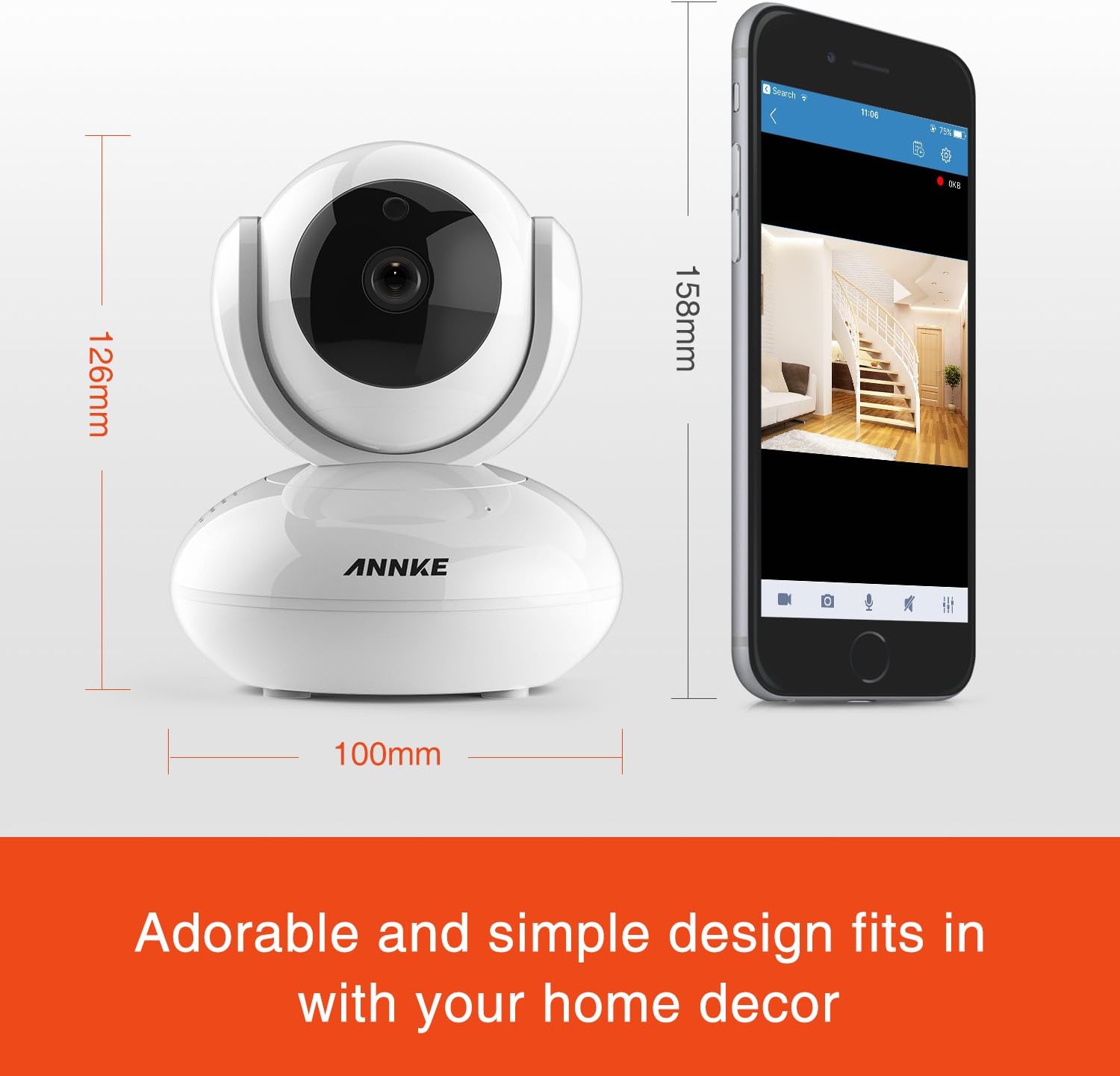
Image 8.1: Detailed dimensions of the ANNKE 1080P Indoor Wireless Security Camera.
9. Sipò pou Kliyan
For technical assistance, warranty information, or any other inquiries, please contact ANNKE customer service:

Image 9.1: ANNKE Customer Service contact details.
- Imèl: support@annke.com
- Facebook: @annke.system
- US Number: 404-620-4370 (EST 07:00-11:00 and 20:00-24:00)


