Entwodiksyon
Thank you for choosing the Trust Mydo Wireless Mouse. This manual provides detailed instructions for setting up, operating, maintaining, and troubleshooting your new wireless mouse. Designed for comfort and efficiency, the Mydo mouse features silent clicks, adjustable DPI, and an ambidextrous design, making it suitable for various computing needs.

Image: The Trust Mydo Wireless Mouse, a black, ergonomically designed mouse with a scroll wheel and DPI button visible on top.
Kontni pake
Asire w tout atik yo prezan nan pakè a:
- Sourit san fil
- Micro USB Receiver
- 2 x AAA pil

Image: The retail packaging for the Trust Mydo Silent Wireless Mouse, showing the mouse and key features.
Enstalasyon
- Mete pil: Open the battery compartment on the underside of the mouse. Insert the two AAA batteries, ensuring correct polarity (+/-). Close the compartment.
- Konekte reseptè USB: Locate the micro USB receiver, usually stored within the battery compartment or a dedicated slot on the mouse. Plug the USB receiver into an available USB port on your computer (PC or Mac).
- Pouvwa sou: Turn on the mouse using the power switch, typically located on the underside.
- Koneksyon otomatik: The mouse should automatically connect to your computer. No additional drivers are usually required for Windows, macOS, or Chrome OS.

Image: A user's hand operating the Trust Mydo mouse on a mouse pad next to a laptop, illustrating the wireless connection via a small USB receiver plugged into the laptop.
Enstriksyon Operasyon
Operasyon debaz
The Trust Mydo Wireless Mouse functions like a standard computer mouse. Use the left button for primary clicks, the right button for secondary clicks (context menus), and the scroll wheel for vertical navigation.
Fonksyon Klike Silansye
The Mydo mouse is designed with silent click technology, reducing click sounds by at least 90%. This feature provides a quiet working environment without compromising tactile feedback.

Image: The Trust Mydo Wireless Mouse with text indicating "As quiet as a..." and icons for "Speed Select 1000-1800 DPI" and "Silent Buttons".
Ajiste DPI (Sansiblite)
The mouse features an adjustable DPI setting, allowing you to change cursor speed and sensitivity. Press the DPI button, located near the scroll wheel, to cycle through the available settings: 1000 DPI, 1400 DPI, and 1800 DPI. Select the sensitivity that best suits your task.
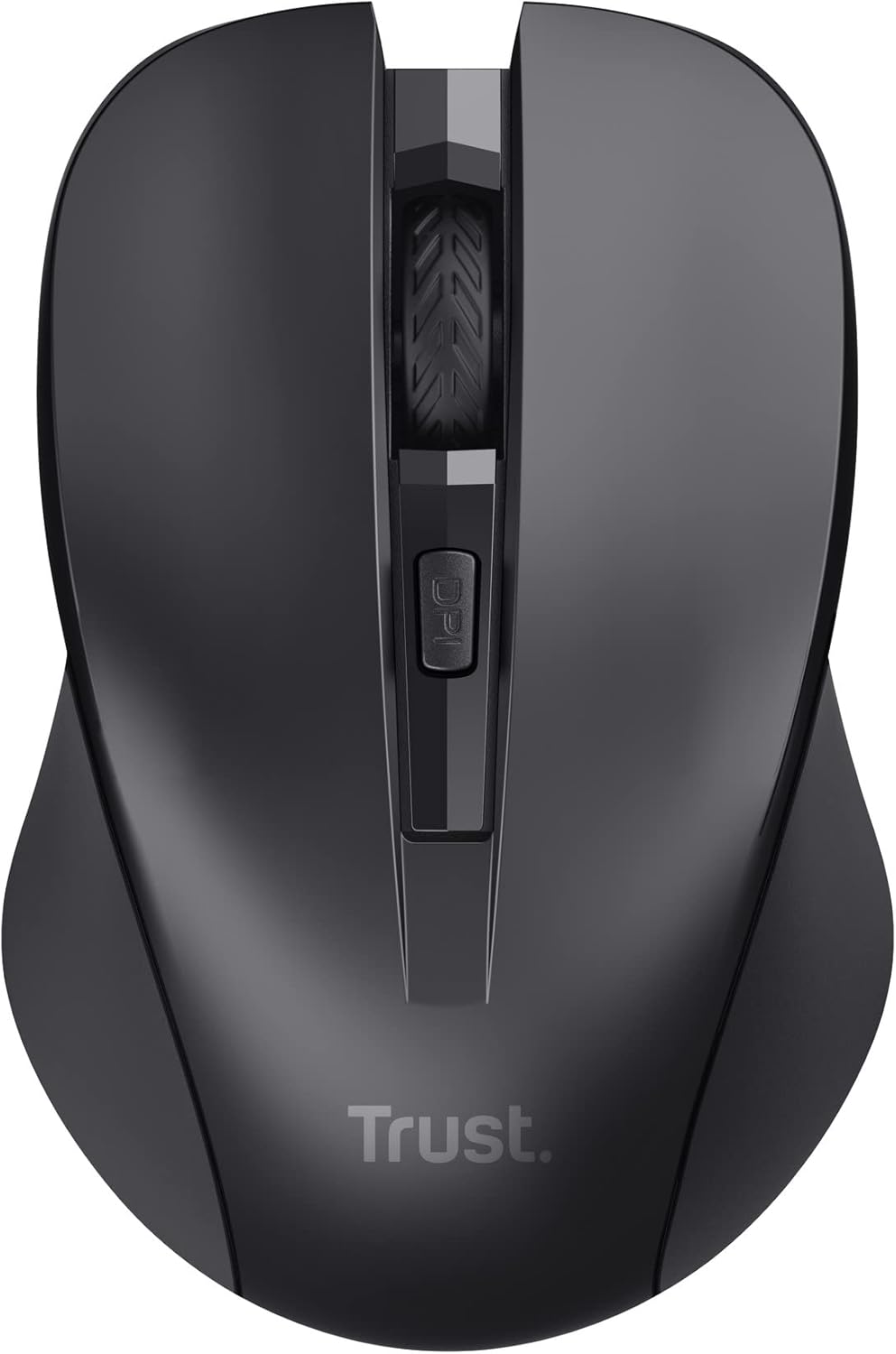
Imaj: Yon imaj anwo-anba view of the Trust Mydo Wireless Mouse, highlighting the scroll wheel and the DPI adjustment button located just behind it.
Anbidextre Design
The Mydo mouse features an ambidextrous design, providing comfortable use for both left-handed and right-handed users.

Imaj: Yon gwo plan anlè view of the Trust Mydo Wireless Mouse, accompanied by an icon illustrating its suitability for both left and right-handed users.
Antretyen
- Netwayaj: Sèvi ak yon twal mou epi sèk pou netwaye sourit la. Pou pousyè tè ki difisil pou retire, siye l yon ti kras.ampRense twal la avèk dlo. Evite itilize pwodui chimik ki agresif oswa pwodui netwayaj abrazif.
- Ranplasman batri: When the mouse performance degrades or it stops responding, it's likely time to replace the AAA batteries. Follow the steps in the "Setup" section to replace them.
- Depo: When not in use for extended periods, turn off the mouse to conserve battery life. The USB receiver can be stored inside the mouse's battery compartment for safekeeping.
Depanaj
| Pwoblèm | Solisyon |
|---|---|
| Sourit la pa reponn. |
|
| Mouvman kurseur a pa regilye oswa li sote. |
|
| Bouton DPI a pa chanje sansiblite. |
|
Espesifikasyon
| Karakteristik | Detay |
|---|---|
| Mak | Fè konfyans |
| Nimewo Modèl | 21869 |
| Koneksyon Teknoloji | Frekans Radyo (2.4 GHz) |
| Wireless Range | Jiska 10 mèt |
| Teknoloji deteksyon mouvman | Optik |
| Anviwònman DPI | 1000 / 1400 / 1800 DPI (Reglabl) |
| Karakteristik espesyal | Silent Click (reduces noise by at least 90%), Ambidextrous Design |
| Sous pouvwa | Batri Powered |
| Batri obligatwa | 2 x AAA (enkli) |
| Mwayèn lavi batri | 6 mwa |
| Dimansyon pwodwi | 4 x 5.5 x 9.5 cm |
| Pwa atik | 60 g |
| Sistèm operasyon konpatib | Chrome OS, Windows, Mac OS |
| Platfòm pyès ki nan konpitè | PC, Mac |
Garanti ak sipò
For warranty information and technical support, please refer to the official Trust websit la oubyen kontakte sèvis kliyan yo. Kenbe prèv acha ou pou reklamasyon garanti.
Ou ka jwenn plis enfòmasyon ak resous sipò sou Trust Brand Store on Amazon.


