1. Entwodiksyon
This manual provides essential information for the safe and effective use of the Vimar 0R16004 1P 10 Ax Inverter. This grey electrical switch, part of the Vimar Idea series, is designed for civil electrical installations. It functions as a 1-pole, 10 Ampere inverter switch, suitable for controlling lighting circuits or other electrical loads. Its compact design (8.5 x 1.1 x 15 cm) and robust plastic construction ensure reliable performance within compatible Vimar civil series systems.
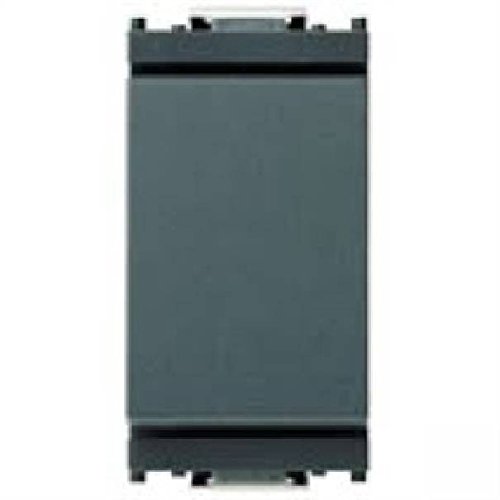
Figi 1: Devan view of the Vimar 0R16004 1P 10 Ax Inverter. This image shows the grey faceplate of the electrical switch, designed for integration into Vimar Idea series modular systems.
2. Enstalasyon ak Enstalasyon
2.1 Prekosyon sekirite
- Toujou dekonekte kouran an to the circuit at the main breaker or fuse box before beginning any installation or maintenance work. Failure to do so can result in serious injury or death.
- Installation should only be performed by a elektrisyen ki kalifye or a competent person familiar with electrical wiring and local electrical codes.
- Ensure the product's specifications (voltage, current rating) are compatible with your electrical system. This device is rated for 10 Amperes.
- Pa enstale nan mouye oswa damp locations unless the product is specifically rated for such environments.
- Sèvi ak ekipman pwoteksyon pèsonèl (PPE) ki apwopriye, tankou gan izole ak linèt sekirite.
2.2 Etap enstalasyon yo
The Vimar 0R16004 inverter is designed for modular installation within the Vimar Idea series. It requires a compatible Vimar support frame and faceplate (not included) for proper mounting.
- Prepare Zòn Enstalasyon an: Ensure the electrical box is clean and free of debris. Verify that the power to the circuit is OFF.
- Idantifye fil elektrik yo: For an inverter switch (often used as a 2-way or 3-way switch), you will typically have a common wire and two traveler wires. Refer to your existing wiring or circuit diagram.
- Konekte fil yo:
- Connect the common wire to the terminal marked 'L' or 'COM' on the switch.
- Connect the two traveler wires to the remaining two terminals. This switch uses screw terminals for secure connections.
- Asire w ke tout koneksyon fil yo sere epi an sekirite.
- Monte switch la: Snap the Vimar 0R16004 module into the appropriate slot on the Vimar Idea support frame.
- Sekirize ankadreman an: Mount the support frame with the switch module into the electrical box using the provided screws.
- Tache plak fasad la: Once the support frame is securely mounted, snap the Vimar Idea series faceplate over the switch module.
- Retabli pouvwa: Carefully restore power to the circuit at the main breaker or fuse box.
- Operasyon tès: Test the switch to ensure it functions correctly (ON-OFF operation).
3. Operasyon Enstriksyon
The Vimar 0R16004 Inverter operates as a standard electrical switch with an ON-OFF function. It is designed to control a single electrical circuit.
- Pou limen aparèy ki konekte a oswa limyè a ON, press the switch rocker to the 'ON' position (typically the upper part of the rocker).
- Pou limen aparèy ki konekte a oswa limyè a OFF, press the switch rocker to the 'OFF' position (typically the lower part of the rocker).
In a multi-way switching setup (e.g., controlling a light from two locations), toggling either inverter switch will change the state of the light (ON to OFF, or OFF to ON).
4. Antretyen
The Vimar 0R16004 Inverter requires minimal maintenance. Regular inspection and cleaning can help ensure its longevity and proper function.
- Netwayaj:
- Before cleaning, ensure power to the switch is disconnected at the main breaker.
- Wipe the surface of the switch and faceplate with a soft, dry, or slightly damp twal.
- Do not use abrasive cleaners, solvents, or excessive moisture, as these can damage the plastic material or internal components.
- Enspeksyon:
- Periodically check the switch for any signs of physical damage, such as cracks, discoloration, or loose components.
- If any damage is observed, disconnect power and have the switch inspected and replaced by a qualified electrician.
- Ensure the switch operates smoothly without excessive force or sticking.
NAN. Depanaj
If you experience issues with your Vimar 0R16004 Inverter, refer to the following table for common problems and solutions. Always ensure power is disconnected before inspecting wiring.
| Pwoblèm | Kòz posib | Solisyon |
|---|---|---|
| Light/Device does not turn ON/OFF. |
|
|
| Switch la santi l lach oswa li pa ka fè anyen. |
|
|
| Switch is hot to the touch. |
|
|
If the problem persists after attempting these solutions, contact a qualified electrician or Vimar customer support.
6. Espesifikasyon
| Karakteristik | Detay |
|---|---|
| Dimansyon pwodwi (L x W x H) | 8.5 x 1.1 x 15 cm |
| Pwa | 20 gram |
| Manifakti | Vimar |
| Nimewo Modèl | 0R16004 |
| Operasyon Mode | ON-OFF |
| Rating aktyèl | 10 A |
| Kalite kontak | Nòmalman fèmen |
| Mak | VIMAR |
| Kalite tèminal | Vis |
| Materyèl | Plastic (Housing), Phosphor Bronze (Contact) |
| Kalite Awondisman | 1-Way (Inverter/2-Way) |
| Kalite actuator | Piston (Rocker) |
7. Garanti ak sipò
7.1 Enfòmasyon sou Garanti
Vimar products are manufactured to high-quality standards. Specific warranty terms and conditions may vary by region and retailer. Please retain your proof of purchase for any warranty claims. For detailed warranty information, refer to the documentation provided with your purchase or visit the official Vimar websit.
7.2 Sipò pou Kliyan
For technical assistance, installation queries, or any other support needs regarding your Vimar 0R16004 Inverter, please contact Vimar customer service or your local authorized Vimar distributor. Contact information can typically be found on the Vimar official websit la oubyen sou anbalaj pwodwi a.
Vimar Official Websit: www.vimar.com (Please note: This is a generic link. Refer to your product packaging or Vimar's official site for region-specific contact details.)


