1. Entwodiksyon
This manual provides essential information for the safe and efficient operation, maintenance, and troubleshooting of your Dolphin E20 Automatic Pool Cleaner Robot. The Dolphin E20 is designed for thorough cleaning of both the floor and walls of in-ground pools up to 10 meters in length, offering energy-efficient performance.
Tanpri li manyèl sa a ak anpil atansyon anvan ou sèvi ak aparèy la epi kenbe li pou referans nan lavni.
2. Enfòmasyon sou Sekirite
Always observe the following safety precautions to prevent damage to the unit or personal injury:
- Asire w ke ekipman pou kouran an dekonekte anvan ou fè nenpòt antretyen oswa netwayaj.
- Do not operate the cleaner if the cable is damaged. Contact authorized service for repair.
- Pa kite timoun yo jwe ak aparèy netwayaj la.
- Use only the original power supply unit provided with the cleaner.
- The cleaner is designed for pool use only. Do not use it for other purposes.
- Avoid operating the cleaner when people are in the pool.
3. Pake kontni
Verifye ke tout atik yo prezan nan pakè a:
- Dolphin E20 Pool Cleaner Robot
- Inite ekipman pou pouvwa
- Filtre panyen
- Manyèl Itilizatè (dokiman sa a)
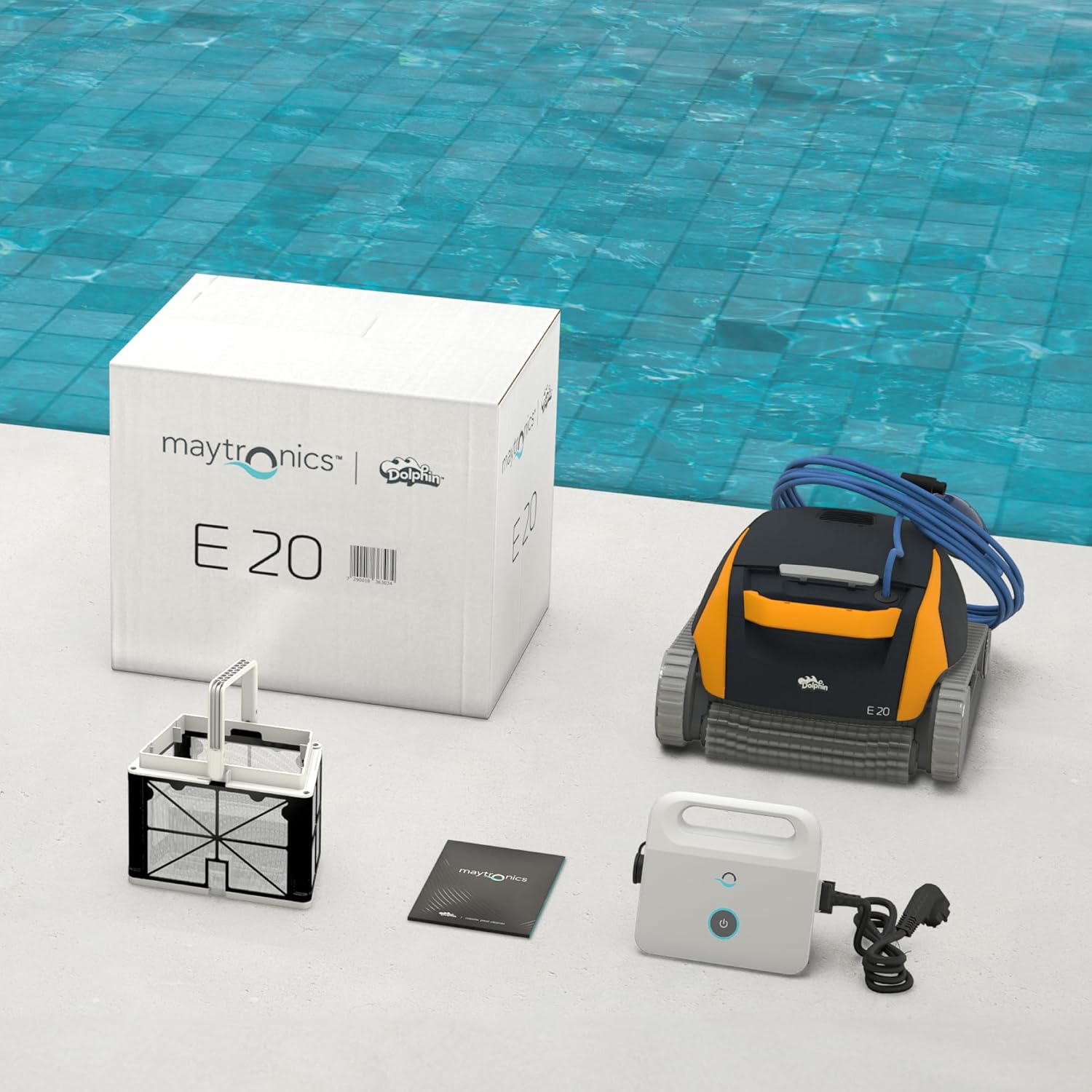
Image: Components included with the Dolphin E20 pool cleaner, showing the robot, its power supply, the filter basket, and the instruction manual.
4. Enstalasyon
Swiv etap sa yo pou premye konfigirasyon:
- Positioning the Power Supply: Place the power supply unit at least 3.5 meters (11.5 feet) from the edge of the pool. Ensure it is not exposed to direct sunlight or standing water.
- Connecting the Cleaner: Uncoil the floating cable completely. Connect the cable to the power supply unit, ensuring a secure connection.
- Mete Cleaner a nan pisin lan: Gently lower the Dolphin E20 into the pool. Allow it to sink to the bottom. Ensure there are no air bubbles trapped inside the cleaner.

Image: The Dolphin E20 pool cleaner robot, ready for deployment in the pool.
- Konekte ak pouvwa: Plug the power supply unit into a grounded electrical outlet.
5. Operasyon Enstriksyon
The Dolphin E20 is designed for simple, automated operation:
- Kòmanse yon sik netwayaj: Press the ON/OFF button on the power supply unit. The cleaner will begin its pre-programmed cleaning cycle, covering the pool floor and walls.
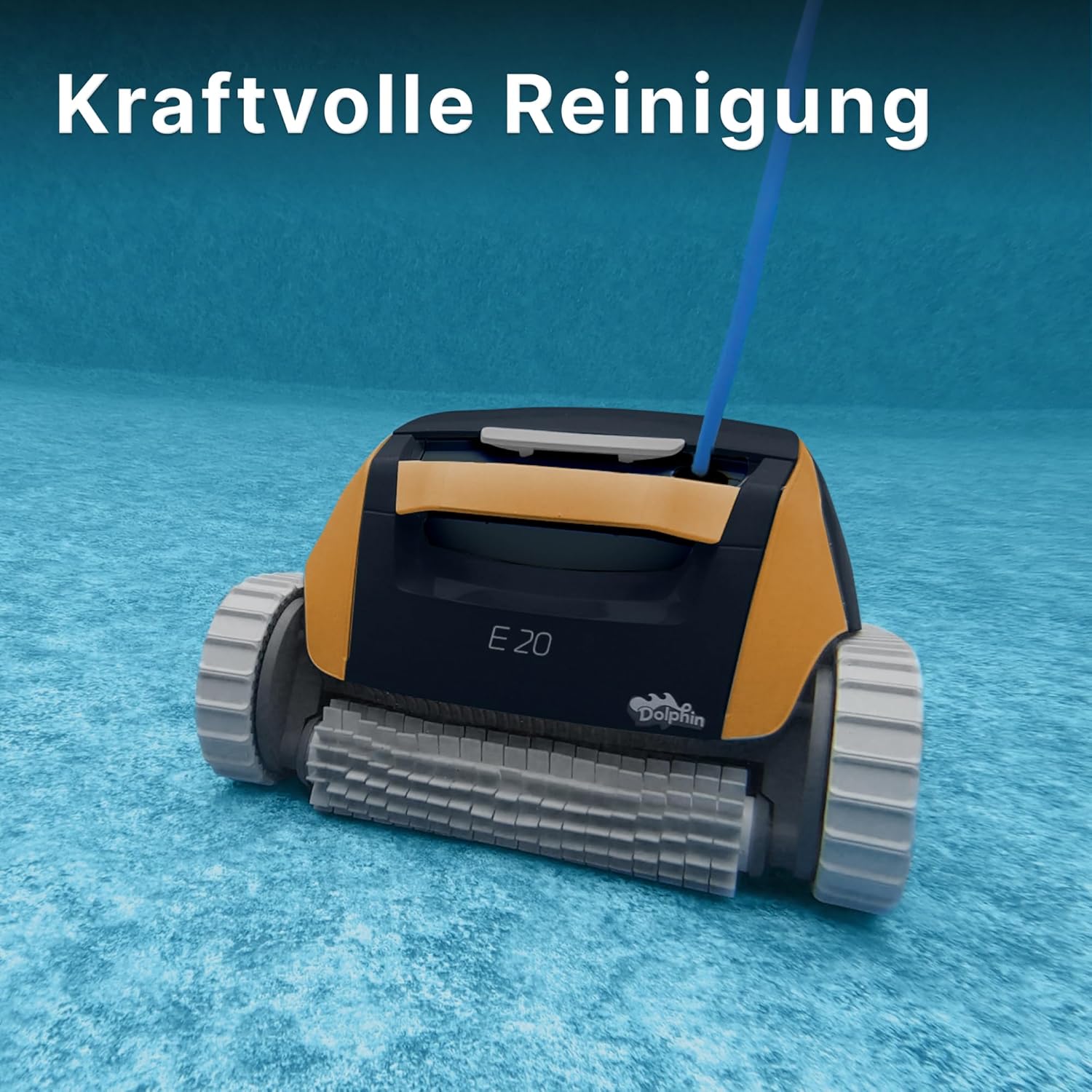
Image: The Dolphin E20 actively cleaning the pool floor, demonstrating its powerful cleaning capability.
- Wall Cleaning Capability: The Dolphin E20 features excellent climbing abilities, allowing it to efficiently clean pool walls regardless of pool shape or surface texture.

Image: The Dolphin E20 demonstrating its powerful wall cleaning function, climbing the side of the pool.
- Ending a Cleaning Cycle: The cleaner will automatically shut off after completing its cycle. To manually stop the cleaner, press the ON/OFF button on the power supply unit.
- Retire Cleaner la: Pull the floating cable gently to bring the cleaner to the surface. Use the handle to lift the cleaner out of the pool. The quick water release feature allows water to drain rapidly, making it easier to lift.
6. Antretyen
Regular maintenance ensures optimal performance and longevity of your Dolphin E20.
6.1. Netwayaj Panye Filtè a
Clean the filter basket after each cleaning cycle:
- Open the filter compartment. The Dolphin E20 features easy filter access.

Image: A hand demonstrating the easy removal of the single-layer filter basket from the Dolphin E20 for cleaning.
- Retire panyen filtre a.
- Empty debris from the basket.
- Rinse the filter basket thoroughly with a garden hose until all debris is removed.
- Reinsert the clean filter basket into the cleaner.
6.2. Quick Water Release
The quick water release feature facilitates easy removal of the cleaner from the pool. When lifting the unit, water rapidly drains out, reducing its weight.

Image: A person easily lifting the Dolphin E20 from the pool, showcasing its quick water release and ergonomic design.
6.3. Swen Kab
After each use, gently coil the floating cable to prevent tangling and damage. Store the cable in a shaded area when not in use.
NAN. Depanaj
This section addresses common issues you might encounter with your Dolphin E20 pool cleaner.
| Pwoblèm | Kòz posib | Solisyon |
|---|---|---|
| Aparèy netwayaj la pa kòmanse. | No power to the unit; power supply not connected; power outlet faulty. | Check power supply connection to cleaner and outlet. Ensure outlet is functional. |
| Cleaner pa deplase oswa deplase dousman. | Filter basket is full; debris caught in brushes/impeller; cable tangled. | Clean filter basket. Remove any obstructions from brushes or impeller. Untangle cable. |
| Pwodui netwayaj la pa monte sou miray yo byen. | Filter basket is full; air trapped inside cleaner; pool water chemistry imbalance. | Clean filter basket. Gently shake cleaner in water to release trapped air. Check pool water chemistry (pH, alkalinity). |
| Debris is not being collected. | Filter basket is clogged or improperly installed. | Clean and properly re-install the filter basket. |
If the problem persists after attempting these solutions, please contact Dolphin customer support.
8. Espesifikasyon
| Karakteristik | Detay |
|---|---|
| Mak | Dolphin |
| Non modèl | E20 (Modèl 500968) |
| Sous pouvwa | Kouran altènatif (230 vòlt) |
| Pwa atik | 7 Kilogram |
| Dimansyon pwodwi (L x W x H) | 30 x 30 x 25 cm |
| Kalite Materyèl | Plastik |
| Karakteristik espesyal | PowerStream Technology, Easy Filter Access, Active Brushing, Lightweight and Ergonomic Design, Suitable for In-ground Pools up to 10 meters |
| Metòd kontwòl | Manyen |
| Manifakti | Maytronics |
9. Garanti ak sipò
The Dolphin E20 is developed by Maytronics, a leading company in pool cleaning systems, and comes with a 2-ane garanti.
For technical support, warranty claims, or service inquiries, please contact your authorized Dolphin dealer or visit the official Maytronics websit pou enfòmasyon kontak.
Note: The provided data did not include specific video URLs with creator_type information. Therefore, no product videos could be embedded in this manual.