Entwodiksyon
Thank you for choosing the Wicked Audio Omen Wireless Bluetooth Earbuds. These earbuds are designed to provide a high-fidelity audio experience with the convenience of wireless connectivity. This manual will guide you through the setup, operation, and maintenance of your new earbuds to ensure optimal performance and longevity.
Enfòmasyon sou Sekirite
- Do not expose the earbuds to extreme temperatures, moisture, or corrosive materials.
- Evite lage ekoutè yo oswa soumèt yo a gwo enpak.
- Do not attempt to disassemble or modify the earbuds, as this will void the warranty and may cause damage.
- Clean the earbuds with a soft, dry cloth. Do not use harsh chemicals or abrasive cleaners.
- Prolonged listening at high volumes may cause hearing damage. Adjust volume to a safe level.
Ki sa ki nan bwat la
Tanpri verifye sa ki nan pake a pou asire w tout atik yo la:
- Wicked Audio Omen Wireless Earbuds
- Three (3) sizes of ear cushions (Small, Medium, Large)
- Mikwo USB Chaje Kab
- Clip Rad
- Liv Enstriksyon (manyèl sa a)

Imaj: Devan view of the Wicked Audio Omen Wireless Earbuds retail packaging, showing the earbuds, control module, and branding.
Enstalasyon
1. Chaje ekoutè yo
Before first use, fully charge your Omen earbuds. A full charge takes approximately 2 hours and provides up to 3.5 hours of playback time.
- Locate the Micro USB charging port on the control module of the earbuds.
- Connect the Micro USB charging cable to the port.
- Branche lòt bout kab USB a nan yon sous kouran USB konpatib (pa egzanp, yon pò USB òdinatè, yon adaptè USB nan miray).
- The LED indicator light will illuminate during charging and turn off when charging is complete.
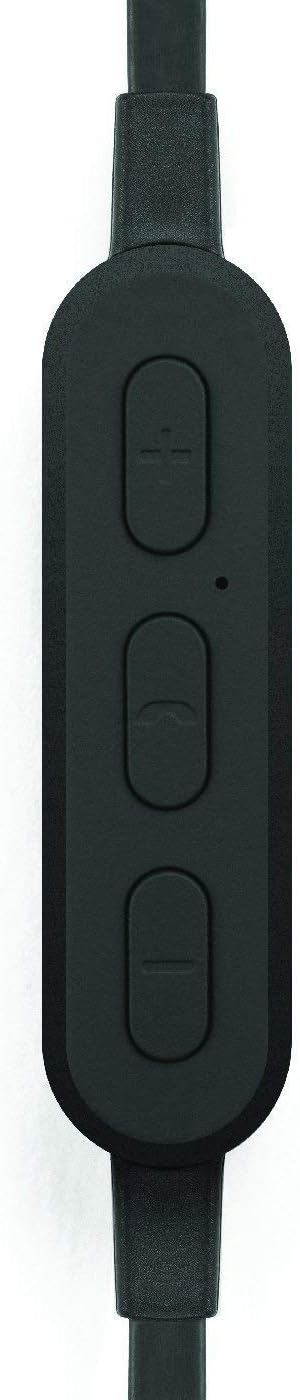
Imaj: Yon gwo plan view of the earbud's inline control module, showing the volume buttons, multi-function button, and microphone opening.
2. Pairing ak yon Aparèy Bluetooth
The Omen earbuds can be paired with any Bluetooth-enabled device.
- Asire ke ekoutè yo chaje epi etenn.
- Press and hold the multi-function button (center button on the control module) for approximately 5-7 seconds until the LED indicator light flashes red and blue, indicating pairing mode.
- On your Bluetooth device (smartphone, tablet, computer), go to the Bluetooth settings and enable Bluetooth.
- Chèche pou available devices. You should see "Wicked Audio Omen" or a similar name appear in the list.
- Select "Wicked Audio Omen" to connect. Once successfully paired, the LED indicator will flash blue slowly, and you may hear an audible confirmation.
- Si yo mande w yon kòd sekrè, antre "0000".
Ekoutè yo ap eseye otomatikman rekonekte ak dènye aparèy ki te konekte a lè yo limen yo.
Enstriksyon Operasyon
Power On/Off
- Pouvwa sou: Press and hold the multi-function button for 3 seconds. The LED will flash blue.
- Pouvwa Off: Press and hold the multi-function button for 3 seconds. The LED will flash red and then turn off.
Lèktur Klas Mizik
- Jwe/Poz: Peze bouton milti-fonksyon an yon fwa.
- Pwochen Track: Press and hold the '+' (volume up) button for 2 seconds.
- Track Previous: Press and hold the '-' (volume down) button for 2 seconds.
- Volim moute: Peze bouton '+' la yon ti kras.
- Volim desann: Peze bouton '-' la yon ti moman.
Jesyon Rele
- Reponn/Fen Apèl: Peze bouton milti-fonksyon an yon fwa.
- Rejte apèl: Peze epi kenbe bouton milti-fonksyon an pou 2 segonn.
- Recomposition Dènye Nimewo: Peze bouton milti-fonksyon an de fwa.

Image: A person wearing the Wicked Audio Omen Earbuds, demonstrating their in-ear fit and flat cord design.
Antretyen
Proper care will extend the life of your earbuds.
- Netwayaj: Regularly clean the ear tips and earbud surfaces with a soft, dry, lint-free cloth. Do not use liquids or sprays directly on the earbuds.
- Depo: Lè w pa ap itilize ekoutè yo, sere yo nan yon kote ki fre epi sèk, lwen limyè solèy dirèk ak tanperati ekstrèm.
- Konsèy zòrèy: The ear tips can be removed and gently washed with mild soap and water. Ensure they are completely dry before reattaching them to the earbuds.
Depanaj
| Pwoblèm | Kòz posib | Solisyon |
|---|---|---|
| Ekoutè yo pa vle limen. | Batri ki ba. | Chaje ekoutè yo nèt. |
| Pa ka konekte ak aparèy la. | Ekoutè yo pa an mòd koneksyon; Bluetooth etenn sou aparèy la; aparèy la twò lwen. | Ensure earbuds are in pairing mode (flashing red/blue). Turn on Bluetooth on your device. Move device closer to earbuds (within 32ft/10m). |
| Pa gen son oswa volim nan ba. | Volume too low; earbuds not connected; incorrect audio output. | Increase volume on both earbuds and connected device. Reconnect earbuds. Check audio output settings on your device. |
| Son koupe antre epi soti. | Entèferans; aparèy twò lwen; obstak. | Move closer to the connected device. Avoid physical obstructions between earbuds and device. Reduce other wireless interference. |
Espesifikasyon
| Karakteristik | Detay |
|---|---|
| Non modèl | WI-BT1751 |
| Chofè | 10mm Neyodim |
| Sansiblite | 99 dB |
| Repons Frekans | 20-20,000 Hz |
| Enpedans | 16 Ohms |
| Lavi batri | Jiska 3.5 èdtan |
| Tan chaj | Apeprè. 2 èdtan |
| Gamme Bluetooth | Jiska 32 pye (10 mèt) |
| Koneksyon | Bluetooth |
| Port chaje | Mikwo USB |
| Pwa atik | 1.6 ons |
| UPC | 712949011138 |
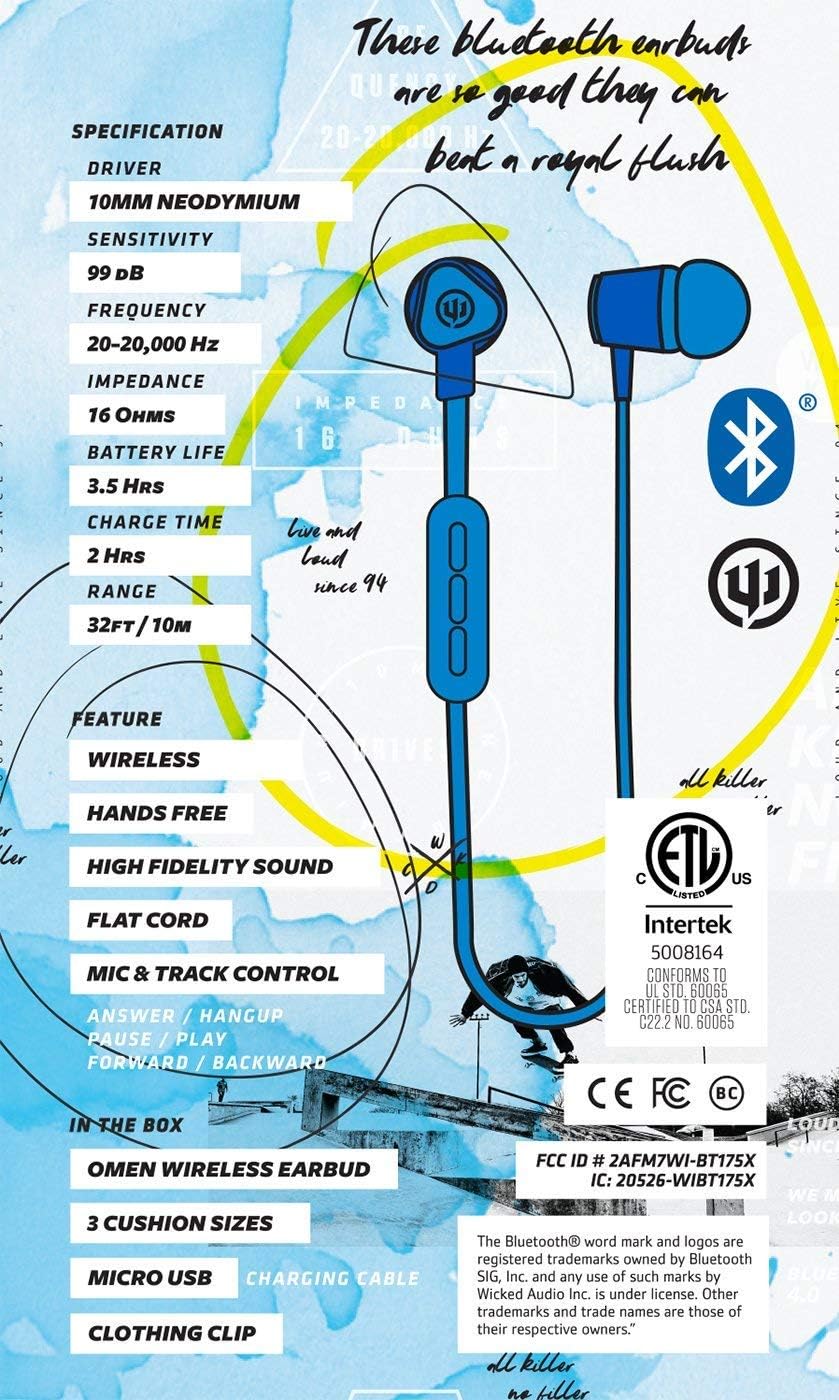
Image: A graphic detailing the specifications and features of the Wicked Audio Omen Earbuds, including driver size, sensitivity, frequency, impedance, battery life, charge time, and range.
Garanti ak sipò
Your Wicked Audio Omen Wireless Bluetooth Earbuds come with a Garanti yon ane limite.
To obtain warranty service, please retain your purchase receipt. For more detailed information regarding warranty terms and conditions, or for technical support, please visit the official Wicked Audio websit:
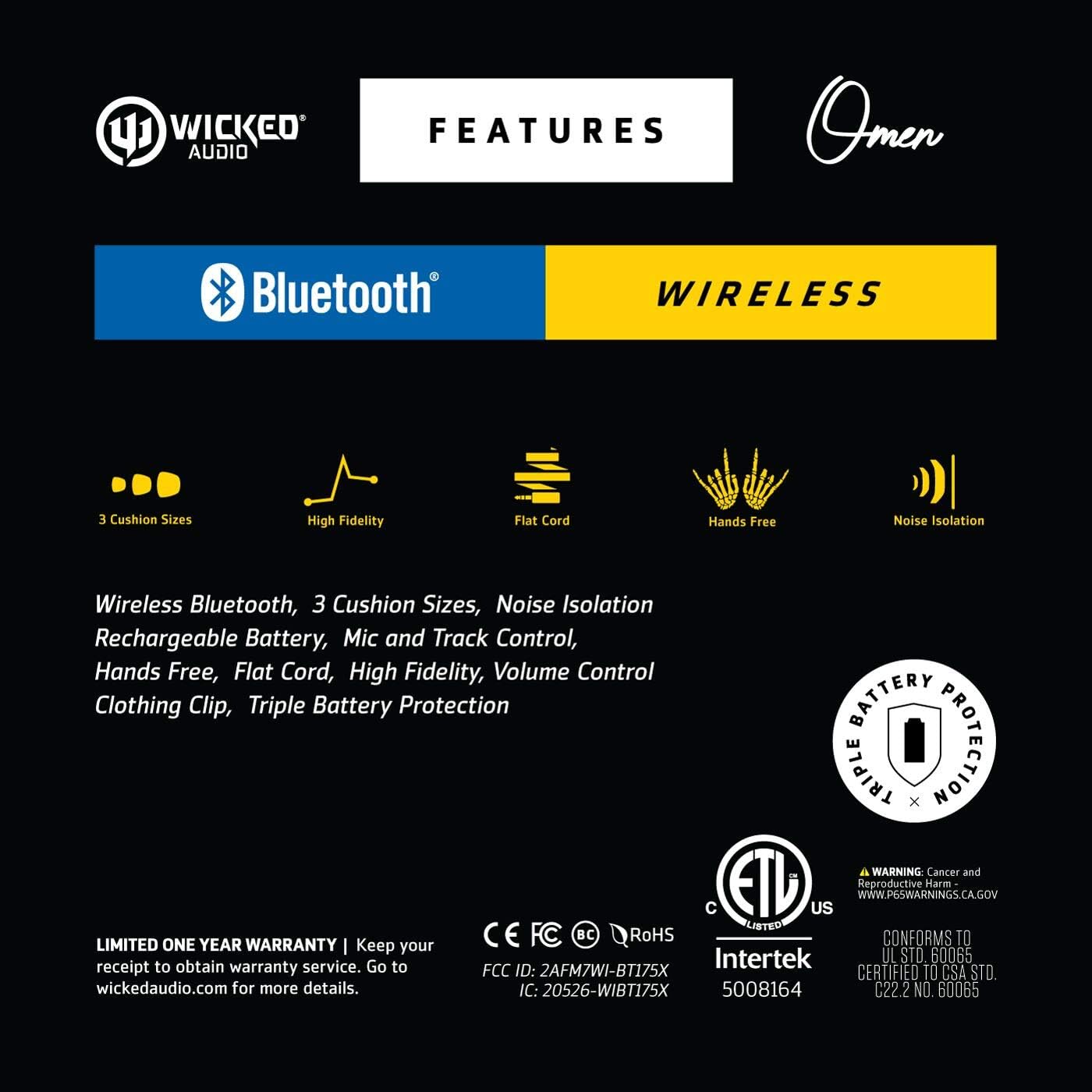
Image: A graphic highlighting key features such as 3 cushion sizes, high fidelity, flat cord, hands-free, and noise isolation, along with warranty information.

Image: A graphic explaining Wicked Audio's Triple Battery Protection, detailing built-in battery management, integrated circuit protection against over-voltage/charge, and heat testing.


