1. Pwodwi souview
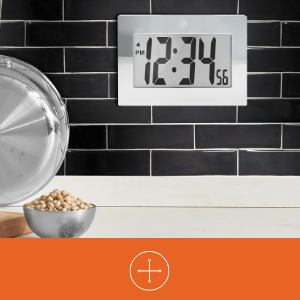
The MARATHON Large Digital Wall Clock (Model CL030064-BK-00-NA) is designed for clear time display with its high-contrast 7.5-inch LCD screen and large digits. This versatile clock can be used as a wall-mounted or desktop unit, suitable for various indoor environments such as offices, classrooms, labs, or homes. It includes an alarm function with snooze capability.

2. Enfòmasyon sou Sekirite
- Pa ekspoze revèy la nan tanperati ekstrèm, limyè solèy dirèk, oswa imidite ki wo.
- Evite lage revèy la oswa sibi gwo enpak.
- Kenbe pil yo pa rive jwenn timoun yo. Si vale, chèche swen medikal imedyatman.
- Dispose of used batteries according to local regulations. Do not mix old and new batteries or different types of batteries.
- Netwaye revèy la avèk yon twal mou epi sèk. Pa sèvi ak pwodui netwayaj abrazif oswa solvan.
3. Pake kontni
- MARATHON Large Digital Wall Clock (Model CL030064-BK-00-NA)
- 3 x Pil AAA (pre-enstale oswa enkli separeman)
4. Pwodwi Features
- Gwo ekspozisyon dijital: High-contrast 7.5-inch LCD with 3.5-inch digits for easy readability.
- Plasman versatile: Integrated keyholes for wall mounting and a fold-out stand for desktop use.
- Alam ak Snooze: Features a loud, easy-to-set alarm with a snooze function.
- Batri opere: Egzije 3 pil AAA (enkli).

5. Enstalasyon
5.1 Enstalasyon batri
- Jwenn kouvèti konpatiman pil la sou dèyè revèy la.
- Retire kouvèti a lè w glise l desann oswa lè w leve l.
- Insert 3 new AAA batteries, ensuring the correct polarity (+ and -) as indicated inside the compartment.
- Ranplase kouvèti lòj batri a.
5.2 Identifying Control Buttons
On the back of the clock, you will find the following buttons:
- MOD: Used to switch between time display, alarm setting, and other modes.
- ALARM ON/OFF (Bell Icon): Aktive oswa dezaktive alam lan.
- UP (Triangle Up): Increases values during setting.
- DOWN (Triangle Down): Decreases values during setting.
- SNOOZE: Located on the top or front, used to temporarily silence the alarm.
5.3 Mete tan an
- Peze a MÒD Peze bouton an yon fwa pou antre nan mòd reglaj lè a. Chif lè yo ap flache.
- Sèvi ak la UP or DESANN buttons to adjust the hour. Pay attention to AM/PM indicators.
- Peze MÒD ankò. Chif minit yo ap flache.
- Sèvi ak la UP or DESANN bouton pou ajiste minit yo.
- Peze MÒD a third time to confirm the time setting and return to normal display.
5.4 Mete alam la
- Nan ekspozisyon tan nòmal la, peze bouton an MÒD button twice to enter alarm setting mode. The alarm hour digits will flash, and an alarm icon (bell) may appear.
- Sèvi ak la UP or DESANN bouton pou ajiste lè alam la.
- Peze MÒD again. The alarm minute digits will flash.
- Sèvi ak la UP or DESANN bouton pou ajiste minit alam lan.
- Peze MÒD a third time to confirm the alarm setting.
- Pou aktive alam la, peze la ALARM ON / OFF button. The alarm icon will remain visible on the display. Press it again to deactivate.
5.5 Montaj Opsyon
The clock offers two convenient placement options:
- Mi Mount: Use the integrated keyholes on the back of the clock to hang it securely on a wall hook or screw.
- Plasman Desktop: Extend the fold-out stand located on the back of the clock to place it on any flat surface.

6. Operasyon Enstriksyon
6.1 Using the Alarm and Snooze
- Lè alam la son, peze la SNOOZE button (usually located on the top of the clock) to temporarily silence it. The alarm will sound again after a few minutes (typically 5-10 minutes).
- Pou etenn alam lan nèt, peze bouton an ALARM ON / OFF button on the back of the clock. The alarm icon will disappear from the display.
7. Antretyen
7.1 Ranplasman batri
When the display becomes dim or the clock stops functioning, it is time to replace the batteries. Follow the battery installation steps in Section 5.1.
7.2 Netwayaj
Wipe the clock's surface with a soft, dry, or slightly damp cloth. Do not use chemical cleaners, as they may damage the finish or display.
NAN. Depanaj
| Pwoblèm | Kòz posib | Solisyon |
|---|---|---|
| Ekran an vid oswa li fèb. | Pil ki fèb oswa ki mouri. Pil ki pa byen enstale. | Ranplase pil yo ak nouvo pil AAA, asire polarite ki kòrèk la. |
| Lè a pa kòrèk. | Lè a pa t byen fikse. | Gade Seksyon 5.3 pou retabli lè a. |
| Alam lan pa sonnen. | Alarm is not activated. Alarm time is incorrect. | Ensure the alarm icon is visible on the display (press ALARM ON/OFF button). Verify the alarm time setting (Section 5.4). |
| Fonksyon repetisyon an pa mache. | Snooze button not pressed during alarm. | Press the SNOOZE button when the alarm is actively sounding. |
9. Espesifikasyon
| Karakteristik | Detay |
|---|---|
| Mak | MARATHON |
| Nimewo Modèl | CL030064-BK-00-NA |
| Kalite ekspozisyon | Digital LCD |
| Gwosè ekspozisyon | 7.5 pous (dyagonal) |
| Chif Wotè | 3.5 pous (9 cm) |
| Dimansyon pwodwi (L x H) | 9 pous x 6.5 pous (23 cm x 16.5 cm) |
| Sous pouvwa | 3 x batri AAA (enkli) |
| Kalite aliye | Wall Mount, Desk Clock |
| Karakteristik espesyal | Alarm with Snooze, Integrated Keyholes, Fold-out Stand |
| Materyèl ankadreman | Acrylonitrile Butadiene styrene |
| Koulè | Nwa |
| Itilizasyon Andedan kay la / Deyò | Andedan kay la |
| Pwa atik | 11.2 ons (318 gram) |

10. Garanti ak sipò
10.1 Enfòmasyon sou Garanti
This MARATHON product comes with a Limited Warranty. For specific details regarding the warranty period and coverage, please refer to the warranty card included with your purchase or contact MARATHON customer support.
10.2 Sipò pou Kliyan
If you encounter any issues or have questions about your MARATHON Large Digital Wall Clock that are not addressed in this manual, please contact MARATHON customer support. Contact information can typically be found on the product packaging or the official MARATHON websit.


