Identiv SCR 3310 v2.0 SCM USB Smart Card Reader
Manyèl itilizatè
1. Entwodiksyon
The Identiv SCR 3310 v2.0 is a compact and practical USB smart card reader designed for secure digital transactions and access. Its ergonomic design and mounting holes allow for easy integration into various systems. This reader is compatible with ISO 7816 smart cards in ID-1 format and is EMV Level 1 certified, ensuring reliable performance for a wide range of applications.
Typical applications include e-banking, electronic identification, social security and loyalty programs, electronic coupon campaigns, secure network and PC access, and online shopping.
2. Enfòmasyon sou Sekirite
Please read and follow these safety guidelines to ensure safe and proper operation of your smart card reader:
- Pa ekspoze aparèy la nan tanperati ekstrèm, limyè solèy dirèk, oswa imidite ki wo.
- Evite jete oswa sibi aparèy la nan gwo enpak.
- Pa eseye demonte oswa modifye aparèy la. Sa ap anile garanti a.
- Keep the device away from liquids. If liquid enters the device, disconnect it immediately and contact support.
- Use only the provided USB cable or a compatible, certified USB cable.
- Asire w ke gen bon vantilasyon toutotou aparèy la pandan l ap fonksyone.
3. Pake kontni
Verifye ke tout atik yo prezan nan pakè ou a:
- Identiv SCR 3310 v2.0 Smart Card Reader
- Integrated USB Type-A Cable (1.5 m)
- Quick Start Guide (if applicable, not explicitly mentioned but common)
4. Enstalasyon
4.1 Connecting the Reader
The SCR 3310 v2.0 is a plug-and-play device that draws power directly from the USB port. No external power adapter is required.
- Jwenn yon pò USB ki disponib sou òdinatè w lan.
- Insert the USB Type-A connector of the reader's cable into the USB port.
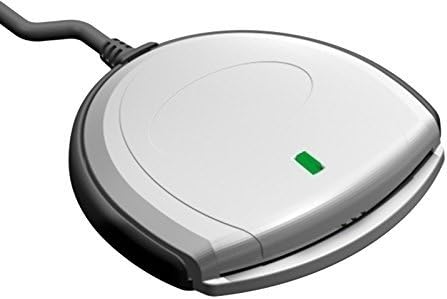
- The green status LED on the reader will illuminate, indicating that the device is powered on and ready.

Figi 1: Devan view of the SCR 3310 v2.0 Smart Card Reader.
Figi 2: Angle view of the reader with the green status LED illuminated.
4.2 Enstalasyon chofè
The SCR 3310 v2.0 is CCID compliant, meaning it typically uses standard drivers built into modern operating systems. In most cases, the driver will install automatically upon connecting the device.
Sistèm operasyon ki sipòte:
- Windows 98, ME, 2000, XP, Server 2003
- Windows Vista (32/64 Bit)
- Windows 7 (32/64 Bit)
- Windows 8 (32/64 Bit)
- Windows 10 (32/64 Bit)
- Windows CE 4.2, 5.0
- MacOS
- Solaris
- Linux
If the driver does not install automatically, or if you encounter issues, you may need to download the latest drivers from the Identiv support website. The reader utilizes PC/SC and CT-API (via a PC/SC-based wrapper) for application communication.
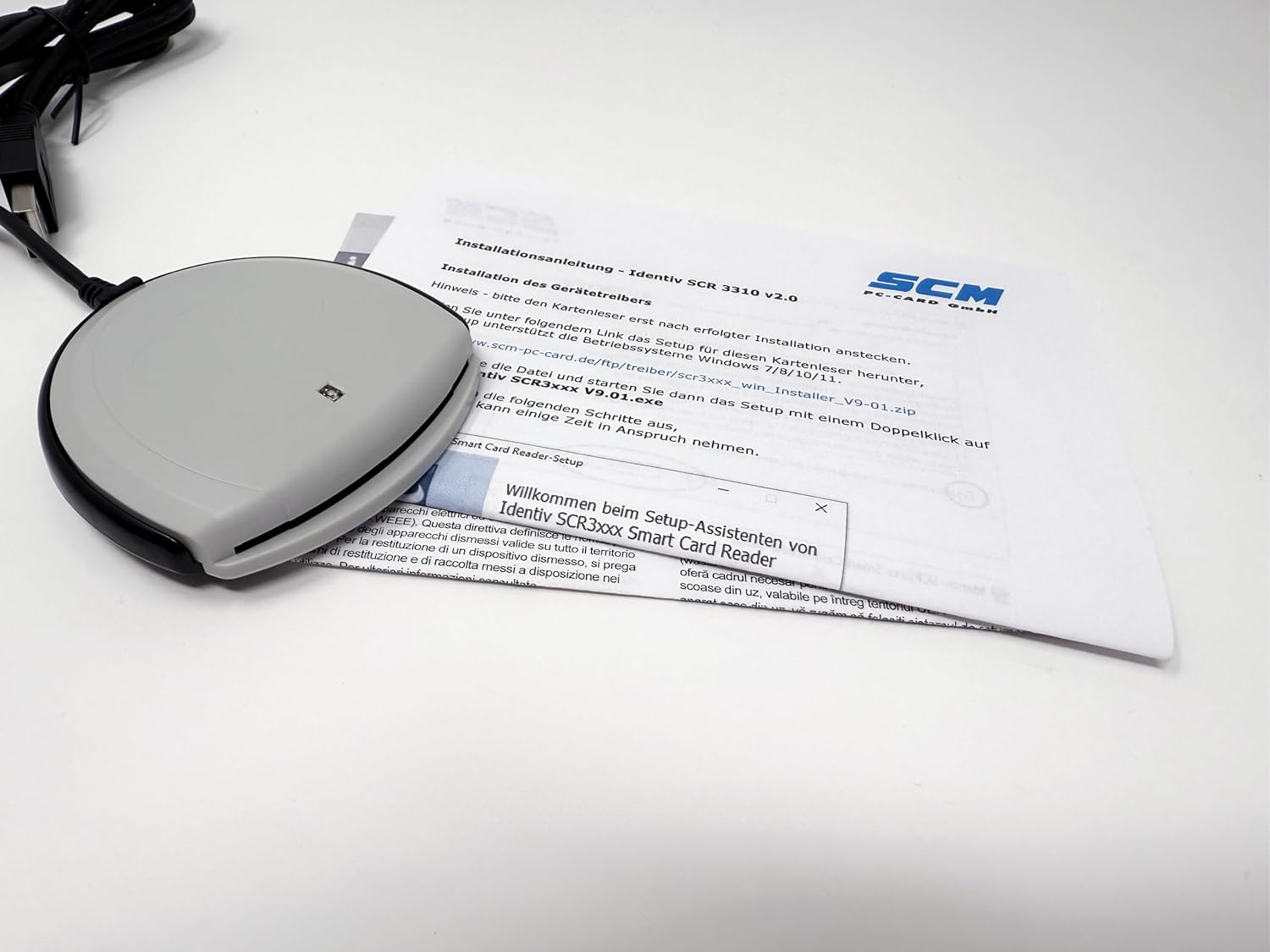
Figure 3: Driver installation process on a computer.
Note: This reader does not work with DATEV applications.
5. Operasyon Enstriksyon
5.1 Mete yon Kat Entelijan
To use the smart card reader, insert your ID-1 format smart card into the slot on the front of the device.
- Orient the smart card with the chip facing upwards and towards the reader.
- Gently slide the smart card into the slot until it is fully seated. Do not force the card.
- The reader will automatically detect the card. The green status LED may blink or change state depending on the application's activity.

Figure 4: Smart card being inserted into the reader.
5.2 Retire yon Kat Entelijan
Pou retire yon kat entelijan:
- Ensure that no application is actively using the smart card.
- Gently pull the smart card out of the slot.
Caution: Do not remove the smart card while an application is actively accessing it, as this may lead to data corruption or application errors.
6. Antretyen
The Identiv SCR 3310 v2.0 requires minimal maintenance. Follow these guidelines to keep your device in optimal condition:
- Netwayaj: Use a soft, dry, lint-free cloth to wipe the exterior of the reader. Do not use liquid cleaners, aerosols, or abrasive materials.
- Depo: When not in use, store the reader in a clean, dry environment, away from dust and extreme temperatures.
- Swen kab: Avoid bending or kinking the USB cable excessively. Do not pull the cable to disconnect the reader from the computer; always grasp the USB connector.
NAN. Depanaj
If you encounter issues with your smart card reader, refer to the following common problems and solutions:
| Pwoblèm | Kòz posib | Solisyon |
|---|---|---|
| Reader not detected by computer. | Loose USB connection, faulty USB port, driver not installed. |
|
| Smart card not recognized. | Card inserted incorrectly, dirty card chip, incompatible card. |
|
| Green status LED is off. | No power, faulty USB port. |
|
| Reader does not work with DATEV applications. | Enkonpatibilite. | This reader is explicitly stated as not compatible with DATEV applications. No solution is available for this specific incompatibility. |
8. Espesifikasyon
| Karakteristik | Detay |
|---|---|
| Non modèl | SCR 3310 v2.0 (P/N: 905331) |
| Dimansyon (L x W x H) | 70 x 70 x 14 mm (2.76 x 2.76 x 0.55 pous) |
| Pwa | 73 gram (2.57 ons) |
| Entèfas | USB Full Speed (12 Mbps), USB 3.0 compatible, CCID compliant |
| Vitès kominikasyon | Jiska 412 Kbps |
| Smart Card Support | ISO 7816 Classes A, B, C (5V, 3.3V, 1.8V), ID-1 format |
| Longè kab | 1.5 m (4.9 ft) with USB Type-A connector |
| Pwovizyon pou pouvwa | USB Otobis ki mache ak pisans |
| Tanperati Fonksyònman | 0°C a +50°C (32°F a +122°F) |
| Sètifikasyon | FCC Class B Part 15, cULus, CE, VCCI, USB/Microsoft WHQL 2000, XP, Server 2003, EMV Level 1 |
| Konfòmite anviwònman an | RoHS, WEEE, REACH-Compliance |
| Sistèm operasyon konpatibilite | Windows (98, ME, 2000, XP, Server 2003, Vista, 7, 8, 10), Windows CE (4.2, 5.0), MacOS, Solaris, Linux |
| Driver API | PC/SC, CT-API (via PC/SC-based wrapper) |

Figi 5: Retounen view of the reader with product information and certifications.
9. Garanti ak sipò
9.1 Enfòmasyon sou Garanti
Identiv products are manufactured to the highest quality standards. For specific warranty terms and conditions, please refer to the warranty card included with your product or visit the official Identiv websit la. Kenbe prèv acha ou pou reklamasyon garanti.
9.2 Sipò teknik
If you require technical assistance or have questions not covered in this manual, please contact Identiv customer support. You can find contact information and additional resources, including driver downloads and FAQs, on the official Identiv websit:
When contacting support, please have your product model (SCR 3310 v2.0) and serial number (found on the back of the device, e.g., 53312211230194) ready.