1. Entwodiksyon
This manual provides essential instructions for the installation, operation, and maintenance of your ANNKE i61dr 1080P WiFi IP Security Camera. Please read this manual thoroughly before using the product to ensure proper setup and functionality. Keep this manual for future reference.
2. Pake kontni
Verifye ke tout atik ki nan lis anba a yo nan pakè ou a. Si gen nenpòt atik ki manke oswa ki domaje, tanpri kontakte sèvis kliyan.

Image: Contents of the ANNKE i61dr camera package, including the camera, power adapter, Ethernet cable, mounting hardware, drill template, and user manual.
- ANNKE i61dr 1080P WiFi IP Security Camera
- Adaptè kouran (DC12V)
- Ethernet kab
- Vis ak ploge miray pou monte
- Modèl egzèsis
- Manyèl itilizatè
- Software CD
3. Pwodwi souview
Familiarize yourself with the components and indicators of your ANNKE i61dr camera.
Devan View
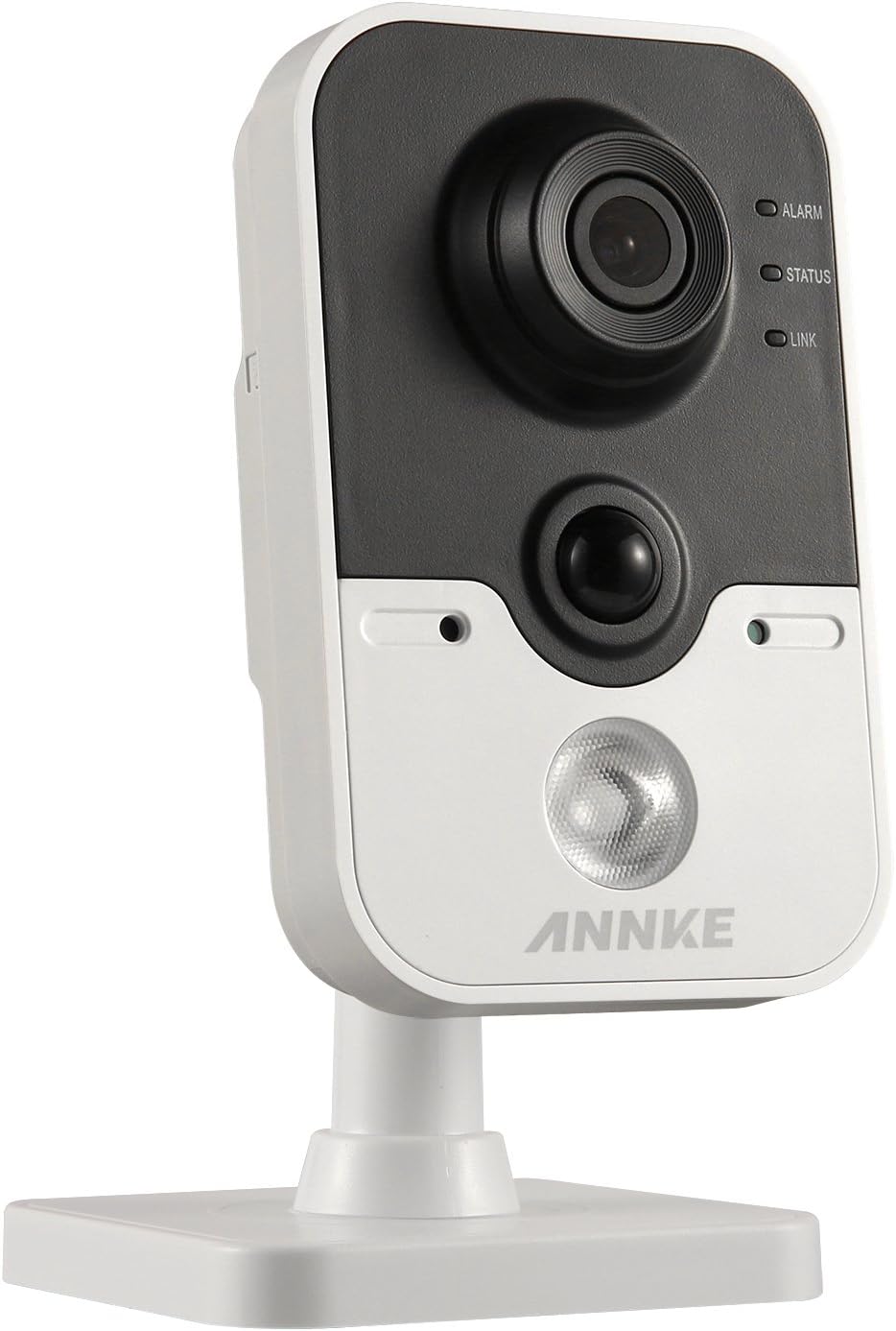
Image: The front of the ANNKE i61dr camera, featuring the main camera lens, a passive infrared (PIR) sensor, and three LED indicators labeled ALARM, STATUS, and LINK.
- Lantiy kamera: Captures 1080p HD video.
- Capteur PIR: Detects heat signatures for accurate motion detection.
- ALARM ki ap dirije: Endike estati alam.
- STATUS ki ap dirije: Indicates camera operational status.
- Lyen ki ap dirije: Indicates network connectivity status.
Dèyè View

Image: The rear of the ANNKE i61dr camera, displaying the LAN port, WPS/RST button, Alarm I/O terminals, and DC12V power input.
- Pò LAN: For wired Ethernet connection and Power over Ethernet (PoE).
- Bouton WPS/RST: Used for WPS Wi-Fi setup or to reset the camera to factory defaults.
- ALARM I/O: Terminals for external alarm devices.
- DC12V Power Input: Konekte ak adaptè kouran ki enkli a.
Side View

Image: The side of the ANNKE i61dr camera, showing the accessible SD card slot for local storage.
- Plas kat SD: Insert a microSD card (not included) for local video storage.
4. Enstalasyon
Follow these steps to set up your ANNKE i61dr camera.
4.1 Alimante Kamera a
- Connect the included power adapter to the DC12V input port on the back of the camera.
- Ploge adaptè pouvwa a nan yon priz miray.
- Alternatively, if using Power over Ethernet (PoE), connect an Ethernet cable from a PoE-enabled switch or injector to the LAN port.
4.2 Rezo Koneksyon
Kamera a sipòte tou de koneksyon Wi-Fi ak koneksyon Ethernet filaire.
Wi-Fi Setup (One-Touch or WPS)
- Ensure your router supports WPS or follow the camera's app instructions for one-touch Wi-Fi setup.
- For WPS, press the WPS button on your router, then press the WPS/RST button on the camera within 2 minutes. The LINK LED will indicate successful connection.
- For app-guided setup, download the ANNKE app (compatible with Android) and follow the on-screen instructions to connect the camera to your Wi-Fi network.
Konfigirasyon Ethernet Filaire
- Connect an Ethernet cable from your router or network switch to the LAN port on the back of the camera.
- The camera will automatically obtain an IP address.
4.3 Monte Kamera a
The camera is designed for ceiling mounting but can also be placed on a flat surface.
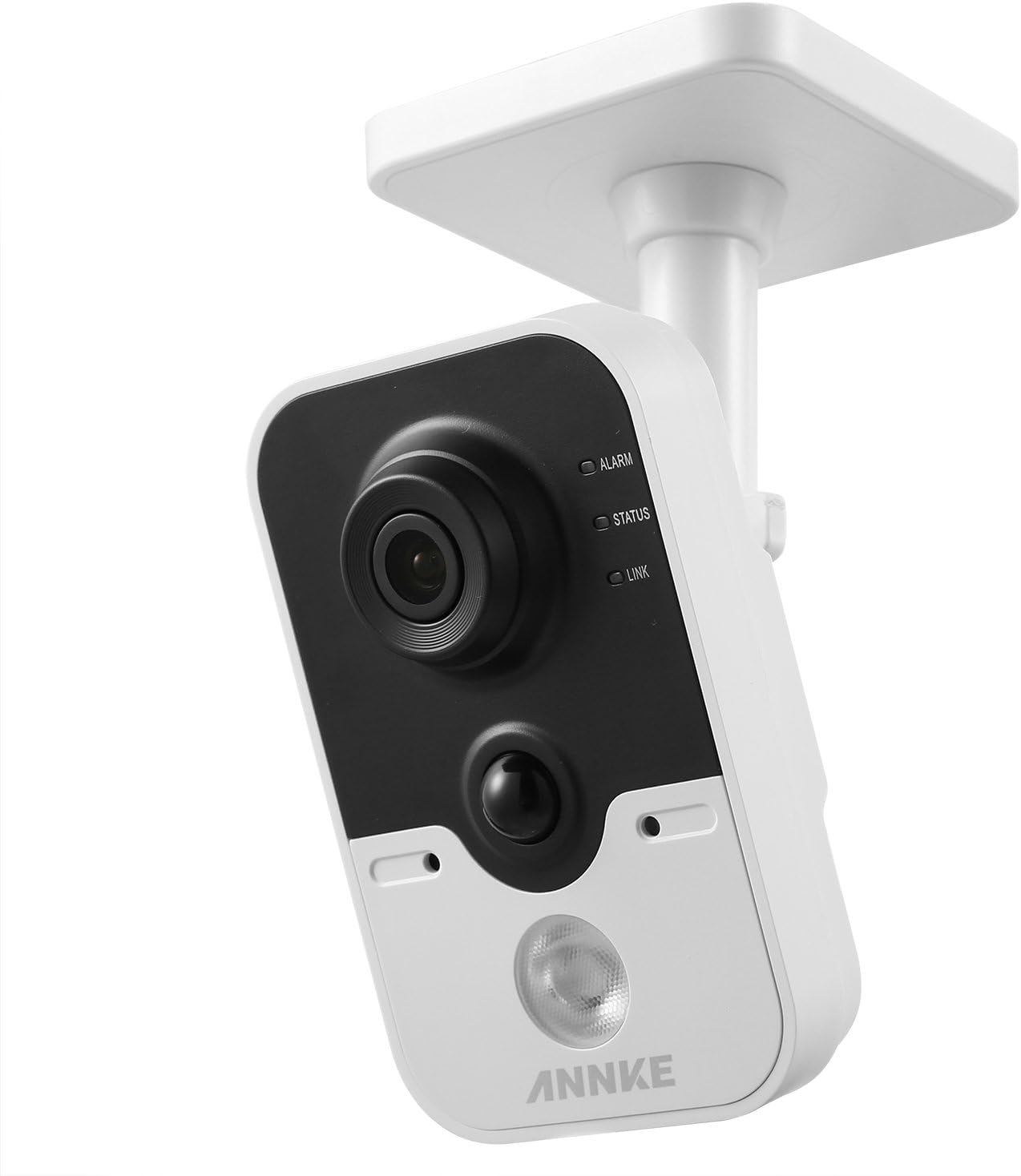
Image: The ANNKE i61dr camera shown mounted on a ceiling, demonstrating its intended installation method.
- Chwazi yon kote ki apwopriye pou pi bon rezilta yo viewing and network signal.
- Use the provided drill template to mark the screw holes on the mounting surface.
- Drill pilot holes and insert wall plugs if mounting on drywall or masonry.
- Secure the camera's base to the surface using the provided screws.
- Ajiste ang kamera a jan sa nesesè.
5. Operasyon Enstriksyon
Once set up, your ANNKE i61dr camera offers various monitoring and recording features.
5.1 Viv View ak Lektur
- Access the live 1080p HD video feed through the ANNKE mobile application or compatible VCA NVR system.
- Review anrejistre footage stored on the microSD card or cloud storage (if subscribed).
5.2 Motion and PIR Detection
- The camera utilizes both pixel-based motion detection and advanced PIR (Passive Infrared) detection to minimize false alarms.
- Configure detection zones and sensitivity settings within the ANNKE app.
- Receive email alerts or push notifications to your smartphone upon detection of activity.
5.3 Odyo De-fason
- Use the built-in microphone and speaker to communicate with individuals near the camera via the mobile app.
5.4 Konpresyon videyo
- The camera uses H.264 video compression for efficient storage and bandwidth usage while maintaining high video quality.
5.5 Deteksyon entrizyon
- Advanced intrusion detection features are available, compatible with VCA NVR systems for enhanced security monitoring.
6. Antretyen
Antretyen regilye asire pèfòmans optimal ak lonjevite kamera ou.
- Netwayaj: Siye lantiy kamera a ak kò a dousman avèk yon twal mou epi sèk. Evite pwodui netwayaj abrazif oswa solvan.
- Mizajou mikrolojisyèl: Periodically check for and install firmware updates through the ANNKE app to ensure the latest features and security enhancements.
- Estabilite rezo: Asire w ke rezo Wi-Fi ou a stab epi li gen ase Pleasant pou difizyon videyo kontinyèl.
- Jesyon Depo: If using a microSD card, regularly check its status and ensure there is sufficient space for recordings. Back up important footage jan sa nesesè.
NAN. Depanaj
Gade seksyon sa a pou solisyon pou pwoblèm komen yo.
7.1 Pa gen pouvwa
- Tcheke Koneksyon Pouvwa: Ensure the power adapter is securely plugged into the camera and a working electrical outlet.
- Verifye PoE: If using PoE, confirm the Ethernet cable is connected to a PoE-enabled port and the PoE device is functioning.
7.2 Pa gen koneksyon rezo
- Siyal Wi-Fi: Ensure the camera is within range of your Wi-Fi router. Relocate the camera or router if necessary.
- Anviwònman routeur: Verify your router's Wi-Fi settings (SSID, password) are correct.
- Reyajiste Kamera a: Press and hold the WPS/RST button for approximately 10 seconds to reset the camera to factory defaults, then attempt setup again.
- Ethernet kab: If using a wired connection, ensure the Ethernet cable is properly connected and undamaged.
7.3 Kalite Videyo ki Pòv
- Netwaye Lantiy: Netwaye lantiy kamera a dousman avèk yon twal mou.
- Bandwidth rezo: Ensure your internet connection has sufficient upload speed for 1080p video streaming.
- Ekleraj: Adjust camera placement to optimize lighting conditions.
7.4 Deteksyon Mouvman an pa fonksyone
- Anviwònman sansiblite: Adjust motion detection sensitivity in the ANNKE app.
- Zòn deteksyon: Ensure detection zones are correctly configured to cover the desired areas.
- Obstak: Tcheke pou wè si pa gen okenn obstak fizik ki bloke kamera a. view oubyen detèktè PIR la.
8. Espesifikasyon
| Karakteristik | Spesifikasyon |
|---|---|
| Nimewo Modèl | I61DR |
| Rezolisyon videyo | 1080p HD |
| Koneksyon | Wireless (Wi-Fi), Wired (Ethernet/PoE) |
| Sous pouvwa | DC12V Power Adapter, Power over Ethernet (PoE) |
| Deteksyon Mouvman | PIR Detection, Pixel-based Motion Detection |
| Odyo | De-fason odyo |
| Konpresyon videyo | H.264 |
| Depo | MicroSD Card Slot (card not included) |
| Kalite aliye | Ceiling Mount (also suitable for flat surfaces) |
| Dimansyon (L x W x H) | 13 x 7 x 9 cm |
| Materyèl | Plastik |
9. Garanti ak sipò
ANNKE products are designed for reliability and performance. For warranty information, technical support, or service inquiries, please refer to the official ANNKE websit la oubyen kontakte sèvis kliyan yo dirèkteman. Kenbe resi acha w la kòm prèv acha pou reklamasyon garanti.


