Entwodiksyon
This instruction manual provides essential information for the proper use and maintenance of your Carson MicroMini 20x Pocket Microscope. The MicroMini is a compact, versatile tool featuring 20x magnification, an LED flashlight, and a UV light, designed for detailed examination of various objects.
Pwodwi souview
Familiarize yourself with the components of your MicroMini microscope:

Image: Labeled diagram of the MicroMini microscope highlighting its key features: Eyepiece, LED Light Switch, 20x Focus Knob, Built-in UV Light, Microscope LED, and Flashlight.
- Oculaire: Pou viewing magnified objects.
- 20x Focus Knob: Adjusts the focus for clear viewing.
- Dirije limyè switch: Activates the LED illumination for the microscope and the LED flashlight.
- Microscope LED: Provides direct illumination for the magnified area.
- Built-in UV Light: Emits ultraviolet light for detecting fluorescence.
- Flach: General purpose LED light.
- Keychain: For portability and attachment to keys or bags.
Enstalasyon
Enstalasyon batri
The MicroMini requires 3 LR41 button cell batteries (included). To install or replace batteries:
- Locate the battery compartment cover on the side of the microscope.
- Ak anpil atansyon retire kouvèti a.
- Insert the 3 LR41 batteries, ensuring correct polarity (+/-).
- Ranplase kouvèti lòj batri a byen.

Image: The MicroMini with its battery cover removed, revealing the LR41 button cell batteries.
Enstriksyon Operasyon
Sèvi ak mikwoskòp la
- Place the microscope directly over the object you wish to examine.
- Press the LED Light Switch to illuminate the object with the Microscope LED.
- Look through the Eyepiece.
- Rotate the 20x Focus Knob slowly until the image appears clear and sharp.

Image: The orange MicroMini microscope demonstrating its 20x magnification capability on various textures.
The following video demonstrates the use of the MicroMini microscope for examining various objects, including a pencil tip, printed text, poppy seeds, and plant leaves.
Videyo: Finiview of the Carson MicroMini Pocket Microscopes, showcasing their 20x magnification on everyday items like a pencil, printed materials, and plant life.
Sèvi ak flach la ki ap dirije
To use the LED flashlight, press the LED Light Switch. The flashlight is located on the side of the unit and provides general illumination.
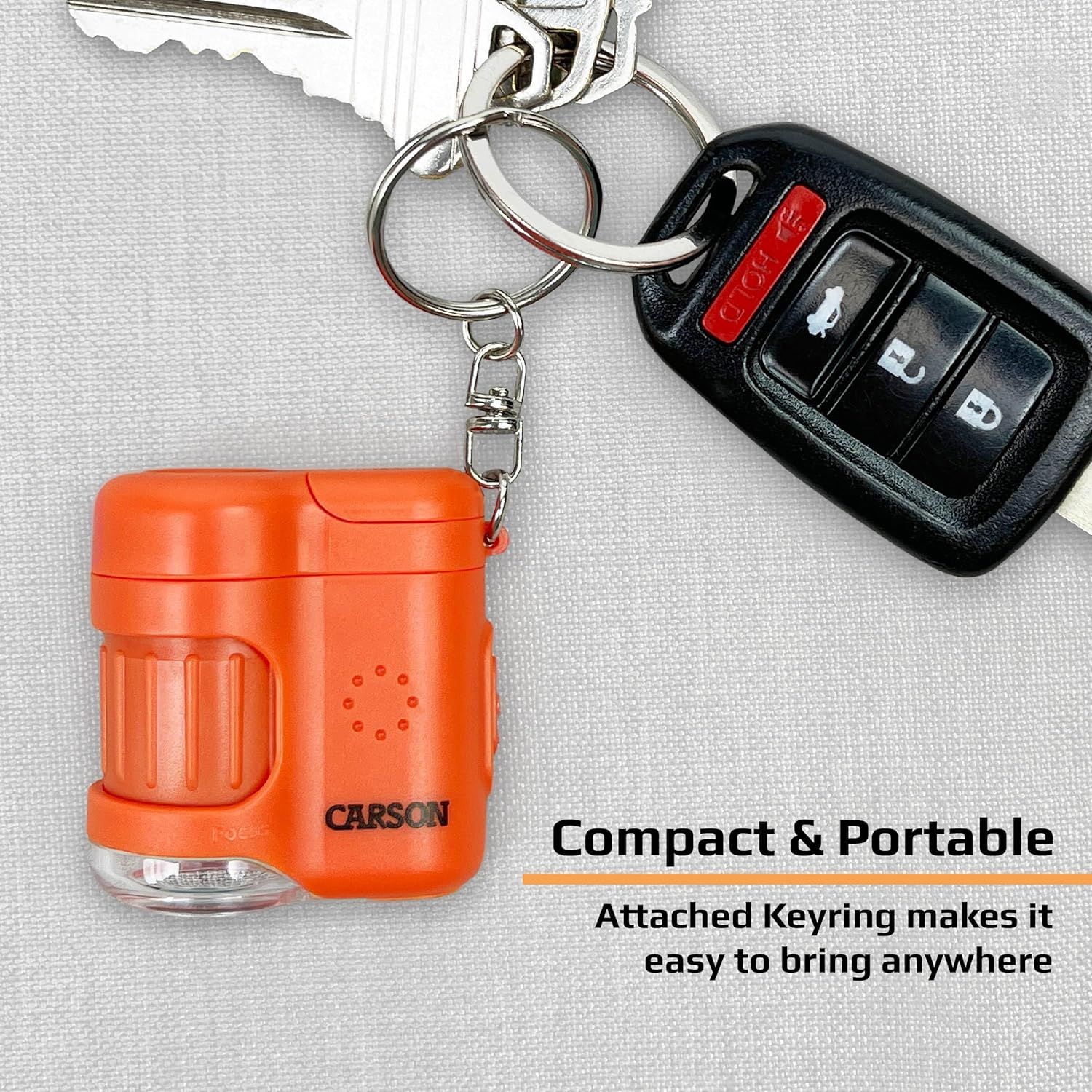
Image: The MicroMini attached to a keychain, demonstrating its portability and use as a compact tool.
Sèvi ak limyè UV
To activate the UV light, press the dedicated UV button. The UV light is useful for detecting fluorescent properties in objects, such as security features on currency or certain biological specimens.
The following video demonstrates the UV light feature of the MicroMini, specifically its application in verifying currency.
Videyo: Pwodwi finiview Video, highlighting the UV light function for currency verification and the LED flashlight.
Antretyen
- Keep the lenses clean by gently wiping with a soft, lint-free cloth. Avoid abrasive materials.
- Store the microscope in a dry, dust-free environment when not in use.
- Retire pil yo si ou pa pral itilize aparèy la pou yon peryòd tan pwolonje pou anpeche flit.
- Avoid dropping the microscope or subjecting it to strong impacts.
Depanaj
| Pwoblèm | Kòz posib | Solisyon |
|---|---|---|
| No illumination from LED or UV light. | Pil mouri oswa pil ki pa byen enstale. | Replace batteries with new LR41 cells, ensuring correct polarity. |
| Imaj la twoub oswa li pa byen fokus. | Focus knob not adjusted correctly. | Rotate the 20x Focus Knob slowly until the image is sharp. Ensure the microscope is close to the object. |
| Dust or smudges on the lens. | Lantiy yo sal. | Gently clean lenses with a soft, lint-free cloth. |
Espesifikasyon
- Agrandisman: 20x
- Sous limyè: LED (Microscope & Flashlight), UV Light
- Batri: 3 x LR41 (enkli)
- Dimansyon pwodwi: 1.5"L x 1"W x 1.6"H (3.8 cm x 2.5 cm x 4.1 cm)
- Pwa atik: 1.1 ons (31 gram)
- Materyèl: Plastik
- Nimewo Modèl: MM-280
Garanti ak sipò
Carson products are designed to provide reliable performance. For warranty information or technical support, please visit the official Carson websit la oubyen kontakte depatman sèvis kliyan yo. Kenbe prèv acha ou pou nenpòt reklamasyon garanti.
Pou plis enfòmasyon ak anrejistreman pwodwi, tanpri vizite: Carson Store on Amazon


