1. Entwodiksyon
Mèsi pou acha aasing the Plumeet Digital Alarm Clock. This manual provides detailed instructions for setting up, operating, and maintaining your new alarm clock. Please read this manual thoroughly before use to ensure proper function and to maximize your product experience.

Figi 1: Devan view of the Plumeet Digital Alarm Clock, displaying time, date, and alarm setting.
2. Enfòmasyon sou Sekirite
- Pa ekspoze aparèy la nan tanperati ekstrèm, limyè solèy dirèk, oswa imidite ki wo.
- Kenbe aparèy la lwen dlo oswa lòt likid.
- Use only the specified battery type (2 AA batteries). Do not mix old and new batteries, or different types of batteries.
- Jete pil yo itilize dapre règleman lokal yo.
- Pa eseye demonte oswa repare aparèy la tèt ou. Kontakte sèvis kliyan si ou bezwen sèvis.
3. Pake kontni
Tanpri tcheke pake a pou atik sa yo:
- Plumeet Digital Alarm Clock (1 unit)
- Manyèl Itilizatè (dokiman sa a)
Remak: Ou bezwen 2 pil AA epi yo pa enkli nan pakè a.
4. Enstalasyon
4.1 Enstalasyon batri
- Jwenn kouvèti konpatiman pil la sou dèyè revèy la.
- Glise kouvèti a anba pou ouvri konpatiman an.
- Insert two (2) new AA batteries, ensuring the correct polarity (+ and -) as indicated inside the compartment.
- Remèt kouvèti konpatiman batri a, glise l anlè jiskaske li fè yon klik an plas.
The clock display should now turn on. If not, please check battery orientation or replace with fresh batteries.

Figi 2: Dèyè view of the alarm clock with battery compartment and control buttons.
5. Operasyon Enstriksyon
5.1 Bouton souview
The alarm clock features several buttons and switches on its rear and top for various functions:
- YEAR / MONTH / DATE / HOUR / MINUTE: Buttons for adjusting respective values.
- ALAM: Button to enter alarm setting mode.
- TIME-CALENDAR: Button to switch between time display and calendar display.
- 12/24: Button to toggle between 12-hour and 24-hour time formats.
- OFF-ON ALARM: Slide switch to enable or disable the alarm function.
- SNOOZE/LIGHT (Top Button): Activates the snooze function when the alarm sounds, or illuminates the backlight for 5 seconds.
5.2 Mete tan an
- Peze a TIME-CALENDAR button until the current time is displayed.
- Peze epi kenbe la LÈ button to adjust the hour. Release and press repeatedly to advance.
- Peze epi kenbe la MINIT button to adjust the minute. Release and press repeatedly to advance.
- For 12-hour format, ensure AM/PM indicator is correct.
5.3 Mete Dat la
- Peze a TIME-CALENDAR button until the calendar (Month/Date/Year) is displayed.
- Peze epi kenbe la ANE button to set the current year.
- Peze epi kenbe la MWA button to set the current month.
- Peze epi kenbe la DAT button to set the current day.
5.4 Setting 12/24 Hour Format
- Nan mòd ekspozisyon tan an, peze bouton an 12/24 bouton an pou chanje ant fòma 12 èdtan (avèk endikatè AM/PM) ak fòma 24 èdtan.
5.5 Mete alam la
- Glise a OFF-ON ALARM switch to the 'ON' position. An alarm icon will appear on the display.
- Peze a ALAM button. The alarm time will flash.
- Sèvi ak la LÈ epi MINIT buttons to set your desired alarm time.
- Peze a ALAM button again to confirm the setting, or wait a few seconds for it to automatically save.
- Pou dezaktive alam lan, glise bouton an OFF-ON ALARM Chanje l nan pozisyon 'OFF'. Ikòn alam lan ap disparèt.
5.6 Repete Fonksyon
Lè alam la sonnen:
- Peze gwo a SNOOZE / limyè button on the top of the clock.
- The alarm will temporarily stop and sound again after approximately 8 minutes.
- To completely turn off the alarm, slide the OFF-ON ALARM chanje sou 'OFF'.

Figi 3: Aktive fonksyon repetisyon an.
5.7 Nightlight/Backlight Function
To illuminate the display in low light conditions:
- Peze gwo a SNOOZE / limyè button on the top of the clock.
- The display will light up for approximately 5 seconds, then automatically turn off.
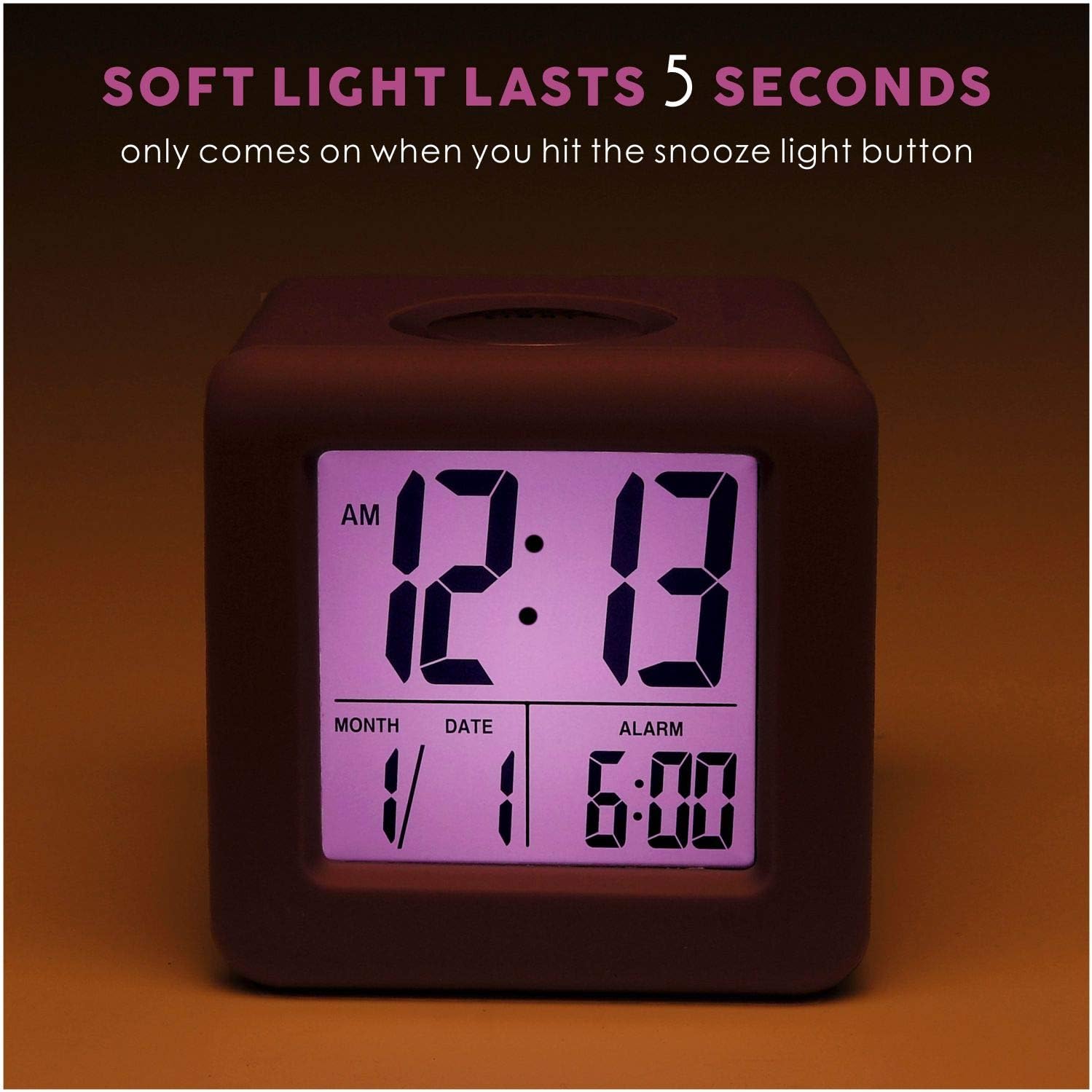
Figure 4: Display with backlight activated.
6. Antretyen
6.1 Netwayaj
To clean the alarm clock, gently wipe the surface with a soft, dry cloth. Do not use abrasive cleaners, solvents, or chemical sprays, as these may damage the device.
6.2 Ranplasman batri
When the display becomes dim or the clock stops functioning, it is time to replace the batteries. Follow the battery installation steps in Section 4.1. It is recommended to replace both AA batteries simultaneously with new ones.
NAN. Depanaj
| Pwoblèm | Kòz posib | Solisyon |
|---|---|---|
| Ekran an vid oswa li fèb. | Pil ki fèb oswa ki mouri; move enstalasyon pil. | Ranplase pil yo ak nouvo pil AA, asire polarite ki kòrèk la. |
| Alam lan pa sonnen. | Alarm function is off; alarm time not set correctly. | Glise a OFF-ON ALARM switch to 'ON'. Verify the alarm time is set as desired. |
| Backlight does not work. | Batri ki ba. | Ranplase pil yo ak nouvo pil AA. |
| Lè/dat ki pa kòrèk la parèt. | Lè/dat la pa byen mete apre enstalasyon pil la oswa reyajiste li. | Refer to Sections 5.2 and 5.3 to reset the time and date. |
8. Espesifikasyon
| Karakteristik | Detay |
|---|---|
| Nimewo Modèl | EM-008-PU |
| Kalite ekspozisyon | LCD |
| Sous pouvwa | 2 x AA pil (pa enkli) |
| Dimansyon pwodwi | 3.15" lajè x 3.15" wotè |
| Pwa atik | 5.4 ons |
| Materyèl | Silikon, plastik |
| Karakteristik espesyal | Snooze, Nightlight, Ascending Alarm, 12/24 Hour Format, Date Display |
9. Garanti ak sipò
Plumeet products are designed for reliability and performance. For warranty information or technical support, please refer to the contact details provided with your purchase or visit the official Plumeet websit la. Tanpri konsève prèv acha ou a pou reklamasyon garanti.


