1. Entwodiksyon
This manual provides detailed instructions for the safe and efficient use of your Crivit Silvercrest FM Scan Radio, Model 43142. Please read this manual thoroughly before operating the device and retain it for future reference. This portable radio features automatic station search, 10 station memory presets, a digital display for frequency and time, and alarm, snooze, and sleep functions.
2. Pake kontni
Asire w tout bagay yo la lè w ap debale yo:
- Crivit Silvercrest FM Scan Radio (Model 43142)
- Ekoutè
- senti ponyèt
- Pil (si yo enkli nan pake espesifik ou a)
3. Pwodwi souview
Familyarize w avèk konpozan ak kontwòl radyo a.
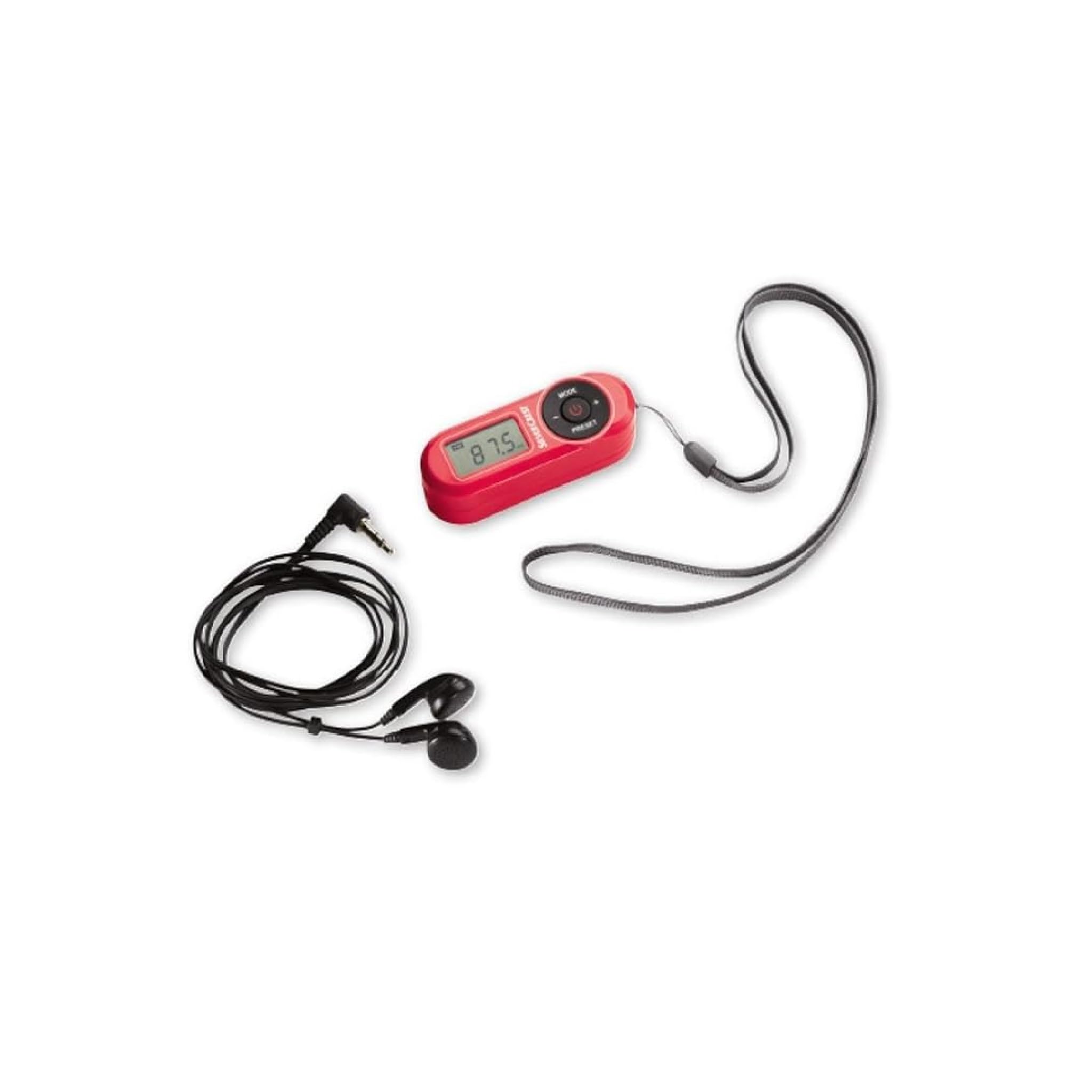
Figi 1: Devan view of the Crivit Silvercrest FM Scan Radio, showing the digital display, control buttons, and included accessories (earphones and wrist strap).
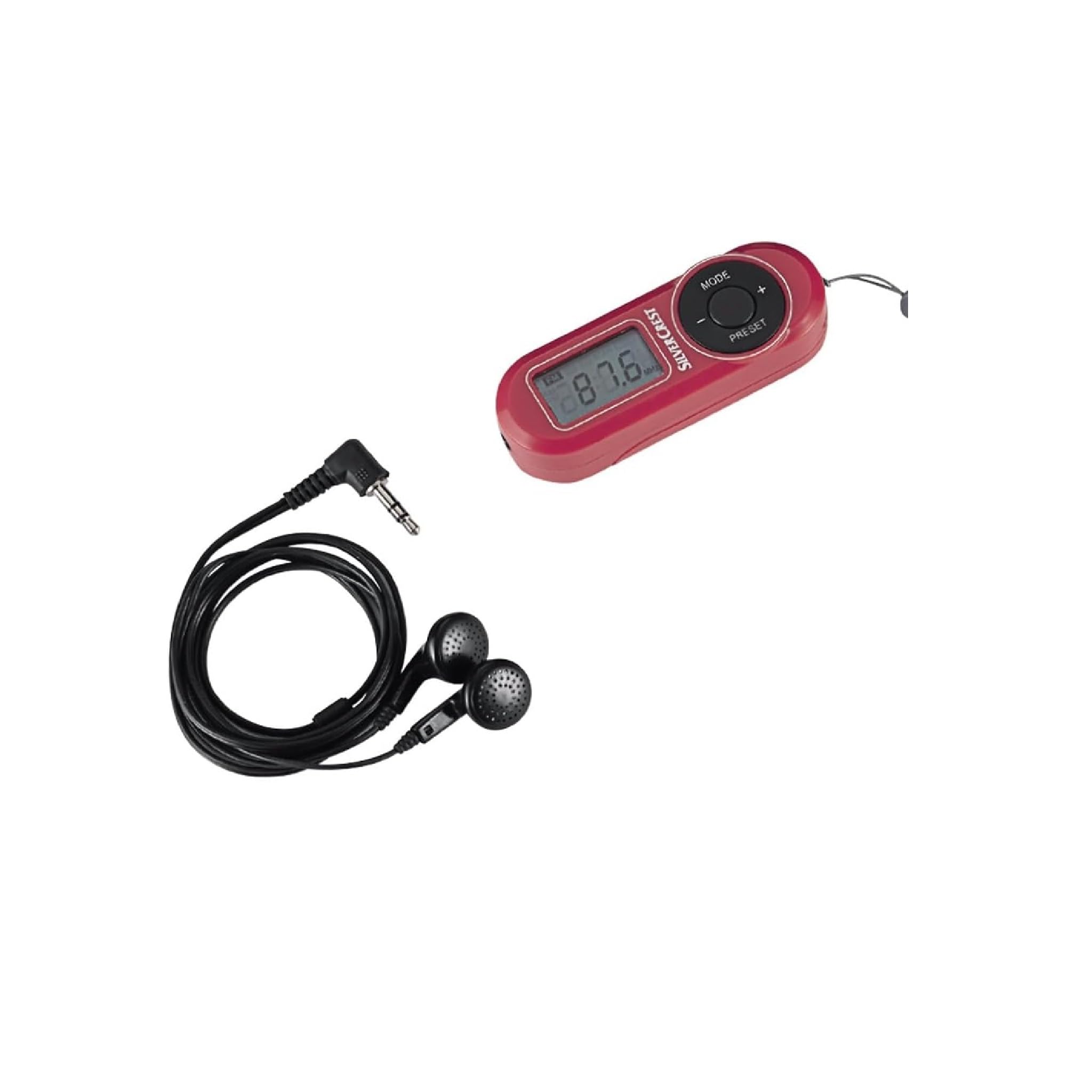
Figi 2: Fèmen view of the radio's control panel, highlighting the MODE, PRESET, and volume buttons, along with the Silvercrest branding.
Kontwòl ak ekspozisyon:
- Digital LC-Display: Shows frequency, time, and alarm status.
- Bouton MODE: Switches between functions (e.g., radio, time setting).
- +/- Bouton: Adjusts volume, tunes frequency, or navigates menu options.
- PRESET bouton: Accesses and saves radio station presets.
- Bouton pouvwa: Limen / etenn radyo a.
- Kas ekoutè Jack: 3.5 mm audio output for earphones.
4. Enstalasyon
4.1 Enstalasyon batri
- Jwenn kouvèti konpatiman batri a sou dèyè radyo a.
- Leve oswa glise kouvèti a pou ouvri li.
- Insert the required batteries (e.g., AAA, as specified in the battery compartment) ensuring correct polarity (+/-).
- Fèmen kouvèti lòj batri a byen.
4.2 Konekte kas ekoutè
The included earphones serve as the radio's antenna. For optimal reception, ensure they are fully plugged in.
- Insert the 3.5 mm jack of the earphones into the headphone port on the radio.
- Adjust the earphone cable for best reception.
5. Operasyon Enstriksyon
5.1 Power On/Off
- Pou limen radyo a, peze epi kenbe bouton an Pouvwa bouton.
- Pou fèmen radyo a, peze epi kenbe Pouvwa bouton ankò.
5.2 Automatic Station Search
The radio features an automatic station search function to find available FM stations.
- Avèk radyo a limen, peze bouton an MÒD button until the radio function is active.
- Peze epi kenbe la PRESET button (or a specific scan button if available) to initiate an automatic scan. The radio will scan and store available stations into memory presets.
5.3 Anrejistreman ak Rapèl Prereglaj
Radyo a ka estoke jiska 10 estasyon FM.
- To Save a Station: Konekte sou estasyon ou vle a. Peze epi kenbe bouton an PRESET button until a preset number flashes on the display. Use the +/- buttons to select a preset number (P1-P10), then press PRESET ankò pou konfime.
- To Recall a Station: Yon ti tan peze la PRESET button to cycle through the stored stations.
5.4 Ajisteman Volim
Sèvi ak la +/- buttons to increase or decrease the volume level during playback.
5.5 Alarm, Snooze, and Sleep Functions
The radio includes an alarm clock with snooze and sleep timer features.
- Mete alam la: Nan mòd ekspozisyon tan an, peze epi kenbe bouton an MÒD button until the alarm time flashes. Use the +/- buttons to set the hour and minute, pressing MÒD to confirm each.
- Fonksyon Snooze: When the alarm sounds, press any button (except power off) to activate snooze. The alarm will sound again after a short interval.
- Fonksyon dòmi: Pou mete yon revèy dòmi, peze la MÒD button repeatedly until the sleep timer option appears. Use the +/- buttons to select the desired sleep duration (e.g., 15, 30, 60 minutes). The radio will automatically turn off after the set time.
6. Antretyen
6.1 Netwayaj
To clean the radio, use a soft, dry cloth. Do not use abrasive cleaners, solvents, or strong chemicals, as these can damage the surface.
6.2 Depo
When not in use for extended periods, remove the batteries to prevent leakage and store the radio in a cool, dry place away from direct sunlight and extreme temperatures.
NAN. Depanaj
| Pwoblèm | Kòz posib | Solisyon |
|---|---|---|
| Pa gen kouran/Radyo a pa limen | Pil yo fin itilize oswa yo pa byen mete. | Ranplase pil ak pil nouvo, asire polarite kòrèk. |
| Resepsyon radyo pòv | Earphones not fully plugged in or poor signal area. | Ensure earphones are fully inserted. Adjust earphone cable position. Move to an area with better signal. |
| Pa gen son nan ekoutè | Volume too low or earphones faulty. | Increase volume. Test with another pair of earphones. |
| Ekran an vid oswa li ap flache | Ba pouvwa batri. | Ranplase pil. |
8. Espesifikasyon
| Karakteristik | Detay |
|---|---|
| Mak | Krivit |
| Nimewo Modèl | 43142 |
| Tuner Teknoloji | FM |
| Bann Radyo Sipòte | FM (87.5 - 108 MHz) |
| Entèfas Materyèl | 3.5 mm odyo |
| Aparèy konpatib | Ekoutè |
| Karakteristik espesyal | Portable, Automatic Station Search, 10 Presets, Alarm, Snooze, Sleep Function |
| Konpozan ki enkli | Earphones, Wrist Strap, Batteries (if applicable) |
| Sous pouvwa | Batri ki mache ak pil |
| Dimansyon pwodwi | 10 x 5 x 2 cm |
| Koulè | Wouj |
| Koneksyon Teknoloji | Bluetooth (Note: This may refer to internal components or a miscategorization, primary audio output is 3.5mm jack) |
| Itilizasyon Rekòmande | Personal use, Music, Travel |
9. Garanti ak sipò
For warranty information and customer support, please refer to the documentation provided at the time of purchase or contact the retailer. Keep your proof of purchase for any warranty claims.


