1. Entwodiksyon
Thank you for choosing the ADE WS1911 Weather Station. This manual provides essential information for setting up, operating, and maintaining your device. Please read these instructions carefully before use to ensure optimal performance and longevity of your weather station.

The ADE WS1911 Weather Station features a clear digital display showing time, indoor/outdoor temperature, humidity, and weather forecast. A red LED projection displays time and temperature.
2. Pake kontni
- 1x ADE WS1911 Base Station
- 1x Capteur deyò san fil
- 1x pouvwa adaptè
- Batteries for Outdoor Sensor (type not specified, typically AAA/AA)
- 1x CR2032 Battery (pre-installed or included for main unit backup)
- Manyèl itilizatè
3. Enfòmasyon sou Sekirite
- Pa ekspoze estasyon baz la nan tanperati ekstrèm, limyè solèy dirèk, oswa imidite ki wo.
- The outdoor sensor is splash-proof but should not be submerged in water.
- Itilize sèlman adaptè pouvwa yo bay la.
- Kenbe pil yo lwen timoun yo. Jete pil itilize yo yon fason responsab.
- Pa eseye demonte oswa repare aparèy la tèt ou. Kontakte pèsonèl kalifye pou sèvis.
4. Enstalasyon
4.1 Alimente Aparèy la
- Insert batteries into the outdoor sensor, observing polarity.
- For the base station, insert the CR2032 backup battery (if not pre-installed).
- Connect the power adapter to the base station and plug it into a power outlet. The display will light up.
4.2 Plasman Capteur Deyò
- Place the outdoor sensor in a shaded area, protected from direct rain and sunlight, to ensure accurate temperature and humidity readings.
- Ensure the sensor is within 60 meters (197 feet) of the base station, avoiding large metal objects or thick walls that may interfere with the radio signal.
4.3 Initial Setup and DCF Signal Reception
Upon powering on, the base station will automatically search for the DCF radio signal to set the time and date. This process may take several minutes or up to an hour, depending on your location and signal strength. Ensure the station is placed away from electronic interference.

The main unit features a clear LCD display. The wireless outdoor sensor can be placed up to 60 meters away and is splash-proof.
5. Operasyon Enstriksyon
5.1 Ekspozisyon souview

This diagram highlights key features: Date/Time, Outdoor Temperature, 180° Rotatable Projection Display, Indoor/Outdoor Humidity, Indoor Temperature, Comfort Indicator, and Trend Displays.
Ekspozisyon LCD a montre:
- Aktyèl Tan ak Dat
- Tanperati andedan kay la ak imidite
- Tanperati deyò ak imidite
- Weather Forecast (animated icons)
- Endikatè Comfort
- Tanperati / Imidite Tandans
5.2 Setting Time and Date Manually
If the DCF signal is not received, you can manually set the time and date. Refer to the specific buttons on your device (usually 'MODE' or 'SET') and follow the on-screen prompts to adjust hours, minutes, year, month, and day.
5.3 Fonksyon alam
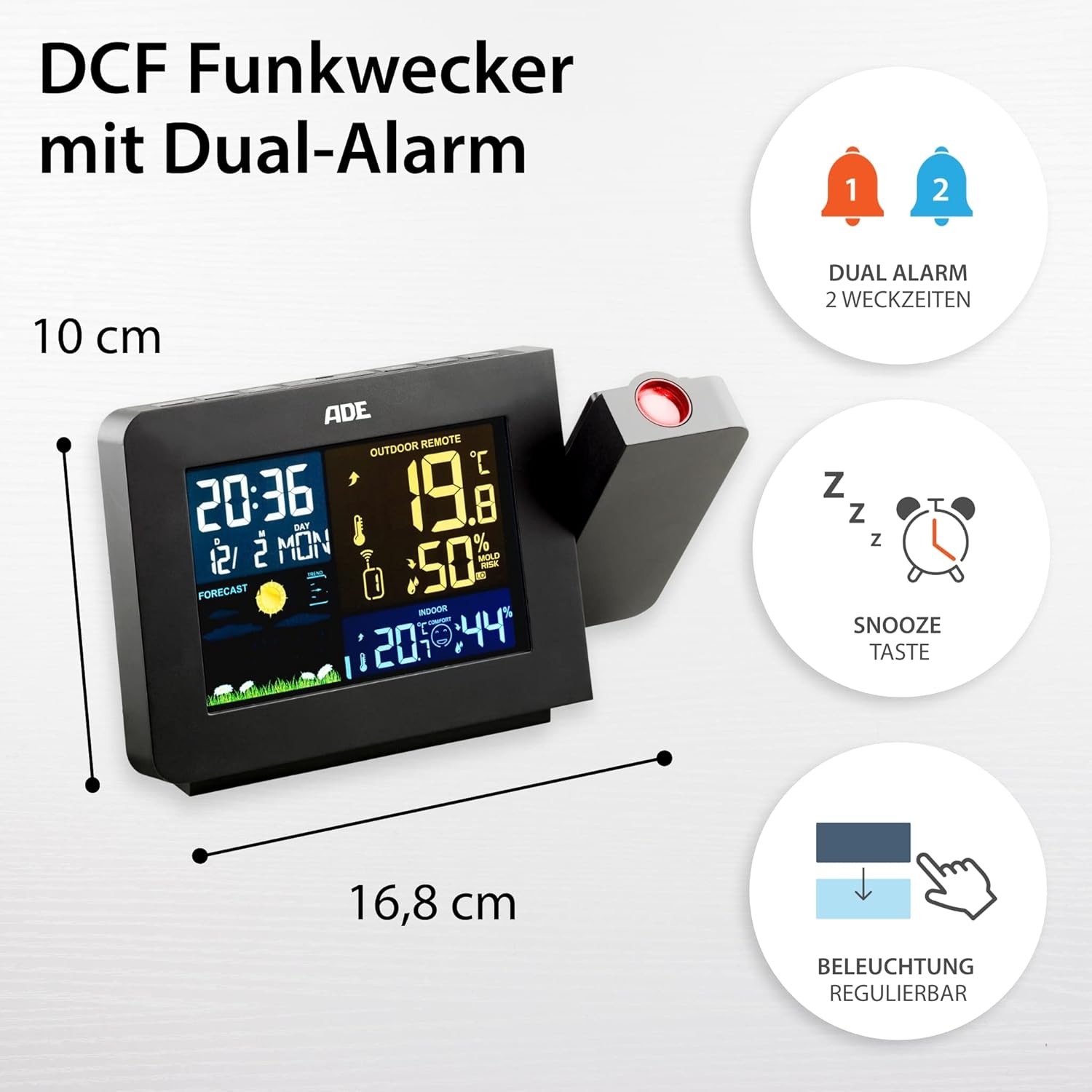
The station includes a DCF radio-controlled clock with two independent alarms and a snooze function. The display backlight is adjustable.
The WS1911 features a dual alarm function. Press the 'ALARM' button to enter alarm setting mode. Use the '+' and '-' buttons to adjust the alarm time. Press 'ALARM' again to confirm. Activate or deactivate alarms using the designated alarm switch or button. The 'SNOOZE' button provides a temporary pause for the alarm.
5.4 Fonksyon Pwojeksyon

The 180° rotatable projection feature allows for easy viewing of time and temperature on a wall or ceiling, especially useful at night.
The weather station can project the time and outdoor temperature onto a wall or ceiling. The projection arm is 180° rotatable for optimal positioning. Locate the projection button (often labeled 'PROJECTION' or a projector icon) to activate or deactivate this feature.
5.5 Pwedi Meteyo

The weather station provides animated weather forecasts, along with indoor and outdoor temperature and humidity readings, contributing to a comfortable indoor climate.
The weather station analyzes atmospheric pressure changes to predict weather conditions for the next 12-24 hours. Animated icons (e.g., sun, clouds, rain) on the display represent the forecast. This is a prediction and may not always be 100% accurate.
5.6 Ekspozisyon tanperati ak imidite
The station displays both indoor and outdoor temperature (in °C or °F) and humidity. Use the '°C/°F' button to switch between Celsius and Fahrenheit. The comfort indicator provides a visual representation of the indoor climate based on temperature and humidity levels.
5.7 Ekspozisyon klète
The LCD display features 4 adjustable brightness levels. Use the designated button (often a light bulb icon or 'DIMMER') to cycle through the brightness settings to suit your preference, especially in varying light conditions or at night.
6. Antretyen
6.1 Netwayaj
Wipe the base station and outdoor sensor with a soft, damp twal. Pa sèvi ak pwodui netwayaj abrazif oswa solvan, paske sa yo ka domaje sifas yo.
6.2 Ranplasman batri

The ADE WS1911 Weather Station offers flexible power options, operating either via batteries or the included power adapter.
When the battery indicator appears on the display, replace the batteries in the outdoor sensor. For the base station, the CR2032 battery primarily serves as a backup for settings during power outages. Replace it periodically or if settings are lost frequently.
NAN. Depanaj
- Pa gen lekti tanperati/imidite deyò: Ensure the outdoor sensor batteries are fresh and correctly inserted. Check that the sensor is within range and not obstructed by large metal objects. Try resetting both the base station and the sensor (remove batteries, wait a few seconds, reinsert).
- Lè ki pa kòrèk: If the DCF signal is weak, try relocating the base station to an area with better reception, away from electronic devices. You can also set the time manually.
- Ekspozisyon an pa fonksyone: Check the power adapter connection and ensure it's plugged into a working outlet. If using batteries, ensure they are fresh and correctly inserted.
- Projection unclear: Adjust the focus of the projection lens (if available) or the distance to the projection surface. Ensure the room is sufficiently dark for optimal visibility.
8. Espesifikasyon
- Modèl: ADE WS1911
- Mak: ADE
- Koulè: Nwa
- Materyèl: Akrilonitrile butadien stirèn (ABS)
- Sous pouvwa: AC Adapter (included) or Batteries (1x CR2032 for main unit, batteries for outdoor sensor)
- Koneksyon: Radio Frequency (RF) for outdoor sensor
- Ranje Capteur Deyò: Jiska 60 mèt (197 pye)
- Karakteristik espesyal: DCF Radio-controlled clock, Dual Alarm with Snooze, 180° Rotatable LED Projection (Time & Temperature), Indoor/Outdoor Thermometer, Indoor/Outdoor Hygrometer, Animated Weather Forecast, Backlit LCD with 4 brightness levels.
9. Sipò
For further assistance or if you encounter issues not covered in this manual, please refer to the official ADE website or contact their customer support. Additional language versions of this manual may be available for download online.
If you are not satisfied with your purchase, please initiate a return through your Amazon account for a refund.


