1. Entwodiksyon
The Apple Lightning to 3.5 mm Headphone Jack Adapter allows you to connect devices that use a standard 3.5 mm audio plug to your Apple devices equipped with a Lightning connector. This adapter ensures compatibility with a wide range of audio accessories, including headphones, earphones, and microphones, on compatible Apple products.
This adapter is designed to work with all devices that have a Lightning connector and support iOS 10 or later, including various models of iPod touch, iPad, and iPhone.
2. Ki sa ki nan bwat la
- Apple Lightning to 3.5 mm Headphone Jack Adapter (1 Pack)

Image: The Apple Lightning to 3.5 mm Headphone Jack Adapter, a small white cable with a Lightning connector on one end and a 3.5 mm jack on the other.
3. Enstalasyon
Setting up your Apple Lightning to 3.5 mm Headphone Jack Adapter is a straightforward process. Follow these steps to connect your audio device:
- Konekte Aparèy Odyo a: Plug your 3.5 mm headphones, earphones, or microphone into the 3.5 mm jack end of the adapter. Ensure the connection is secure.
- Connect to Apple Device: Insert the Lightning connector end of the adapter into the Lightning port of your compatible Apple device (iPhone, iPad, or iPod touch).
- Rekonesans aparèy: Your Apple device should automatically recognize the adapter and the connected audio accessory. If prompted, select "Headphones" or "Other Device" as appropriate for the connected accessory.
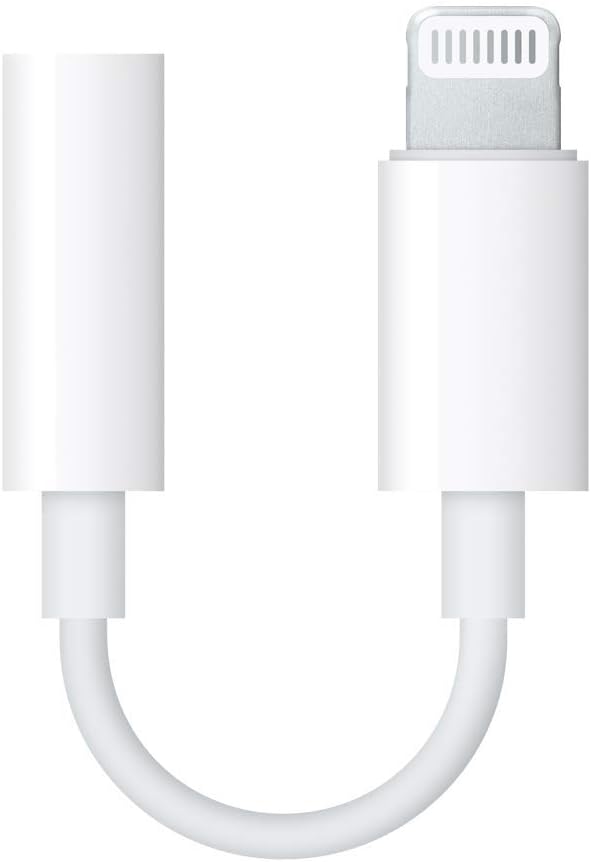
Image: A close-up of the Apple Lightning to 3.5 mm Headphone Jack Adapter connected to a pair of white wired earphones, ready to be plugged into an Apple device.
4. Operasyon Enstriksyon
Once connected, the adapter functions as a direct pass-through for audio signals. No additional software or drivers are typically required for basic audio playback or recording.
- Lektur odyo: Play music, podcasts, or any audio content from your Apple device. Sound will be routed through the connected 3.5 mm audio device.
- Itilizasyon Mikwofòn: If your connected 3.5 mm device includes a microphone, it will function for calls, voice recordings, or video conferencing, provided your Apple device's software supports external microphone input.
- Kontwòl Volim: Adjust the volume directly on your Apple device or through any inline controls on your 3.5 mm audio accessory.
5. Antretyen
To ensure the longevity and optimal performance of your adapter, follow these maintenance guidelines:
- Manyen ak Swen: Avoid excessive bending, twisting, or pulling on the cable, especially near the connectors, as this can cause internal damage.
- Kenbe pwòp: Periodically clean the connectors with a soft, dry, lint-free cloth to remove dust or debris that might interfere with the connection.
- Depo: Store the adapter in a clean, dry place when not in use. Avoid extreme temperatures or direct sunlight.
- Evite likid: Do not expose the adapter to water or other liquids.
NAN. Depanaj
If you encounter issues with your adapter, try the following troubleshooting steps:
- Pa gen son/Odyo tanzantan:
- Ensure both the 3.5 mm audio device and the Lightning adapter are fully and securely plugged into their respective ports.
- Check the volume settings on your Apple device and the connected audio accessory.
- Test the adapter with a different 3.5 mm audio device to rule out issues with your headphones/microphone.
- Test the adapter with a different Apple device to rule out issues with your phone/tablet.
- Rekòmanse aparèy Apple ou a.
- Adaptè pa rekonèt:
- Ensure your Apple device is running iOS 10 or later.
- Clean the Lightning port on your Apple device and the Lightning connector on the adapter for any debris.
- Try disconnecting and reconnecting the adapter.
7. Espesifikasyon
| Nimewo Modèl | MMX62AM/A |
| Mak | Apple |
| Kalite Connector | Lightning (Male) to 3.5 mm Audio Jack (Female) |
| Koulè | Blan |
| Aparèy konpatib | All Apple devices with a Lightning connector running iOS 10 or later, including various models of iPhone, iPad, and iPod touch. |
| Dimansyon pwodwi | 2.7 x 0.7 x 3.5 pous |
| Pwa atik | 0.32 ons |
| Itilizasyon espesifik | Cell Phone, Headphones, PC |
8. Garanti & Sipò
For warranty information and technical support, please refer to the official Apple support websit la oubyen kontakte sèvis kliyan Apple la dirèkteman. Kenbe prèv acha ou a pou reklamasyon garanti a.
Sipò sou entènèt: support.apple.com


