1. Entwodiksyon
Mèsi pou acha aasing the SilverStone Technology SX700-LPT 700W SFX-L Platinum Modular Power Supply. This manual provides detailed instructions for the proper installation, operation, and maintenance of your new power supply unit (PSU). Please read this manual thoroughly before use to ensure optimal performance and safety.
The SX700-LPT is designed for small form factor enthusiasts, offering 700W continuous power output with 80 PLUS Platinum efficiency. It features a silent 120mm fan with advanced semi-fanless operation and 100% modular flat cables for flexible installation.
2. Enfòmasyon sou Sekirite
- Always disconnect the power cord from the wall outlet before installing, servicing, or cleaning the power supply.
- Pa louvri fil kouran an casing. Gwo volimtages are present inside, and opening the unit will void the warranty.
- Asire bon baz pou anpeche chòk elektrik.
- Sèvi ak sèlman kab modilè ki vini ak ekipman pouvwa sa a. Itilizasyon kab ki pa konpatib ka domaje ekipman pouvwa a ak konpozan ki konekte yo.
- Enstale ekipman pou pouvwa a nan yon zòn ki byen ayere, lwen sous chalè, limyè solèy dirèk ak imidite.
- This product is designed for use with personal computers. Do not use it for any other purpose.
- Kenbe soti nan atenn timoun yo.
3. Pake kontni
Verifye ke tout atik yo prezan nan pakè ou a:
- SX700-LPT PSU
- Modular Cable Set
- Manyèl itilizatè
- ATX adapter plate (for installation in standard ATX cases)
- Montaj vis
4. Pwodwi souview
The SilverStone SX700-LPT is a high-performance SFX-L form factor power supply, offering robust power delivery in a compact design. Key features include:
- 700W Pouvwa Kontini: Reliable power output for demanding systems.
- 80 PLUS Platinum Efficiency: Ensures high energy efficiency, reducing heat and operating costs.
- Silent 120mm Fan: Equipped with an advanced semi-fanless operation mode for quiet performance under low loads.
- 100% Modular Flat Cables: Flexible and easy to manage, allowing you to connect only the necessary cables.
- SFX-L Form Factor: A lengthened SFX design that accommodates a larger 120mm fan for improved cooling and acoustics compared to standard SFX PSUs.

Figi 4.1: Devan view of the SilverStone SX700-LPT power supply, showing the fan grill and SilverStone logo.

Figi 4.2: Dèyè view of the SilverStone SX700-LPT power supply, featuring the power switch and AC input.
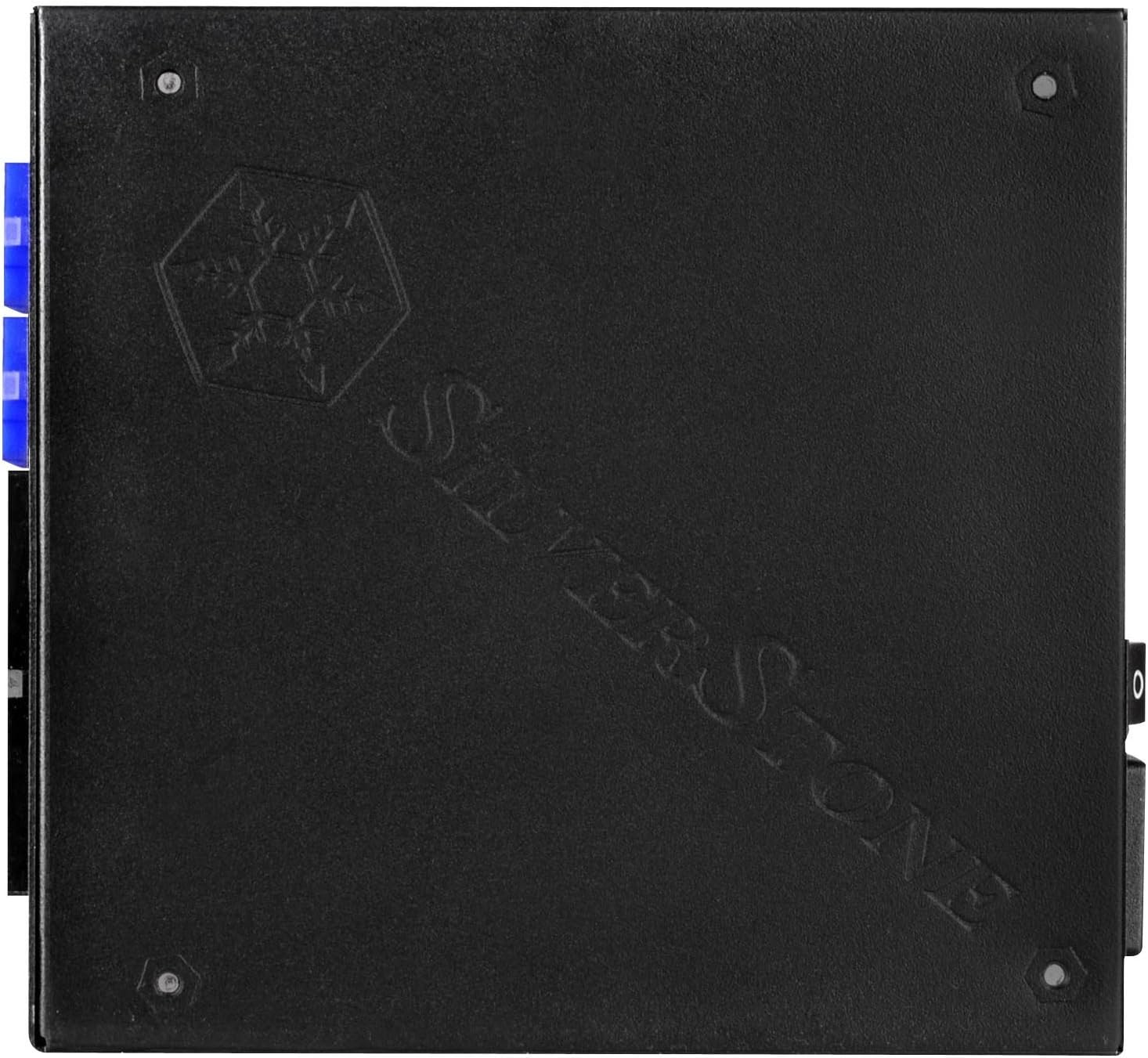
Figi 4.3: View of the modular cable connectors on the SilverStone SX700-LPT, clearly labeled for different cable types.
Video 4.1: SilverStone SX1000 Platinum Introduction. This video from SilverStone provides an overview of their SFX-L Platinum series, showcasing internal components, cooling mechanisms, and modular cable connections.
5. Enstalasyon
5.1. Preparasyon pou Enstalasyon
- Asire w ke òdinatè w la etenn epi li debranche nan priz miray la.
- Open your computer case according to its manufacturer's instructions.
- If replacing an existing PSU, carefully disconnect all cables and remove the old unit.
5.2. Enstalasyon ekipman pouvwa a
The SX700-LPT is an SFX-L power supply. If your case supports SFX-L directly, mount it using the provided screws. If your case requires a standard ATX PSU, use the included ATX adapter plate to secure the SFX-L PSU into the larger ATX opening.
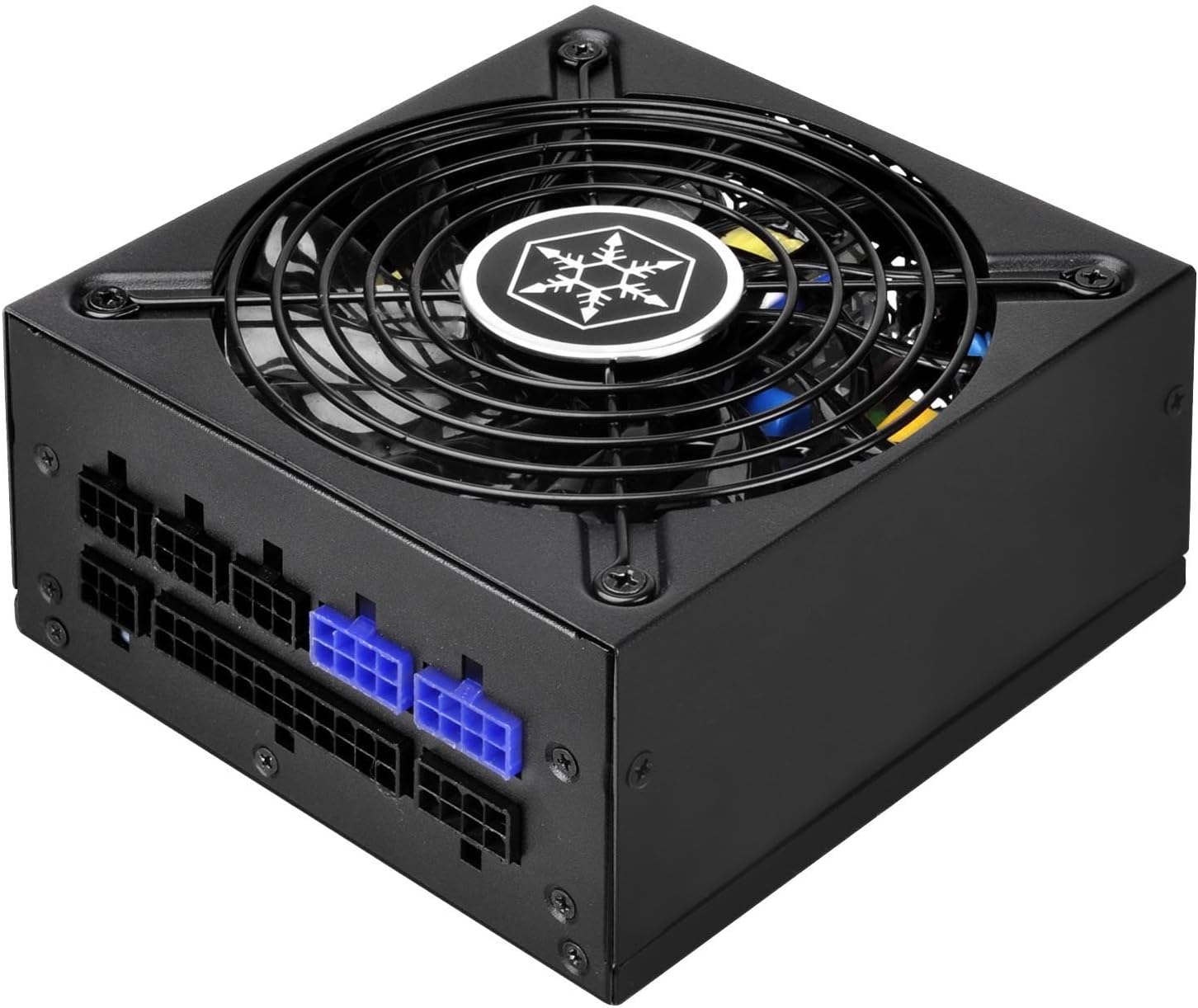
Figi 5.1: Side view of the SilverStone SX700-LPT, showing its compact SFX-L dimensions.
5.3. Konekte Kab Modilè yo
Connect only the necessary modular cables to your components. This helps improve airflow and cable management within your case. Refer to the labels on the PSU and the connectors to ensure correct connections.
- Pouvwa kat manman an: Konekte kab ATX 24-pin lan ak kat manman ou an.
- CPU pouvwa: Connect the 8-pin (or 4+4-pin) EPS/CPU cable to your motherboard's CPU power connector.
- PCIe Power: For graphics cards, use the appropriate 6+2-pin PCIe cables. The SX700-LPT supports Quad PCI-E 8/6pin connectors.
- SATA/PATA Power: Connect SATA power cables to SSDs, HDDs, and optical drives. Use PATA connectors for older peripherals if needed.
Videyo 5.2: Pwodwi a finiview Video. This video demonstrates general power supply installation and cable management within a PC case, illustrating how to connect various modular cables to components.
6. Operasyon Enstriksyon
- After all connections are secure, close your computer case.
- Plug the power cord into the PSU and then into a wall outlet.
- Vire bouton pouvwa a ki sou dèyè PSU a nan pozisyon "ON".
- Pouvwa sou òdinatè w lan.
- The 120mm fan operates in a semi-fanless mode. It will remain off under low loads for silent operation and will activate automatically when the system load increases to maintain optimal temperatures. This is normal behavior and indicates proper functioning.
7. Antretyen
- Netwayaj: Periodically clean the exterior of the power supply and its fan grill with a soft, dry cloth. Ensure the power supply is unplugged before cleaning. Do not use liquid cleaners or aerosols.
- Airflow: Ensure that the fan intake and exhaust vents are not obstructed to maintain proper airflow and cooling.
- Jesyon kab: Regularly check cable connections to ensure they are secure and not interfering with airflow.
NAN. Depanaj
- Pa gen pouvwa:
- Check if the power cord is securely plugged into both the PSU and the wall outlet.
- Ensure the power switch on the back of the PSU is in the "ON" position.
- Verify all modular cables are correctly connected to the PSU and components.
- Teste priz miray la ak yon lòt aparèy pou konfime si li gen kouran.
- Vantilatè a pa ap vire:
- The SX700-LPT features a semi-fanless mode. The fan will not spin under low loads. This is normal. It will activate when the system load increases.
- If the fan does not spin under heavy load and the PSU is overheating, contact customer support.
- Enstabilite/Pwoblèm Sistèm:
- Asire w ke bezwen pouvwa sistèm ou an pa depase kapasite 700W PSU a.
- Tcheke tout koneksyon kab yo pou wè si yo lach.
- Si pwoblèm yo pèsiste, konsilte yon teknisyen kalifye.
9. Espesifikasyon
| Karakteristik | Detay |
|---|---|
| Mak | SilverStone |
| Non modèl | PS-SX700-LPT |
| Seri | PS-SX700-LPT |
| Sòti Wattage | 700W |
| Faktè fòm | SFX-L |
| Sètifikasyon Efikasite | 80 PLUS Platinum |
| Metòd refwadisman | Air (120mm fan with semi-fanless operation) |
| Modularite | Konplètman modilè |
| Antre Voltage | 90V ~ 264V |
| Tanperati Fonksyònman | 0 ~ 40 degre Sèlsiyis |
| Dimansyon (LxWxH) | 5.12 x 4.92 x 2.5 pous (130mm x 125mm x 63.5mm) |
| Pwa atik | 5 liv |
| Aparèy konpatib | Odinatè pèsonèl |
| Kalite Connector | PCI Express (Quad PCI-E 8/6pin support) |
10. Garanti & Sipò
SilverStone Technology provides a limited warranty for this product. Please refer to the official SilverStone website or your product packaging for specific warranty terms and conditions. For technical support, troubleshooting assistance, or to inquire about replacement parts, please visit the SilverStone support page or contact their customer service directly.
For further details, please refer to the complete user manual included in your product package or available for download on the SilverStone websit.


