Entwodiksyon
The TAMO Perfect Dinner Automatic Pet Food Dispenser V2 is designed to provide scheduled and portion-controlled meals for your pet, ensuring they are fed consistently even when you are not home. This device features a programmable feeding schedule, voice recording for meal calls, and an easy-to-read LCD display for convenient operation.

Figi 1: Devan view of the TAMO Perfect Dinner Automatic Pet Food Dispenser V2, showing the clear food hopper filled with kibble, the main unit with an LCD screen, and the detachable food bowl.
Enfòmasyon sou Sekirite
- Read all instructions carefully before operating the dispenser.
- Keep the dispenser away from water and moisture. Do not immerse any part of the unit in water.
- Use only the provided AC adapter. If using batteries, ensure they are inserted correctly according to polarity.
- This product is designed for dry pet food only. Do not use with wet food, canned food, or treats that may jam the dispenser mechanism.
- Keep out of reach of small children and pets when not in use or during assembly.
- Pa eseye demonte oswa repare aparèy la tèt ou. Kontakte sèvis kliyan pou jwenn asistans.
- Ensure the dispenser is placed on a stable, level surface to prevent tipping.
Kontni pake
Tanpri verifye sa ki nan pake a pou asire w tout atik yo la epi yo an bon kondisyon:
- TAMO Perfect Dinner Automatic Pet Food Dispenser V2 Main Unit
- Food Hopper (transparent container)
- Food Bowl (detachable)
- AC pouvwa adaptè
- Manyèl Itilizatè (dokiman sa a)

Figi 2: The automatic pet food dispenser alongside its retail packaging, illustrating the product's appearance as received.
Pwodwi souview
Familiarize yourself with the main components of your pet food dispenser:
- Trèm Manje: Transparent container for storing dry pet food. Capacity up to 7 lbs.
- Inite Prensipal: Houses the dispensing mechanism, control panel, LCD display, and battery compartment.
- Ekspozisyon LCD: Backlit screen showing time, programmed meals, meal sizes, and meals served.
- Bouton kontwòl: Buttons for setting time, programming meals, adjusting portions, and recording voice messages.
- Mikwofòn: For recording voice messages.
- Oratè: For playing recorded voice messages.
- Bòl Manje: Detachable bowl for pets to eat from.
- Pouvwa Port: Pou konekte adaptè kouran AC a.
- Lòj batri: (Located on the bottom) For optional D-cell batteries (not included) as a backup power source.
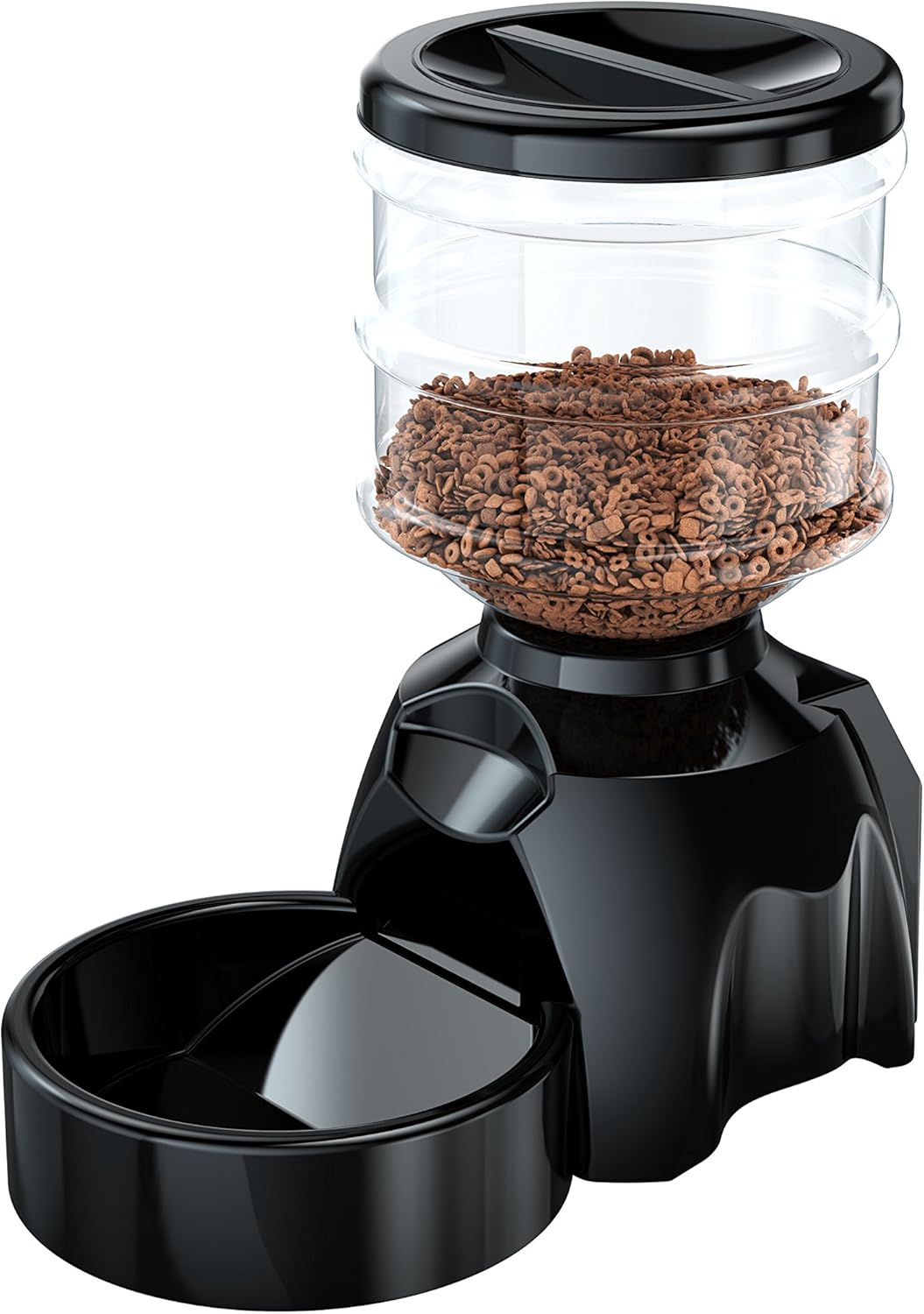
Figi 3: Side view of the pet food dispenser, highlighting its compact design and the connection point for the food bowl.
Enstalasyon
1. Debalaj ak Asanble
- Ak anpil atansyon retire tout eleman nan anbalaj la.
- Attach the food bowl to the main unit by sliding it into the designated slot until it clicks into place.
- Place the food hopper onto the main unit, ensuring it is securely seated.
2. Alimante Inite a
- AC pouvwa: Connect the AC power adapter to the power port on the back of the main unit and plug it into a standard wall outlet.
- Batri rezèv (Si ou vle): Pou pouvwa outage protection, open the battery compartment on the bottom of the unit and insert three (3) D-cell batteries (not included), observing the correct polarity (+/-).
3. Filling the Food Hopper
- Remove the lid from the top of the food hopper.
- Pour dry pet food into the hopper. Ensure the food is of appropriate size to prevent jamming (recommended kibble size: 0.2-0.6 inches / 5-15mm).
- Ranplase kouvèti a byen.
Enstriksyon Operasyon
1. Mete Lè Aktyèl la
- Peze epi kenbe la "RANJE" button until the hour digit on the LCD display starts blinking.
- Sèvi ak la "UP" epi "ANBA" buttons to adjust the hour. Pay attention to AM/PM indicator.
- Peze "RANJE" again to move to the minute digit. Adjust minutes using "UP" epi "ANBA".
- Peze "RANJE" one more time to confirm and exit time setting mode.

Figi 4: Yon detaye view of the dispenser's LCD screen and control buttons, illustrating the user interface for setting time and programming meals.
2. Programming Meals (Up to 6 Meals per Day)
- Peze a "MEAL" button to enter meal programming mode. The display will show "MEAL 1" and the hour will blink.
- Set the desired feeding time for Meal 1 using the "UP" epi "ANBA" buttons for hour and minute, pressing "RANJE" to confirm each.
- After setting the time, the portion size will blink. Use "UP" epi "ANBA" to select the number of portions (1 portion = approx. 1/3 cup). The dispenser supports 1 to 99 portions per meal.
- Peze "RANJE" to confirm the portion size for Meal 1.
- Repeat steps 1-4 for additional meals (MEAL 2, MEAL 3, etc.) up to a maximum of 6 meals. If you do not wish to program all 6 meals, simply exit the programming mode by pressing the "MEAL" button repeatedly until you return to the main display, or wait for it to time out.
3. Voice Recording (10 Seconds)
- Peze epi kenbe la "REC" button. The microphone icon on the LCD will light up.
- Speak clearly into the microphone located near the LCD screen. You have up to 10 seconds to record your message (e.g., "Here, kitty, kitty!" or "Dinner time!").
- Lage a "REC" bouton pou sispann anrejistreman.
- To play back your recording, briefly press the "PLAY" button. The recorded message will play before each scheduled meal.
4. Manyèl Manje
Pou distribye manje manyèlman nenpòt ki lè:
- Yon ti tan peze la "MANUAL" button. One portion of food will be dispensed immediately.
- You can press this button multiple times for additional portions.

Figi 5: A cat observing the automatic pet feeder, demonstrating its use in a home environment.
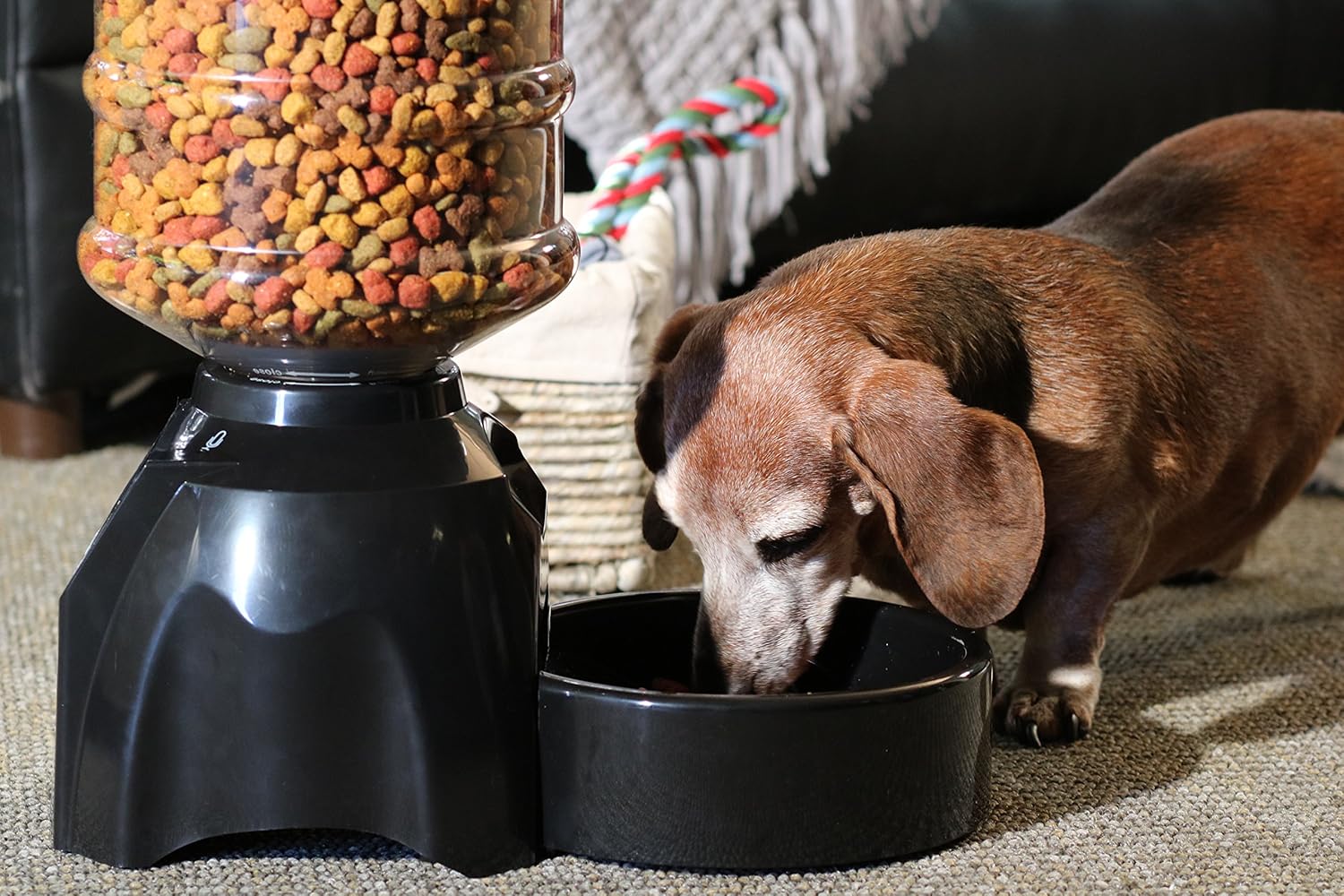
Figi 6: A small dog consuming food from the dispenser's bowl, highlighting the product's suitability for various pet sizes.
Antretyen
1. Netwayaj
- Always unplug the dispenser and remove batteries before cleaning.
- The food bowl and food hopper are detachable and can be washed with mild soap and water. Rinse thoroughly and dry completely before reattaching.
- Siye inite prensipal la ak yon mou, damp twal. Pa sèvi ak pwodui netwayaj abrazif oswa plonje inite prensipal la nan dlo.
- Ensure all parts are completely dry before refilling with food or reconnecting power.
2. Depo
If storing the dispenser for an extended period:
- Empty any remaining food from the hopper and clean all components.
- Retire pil nan lòj batri a.
- Sere aparèy la nan yon kote ki fre epi sèk, lwen limyè solèy dirèk.
Depanaj
| Pwoblèm | Kòz posib | Solisyon |
|---|---|---|
| Dispenser not powering on. | No power from AC adapter; batteries dead or incorrectly inserted. | Check AC adapter connection and wall outlet. Replace batteries or ensure correct polarity. |
| Manje pa ap distribye. | Hopper empty; food jammed; dispensing mechanism blocked. | Refill hopper. Check for food jams or foreign objects in the dispensing mechanism. Ensure kibble size is appropriate. |
| Voice recording not playing or unclear. | Recording too short; microphone blocked; speaker issue. | Re-record message, ensuring it's at least a few seconds long. Ensure microphone is clear. |
| Incorrect meal times or portions. | Programming error; time not set correctly. | Re-program meal times and portion sizes carefully. Verify current time setting. |
| Pet not eating from dispenser. | Pet is wary of new feeder; food type changed. | Allow pet time to adjust. Place familiar food in the bowl initially. Ensure voice recording is appealing. |
Espesifikasyon
| Karakteristik | Detay |
|---|---|
| Nimewo Modèl | TA-PETFEEDV2 |
| Manifakti | TAMO |
| Dimansyon pwodwi | 35.56 x 39.37 x 20.32 cm (14 x 15.5 x 8 pous) |
| Pwa atik | 1.41 kg (3.1 liv) |
| Materyèl | Polyethylene terephthalate |
| Koulè | Nwa |
| Kapasite Hopper | 7 liv (apeprè 3.17 kg) |
| Espès sib | Dog (suitable for most household pets) |
| Sous pouvwa | AC Adapter (included), 3 x D-cell Batteries (not included) |
| Anrejistreman vwa | Jiska 10 segonn |
| Meal Programming | Jiska 6 repa pa jou |
| Kontwòl pòsyon | 1 to 99 portions (1 portion approx. 1/3 cup) |
Sipò pou Kliyan
For any questions, technical assistance, or warranty inquiries regarding your TAMO Perfect Dinner Automatic Pet Food Dispenser V2, please contact TAMO Customer Care. Our US-based team is dedicated to providing prompt support and ensuring your satisfaction.
Please refer to the product packaging or the official TAMO websit la pou jwenn enfòmasyon kontak ki pi resan yo.


