Entwodiksyon
Mèsi pou acha aasing the Capello Self-Setting Atomic Clock with Calendar & Indoor Temperature. This clock is designed to provide accurate timekeeping, date display, and indoor temperature readings, all within a sleek, contemporary design. Its self-setting atomic feature ensures precise time synchronization.
Karakteristik kle
- Self-Setting Atomic Time: Automatically synchronizes with the WWVB radio signal for precise time.
- Ekspozisyon dijital: Bright and easy-to-read digital readout.
- Fonksyon Kalandriye: Displays month, date, and day of the week.
- Tanperati andedan kay la: Provides current indoor temperature in Fahrenheit or Celsius.
- Doub Alam: Two independent alarm settings for versatile use.
- Konsepsyon dous: Durable polyurethane frame with a black plastic face, suitable for any room decor.
- Batri Powered: Operates on AAA batteries (not included).
Kontni pake
- Capello Self-Setting Atomic Clock
- Manyèl Itilizatè (dokiman sa a)
Enstalasyon
1. Enstalasyon batri
Locate the battery compartment on the back of the clock. Insert 3 AAA batteries (not included) according to the polarity indicators (+ and -). Ensure the battery compartment cover is securely closed.
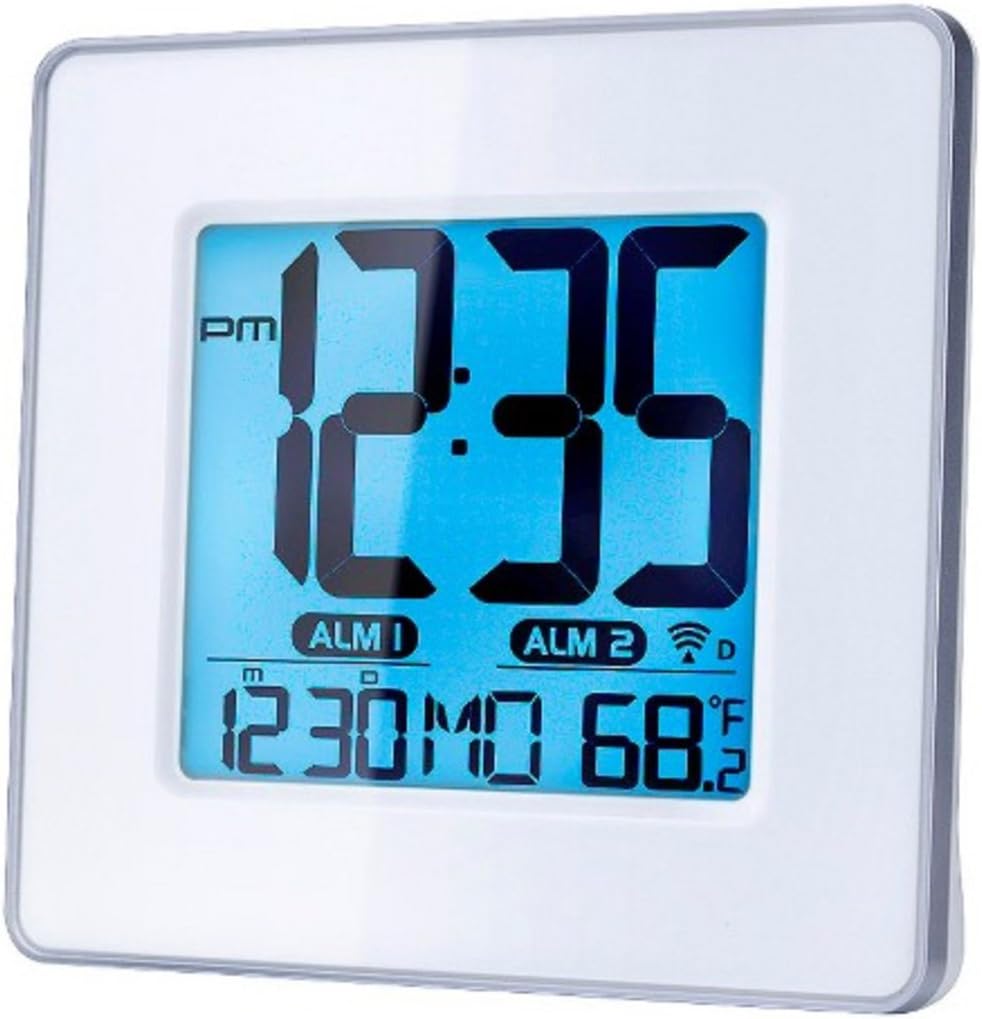
Figi 1: Devan view of the Capello Self-Setting Atomic Clock. This image displays the clock's digital screen, showing the time (12:35 PM), two alarm indicators (ALM 1, ALM 2), the date (12:30 MO), and the indoor temperature (68.2°F). The clock has a white frame and a blue-tinted digital display.
2. Initial Power-On and Atomic Signal Reception
Upon battery installation, the clock will automatically attempt to receive the WWVB atomic time signal. This process may take several minutes to several hours, especially during initial setup. For best reception, place the clock near a window and away from electronic devices that may cause interference. The atomic signal is typically stronger at night.

Figi 2: Devan pre view of the Capello Self-Setting Atomic Clock. This image highlights the clear digital display, which shows the time, date, and temperature. The white frame of the clock is visible, emphasizing its clean design.
A signal strength indicator (often a tower icon with waves) will appear on the display once a successful signal is received. If the signal is not received immediately, the clock will default to a manual time setting. You can manually initiate a signal search by holding the "WAVE" button (if present) on the back of the clock for a few seconds.
Enstriksyon Operasyon
1. Anrejistreman Manyèl Dat ak Lè
In case the atomic signal is not available or for manual adjustment:
- Peze epi kenbe la SET button (or similar, refer to back panel buttons) for a few seconds until the display flashes.
- Sèvi ak la UP epi DESANN bouton yo pou ajiste valè ki ap flache a (pa egzanp, èdtan, minit, ane, mwa, jou).
- Peze SET again to confirm the selection and move to the next setting.
- Repeat until all desired settings are configured.
2. Anviwònman Alam
The clock features two independent alarms (ALM 1 and ALM 2).
- Peze a ALAM button (or ALM 1/ALM 2 button) to select the alarm you wish to set.
- Peze epi kenbe la SET ALARM button (or similar) until the alarm time flashes.
- Sèvi ak la UP epi DESANN bouton pou ajiste lè ak minit alam lan.
- Peze SET ALARM pou konfime.
- Pou aktive/dezaktive yon alam, peze bouton ki koresponn lan. ALARM ON / OFF button. An alarm icon will appear on the display when active.
3. Ekspozisyon Tanperati
The clock displays indoor temperature. To switch between Fahrenheit (°F) and Celsius (°C), locate the °F/°C button on the back of the unit and press it.

Figi 3: Angle view of the Capello Self-Setting Atomic Clock. This perspective shows the clock's depth and the sleek design of its white frame, along with the clear digital display from a side angle.
Antretyen
Netwayaj
Wipe the clock with a soft, dry cloth. Do not use abrasive cleaners or solvents, as they may damage the display or casing.
Ranplasman batri
When the display dims or the clock stops functioning, replace the AAA batteries. Always replace all batteries at the same time with new ones. Dispose of old batteries responsibly according to local regulations.
Depanaj
| Pwoblèm | Kòz posib | Solisyon |
|---|---|---|
| Clock not setting automatically. | Weak or no atomic signal reception. Interference from other electronics. Incorrect time zone setting. | Relocate the clock closer to a window, away from electronic devices (TVs, computers, microwaves). Try initiating a manual signal search (WAVE button). Ensure correct time zone is set if applicable. Note that the signal is often stronger at night. |
| Ekran an fèb oswa vid. | Batri ki ba. | Ranplase tout pil AAA yo ak pil nèf. |
| Time is incorrect after Daylight Saving Time change. | Atomic clock may take up to 24 hours to adjust or requires manual adjustment for DST. | Allow up to 24 hours for automatic adjustment. If it doesn't adjust, manually set the time. Some atomic clocks may not automatically adjust for DST and require manual intervention. |
| Alam pa sonnen. | Alarm not activated. Alarm volume too low (if adjustable). | Ensure the alarm icon is visible on the display. Check alarm settings and ensure the time is correctly set. |
Espesifikasyon
| Karakteristik | Detay |
|---|---|
| Mak | Capello |
| Modèl | B0170ZSMGG |
| Kalite ekspozisyon | Digital |
| Sous pouvwa | Mache ak pil (3 x AAA, pa enkli) |
| Karakteristik espesyal | Atomic, Alarm, Calendar, Indoor Temperature |
| Kalite aliye | Tabletop |
| Dimansyon pwodwi | 0.71 x 5.79 x 5.35 pous |
| Pwa atik | 9.6 ons |
| Materyèl ankadreman | An poliyiretàn |
| Koulè | White (Frame), Black (Dial) |
Garanti ak sipò
For warranty information or technical support, please refer to the contact details provided with your purchase or visit the official Capello websit la. Kenbe resi acha ou kòm prèv acha.
For further assistance, you may contact Capello customer service through their official channels. Please have your model number (B0170ZSMGG) ready when contacting support.


