Entwodiksyon
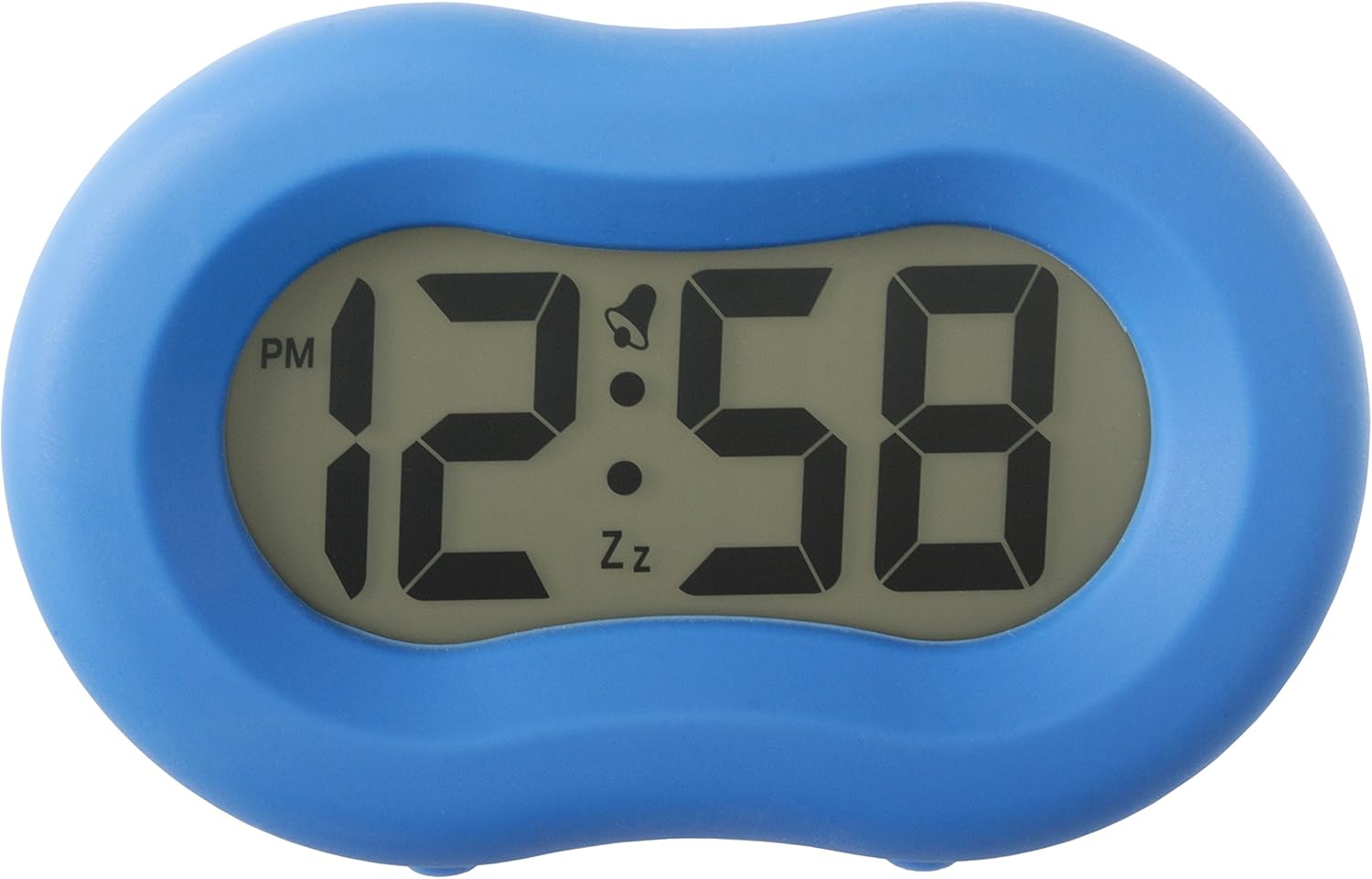
The Acctim Vierra Alarm Clock is designed for ease of use and clear time display. It features a soft-touch silicone rubber casing, a large LCD display, and Smartlite technology for automatic illumination in low light conditions. This manual provides instructions for setting up and operating your alarm clock.
Enstalasyon
1. Enstalasyon batri
The Acctim Vierra Alarm Clock requires 2 x AA pil (not included) for operation. Ensure correct polarity when inserting batteries.
- Jwenn lòj batri a sou do revèy la.
- Louvri kouvèti lòj batri a.
- Insert two AA batteries, matching the positive (+) and negative (-) terminals as indicated inside the compartment.
- Fèmen kouvèti lòj batri a byen.

Enstriksyon Operasyon
1. Mete Tan an
Use the "TIME SET" button located on the back of the clock.
- Press and hold the "TIME SET" button until the hour digits begin to flash.
- Use the "UP" or "DOWN" buttons (often integrated with SET buttons) to adjust the hour. Pay attention to the AM/PM indicator.
- Press "TIME SET" again to move to the minute digits.
- Use the "UP" or "DOWN" buttons to adjust the minutes.
- Press "TIME SET" once more to confirm and exit time setting mode.
2. Mete alam la
Use the "ALARM SET" button on the back of the clock.
- Press and hold the "ALARM SET" button until the alarm hour digits begin to flash.
- Use the "UP" or "DOWN" buttons to adjust the alarm hour.
- Press "ALARM SET" again to move to the alarm minute digits.
- Use the "UP" or "DOWN" buttons to adjust the alarm minutes.
- Press "ALARM SET" once more to confirm and exit alarm setting mode.
3. Aktive/Dezaktive Alam lan
Locate the "OFF ON ALARM" switch on the back of the clock.
- To activate the alarm, slide the switch to the "ON" position. An alarm icon (bell) will appear on the display.
- To deactivate the alarm, slide the switch to the "OFF" position. The alarm icon will disappear.
4. Fonksyon repetisyon
When the alarm sounds, press the large button on the top of the clock to activate the snooze function. The alarm will temporarily stop and sound again after approximately 5-10 minutes (exact duration may vary).

5. Smartlite Technology and Backlight
The clock features Smartlite technology, which automatically illuminates the display in low light conditions for easy night time viewing. A bright, green backlight also illuminates the display when activated.
- Ekleraj otomatik: The display will glow gently when the room darkens. This feature is designed for longer battery life.
- Ekleraj manyèl: Press the "LIGHT" button (often integrated with the snooze button or a dedicated switch on the back) to temporarily illuminate the display with a brighter light.
- To control the automatic Smartlite feature, use the "OFF ON LIGHT" switch on the back of the clock. Set to "ON" for automatic illumination, or "OFF" to disable it.

Antretyen
1. Netwayaj
To clean the clock, wipe it with a soft, dry cloth. Do not use abrasive cleaners or solvents, as these may damage the silicone casing oswa ekspozisyon.
2. Ranplasman batri
Replace batteries when the display dims or the alarm function becomes unreliable. Follow the battery installation steps outlined in the "Setup" section.
Depanaj
| Pwoblèm | Kòz posib | Solisyon |
|---|---|---|
| Ekran an vid oswa li fèb. | Pil ki fèb oswa ki mouri; move enstalasyon pil. | Ranplase pil yo ak nouvo pil AA, asire polarite ki kòrèk la. |
| Alam lan pa sonnen. | Alarm not activated; alarm time not set correctly; low batteries. | Ensure "OFF ON ALARM" switch is in "ON" position. Verify alarm time is set. Replace batteries. |
| Smartlite feature not working. | "OFF ON LIGHT" switch is in "OFF" position; insufficient darkness. | Ensure "OFF ON LIGHT" switch is in "ON" position. Test in a completely dark environment. |
| Time or alarm setting is difficult. | Buttons not pressed firmly or held long enough. | Ensure buttons are pressed firmly and held for the required duration as per instructions. |
Espesifikasyon
- Nimewo Modèl: 15119
- Kalite ekspozisyon: Digital LCD
- Sous pouvwa: Mache ak pil (2 pil AA, pa enkli)
- Dimansyon: Apeprè 6.8 cm (H) x 10.8 cm (L) x 4.8 cm (P)
- Pwa: Apeprè 160 gram
- Karakteristik espesyal: Smartlite automatic illumination, Large Display, Crescendo Alarm, Snooze Function

Garanti ak sipò
For warranty information or technical support, please refer to the product packaging or contact Acctim customer service. Keep your purchase receipt as proof of purchase.
You can visit the official Acctim store for more information: Acctim Store on Amazon


