Entwodiksyon
Thank you for choosing the Monster ROC Sport Wireless Over-Ear Headphones. This manual provides essential information for setting up, operating, maintaining, and troubleshooting your headphones to ensure optimal performance and longevity.
Kontni pake
Anvan ou kòmanse, tanpri verifye si tout atik yo prezan nan pakè ou a:
- Monster ROC Sport Wireless Over-Ear Headphones
- Audio Kab
- Ear Cushions (pre-installed or spare)
- USB Charging Cable (not explicitly listed but implied by 'Lithium Ion batteries required')
- Gid pou kòmanse rapidman (si li enkli)
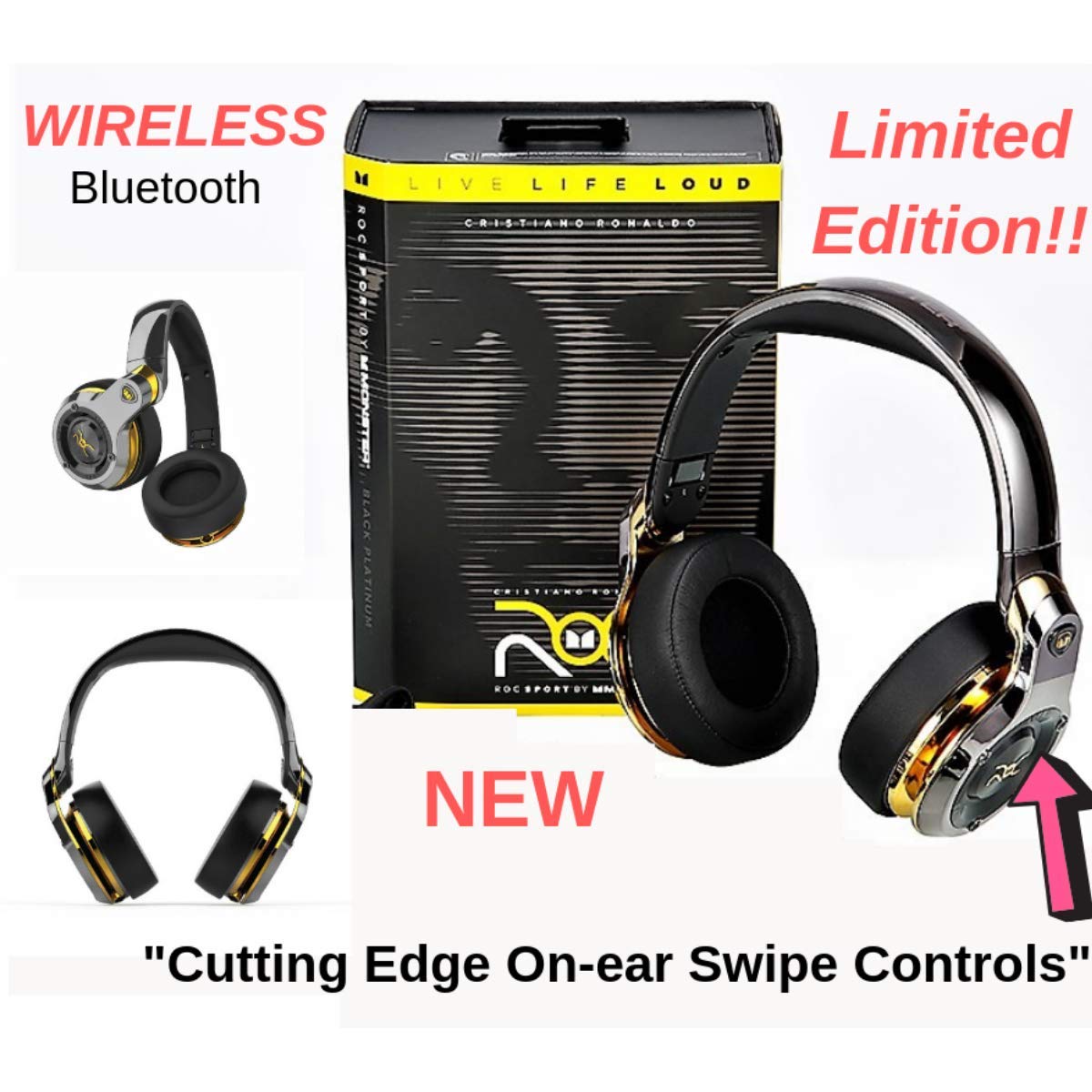
Image: Monster ROC Sport Wireless Over-Ear Headphones shown with its retail packaging, highlighting the product and its box.
Enstalasyon
1. Chaje kas ekoutè yo
Your headphones contain a rechargeable Lithium Ion battery. Before first use, fully charge the headphones.
- Locate the charging port on the headphones.
- Connect the provided USB charging cable to the headphones and to a standard USB power source (e.g., computer USB port, USB wall adapter).
- The LED indicator on the headphones will show the charging status. Refer to the quick start guide for specific LED behavior.
- Yon fwa konplètman chaje, dekonekte kab la chaje.
2. Powering On / Off
- Pou limen: Peze epi kenbe bouton Pouvwa a jiskaske endikatè LED la limen.
- Pou etenn: Peze epi kenbe bouton Pouvwa a jiskaske endikatè LED la etenn.
3. Pè Bluetooth
Pou konekte kas ekoutè ou yo san fil ak yon aparèy:
- Asire w ke kas ekoutè yo chaje epi etenn.
- Press and hold the Power button for approximately 5-7 seconds until the LED indicator flashes rapidly (usually blue and red), indicating pairing mode.
- On your audio device (smartphone, tablet, laptop), enable Bluetooth and search for new devices.
- Select "ROC Sport by Monster" or a similar name from the list of available devices.
- Once paired, the LED indicator on the headphones will change to a steady blue or flash slowly, confirming the connection.

Imaj: Yon fasad detaye view of the Monster ROC Sport Wireless Over-Ear Headphones, showcasing ekoutè yo ak bann tèt la.
4. Filè Koneksyon
For a wired audio experience or when the battery is depleted, use the included audio cable:
- Plug one end of the audio cable into the 3.5mm jack on the headphones.
- Branche lòt bout la nan sòti odyo 3.5mm aparèy ou an.
- The headphones will operate in passive mode, requiring no battery power.
Enstriksyon Operasyon
Mete kas ekoutè yo
Adjust the headband to ensure a comfortable and secure fit. The earcups are designed to sit over your ears for optimal sound isolation and comfort.

Image: A person wearing the Monster ROC Sport Wireless Over-Ear Headphones, demonstrating how they fit over the ears.
Kontwòl
The headphones feature touch controls for various functions. Specific control gestures may vary; refer to the quick start guide for detailed instructions. Common functions include:
- Jwe/Poz: Single tap on the earcup.
- Volim monte/desann: Swipe up/down on the earcup.
- Next / Previous Track: Swipe forward/backward on the earcup.
- Reponn/Fen Apèl: Yon sèl ti tape pandan yon apèl k ap antre.
- Rejte apèl: Press and hold during an incoming call.
- Aktive Asistan Vwa: Double tap or press and hold (refer to specific model instructions).
Izolasyon son
The over-ear design provides passive sound isolation, reducing external noise for an immersive listening experience.
Antretyen ak Swen
Netwayaj
- Use a soft, dry cloth to clean the surfaces of the headphones.
- Pa sèvi ak pwodui netwayaj likid oswa ayewosòl dirèkteman sou kas ekoutè yo.
- Gently wipe ear cushions with a slightly damp cloth if necessary, then dry thoroughly.
Depo
When not in use, store your headphones in a cool, dry place. The headphones are foldable for compact storage.

Image: The Monster ROC Sport Wireless Over-Ear Headphones shown in a folded position, illustrating their portability and ease of storage.
Rezistans dlo
Ekoutè sa yo se pa reziste dlo. Avoid exposure to liquids, moisture, or extreme humidity to prevent damage.
Depanaj
| Pwoblèm | Solisyon posib |
|---|---|
| Kas ekoutè yo pa limen. | Ensure the headphones are fully charged. Connect to a power source and allow sufficient charging time. |
| Pa ka konekte atravè Bluetooth. | Ensure headphones are in pairing mode (flashing LED). Turn off and on your device's Bluetooth. Move headphones closer to the device. Clear previous Bluetooth connections on your device. |
| Pa gen son oswa volim nan ba. | Check volume levels on both headphones and the connected device. Ensure the headphones are properly paired or the audio cable is fully inserted. Test with a different audio source. |
| Kalite son pòv. | Ensure there are no obstructions between the headphones and the Bluetooth device. Move away from sources of interference (e.g., Wi-Fi routers, other Bluetooth devices). |
| Kontwòl yo pa reponn. | Ensure the headphones are powered on and connected. Try restarting the headphones and the connected device. |
Espesifikasyon
| Karakteristik | Detay |
|---|---|
| Non modèl | MH ROC OE BPL BT WW |
| Koneksyon Teknoloji | San fil (Bluetooth), Filaire (3.5mm Jack) |
| Teknoloji kominikasyon san fil | Bluetooth |
| Konpozan ki enkli | Audio Cable, Ear Cushions |
| Materyèl | Plastik |
| Aparèy konpatib | Telefòn entelijan, Tablèt, Odinatè pòtab, Odinatè biwo, Oratè entelijan |
| Kab Karakteristik | Sou entènèt jwèt Tangle gratis |
| Pwa atik | 350 gram |
| Nivo rezistans dlo | Pa reziste dlo |
| Metòd kontwòl | Manyen |
| Kalite chofè odyo | Chofè dinamik |
| Fòm ekoutè | Sou-zòrèy |
| Sous pouvwa | 1 Lithium Ion battery (rechargeable) |
| Dimansyon pwodwi | 11.43 x 17.46 x 25.4 cm |
| Koulè | Black (with Platinum accents) |
| Kontwòl bri | Izolasyon son |
Garanti ak sipò
For warranty information, technical support, or service inquiries, please refer to the warranty card included with your product or visit the official Monster websit la. Kenbe prèv acha ou pou reklamasyon garanti.
Manifakti: Monster Power, LLC
UPC: 050644749629


