1. Entwodiksyon
This manual provides detailed instructions for the setup, operation, and maintenance of your Marathon Digital Desktop Clock, Model CL030050BK. This compact and versatile digital clock is designed for use on a desk or nightstand, offering time, date, day of the week, and temperature displays, along with a dual alarm function and a button-activated backlight.
2. Pwodwi souview

Figi 2.1: Devan view of the Marathon Digital Desktop Clock CL030050BK, showing its large digital display with time, date, day, and temperature.
2.1 Karakteristik kle
- Large, High-Quality Display: Enhanced contrast for clear legibility.
- Nightowl Super Glow Backlight: Button-activated, gentle blue backlight that illuminates for approximately 10 seconds.
- Fonksyon alam doub: Separate alarm settings for weekdays (Monday-Friday) and weekends (Saturday-Sunday).
- Bouton Snooze: Conveniently located for temporary alarm suspension.
- Mòd ekspozisyon miltip: Time in 12 or 24-hour format, temperature in Fahrenheit or Celsius.
- Multilingual Day of Week: Displays the day of the week in seven languages: English, Dutch, French, Spanish, Italian, Danish, and German.
- Konsepsyon kontra enfòmèl ant ak lejè: Ideal for desktop, nightstand, or travel.
2.2 Kontni pake a
- 1 x Marathon Digital Desktop Clock CL030050BK
- 3 x batri AAA (enkli)
- 1 x manyèl itilizatè
3. Enstalasyon
3.1 Enstalasyon batri
- Jwenn kouvèti konpatiman pil la sou dèyè revèy la.
- Glise kouvèti a anba pou ouvri konpatiman an.
- Insert 3 new AAA batteries, ensuring the correct polarity (+ and -) as indicated inside the compartment.
- Remèt kouvèti konpatiman batri a lè w glise l anlè jiskaske li fè yon klik pou l antre nan plas li.
3.2 Premye pouvwa sou
Upon successful battery installation, the clock display will activate, typically showing a default time and date. It is recommended to perform a reset after battery installation to ensure optimal performance.
3.3 Resetting the Clock
To reset the clock, use a thin, pointed object (like a paperclip) to press the recessed RESET button located on the back of the unit. This will clear all settings and return the clock to its factory defaults.
4. Operasyon Enstriksyon
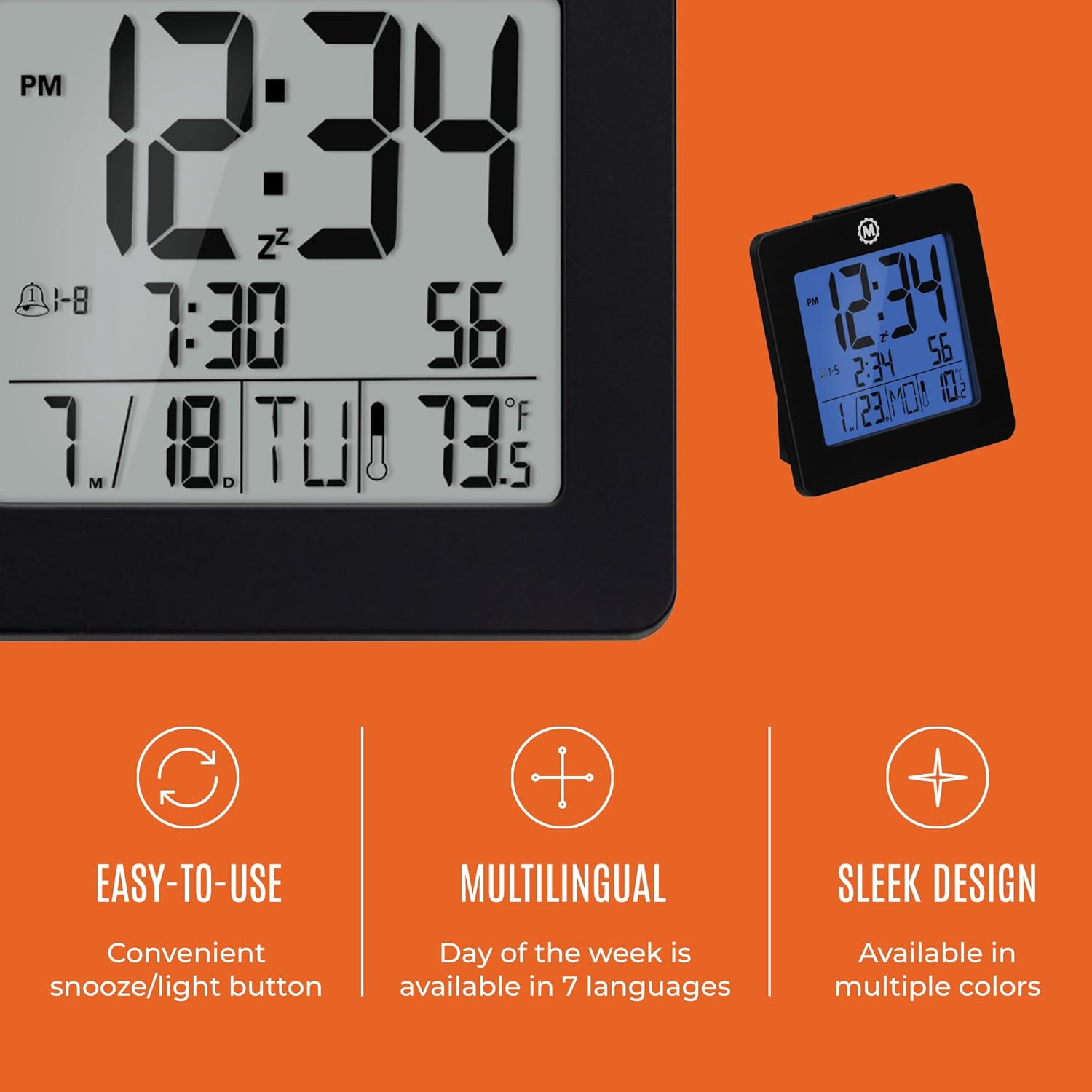
Figi 4.1: Plis paseview of key features and design elements.
4.1 Fonksyon bouton
The clock features several buttons on the back for configuration:
- MOD: Toggles between Time, Alarm, and Timer display modes.
- Mete: Enters setting mode for the currently displayed mode (Time, Alarm, Timer).
- UP / 12/24: In setting mode, increases the value. In time display mode, toggles between 12-hour and 24-hour format.
- DOWN / °C/°F: In setting mode, decreases the value. In time display mode, toggles between Celsius and Fahrenheit temperature units.
- LIGHT / SNOOZE: Activates the backlight for 10 seconds. When the alarm sounds, press to activate snooze.
- Reyajiste: Resets the clock to factory defaults (requires a pointed object).
4.2 Mete lè ak dat la
- Peze a MÒD button until the time is displayed.
- Peze epi kenbe la SET button for approximately 3 seconds until the year flashes.
- Sèvi ak la UP or DESANN bouton pou ajiste ane a.
- Peze SET to confirm and move to the month setting.
- Repeat steps 3 and 4 to set the month, day, 12/24-hour format, hour, and minute.
- Apre ou fin mete minit yo, peze SET to exit time/date setting mode.
4.3 Setting the Day of Week Language
While in time display mode, repeatedly press the UP or DESANN button to cycle through the 7 available languages for the day of the week display (English, Dutch, French, Spanish, Italian, Danish, German).
4.4 Setting the Temperature Unit
Pandan w nan mòd ekspozisyon tan an, peze bouton an DOWN / °C/°F bouton pou chanje ekspozisyon tanperati a ant degre Sèlsiyis (°C) ak degre Farennayt (°F).
4.5 Setting the Dual Alarm
- Peze a MÒD bouton an jiskaske lè alam lan parèt (ki endike pa yon ikòn alam).
- Peze epi kenbe la SET button for approximately 3 seconds until the alarm hour flashes.
- Sèvi ak la UP or DESANN bouton pou ajiste lè alam la.
- Peze SET to confirm and move to the alarm minute setting.
- Repeat steps 3 and 4 to set the alarm minute.
- Apre ou fin mete minit yo, peze SET to select the alarm type: Weekday (1-5) or Weekend (6-7). Use UP or DESANN yo chwazi.
- Peze SET pou konfime epi sòti nan mòd konfigirasyon alam lan.
- Pou aktive/dezaktive alam lan, peze bouton an UP button while in alarm display mode. An alarm icon will appear/disappear on the screen.
4.6 Using the Snooze and Backlight
Peze gwo a LIMÈ / SNOOZE button on the top of the clock to activate the blue backlight. The backlight will remain illuminated for approximately 10 seconds. If the alarm is sounding, pressing this button will activate the snooze function, temporarily silencing the alarm for a short period before it sounds again.
5. Antretyen
- Netwayaj: Wipe the clock with a soft, dry cloth. Avoid using abrasive cleaners or solvents.
- Ranplasman batri: Replace all 3 AAA batteries when the display becomes dim or the clock functions erratically. Always replace with new batteries of the same type.
- Depo: Si w ap sere revèy la pou yon peryòd tan pwolonje, retire pil yo pou anpeche likid koule.
NAN. Depanaj
| Pwoblèm | Kòz posib | Solisyon |
|---|---|---|
| Ekran an vid oswa li fèb. | Batri ki ba oswa ki mouri. | Ranplase tout 3 pil AAA yo. |
| Lè/dat ki pa kòrèk la parèt. | Settings were not saved or incorrect. | Perform a reset and re-enter time/date settings as per Section 4.2. |
| Alam lan pa sonnen. | Alam lan pa aktive oswa li pa byen configuré. | Ensure the alarm is activated (alarm icon visible) and the alarm time is correctly set (Section 4.5). |
| Limyè dèyè a pa fonksyone. | Pil ki fèb oswa bouton ki pa fonksyone byen. | Ranplase pil yo. Si pwoblèm nan pèsiste, kontakte sèvis kliyan. |
7. Espesifikasyon
- Nimewo Modèl: CL030050BK
- Mak: Maraton
- Kalite ekspozisyon: Digital
- Koulè: Nwa
- Dimansyon pwodwi: 3.7" lajè x 3.7" wotè
- Pwa atik: 5.6 ons
- Sous pouvwa: Battery Powered (3 x AAA batteries included)
- Materyèl: Plastik
- Kalite montaj: Tabletop
- Karakteristik espesyal: Button-activated backlight, dual alarm, temperature display, multilingual day of week.
8. Garanti ak sipò
8.1 Enfòmasyon sou Garanti
This Marathon Digital Desktop Clock CL030050BK comes with a 1-ane garanti apati dat acha a. Garanti sa a kouvri domaj fabrikasyon ak atizan konn fè nan itilizasyon nòmal. Li pa kouvri domaj ki koze pa move itilizasyon, aksidan, modifikasyon san otorizasyon, oswa mete ak chire nòmal.
8.2 Sipò pou Kliyan
For technical assistance, troubleshooting, or warranty claims, please visit the official Marathon website or contact their customer service department. Please have your model number and proof of purchase ready when contacting support.