1. Entwodiksyon
This manual provides comprehensive instructions for the installation, operation, and maintenance of the CP PLUS CP-UVR-0401E1S 4 Channel Digital Video Recorder (DVR). This device is designed for surveillance applications, offering reliable video recording and playback capabilities.
The CP-UVR-0401E1S is a 4-channel DVR with one audio input, featuring a user-friendly Graphical User Interface (GUI) for easy operation. It supports simultaneous VGA and TV output and offers dual-stream video compression for efficient data management.
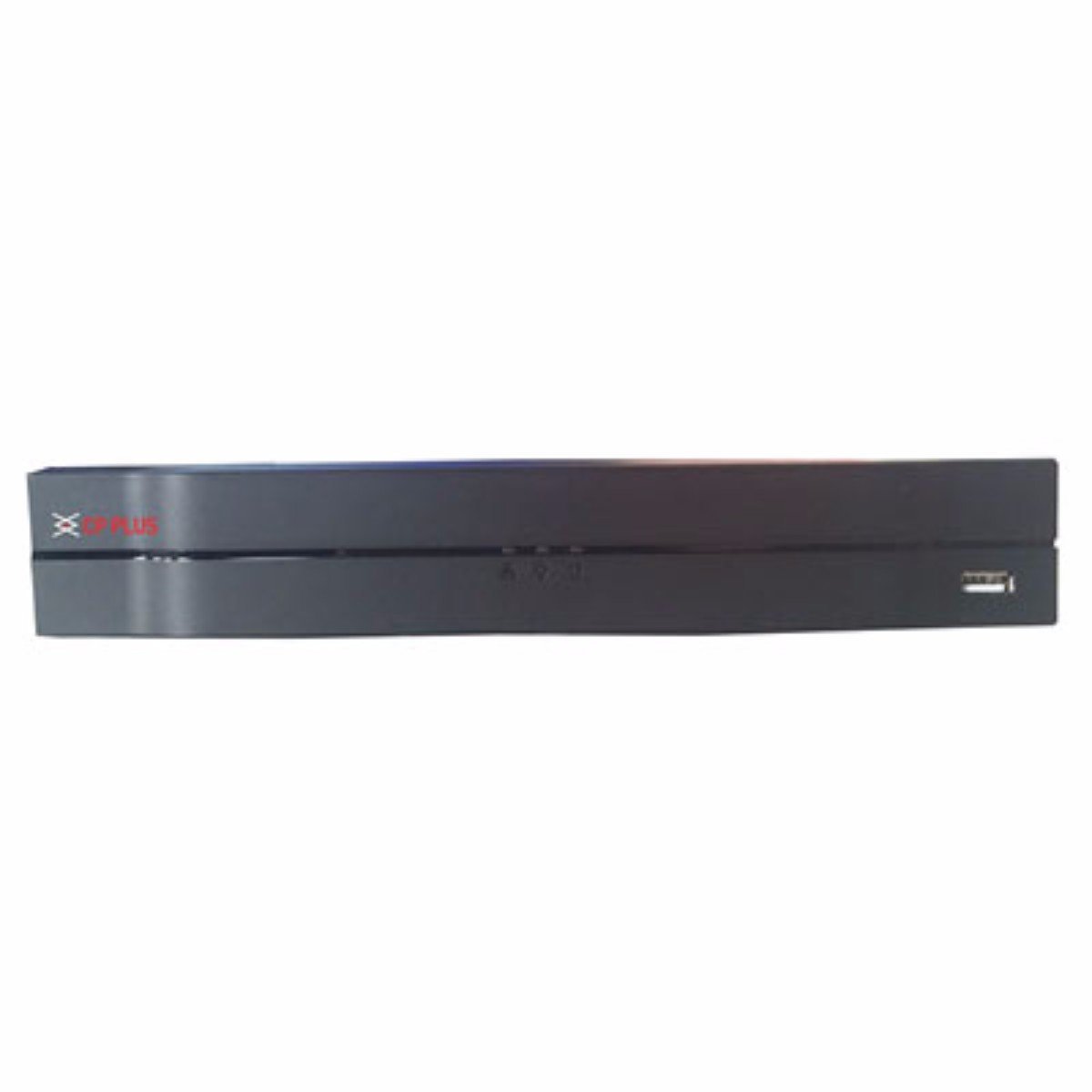
Figi 1: Front panel of the CP PLUS CP-UVR-0401E1S 4 Channel DVR. The device is black with the CP PLUS logo on the left and a USB port on the right. The design is sleek and compact.
2. Karakteristik kle
- H.264 Dual-Stream Video Compression: Efficiently compresses video data for optimized storage and network transmission.
- Sipò Depo: Accommodates 1 SATA HDD up to 4TB for extensive recording capacity.
- Koneksyon USB: Equipped with 2 USB 2.0 ports for data backup and peripheral connections.
- Video Input Compatibility: Supports HDCVI, Analog, and IP video inputs for versatile camera integration.
- Anrejistreman an tan reyèl: All channels support 720P real-time recording, ensuring smooth and detailed video capture.
- Simultaneous Video Output: Provides HDMI and VGA simultaneous video output for flexible display options.
3. Gid Enstalasyon
Follow these steps to set up your CP PLUS CP-UVR-0401E1S DVR:
- Unpack the DVR: Carefully remove the DVR and all accessories from the packaging.
- Enstale Disk Di (HDD):
- Open the DVR casing.
- Mount the SATA HDD securely inside the DVR.
- Connect the SATA data and power cables from the DVR to the HDD.
- Close the DVR casing.
- Konekte Kamera yo: Connect your surveillance cameras to the video input ports on the rear panel of the DVR using appropriate cables (BNC for analog/HDCVI, Ethernet for IP cameras if supported via network switch).
- Konekte Monitè a: Konekte yon monitè nan pò pwodiksyon HDMI oswa VGA DVR a.
- Konekte odyo (Si ou vle): If using an external microphone, connect it to the audio input port.
- Konekte Rezo a (Si ou vle): Pou aleka viewing or network access, connect an Ethernet cable from the DVR's LAN port to your router or network switch.
- Konekte pouvwa: Connect the provided power adapter to the DVR and then plug it into a power outlet. The DVR will power on automatically.
- Premye konfigirasyon: Upon first boot, follow the on-screen wizard to set up basic parameters such as date/time, network settings, and password.
4. Operasyon Enstriksyon
The CP-UVR-0401E1S DVR features an intuitive Graphical User Interface (GUI) for easy navigation and control. Use a USB mouse connected to one of the DVR's USB ports to interact with the interface.
4.1 Viv View
After startup, the DVR will display the live view tout kamera ki konekte yo. Ou ka chanje ant yon sèl kamera view ak griy milti-kamera view by right-clicking on the screen and selecting the desired layout.
4.2 Anrejistreman
- Anrejistreman manyèl: Click the record icon on the live view interface to start or stop manual recording for a specific channel.
- Anrejistreman pwograme: Access the "Record" menu in the main GUI to configure recording schedules based on time or events (e.g., motion detection).
- Mouvman Deteksyon Anrejistreman: Enable motion detection for specific channels in the "Alarm" settings. The DVR will automatically record when motion is detected.
4.3 Lektur
Pou review anrejistre footage:
- Dwa-klike sou ap viv la view screen and select "Playback" or access it from the main menu.
- Select the desired date and channel(s) for playback.
- Use the timeline and control buttons (play, pause, fast forward, rewind) to navigate through the recordings.
4.4 sovgad
To back up recorded video footage:
- Connect a USB flash drive or external hard drive to one of the DVR's USB ports.
- Access the "Backup" menu from the main GUI.
- Select the desired channels, time range, and file format for the backup.
- Initiate the backup process.
4.5 Aksè Remote
Pou aleka viewing via mobile app or web browser, ensure the DVR is connected to the internet. Configure network settings (IP address, port forwarding, or P2P/Cloud service) in the DVR's network menu. Refer to the specific CP PLUS remote access application guide for detailed instructions.
5. Espesifikasyon teknik
| Karakteristik | Spesifikasyon |
|---|---|
| Nimewo Modèl | CP-UVR-0401E1S |
| Konpresyon videyo | H.264 dual-stream |
| Antre Videyo | 4 Channels (HDCVI/Analog/IP) |
| Antre odyo | 1 Chèn |
| Rezolisyon anrejistreman | 720P Realtime (all channels) |
| Sòti videyo | HDMI, VGA (Simultaneous) |
| Sipò pou HDD | 1 SATA HDD jiska 4TB |
| Pò USB | 2 x USB 2.0 |
| Entèfas rezo a | Ethernet (RJ-45) |
| Dimansyon (LxWxH) | 26 x 4 x 22 cm |
| Pwa | 1.15 kg |
| Aparèy konpatib | Television (for display) |
NAN. Depanaj
This section addresses common issues you might encounter with your DVR.
6.1 Pa gen ekspozisyon videyo
- Tcheke pouvwa: Ensure the DVR is powered on and the power adapter is securely connected.
- Koneksyon pou kontwole: Verify that the HDMI or VGA cable is securely connected between the DVR and the monitor. Try a different cable or monitor if possible.
- Sous Antre: Ensure your monitor is set to the correct input source (HDMI/VGA).
- Koneksyon Kamera: Check if cameras are properly connected and receiving power.
6.2 No Recording
- Eta HDD a: Check the HDD status in the DVR's menu. Ensure it is detected, initialized, and has sufficient free space.
- Anrejistreman Orè: Verify that the recording schedule is correctly configured for the desired channels and times.
- Deteksyon Mouvman: If using motion detection recording, ensure it is enabled and sensitivity settings are appropriate.
6.3 Pwoblèm Aksè a Distans
- Rezo Koneksyon: Confirm the DVR is connected to the internet and has a valid IP address.
- Anviwònman rezo: Check DVR network settings (IP address, gateway, DNS). Ensure port forwarding is correctly configured on your router if not using P2P/Cloud.
- App/Software: Ensure you are using the correct and updated mobile application or client software.
7. Antretyen
- Netwayaj regilye: Keep the DVR free from dust. Use a soft, dry cloth to clean the exterior. Do not use liquid cleaners.
- Mizajou mikrolojisyèl: Periodically check the CP PLUS official website for firmware updates. Updating firmware can improve performance and add new features. Follow update instructions carefully.
- Sovgad done: Fè kopi anrejistreman enpòtan yo regilyèman.tage nan yon aparèy depo ekstèn pou anpeche pèt done.
- Kondisyon anviwònman: Ensure the DVR is operated within recommended temperature and humidity ranges. Avoid direct sunlight and excessive heat.
8. Garanti ak sipò
Pou enfòmasyon sou garanti a, tanpri gade kat garanti ki vini ak pwodwi w la oswa vizite sit entènèt ofisyèl CP PLUS la. website. For technical support, product inquiries, or service, please contact CP PLUS customer service through their official channels.
Manifakti: CP PLUS
Modèl: CP-UVR-0401E1S


