Entwodiksyon
Thank you for choosing the Coby Portable CD Player CD191. This device is designed to provide a versatile and enjoyable audio experience, combining classic CD playback with modern features like FM radio and MP3 compatibility. Its compact and shockproof design makes it ideal for both home use and on-the-go listening. Please read this manual thoroughly to understand the proper operation and maintenance of your new CD player.

Yon devan view of the Coby Portable CD Player, showcasing its compact design, LCD display, control buttons, and the included wired earbuds and Micro USB charging cable.
Enfòmasyon sou Sekirite
Pou asire yon operasyon an sekirite epi pou anpeche domaj, tanpri obsève prekosyon sa yo:
- Pa ekspoze aparèy la anba lapli, imidite, oswa tanperati ekstrèm.
- Avoid dropping or subjecting the unit to strong impacts, as this may damage internal components.
- Pa demonte aparèy la. Konfye tout antretyen bay pèsonèl kalifye.
- Use only the specified battery type (2 AA batteries) and ensure correct polarity.
- Evite koute mizik nan yon volim ki twò wo pandan yon bon bout tan pou evite domaj nan zòrèy ou.
- Keep the CD compartment clean and free of dust or debris.
Kontni pake
Verifye ke tout atik yo prezan nan pakè a:
- Coby Portable CD Player CD191
- Stereo ekouteur
- Mikwo USB kab

The high-fidelity wired stereo earbuds that come with the CD player, providing a personal listening experience.
Pwodwi souview
Eleman ak Kontwòl
Familiarize yourself with the main components and controls of your CD player:
- Ekspozisyon LCD: Shows track number, time, mode, and battery status.
- Konpatiman CD: Where the CD is inserted.
- Bouton jwe/poz: Kòmanse oswa poz lèktur.
- Bouton Stop: Sispann lekti.
- Skip/Search Buttons (◀◀ / ▶▶): Sote tracks oubyen avanse/rembobine rapidman.
- bouton mòd: Switches between CD, FM, and MP3 modes.
- Bouton Pwogram: Used for programming track order.
- Bouton Volim +/-: Ajiste nivo pwodiksyon odyo a.
- Jack kas ekoutè (3.5mm): Pou konekte kas ekoutè oswa aparèy odyo ekstèn.
- Mikwo USB Port: Pou ekipman pou pouvwa ekstèn.
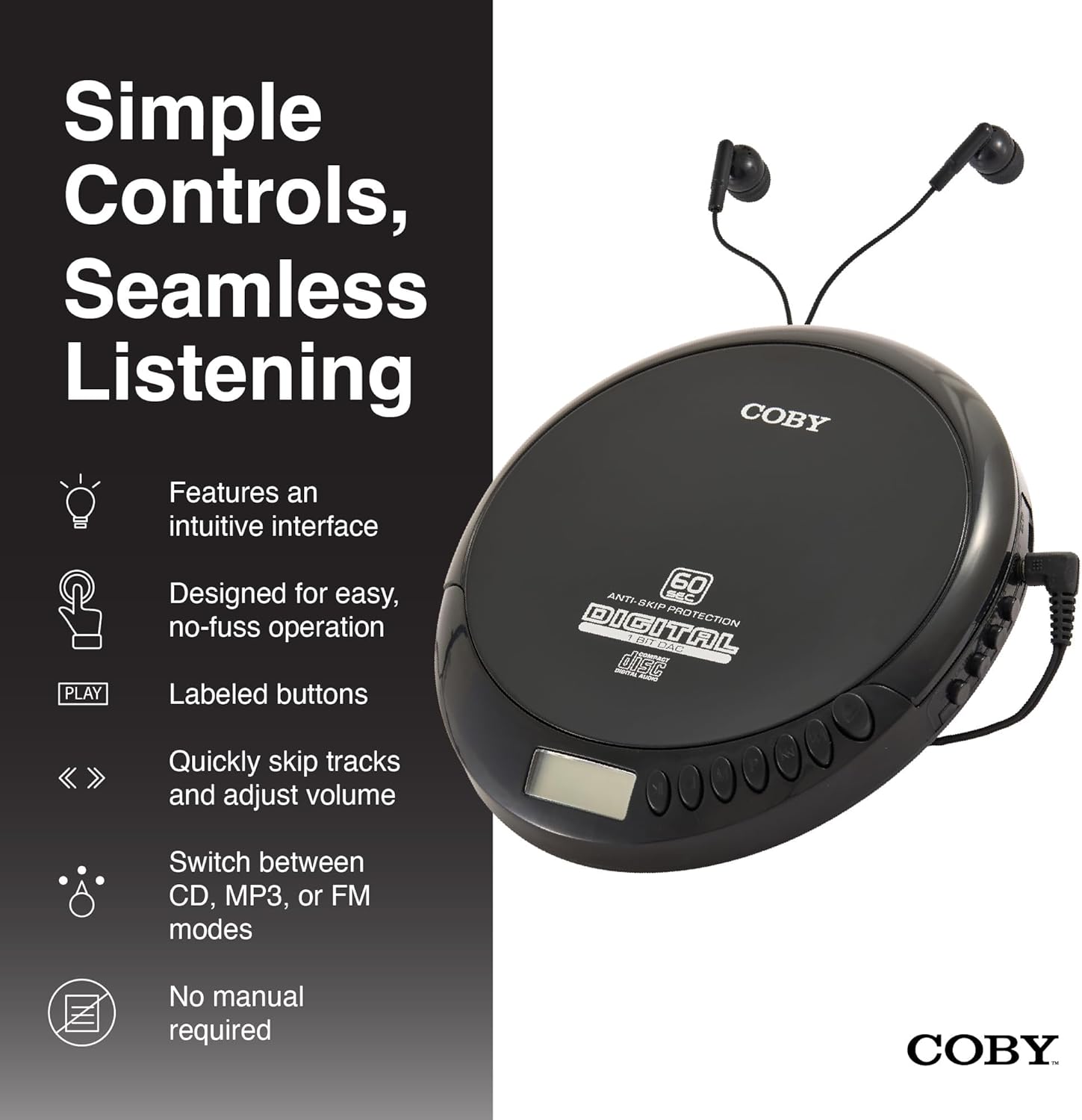
An illustration of the Coby CD Player highlighting its simple controls and intuitive interface.

Yon detaye view of the player's LCD screen, which displays the current track number, elapsed time, and battery status.

A close-up of the player's intuitive control buttons, including Play/Pause, Stop, Skip/Search, Mode, and Program functions, designed for easy operation.
Enstalasyon
Alimente Aparèy la
The Coby CD Player can be powered by 2 AA batteries (not included) or via the included Micro USB cable.
- Enstalasyon batri: Open the battery compartment cover on the back of the unit. Insert 2 AA batteries, ensuring correct polarity (+/-). Close the cover securely.
- USB pouvwa: Connect the Micro USB cable to the Micro USB port on the CD player and the other end to a USB power source (e.g., USB wall adapter, computer USB port).

An image showing a user enjoying music with the Coby CD player, highlighting its versatility with both battery and USB power options.

The included Micro USB cable, used for powering the CD player when not using batteries.
Konekte kas ekoutè
Insert the 3.5mm plug of your headphones into the headphone jack on the side of the CD player.
Mete yon CD
- Peze bouton OPEN an pou ouvri kouvèti konpatiman CD a.
- Carefully place the CD onto the center spindle with the label side facing up.
- Peze CD a dousman jiskaske li fè yon klik pou antre nan plas li.
- Fèmen kouvèti konpatiman CD a byen fèm jiskaske li tache.
Enstriksyon Operasyon
Lektur CD
- Insert a CD (CD, CD-R, CD-RW, or CD-MP3).
- Peze a JWE/POZ button to begin playback. The LCD display will show the track number and elapsed time.
- Pou pran yon poz lèktur, peze JWE/POZ ankò. Peze l yon lòt fwa ankò pou rekòmanse.
- Pou sispann lèktur, peze la SISPANN bouton.
The player features 60-second anti-skip protection to ensure continuous audio during movement.
Track Navigasyon
- Peze ▶▶ pou ale nan pwochen track la.
- Peze ◀◀ to return to the beginning of the current track. Press it twice quickly to go to the previous track.
- Peze epi kenbe ▶▶ to fast-forward through the current track.
- Peze epi kenbe ◀◀ to rewind through the current track.
Kontwòl Volim
Sèvi ak la VOLIM + epi VOLIM - buttons to adjust the listening volume to a comfortable level.
Operasyon radyo FM
- Peze a MÒD button until 'FM' appears on the LCD display.
- The player will automatically scan and tune to available FM stations.
- Sèvi ak la ◀◀ epi ▶▶ buttons to manually tune to specific frequencies or to scan for the next/previous strong station.

This image illustrates the built-in FM radio feature of the Coby CD player, allowing users to tune into their favorite radio stations.
MP3 lèktur
The Coby CD Player supports MP3 files burned onto CD-R or CD-RW discs. When an MP3 CD is inserted, the player will automatically detect the format and begin playback.
Connecting to External Audio Systems
You can connect your Coby CD Player to external speakers or a car audio system using a 3.5mm AUX cable (not included).
- Connect one end of the 3.5mm AUX cable to the headphone jack on the CD player.
- Connect the other end to the AUX input of your external speaker or car audio system.
- Ensure the external device is set to its AUX input mode.

The CD player connected to an external speaker, demonstrating its ability to deliver enhanced sound with features like Super Bass and Crystal Clear Sound when connected to compatible audio systems.

The portable CD player integrated into a car's audio system via an AUX connection, allowing for on-the-go music playback through car speakers.
Antretyen
Netwaye inite a
- Siye deyò aparèy la avèk yon twal mou epi sèk. Pa sèvi ak pwodui netwayaj abrazif oswa solvan.
- To clean the CD lens, use a specialized CD lens cleaning disc (not included).
Swen batri ak depo
- Retire pil yo si ou pa pral itilize aparèy la pou yon peryòd tan pwolonje pou anpeche flit.
- Sere aparèy la nan yon kote ki fre epi sèk, lwen limyè solèy dirèk ak tanperati ekstrèm.
Depanaj
| Pwoblèm | Kòz posib | Solisyon |
|---|---|---|
| Aparèy pa limen. | Batteries are dead or incorrectly inserted. USB cable not connected properly. | Ranplase pil yo ak nouvo, asire polarite ki kòrèk la. Tcheke koneksyon kab USB a. |
| Disc skipping or distorted sound. | Disc is dirty, scratched, or damaged. Unit is subjected to excessive vibration. | Clean the disc with a soft, lint-free cloth. Try a different disc. Ensure the anti-skip protection is active. Avoid strong impacts. |
| Pa gen son nan kas ekoutè yo. | Headphones not fully plugged in. Volume is too low. Headphones are faulty. | Ensure headphones are fully inserted into the jack. Increase the volume. Try a different pair of headphones. |
| Radyo FM estatik oswa resepsyon an fèb. | Siyal fèb. Entèferans. | Adjust the position of the unit. Try moving to a different location. |
| MP3 CD not recognized. | Disc format not supported or disc is corrupted. | Asire MP3 la files are properly encoded and the disc is finalized. Try a different MP3 CD. |
Espesifikasyon
| Karakteristik | Detay |
|---|---|
| Dimansyon pwodwi | 5.5 x 1 x 5 pous |
| Pwa atik | 7 ons |
| Nimewo Modèl | CD-191-BLK |
| Sous pouvwa | 2 AA batteries (not included), Micro USB |
| Koneksyon Teknoloji | Oksilyè, USB |
| Karakteristik espesyal | Portable, FM Radio, MP3 Compatible |
| Pwoteksyon anti-sote | 60 segonn |
| Fòma disk konpatib | CD, CD-R, CD-RW, CD-MP3 |
Videyo pwodwi ofisyèl la
Yon prezantasyon videyo pwodwi ofisyèlasing the features and benefits of the Coby Portable CD Player with Stereo Earbuds.
Garanti ak sipò
For warranty information and customer support, please refer to the documentation included with your purchase or visit the official Coby website. Contact details for support are typically found on the manufacturer's product page or in the warranty card.
Coby Official Websit: Visit the Coby Store on Amazon


