Entwodiksyon
This manual provides essential instructions for setting up, operating, and maintaining your Alcatel 392G Big Easy Flip Phone. Designed for simplicity, this Tracfone device features large, easy-to-read keys and a clear display, making communication straightforward.
Key features include a 2 MP camera, Bluetooth connectivity, FM radio, and mobile web access. Please read this manual thoroughly to ensure proper use and to maximize the functionality of your phone.
Enstalasyon
1. Unboxing and Included Items
Lè w ap ouvri pake a, verifye si atik sa yo ladan l:
- Alcatel 392G Big Easy Flip Phone
- Batri
- Charger
- Kat Aktivasyon
- Gid Sèvis
2. Enstalasyon batri
Carefully remove the back cover of the phone. Align the battery contacts with the terminals inside the battery compartment and gently press the battery into place. Ensure it is securely seated. Replace the back cover.
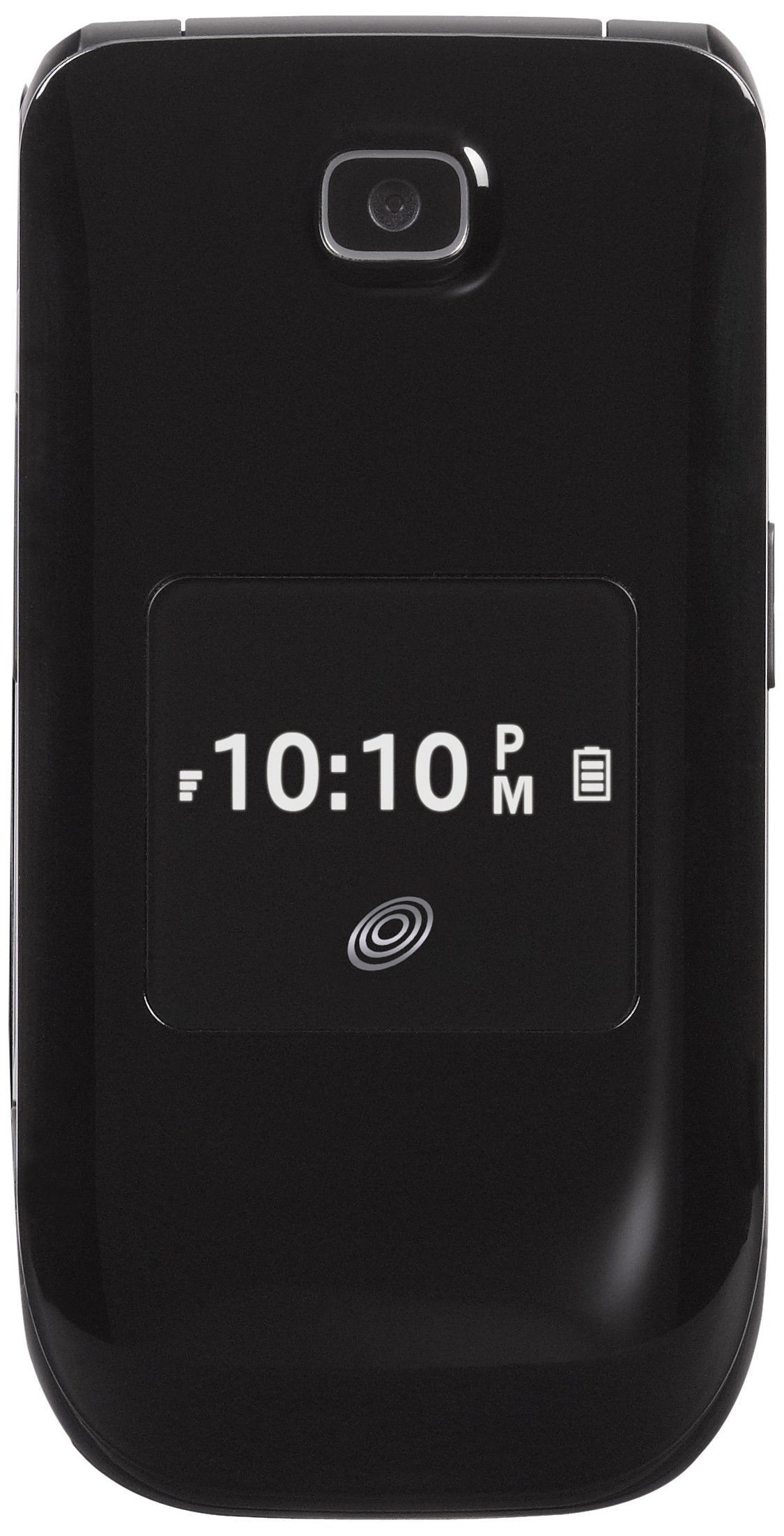
Image: The Alcatel 392G Big Easy Flip Phone in an open position, showing the main display, keypad, and navigation buttons. The screen displays "Home", "10 Minutes", "60 Service Days", "11:19 AM", "May 20 Mon", "Menu", and "Web".
3. Chaje Telefòn lan
Before first use, fully charge the phone's battery. Connect the charger to the charging port on the phone and plug it into a power outlet. The charging indicator will show the charging status. A full charge typically takes approximately 3 hours.
4. Phone Activation
To activate your Tracfone service, follow the instructions provided on the Activation Card included in your package. This typically involves calling Tracfone customer service or visiting their websit.
5. Enstalasyon Kat MicroSD (Si ou vle)
The phone supports a microSD card up to 32GB (not included) for additional storage. Locate the microSD card slot, usually near the battery compartment, and insert the card gently until it clicks into place.
Itilizasyon Telefòn nan
1. Power On/Off
- Pou limen: Peze epi kenbe bouton an Fen/pouvwa kle a jiskaske ekran an limen.
- Pou etenn: Peze epi kenbe bouton an Fen/pouvwa key, then confirm power off on the screen.
2. Fè epi reponn apèl
- To make a call: Enter the phone number using the keypad and press the Voye kle.
- To answer a call: Open the flip or press the Voye kle lè telefòn nan sone.
- To end a call: Close the flip or press the Fen/pouvwa kle.
3. Text and Picture Messaging
Navigate to the Messaging menu to compose and send text (SMS) or picture (MMS) messages. The large lighted keys facilitate easy typing.
4. Fonksyonalite Kamera a
The phone is equipped with a 2 MP camera. Access the camera from the main menu to take photos. Images can be stored on the phone's internal memory or an installed microSD card.
5. Bluetooth Koneksyon
To pair with a Bluetooth device (e.g., headset, car kit):
- Ale nan Menu > Anviwònman > Bluetooth.
- Aktive Bluetooth la On.
- Chwazi Chèche pou nouvo aparèy and choose your device from the list.
- Antre kle modpas la si yo mande w.
6. FM Radio and MP3 Player
- Radyo FM: Access the FM Radio application from the menu. A wired headset (not included) may be required to act as an antenna.
- Jwè MP3: The phone includes an MP3 player. Music files can be stored on a microSD card. A USB cable (not included) is required to transfer music from a computer.
7. Anyè telefòn
Store up to 1,000 entries in the phonebook. Navigate to the Contacts or Phonebook menu to add, edit, or delete entries.
8. Aksesiblite Karakteristik
The Alcatel 392G is Hearing Aid Compatible (HAC) with a rating of M3/T4, designed to reduce interference with hearing aids.
Antretyen
1. Netwaye Telefòn Ou
Use a soft, lint-free cloth to clean the phone's screen and body. Avoid using harsh chemicals or abrasive materials, which can damage the surface.
2. Swen batri
- Evite ekspoze batri a nan tanperati ekstrèm.
- Pa twou oswa demonte batri a.
- If the phone will not be used for an extended period, store it with a partial charge.

Imaj: Yon pwofesyonèl bò kotefile view of the Alcatel 392G Big Easy Flip Phone, highlighting its compact, folded design and the textured surface for better grip.
Depanaj
Pwoblèm komen ak solisyon yo
- Telefòn nan pa limen:
Ensure the battery is correctly installed and fully charged. Try removing and reinserting the battery, then attempt to power on again.
- Poor call quality or low volume:
Check the volume settings during a call. Ensure you are in an area with good network coverage. If issues persist, contact Tracfone customer service.
- Batri pa chaje:
Verify that the charger is properly connected to both the phone and the power outlet. Try using a different outlet. Ensure you are using the correct battery type for the phone; some users have reported receiving incorrect batteries initially.
- Cannot send/receive messages:
Check your service plan and network coverage. Ensure message center settings are correct (these are usually configured automatically by the carrier).
- Phone freezes or becomes unresponsive:
Remove the battery, wait a few seconds, and then reinsert it and power on the phone. This performs a soft reset.
For further assistance with service-related issues, please contact Tracfone customer support. For hardware malfunctions, refer to the warranty information.
Espesifikasyon
| Non modèl | Big Easy Flip (392G) |
| Mak | Alcatel |
| Faktè fòm | Flip Telefòn |
| Dimansyon (L x W x H) | 4.09 x 2.05 x 0.68 pous |
| Pwa atik | 3.67 ons |
| Ekspozisyon | 2.4 pous TFT LCD |
| Kamera | 2 MP |
| Kapasite Depo memwa | Supports microSD up to 32 GB |
| Teknoloji san fil | Bluetooth 2.1, Cellular (2G), Wi-Fi |
| Sistèm operasyon | Other (Feature Phone OS) |
| Kalite batri | 1 pil ityòm-ion (obligatwa) |
| Tan pale | Jiska 3 èdtan (228 minit) |
| Tan sibstiti | Up to 10 days (264 minutes with data) |
| Karakteristik espesyal | MP3 Player, FM Radio, Large Lighted Keys, External Caller ID, HAC (M3/T4) |
| Wireless Carrier | Tracfone |
Enfòmasyon sou Garanti
Your Alcatel 392G Big Easy Flip Phone is covered by a limited manufacturer's warranty. Please refer to the Service Guide included in your product package for specific terms, conditions, and duration of the warranty. Keep your proof of purchase for warranty claims.
Sipò
For technical support, service inquiries, or additional tutorials, please contact Tracfone customer service or visit their official websit.
- Tracfone Customer Service: Refer to your Service Guide or the Tracfone websit pou detay kontak.
- Resous sou entènèt: Visit the Tracfone website for FAQs, troubleshooting guides, and video tutorials specific to your device.


