1. Entwodiksyon
This manual provides detailed instructions for the setup, operation, and maintenance of your Memorex MD6451 Portable CD Player. Please read this manual thoroughly before using the device to ensure proper function and to maximize your listening experience. Keep this manual for future reference.
2. Pake kontni
Verifye ke tout atik ki nan lis anba a yo prezan nan pakè ou a:
- Memorex MD6451 Portable CD Player
- Stereo ekouteur
- Kontwòl remote an liy
- Power Cord (for DC jack)
3. Pwodwi souview
The Memorex MD6451 is a portable CD player designed for personal audio playback. It supports standard audio CDs, CD-R, and CD-RW discs. Key features include 60-second skip protection, programmable CD memory, and a bass boost system for enhanced audio.
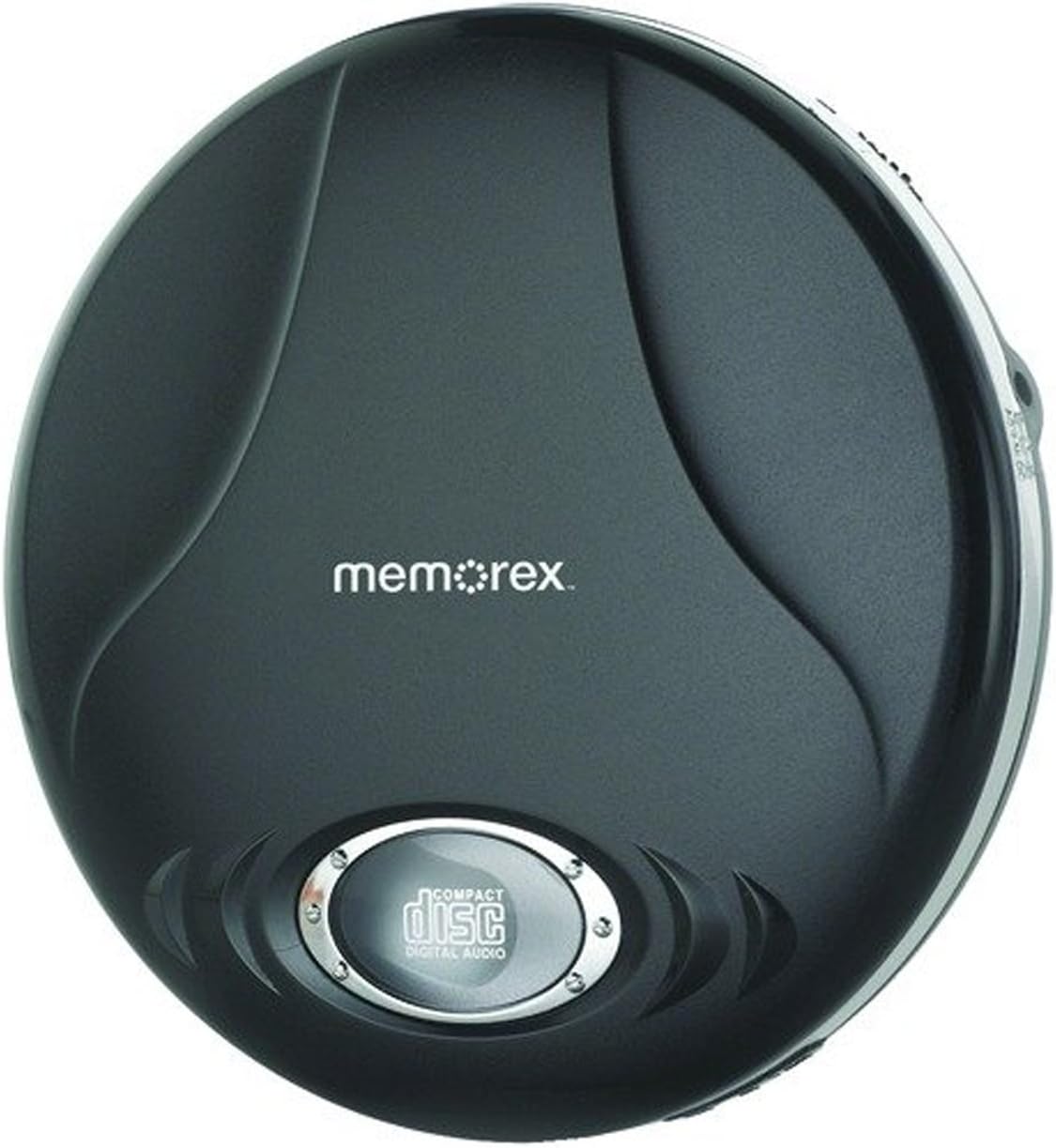
Figure 3.1: Memorex MD6451 Portable CD Player. This image displays the Memorex MD6451 Portable CD Player in its closed, black casing. The 'memorex' logo is centered on the top surface, and a circular window at the bottom shows the 'compact disc digital audio' emblem, indicating the disc tray area.
3.1. Kontwòl ak Koneksyon
Familiarize yourself with the various controls and connection points on your CD player:
- Konpatiman CD: Pou mete CD odyo.
- Bouton jwe/poz: Initiates or pauses disc playback.
- Bouton Stop: Halts disc playback.
- Bouton Sote/Rechèch: Navige ant tracks yo oubyen avanse/rembobine rapidman nan yon track.
- Kontwòl Volim: Ajiste nivo pwodiksyon odyo a.
- Bass Boost Switch: Aktive oswa dezaktive amelyorasyon bas la.
- Bouton Pwogram: Used for programming track order.
- bouton mòd: Selects playback modes (e.g., repeat, random).
- Jack ekoutè 3.5mm: Connects stereo earbuds or headphones.
- Liy soti pò: Connects to external audio systems (e.g., home stereo, car audio).
- DC Jack: For connecting the external power cord.
4. Enstalasyon
4.1. Powering the CD Player
The Memorex MD6451 can be powered by batteries or an external power adapter.
- Enstalasyon batri: Open the battery compartment on the underside of the player. Insert two (2) AA-size batteries (not included), ensuring correct polarity (+/-). Close the compartment securely.
- AC pouvwa: Connect the provided power cord to the DC jack on the player and plug the other end into a standard electrical outlet.
4.2. Connecting Earbuds/Headphones
Insert the stereo earbuds or your preferred headphones into the 3.5mm headphone jack on the side of the player.
4.3. Mete yon CD
- Peze bouton OPEN an dousman oubyen glise latch la pou ouvri kouvèti konpatiman CD a.
- Place an audio CD (CD, CD-R, or CD-RW) onto the center spindle with the label side facing up.
- Peze dousman sou sant disk la jiskaske li fè yon klik pou antre nan plas li.
- Fèmen kouvèti konpatiman CD a byen fèm jiskaske li tache.
5. Operasyon
5.1. Lekti debaz
- Ensure the player is powered and a CD is inserted.
- Peze a JWE/POZ button to begin playback. The track number and elapsed time will display.
- Ajiste volim nan lè l sèvi avèk kontwòl volim.
- Pou fè yon poz lekti, peze la JWE/POZ bouton an ankò. Peze l yon lòt fwa ankò pou rekòmanse.
- Pou sispann lèktur, peze la SISPANN bouton.
5.2. Navigating Tracks
- Peze a PASE ANVAN bouton (>> |) to advance to the next track.
- Peze a SOTE ARYE bouton (|<) once to restart the current track, or twice to go to the previous track.
- Peze epi kenbe >> | to fast-forward within a track.
- Peze epi kenbe |< to rewind within a track.
5.3. Programmable CD Memory
You can program the player to play tracks in a specific order.
- While the player is stopped, press the PWOGRAM button. The display will show "P01".
- Sèvi ak la PASE ANVAN or SOTE ARYE buttons to select the desired first track.
- Peze PWOGRAM again to confirm the selection. The display will show "P02".
- Repeat steps 2 and 3 to add more tracks to your program list.
- Apre ou fin pwograme tout tras ou vle yo, peze bouton an JWE/POZ button to start playback of the programmed sequence.
5.4. Bass Boost System
To enhance the bass frequencies, locate the BASS BOOST switch on the player and slide it to the ON position. Slide it to OFF to disable the feature.
5.5. 60-Second Skip Protection
The player features a 60-second electronic skip protection system. This buffer stores audio data to prevent interruptions during minor shocks or vibrations. While effective, severe or prolonged movement may still cause playback to skip.
5.6. Using the Line Out Port
The Line Out port allows you to connect your MD6451 to an external audio system, such as a home stereo receiver or car audio input, using a standard 3.5mm audio cable (not included). This bypasses the player's internal amplifier and volume control, relying on the external system's controls for volume adjustment.
5.7. Using the In-line Remote Control
The included in-line remote control provides convenient access to basic playback functions without needing to access the player directly. Connect the remote to the headphone jack, then plug your earbuds into the remote's jack. The remote typically includes buttons for Play/Pause, Stop, and Skip/Search.
6. Antretyen
6.1. Netwayaj Inite a
Wipe the exterior of the player with a soft, dry cloth. Do not use abrasive cleaners or solvents. For the optical lens inside the CD compartment, use a specialized CD lens cleaning kit if necessary, following its instructions carefully.
6.2. Swen batri
- Retire pil yo si ou pa pral itilize jwè a pou yon peryòd tan pwolonje pou anpeche li koule.
- Pa melanje ansyen ak nouvo pil, oswa diferan kalite pil.
- Jete pil yo itilize yon fason responsab selon règleman lokal yo.
6.3. Swen Disk
Handle CDs by their edges. Clean discs with a soft, lint-free cloth, wiping from the center outwards. Avoid scratching the disc surface.
NAN. Depanaj
If you encounter issues with your Memorex MD6451, refer to the following common problems and solutions:
| Pwoblèm | Kòz posib | Solisyon |
|---|---|---|
| Jwè a pa limen. | No batteries or dead batteries. Power cord not connected or faulty. | Insert fresh AA batteries with correct polarity. Ensure power cord is securely connected to both player and outlet. |
| Pa gen son. | Volume too low. Headphones not connected properly. Faulty headphones. | Increase volume. Ensure headphones are fully plugged into the 3.5mm jack. Test with different headphones. |
| Disc skips frequently. | Disc is dirty or scratched. Player is subjected to excessive movement. Batteries are low. | Clean the disc with a soft cloth. Ensure the player is on a stable surface. Replace with fresh batteries or use AC power. |
| CD a pa jwe. | Disc inserted incorrectly. Disc is not an audio CD (e.g., data CD). Disc is severely damaged. | Ensure disc is inserted label-side up and compartment is closed. Verify the disc is a standard audio CD, CD-R, or CD-RW. Try a different, known-good audio CD. |
8. Espesifikasyon
| Karakteristik | Detay |
|---|---|
| Nimewo Modèl | MD6451 |
| Fòma disk sipòte | CD, CD-R, CD-RW |
| Pwoteksyon kont sote | 60 segonn |
| Koneksyon | 3.5mm Headphone Jack, Line Out Port, DC Jack |
| Sous pouvwa | 2 x AA Batteries (not included), External DC Power (via power cord) |
| Dimansyon (L x W x H) | 5 x 5 x 2 pous (apeprè) |
| Pwa atik | 8.8 ons (apeprè) |
| Karakteristik espesyal | Portable, Bass Boost System, Programmable CD Memory |
| Konpozan ki enkli | Stereo Earbuds, In-line Remote, Power Cord |
9. Garanti ak sipò
For warranty information or technical support, please refer to the documentation included with your purchase or contact Memorex customer service directly. Keep your proof of purchase for warranty claims.
Remak: Tèm ak kondisyon garanti espesifik yo ka varye selon rejyon an ak détayan an.


