1. Entwodiksyon
This manual provides essential information for the proper use and care of your Cable Matters 5Gbps USB 3.0 A to B Cable. This high-performance cable is designed for reliable and fast data transfer between your computer and various USB 3.0 Type-B enabled devices.
2. Pwodwi Features
- SuperSpeed USB 3.0: Supports data transfer rates up to 5 Gbps, which is 10 times faster than USB 2.0.
- Koneksyon versatile: Connects desktop external hard drives, powered USB hubs, USB docking stations, 3.5-inch hard drive enclosures, scanners, and monitors with a Type-B USB 3.0 port to your computer.
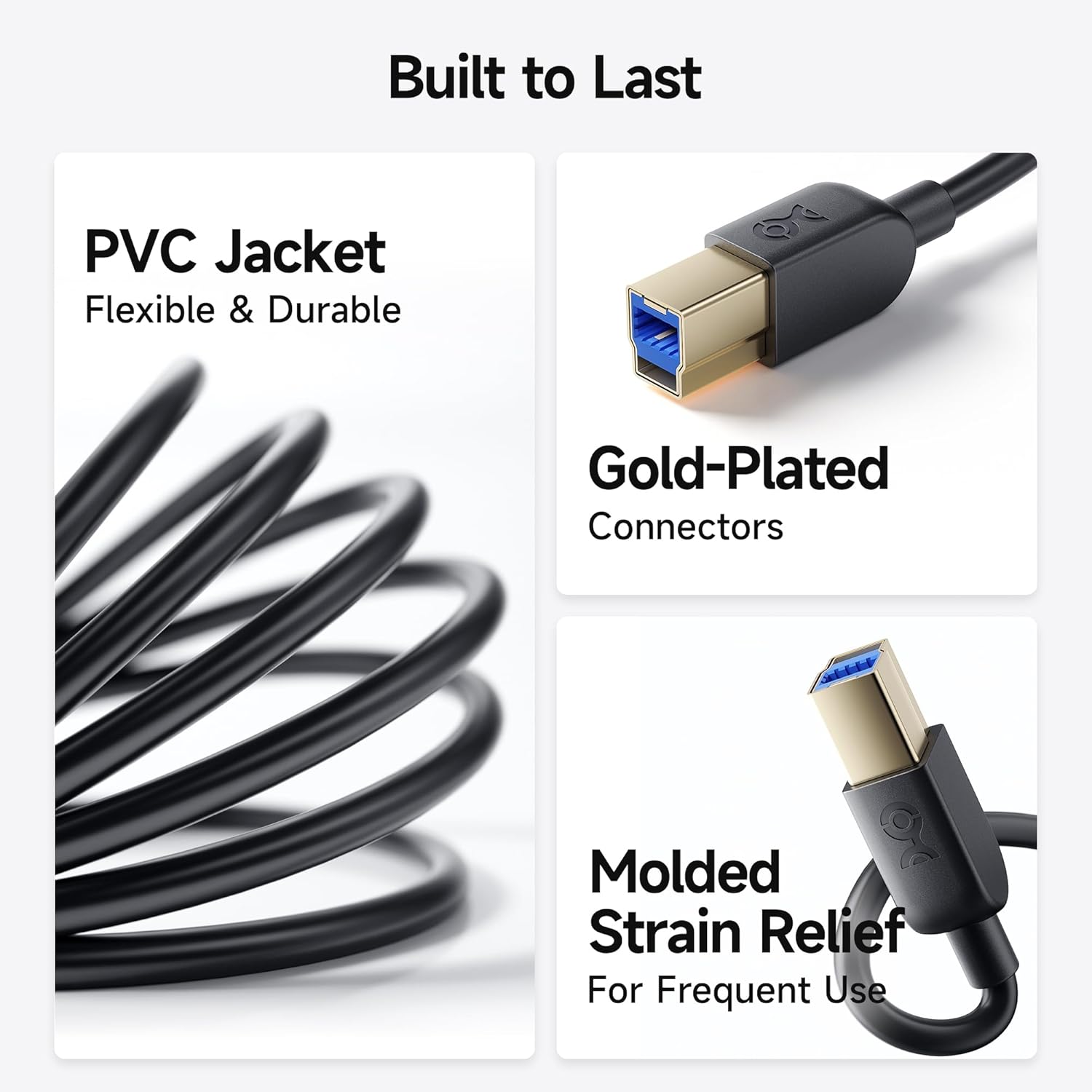
- Konstriksyon dirab: Features molded strain relief connectors for enhanced durability and grip treads for easy plugging and unplugging.
- Pèfòmans optimal: Equipped with gold-plated connectors, bare copper conductors, and foil & braid shielding to ensure error-free data transmission and fast charging capabilities.

3. Pake kontni
- 2 x Cable Matters 5Gbps USB 3.0 A to B Cable (6 feet, Black)
4. Enstalasyon ak Koneksyon
- Identify the USB 3.0 Type-A port on your computer (typically blue or marked with a 'SS' symbol).
- Identify the USB 3.0 Type-B port on your peripheral device (e.g., external hard drive, hub, scanner). This port is distinct from USB 2.0 Type-B ports; ensure it has the correct shape and pin configuration for USB 3.0.
- Connect the USB 3.0 Type-A end of the cable to your computer's USB 3.0 Type-A port.
- Connect the USB 3.0 Type-B end of the cable to your peripheral device's USB 3.0 Type-B port.
- Ensure both connections are secure. The cable is designed for a snug fit to maintain stable data transfer.
Note: This is a USB-A to USB-B 3.0 cable and is NOT compatible with USB 2.0 Type-B ports. Attempting to force the connection may damage the ports or the cable.


5. Operasyon Enstriksyon
Once connected, your computer should automatically detect the peripheral device. You can then use the device as intended, benefiting from the high-speed data transfer capabilities of USB 3.0.
- Transfè Done: For external hard drives or enclosures, drag and drop files between your computer and the device for rapid transfers.
- Peripheral Use: For scanners, monitors, or USB hubs, ensure the necessary drivers are installed on your computer for full functionality.
- Chaje rapid: The cable supports fast charging speeds for compatible devices when connected to a powered USB 3.0 port.
6. Konpatibilite
The Cable Matters USB 3.0 Type B cable is broadly compatible with devices equipped with a Type-B USB 3.0 port. This includes, but is not limited to:
- Fujitsu ScanSnap iX500 scanner
- Dell S2340T monitor
- Dell USB 3.0 docking station
- HP USB 3.0 port replicator
- Western Digital (WD) desktop USB 3.0 external hard drives
- Seagate desktop USB 3.0 external hard drives
- Various other desktop external hard drives, powered USB hubs, USB docking stations, and 3.5-inch hard drive enclosures.

7. Espesifikasyon
| Atribi | Detay |
|---|---|
| Mak | Zafè kab |
| Non modèl | FBA_200007-BLACK-6x2 |
| Kalite Connector | USB Type B (Male-to-Male) |
| Kalite kab | USB 3.0 |
| Pousantaj Transfè Done | 5 Gigabit pou chak segonn (5 Gbps) |
| Longè kab | 6 pye (apeprè 1.8 mèt) |
| Koulè | Nwa |
| Materyèl Eksteryè | Klori polivinil (PVC) |
| Karakteristik espesyal | Fast Charging, Gold-Plated Connectors, Molded Strain Relief |
| Espesifikasyon Met | UL, USB-IF |
| Itilizasyon Andedan kay la / Deyò | Andedan kay la |
8. Antretyen
- Keep the cable clean and free from dust and debris.
- Evite koube oswa pli byen file nan kab la pou anpeche domaj entèn.
- Store the cable in a cool, dry place when not in use.
- Always grasp the connector head, not the cable itself, when plugging or unplugging to prevent strain on the connections.
NAN. Depanaj
- Aparèy pa rekonèt:
- Asire ke tou de bout kab la byen konekte.
- Verify that your device has a USB 3.0 Type-B port, not a USB 2.0 Type-B port.
- Try connecting the device to a different USB 3.0 port on your computer.
- Restart your computer and the peripheral device.
- Check if the device requires specific drivers and ensure they are installed.
- Transfè Done Ralanti:
- Confirm that both your computer's port and the peripheral device's port are USB 3.0 compatible. If either is USB 2.0, speeds will be limited to USB 2.0 rates.
- Ensure no other high-bandwidth devices are simultaneously using the same USB controller on your computer.
- Test with another USB 3.0 cable to rule out a cable issue.
- Koneksyon tanzantan:
- Tcheke pou wè si gen nenpòt domaj fizik nan kab la oswa konektè yo.
- Ensure the cable is not excessively bent or strained.
- Evite entèferans elektwomayetik ki soti nan lòt aparèy elektwonik.
10. Videyo pwodwi ofisyèl la
11. Garanti ak sipò
Cable Matters products are designed for reliability and performance. For specific warranty information and technical support, please refer to the official Cable Matters websit la oubyen kontakte sèvis kliyan yo dirèkteman. Kenbe resi acha w la pou reklamasyon garanti.
Pou plis asistans, vizite Cable Matters Store on Amazon.


