1. Entwodiksyon
This manual provides essential information for the safe and efficient operation of your Alcatel One Touch 665A mobile phone. Please read this guide thoroughly before using your device to ensure proper functionality and to understand its features.
The Alcatel One Touch 665A is an unlocked GSM phone designed for basic communication and multimedia functions. It features a compact design, a 2MP camera, and support for external memory via Micro SD card.
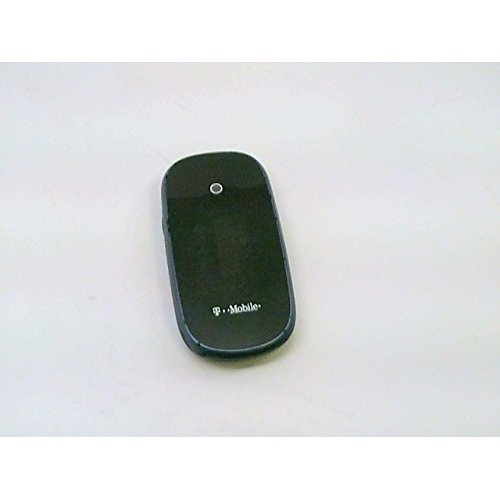
Imaj: Devan view of the Alcatel One Touch 665A mobile phone.
2. Kòmanse
2.1 Kontni pake a
Asire w ke pake w la gen atik sa yo ladan l:
- Alcatel One Touch 665A Mobile Phone
- Batri
- Charger
- Manyèl Itilizatè (dokiman sa a)
Remak: Akseswa espesifik yo ka varye selon rejyon an.
2.2 Mete kat SIM lan ak batri a
- Pouvwa Off: Asire w ke telefòn nan etenn anvan ou kontinye.
- Retire kouvèti dèyè a: Dousman louvri kouvèti dèyè telefòn nan.
- Mete kat SIM: Locate the SIM card slot. Insert your GSM SIM card with the gold contacts facing down and the cut corner aligned correctly.
- Mete Kat Mikwo SD (Si ou vle): If using an external memory card, insert it into the designated Micro SD card slot.
- Mete batri: Align the battery contacts with the phone's contacts and gently press the battery into place.
- Ranplase kouvèti dèyè a: Snap the back cover securely onto the phone.
2.3 Chaje batri a
Before initial use, fully charge the phone's battery.
- Konekte chajè a nan pò chaje telefòn nan.
- Ploge plato a nan yon priz elektrik estanda.
- The charging indicator will typically illuminate. Allow the phone to charge until the indicator shows a full charge.
- Dekonekte plato a yon fwa chaje fini.
2.4 Limen/Etenyen
- Pou limen: Press and hold the Power/End Call button until the screen illuminates.
- Pou etenn: Peze epi kenbe bouton Pouvwa/Fen Apèl la jiskaske opsyon pou etenn lan parèt, answit chwazi 'Etenn'.
3. Itilizasyon Telefòn Ou
3.1 Navigasyon debaz
The Alcatel One Touch 665A features a standard keypad for navigation and input.
- Kle Navigasyon: Use the directional keys (Up, Down, Left, Right) to move through menus and options.
- OK/Select Key: Press the center key to confirm a selection or open an item.
- Rele kle: Peze pou fè yon apèl oswa reponn yon apèl k ap antre.
- Fini Apèl/Kle Pouvwa: Press to end a call or return to the idle screen. Long press to power on/off.
- Kle Retounen/Efase: Press to go back to the previous screen or delete characters during text input.
3.2 Fè ak Resevwa Apèl
- Fè yon apèl: From the idle screen, enter the phone number using the keypad and press the Call key.
- Reponn yon apèl: When an incoming call rings, press the Call key to answer.
- Fini yon apèl: Press the End Call key to terminate an active call.
3.3 Mesaj (SMS/MMS)
- Voye SMS: Go to 'Messages' > 'Create new message'. Enter the recipient's number and your message, then send.
- Sending MMS: Similar to SMS, but allows attaching media files (photos, audio).
3.4 Fonksyon Kamera
Your phone is equipped with a 2MP camera.
- Nan meni prensipal la, chwazi 'Kamera'.
- Ankadre sijè w la lè l sèvi avèk ekran an.
- Press the 'OK' or dedicated camera button to capture the photo.
- Photos are saved to the phone's memory or Micro SD card.
3.5 Multimedia and Applications
- Jwè Klas Mizik: Access the music player to listen to audio files stored on your phone or Micro SD card.
- Jwè videyo: Jwe videyo files.
- Widget Bar: Customize your home screen with quick access to applications like Messages, Alarm, and Calls.
- Aksè sou Entènèt: Use the WAP/WEB browser for basic internet browsing.
- Imèl: Configure your email account to send and receive emails.
- Medya Sosyal: Access pre-installed applications for Facebook and Twitter.
4. Antretyen
4.1 Swen Jeneral
- Kenbe telefòn nan sèk. Imidite ka domaje sikui elektwonik yo.
- Evite tanperati ekstrèm. Tanperati ki wo ka diminye lavi aparèy elektwonik yo epi domaje pil yo.
- Pa sèvi ak pwodui chimik ki fò, solvan netwayaj, oswa detèjan fò pou netwaye telefòn nan. Siye l avèk yon twal mou.amp twal.
- Manyen telefòn nan ak anpil atansyon. Pa lage l, pa frape l, epi pa souke l.
4.2 Swen Batri
- Use only Alcatel-approved batteries and chargers.
- Pa kout-sikwi batri a.
- Pa jete pil nan dife.
- Resikle pil ize yo dapre règleman lokal yo.
NAN. Depanaj
Si w rankontre pwoblèm ak telefòn ou, gade pwoblèm ak solisyon komen sa yo:
| Pwoblèm | Solisyon posib |
|---|---|
| Telefòn nan pa limen | Asire w batri a byen mete epi li chaje nèt. Eseye chaje telefòn nan pou omwen 30 minit. |
| Pa gen siyal rezo | Check if the SIM card is properly inserted. Move to an area with better network coverage. Contact your service provider. |
| M pa ka fè/resevwa apèl | Verify network signal. Check if call barring is active. Ensure sufficient credit if using a prepaid service. |
| Batri pa chaje | Check the charger and charging cable for damage. Ensure the charging port is clean. Try a different power outlet. |
| Ekran an vid oswa bloke | Remove and reinsert the battery, then power on the phone. |
If the problem persists after trying these solutions, please contact Alcatel customer support or your retailer.
6. Espesifikasyon
Key technical specifications for the Alcatel One Touch 665A:
- Non modèl: One Touch 665A
- Mak: Alcatel
- Teknoloji selilè: GSM (2G GPRS)
- Gwoup Mizik Rezo: 850/1900 MHz
- Gwosè ekspozisyon: 1.77 inches (or 1.8 inches, as per specifications)
- Kamera: 2 MP (1600 x 1200 pixels)
- Processeur: 104 MHz
- Memwa entegre: 2 MB
- Removable Memory: Yes (up to 8 GB Micro SD)
- Koneksyon: Bluetooth
- Wi-Fi: Non
- Tan pou pale: Jiska 6 èdtan
- Tan sibstiti: Jiska 400 èdtan
- Dimansyon: 96 x 48 x 16.8 mm
- Pwa: Apeprè 2.7 oz (76.5 g)
- Antre Entèfas Imèn: Buttons, Keypad
- Karakteristik espesyal: MMS, WAP/WEB, Email, Twitter, Facebook
7. Garanti ak sipò
Pou enfòmasyon sou garanti a, tanpri gade kat garanti ki vini ak pwodwi w la oswa vizite sit entènèt ofisyèl Alcatel la. websit la. Kenbe prèv acha ou pou reklamasyon garanti.
For technical support, product inquiries, or service, please contact Alcatel customer service through their official channels. Contact details can typically be found on the manufacturer's websit oswa nan anbalaj pwodwi a.


