1. Entwodiksyon
Mèsi pou acha aasing the Fysic FX-6000 Big Button DECT Phone. This manual will guide you through the setup, operation, and maintenance of your new cordless telephone. Please read these instructions carefully before using the phone to ensure proper functionality and safety. Keep this manual for future reference.
2. Enfòmasyon enpòtan sou sekirite
- Use only the supplied power adapter and batteries.
- Do not expose the phone to water or excessive humidity.
- Evite mete telefòn nan toupre sous chalè oswa anba limyè solèy dirèk.
- Pa eseye ouvri oswa repare telefòn nan tèt ou. Konfye tout sèvis bay pèsonèl kalifye.
- Jete pil yo yon fason responsab dapre règleman lokal yo.
3. Pake kontni
Tanpri verifye ke tout atik yo prezan nan pakè ou a:
- Fysic FX-6000 Handset
- Estasyon Baz
- Adaptè kouran pou estasyon baz
- Liy telefòn kòd
- 2 x Pil AAA NiMH rechargeable
- Manyèl itilizatè
4. Pwodwi souview
The Fysic FX-6000 features large buttons and a clear display for ease of use.

Figi 4.1: Devan view of the Fysic FX-6000 handset in its charging base, highlighting the large, easy-to-read buttons and the clear, backlit display.
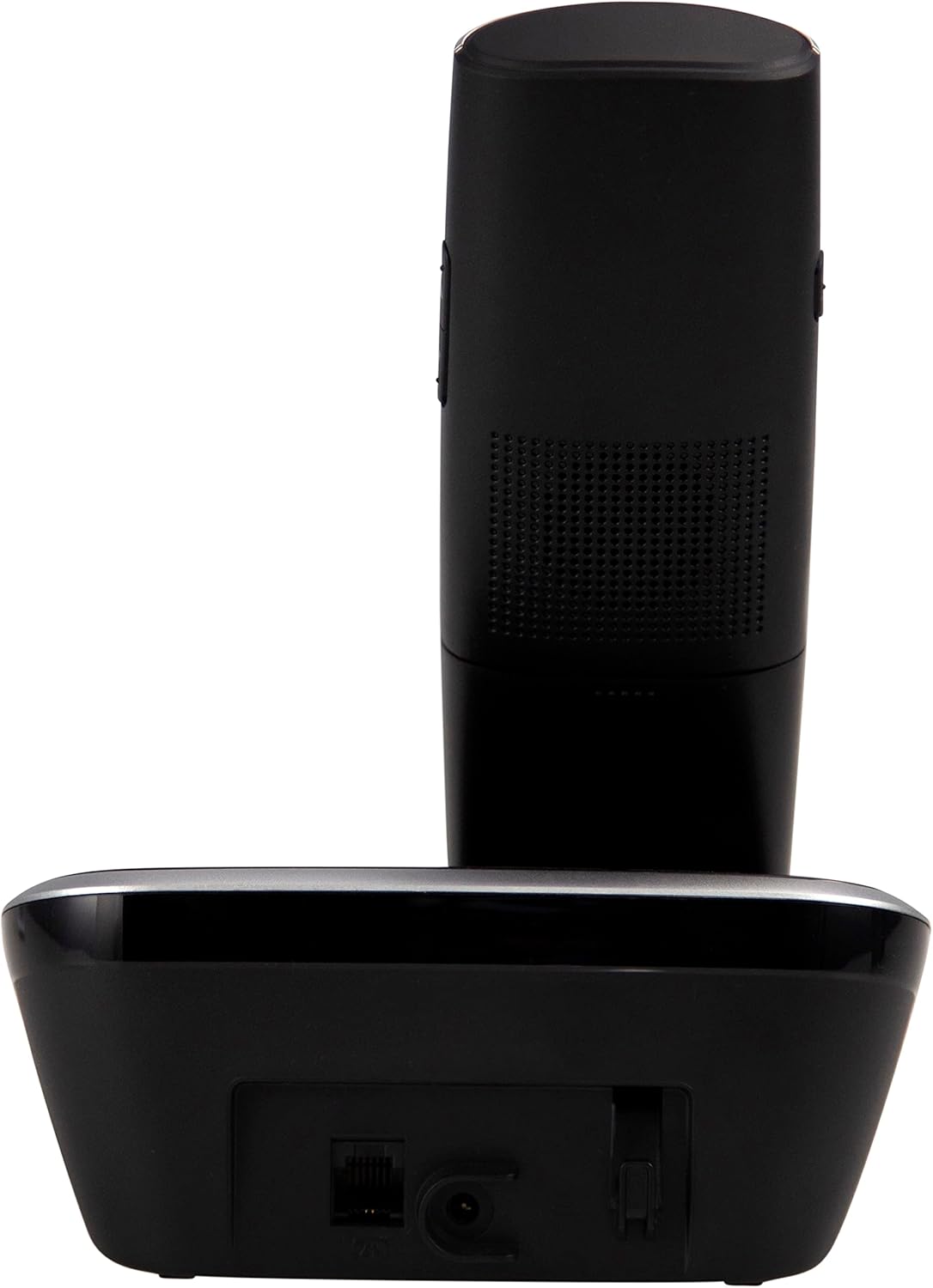
Figi 4.2: Side view of the Fysic FX-6000 handset docked in its base station, showing the ergonomic design and side volume buttons.

Figi 4.3: Detailed close-up of the Fysic FX-6000 phone's keypad, emphasizing the large, clearly labeled buttons for easy dialing.

Figi 4.4: Fèmen view of the Fysic FX-6000 phone's backlit display, showing clear icons for battery status, signal strength, and call information.
Layout appareil
- Ekspozisyon: 1.8-inch backlit screen for caller ID, menu, and status.
- Kle Navigasyon: For menu navigation and volume adjustment.
- Dial Pad: Large, easy-to-read numeric keys (0-9, *, #).
- Call/End Buttons: Green button to answer/make calls, Red button to end calls.
- Memory Keys (M1, M2, M3): For speed dialing frequently used numbers.
- Bouton Oratè: To activate hands-free mode.
Layout Estasyon Debaz
- Chaje bèso: For charging the handset.
- Bouton Pajman: Pou lokalize yon telefòn ki pèdi.
- Pouvwa priz: Pou konekte adaptè pouvwa a.
- Telephone Line Socket: For connecting to the telephone line.
5. Enstalasyon
5.1 Enstalasyon batri
- Louvri kouvèti lòj batri a sou do aparèy la.
- Mete de pil rechargeable AAA NiMH yo, epi obsève polarite ki kòrèk la (+ ak -).
- Fèmen kouvèti lòj batri a byen.
5.2 Konekte Estasyon Baz la
- Connect one end of the telephone line cord to the telephone line socket on the base station.
- Konekte lòt bout fil telefòn nan nan priz telefòn miray ou a.
- Konekte adaptè kouran an nan priz kouran ki sou estasyon baz la.
- Branche adaptè kouran an nan yon priz elektrik ki apwopriye (220-240V).
5.3 Initial Charging and Handset Registration
Place the handset on the base station. The handset will automatically begin charging. For optimal battery performance, allow the handset to charge for at least 16 hours before its first use. The handset is pre-registered to the base station from the factory. If for any reason the handset loses its registration, refer to the troubleshooting section for re-registration steps.
6. Operasyon Enstriksyon
6.1 Fè yon apèl
- Pre-konpoze: Enter the phone number using the dial pad, then press the Green Call bouton.
- Rele dirèk: Peze a Green Call button, then enter the phone number.
- Using Memory Keys (M1, M2, M3): Press and hold the desired memory key (M1, M2, or M3) to dial the stored number.
6.2 Resevwa yon apèl
Lè telefòn nan sonnen, peze bouton an Green Call button to answer. The display will show the caller's number if Caller ID service is active.
6.3 Fini yon apèl
Peze a Red End Call bouton an oubyen mete aparèy la tounen sou estasyon baz la.
6.4 Ajiste Volim
During a call, use the volume up/down buttons on the side of the handset to adjust the earpiece volume. The ringtone volume can be adjusted via the phone's menu settings.
6.5 Operasyon men lib
Pandan yon apèl, peze la Speakerphone button to switch to hands-free mode. Press it again to return to earpiece mode.
6.6 Anyè telefòn
The phonebook allows you to store frequently called numbers. Refer to the on-screen menu for options to add, edit, or delete contacts.
6.7 Recomposition
Peze a Rekòmanse button (often integrated with the call log or a dedicated button) to view and redial the last dialed numbers.
6.8 Fonksyon bèbè
Pandan yon apèl, peze la bèbè button to temporarily disable your microphone. The other party will not hear you. Press it again to unmute.
7. Antretyen
7.1 Netwayaj
Siye telefòn nan ak estasyon baz la ak yon twal mou.amp twal. Pa sèvi ak pwodui netwayaj abrazif oswa solvan. Asire w ke telefòn nan dekonekte sou kouran anvan ou netwaye li.
7.2 Swen Batri
- Always use the supplied rechargeable NiMH batteries.
- Si w pa pral itilize telefòn nan pou yon bon bout tan, retire pil yo pou anpeche likid koule.
- Ranplase pil yo lè pèfòmans yo diminye anpil.
NAN. Depanaj
| Pwoblèm | Kòz posib | Solisyon |
|---|---|---|
| Pa gen ton | Telephone line not connected; Power adapter not connected; Handset out of range or not registered. | Check all cable connections; Ensure base station is powered; Move handset closer to base; Re-register handset (see manual for specific steps). |
| Telefòn nan pa chaje | Handset not properly seated in cradle; Dirty charging contacts; Faulty batteries. | Ensure handset is correctly placed; Clean charging contacts on handset and base with a dry cloth; Replace batteries if necessary. |
| Apèl ki pa bon kalite / Statik | Aparèy la twò lwen baz la; Entèferans ak lòt aparèy elektwonik. | Move closer to the base station; Move base station away from other electronic devices (Wi-Fi routers, microwaves). |
| Ekspozisyon an vid | Batteries are depleted or not inserted correctly. | Charge handset for at least 16 hours; Check battery polarity. |
9. Espesifikasyon teknik
- Modèl: FX-6000
- Mak: Fizik
- Koulè: Nwa
- Kalite Telefòn: Telefòn DECT san fil
- Ekspozisyon: 1.8-inch Backlit LCD
- Batri: 2 x AAA NiMH Rechargeable (1.2V, 500 mAh)
- Base Power Supply: 6 VDC, 300 mA
- Kouran prensipal: 220-240V
- Tan pou pale: Jiska 10 èdtan
- Tan sibstiti: Jiska 100 èdtan
- Ranje andedan kay la: Jiska 50 mèt
- Deyò Range: Jiska 300 mèt
- Dimansyon (L x W x H): Approximately 8 x 20 x 17 cm (Handset in base)
- Pwa: Apeprè 534 gram
- Karakteristik espesyal: Large buttons, Hearing aid compatible, Adjustable ringtone/call volume, Mute function, Hands-free operation, GAP compatible.
10. Garanti ak sipò
Fysic products are designed and manufactured to the highest quality standards. For information regarding warranty terms and conditions, please refer to the warranty card included with your product or visit the official Fysic website. For technical support or service inquiries, please contact Fysic customer service through their official channels. Keep your purchase receipt as proof of purchase.


