1. Pwodwi souview
The Korg KA350 Power Adapter is an essential accessory designed to provide reliable power to your Korg musical instruments and devices. It is specifically engineered to meet the power requirements of various Korg products, ensuring optimal performance and longevity. This power supply eliminates the need for batteries, offering a consistent and stable power source for extended use.
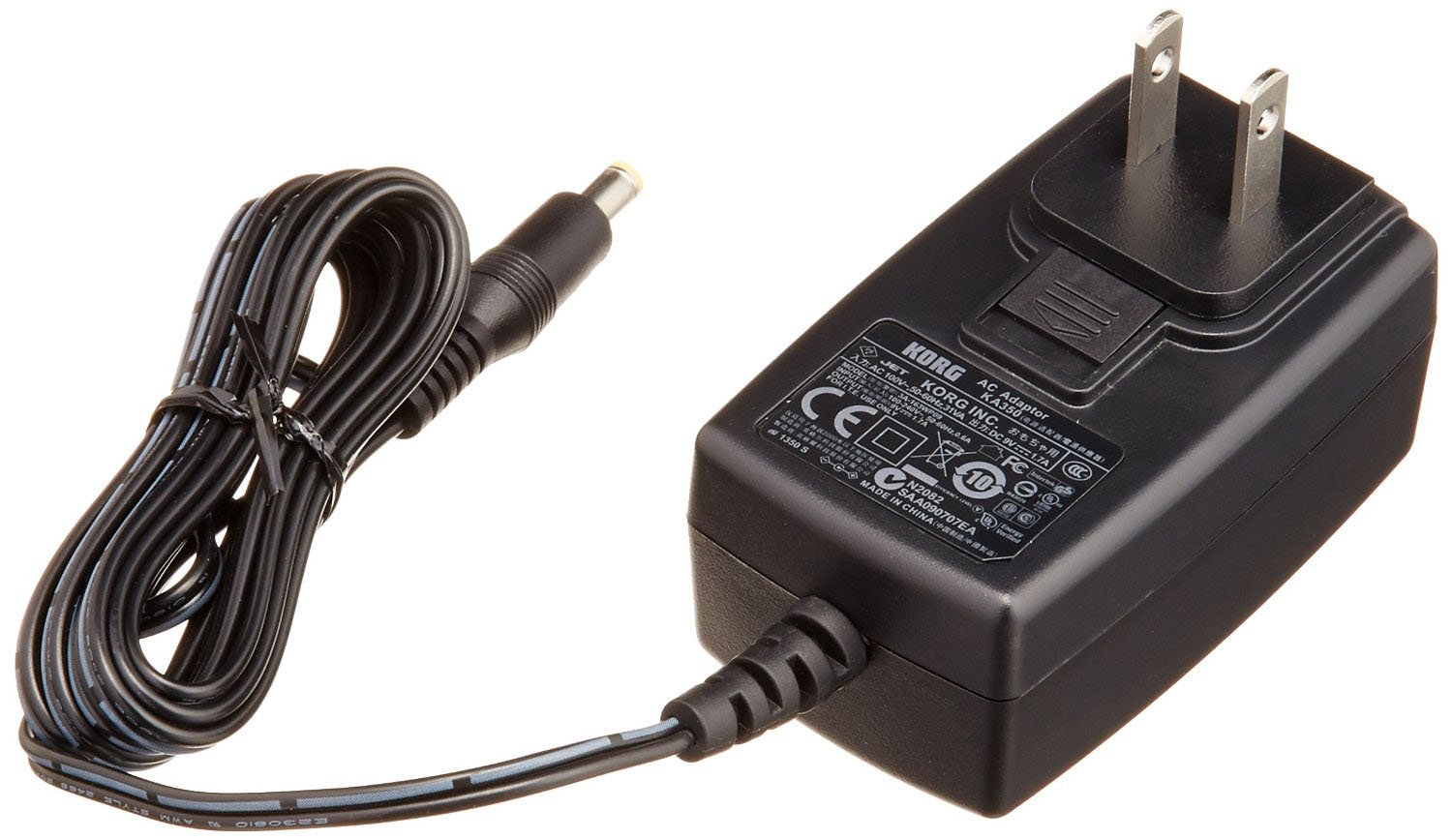
Figure 1: Korg KA350 Power Adapter. This image shows the Korg KA350 Power Adapter, a black rectangular unit with a two-prong US plug, connected to a coiled black cable ending in a barrel connector. The adapter has Korg branding and electrical specifications printed on its surface.
Videyo 1: Pwodwi a finiview. This video demonstrates the features and compatibility of the Korg KA350 Power Adapter, showing its compact design, detachable plug, and connection to various Korg instruments.
2. Enstalasyon
- Depake adaptè a: Carefully remove the Korg KA350 Power Adapter from its packaging.
- Enspekte pou domaj: Before use, visually inspect the adapter and cable for any signs of damage. Do not use if damaged.
- Konekte ak aparèy: Locate the power input jack on your compatible Korg instrument (e.g., Korg Monotribe, KAOSS Pad, MS20Mini, Kross61, Kross88, MicroKorg XL+). Insert the barrel connector of the KA350 power adapter firmly into this jack. Ensure the connection is secure.
- Konekte nan priz kouran: Plug the two-prong end of the power adapter into a standard electrical wall outlet. Ensure the outlet provides the correct voltage as specified on the adapter.
- Pouvwa sou aparèy: Once connected, power on your Korg instrument. The adapter will provide the necessary power for operation.
Nòt: Always ensure that the power adapter's specifications match the power requirements of your Korg device to prevent damage.
3. Operasyon Enstriksyon
The Korg KA350 Power Adapter is designed for simple, plug-and-play operation. Once correctly connected to your Korg device and a power outlet, it will automatically supply the required power. There are no user-adjustable settings on the adapter itself.
- Pouvwa kontinyèl: The adapter provides a continuous and stable 9V DC power supply, ideal for uninterrupted performance of your Korg instruments.
- Itilizasyon san danje: Ensure the adapter is placed in a well-ventilated area during operation to prevent overheating. Do not cover the adapter.
- Dekoneksyon: To disconnect, first power off your Korg device, then unplug the adapter from the wall outlet, and finally disconnect the barrel connector from your device.
4. Antretyen
Proper maintenance ensures the longevity and safe operation of your Korg KA350 Power Adapter.
- Netwayaj: Use a soft, dry cloth to clean the exterior of the adapter. Do not use liquid cleaners or solvents.
- Depo: Lè w pa ap itilize adaptè a, sere l nan yon kote ki fre epi sèk, lwen limyè solèy dirèk ak tanperati ekstrèm. Evite vlope kab la twò sere pou l pa domaje.
- Manyen: Always handle the adapter by the plug and connector, not by the cable, to prevent strain and damage to the internal wiring.
- Evite imidite: Kenbe adaptè a lwen dlo ak imidite ki wo.
NAN. Depanaj
If you encounter issues with your Korg KA350 Power Adapter, refer to the following common problems and solutions:
| Pwoblèm | Kòz posib | Solisyon |
|---|---|---|
| Aparèy pa alimante. | Adaptè a pa byen konekte ak aparèy la oswa ak priz la. | Ensure all connections are secure and fully inserted. Try a different wall outlet. |
| Device powers on but is unstable or makes noise. | Incorrect adapter for the device; faulty adapter; power fluctuations. | Verify the adapter's specifications match your device's requirements. Test with another compatible power source if possible. Use a power conditioner if power fluctuations are suspected. |
| Adapter feels excessively hot. | Overload; poor ventilation; internal fault. | Disconnect immediately. Ensure adequate ventilation around the adapter. If the issue persists, discontinue use and contact Korg support. |
If troubleshooting steps do not resolve the issue, please contact Korg customer support for further assistance.
6. Espesifikasyon
| Karakteristik | Detay |
|---|---|
| Nimewo Modèl | SW KA350 |
| Manifakti | Korg |
| Antre Voltage | 240 Vòlt (AC) |
| Sòti Voltage | 9 Vòlt (DC) |
| Ampepòk | 0.5 Amps (500mA) |
| Wattage | 120 Watts |
| Dimansyon pwodwi | 4.5 x 3 x 2.25 pous |
| Pwa atik | 4.8 ons |
| Koneksyon Teknoloji | Barik DC |
| Konpozan ki enkli | 2-Pin Power Adapter |
| Aparèy konpatib | Korg MS20Mini, Korg Kross61, Korg Kross88, Korg MicroKorg XL+, Korg KP3+, Korg Kaossilator Pro+, Korg Wavedrum Global, New Electribe, New Electribe S, Korg Monotribe, KAOSS Pad |
7. Garanti ak sipò
For information regarding the warranty of your Korg KA350 Power Adapter, please refer to the warranty card included with your purchase or visit the official Korg websit. Tèm ak kondisyon garanti yo ka varye selon rejyon an ak détayan an.
For technical support, product inquiries, or service requests, please contact Korg customer support through their official channels. You can typically find contact information on the Korg websit oswa nan anbalaj pwodwi a.
Please have your product model number (SW KA350) and purchase details ready when contacting support.


