
1. Entwodiksyon
Thank you for choosing the MERACH UltraWalk W60 Walking Pad Treadmill. This manual provides essential information for the safe assembly, operation, and maintenance of your new fitness equipment. Please read it thoroughly before first use and retain it for future reference. The UltraWalk W60 is designed to provide a convenient and effective walking and light jogging experience with features like auto incline, Bluetooth connectivity, and a compact design.
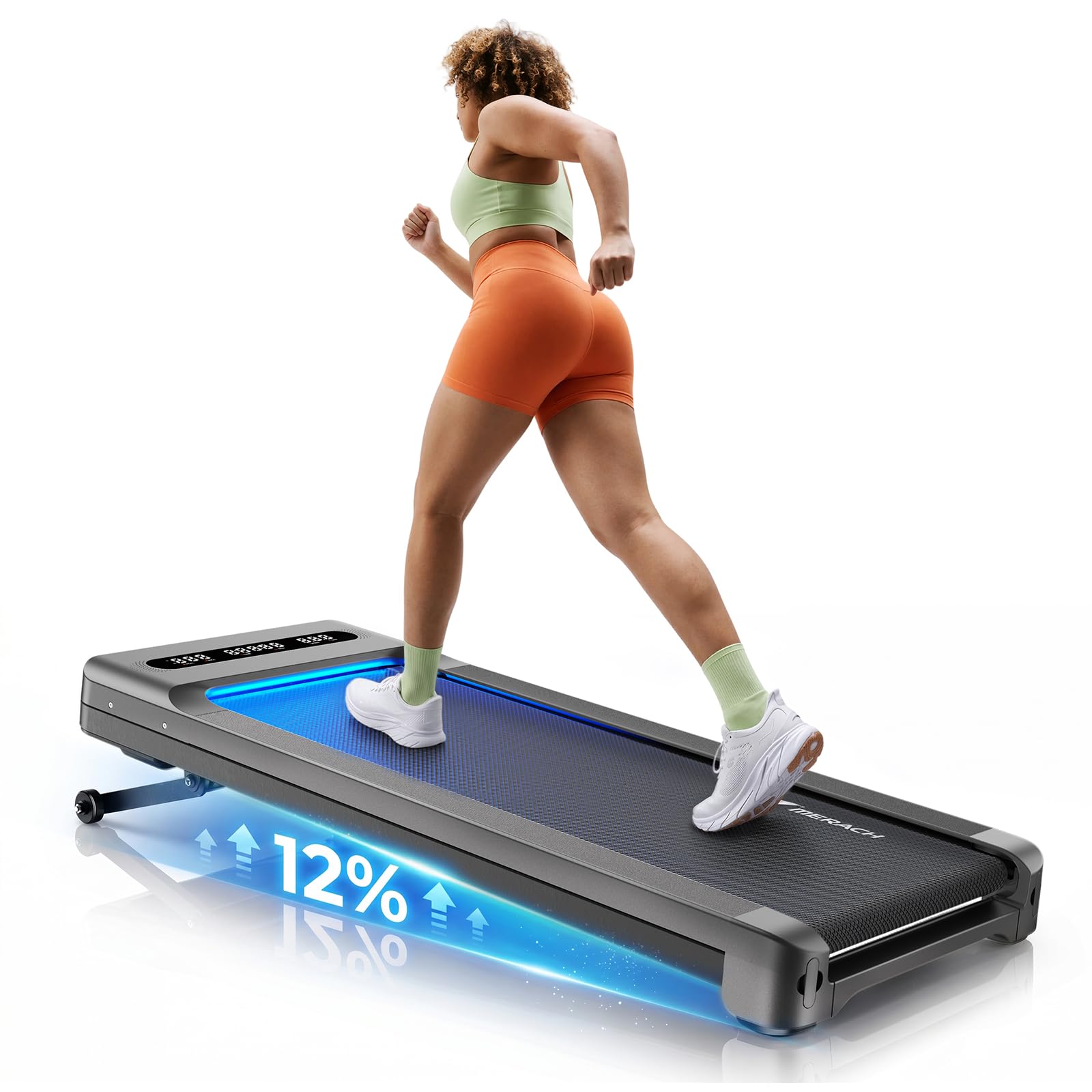
Image: The MERACH UltraWalk W60 Walking Pad Treadmill in Dark Gray.
2. Enfòmasyon enpòtan sou sekirite
Before using the MERACH UltraWalk W60, please review the following safety precautions to prevent injury or damage to the equipment.
- Konsilte doktè w anvan w kòmanse nenpòt nouvo pwogram egzèsis.
- Place the walking pad on a flat, stable surface with adequate clearance around it (at least 2 feet on all sides).
- Kenbe timoun ak bèt kay lwen ekipman an pandan operasyon an.
- Ensure the power cord is not pinched or damaged. Do not use if the cord is damaged.
- Mete soulye atletik ki apwopriye.
- Do not step on or off the walking belt while it is in motion.
- Use the safety key/clip (if included) at all times.
- Do not attempt to service the walking pad yourself. Contact customer support for assistance.
- Maximum user weight capacity is 400 lbs. Do not exceed this limit.
- Unplug the walking pad when not in use or before cleaning/maintenance.
3. Pake kontni
Verifye ke tout konpozan yo prezan nan pake a:
- MERACH UltraWalk W60 Walking Pad Treadmill
- Kontwòl Remote
- Kòd pouvwa
- Manyèl Itilizatè (dokiman sa a)
- Lubricant (if included)

Image: The remote control and easy-roll wheels for the MERACH UltraWalk W60, highlighting portability and control.
4. Gid Enstalasyon
The MERACH UltraWalk W60 is designed for minimal assembly. Follow these steps to prepare your walking pad for use.
- Debake: Carefully remove the walking pad from its packaging. Place it on a flat, stable surface.
- Plasman: Ensure there is at least 2 feet of clear space behind and to the sides of the walking pad for safe operation.
- Koneksyon pouvwa: Plug the power cord into the walking pad's power port and then into a grounded electrical outlet.
- Kontwòl Remote: The remote control is pre-paired. If not, refer to the troubleshooting section or the quick start guide for pairing instructions. The remote can be magnetically docked to the walking pad for convenient storage.
- Koneksyon aplikasyon an:
- Download the MERACH App from the Apple App Store or Google Play Store.
- Pèmèt Bluetooth sou aparèy mobil ou.
- Open the MERACH App and follow the on-screen instructions to connect to your UltraWalk W60.
Image: Close-up of the magnetic remote dock and easy-roll wheels for convenient setup and storage.
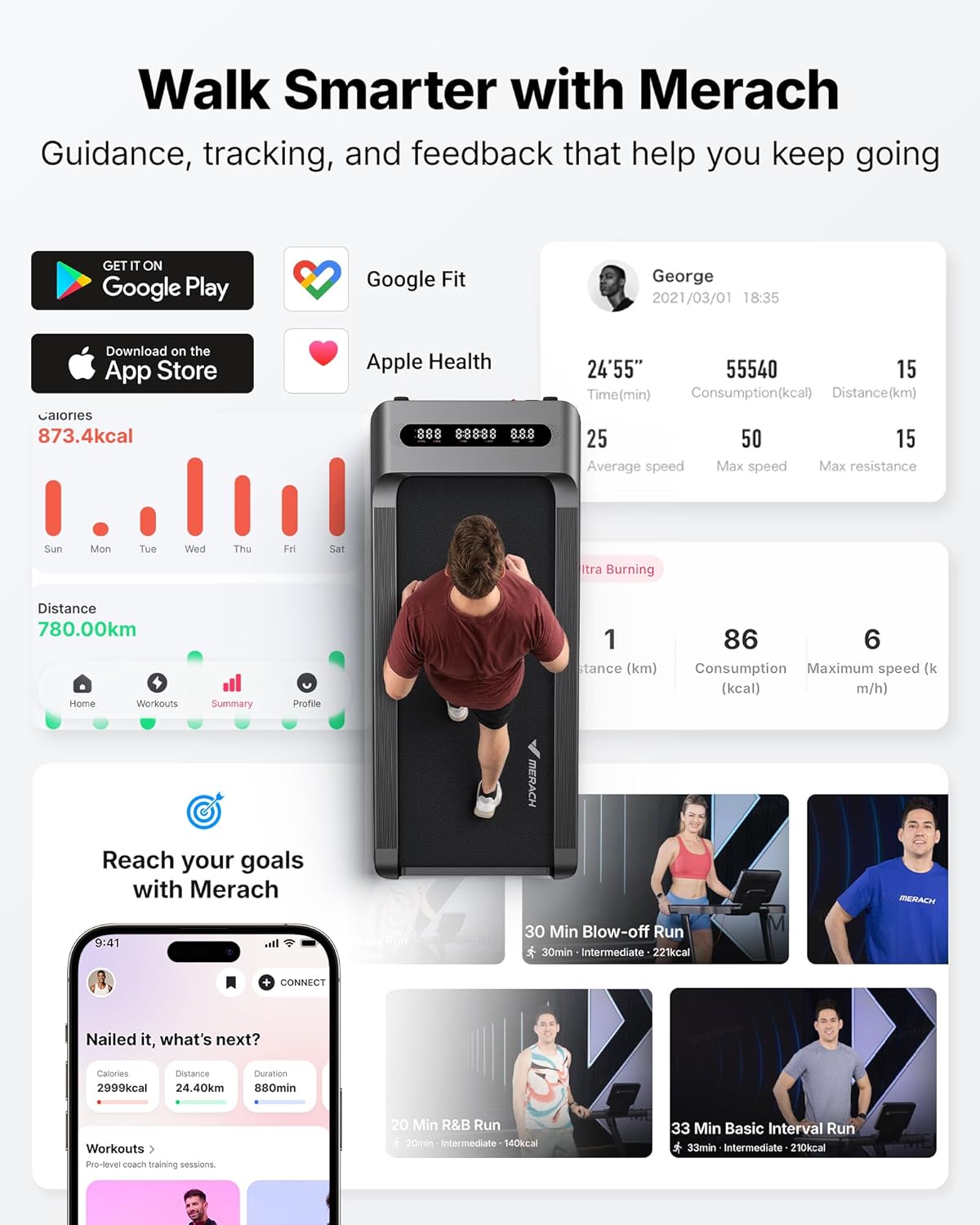
Image: The MERACH App interface, demonstrating workout tracking and smart control features.
5. Operasyon Enstriksyon
Familiarize yourself with the controls and features of your UltraWalk W60.
5.1 Operasyon debaz
- Limen/Etenyen: Press the power button on the remote control or the walking pad to turn it on or off.
- Kòmanse/Stop: Press the Start/Stop button on the remote or app to begin or end a workout.
- Ajisteman vitès: Use the '+' and '-' buttons on the remote or the app to adjust the walking speed. The speed range is typically 0.6 to 4.0 MPH.
- Auto Incline: The UltraWalk W60 features 12 levels of auto incline. Use the incline buttons on the remote or app to adjust the incline percentage (jiska 12%).
- Ekspozisyon: The integrated LED display shows time, speed, distance, calories, steps, and incline level.

Image: A user demonstrating walking on the MERACH UltraWalk W60 with the 12% auto incline feature engaged.
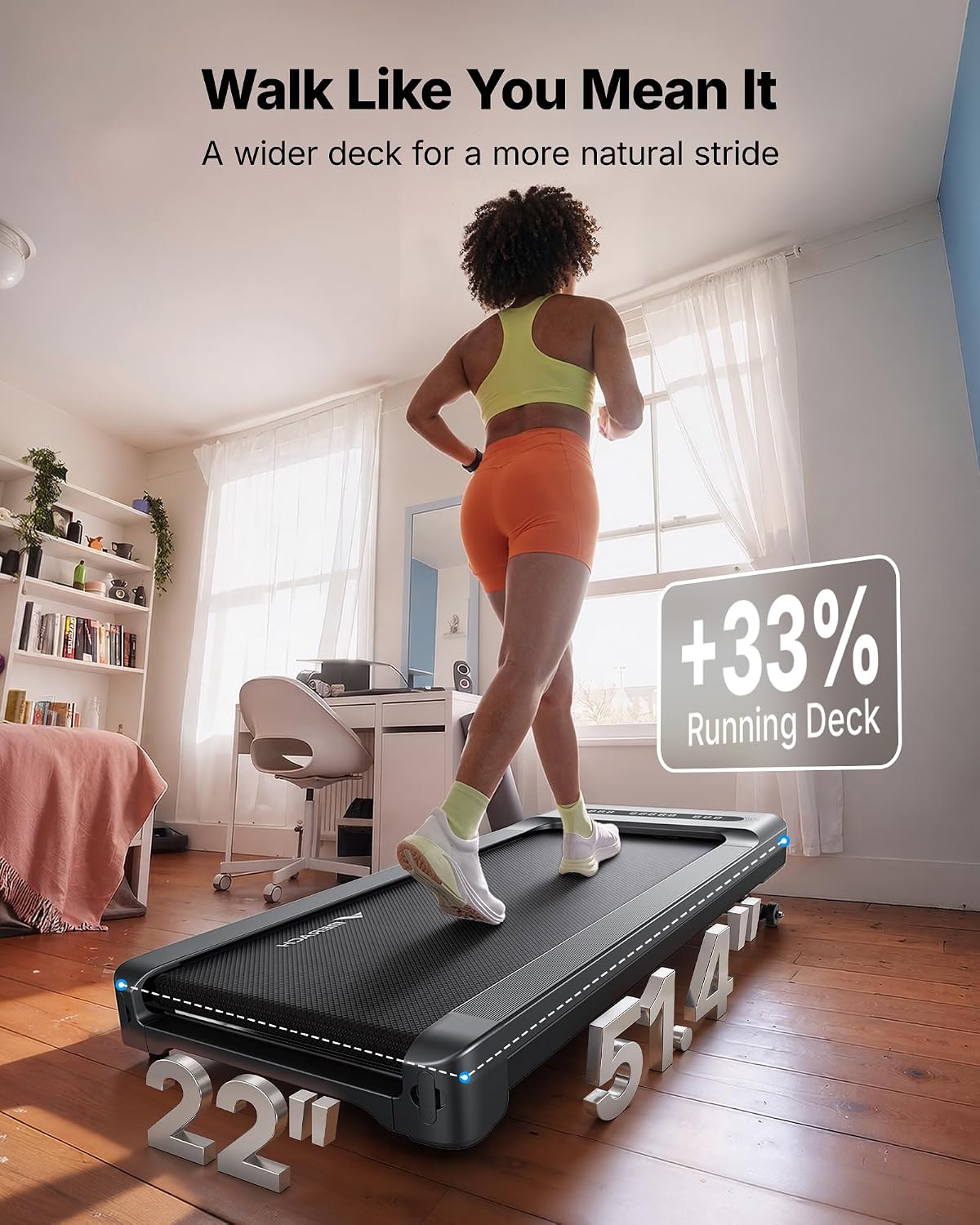
Image: A user walking on the MERACH UltraWalk W60, illustrating the spacious 16.5" x 41.3" walking deck.
5.2 Karakteristik Entelijan
- MERACH App Control: Use the app to control speed, incline, track real-time data, access training modes, and sync with Apple Health and Google Fit. The app also features pause memory.
- Bluetooth Oratè: Connect your mobile device via Bluetooth to the walking pad's integrated speaker to enjoy music during your workout.
- Ekleraj RGB: The walking pad features RGB lighting for an enhanced user experience.
- Verrouillage timoun: For safety, the walking pad includes a child lock function. Refer to the app or quick start guide for activation/deactivation.

Image: A user enjoying a workout on the MERACH UltraWalk W60 with the RGB lighting and Bluetooth speaker features active.
5.3 Videyo pwodwi ofisyèl la
Video: An official MERACH video showcasing the UltraWalk W60 Plus, highlighting its robust build and features. This video demonstrates the product's design and functionality.
6. Antretyen
Regular maintenance ensures the longevity and optimal performance of your MERACH UltraWalk W60.
- Netwayaj: Siye tapi mache a ak piblisiteamp Siye twal la apre chak itilizasyon. Evite itilize pwodui netwayaj abrazif oswa solvan.
- Lubrifikasyon: The walking belt may require lubrication periodically. Refer to the quick start guide or contact customer support for specific instructions and recommended lubricant.
- Ajisteman senti: If the walking belt starts to slip or move off-center, it may need adjustment. Consult the quick start guide or customer support for detailed steps.
- Depo: When not in use, the UltraWalk W60 can be stored flat or upright to save space. Use the integrated wheels for easy movement.
Image: Demonstrates the compact storage options for the MERACH UltraWalk W60, showing it stored both flat under furniture and upright.
NAN. Depanaj
If you encounter issues with your MERACH UltraWalk W60, try the following solutions.
| Pwoblèm | Kòz posib | Solisyon |
|---|---|---|
| Tapi mache a pa limen. | Power cord not connected, outlet issue, power switch off. | Ensure power cord is securely plugged in. Check the wall outlet. Verify the power switch on the unit is on. |
| Senti a glise oswa li ezite. | Senti a twò lach, pa gen ase wilaj. | Adjust the walking belt tension (refer to manual for specific steps). Apply lubricant if needed. |
| Kontwòl remote la pa reponn. | Low battery, remote not paired. | Replace remote control batteries. Re-pair the remote control (refer to quick start guide). |
| App cannot connect to walking pad. | Bluetooth off, app issue, walking pad not powered on. | Ensure Bluetooth is enabled on your device. Restart the app and walking pad. |
For issues not listed here, please contact MERACH customer support.
8. Espesifikasyon
Key technical specifications for the MERACH UltraWalk W60 Walking Pad Treadmill:
| Karakteristik | Detay |
|---|---|
| Mak | MERACH |
| Non modèl | MR-T27 (UltraWalk W60) |
| Dimansyon pwodwi (D x W x H) | 51.4"D x 22"W x 6.5"H |
| Materyèl | Alloy Steel |
| Vitès maksimòm | 4 Mil pou chak èdtan |
| Maksimòm Puissance | 3.5 HP (Peak) / 1.25 CHP |
| Pousan Incline Maksimòmtage | 12% (Auto Incline) |
| Rekòmandasyon pwa maksimòm | 400 liv |
| Koneksyon Teknoloji | Bluetooth, App |
| Kalite ekspozisyon | dirije |
| Konpozan ki enkli | Kontwòl Remote |
| Noise Level (Average) | 53.6 dB |

Image: Technical comparison highlighting the MERACH UltraWalk W60's brushless motor, lifespan, power, and quiet operation against other models.

Image: Visual representation of the MERACH UltraWalk W60's robust 67.7 lbs steel frame and 400 lbs capacity, compared to lighter alternatives.
9. Garanti ak Sipò Kliyan
MERACH bay yon 3-ane garanti for the UltraWalk W60 Walking Pad Treadmill. This warranty covers manufacturing defects and ensures a reliable ownership experience.
For any questions, assistance with setup, troubleshooting, or replacement needs, please contact MERACH customer support. Our service team is dedicated to providing responsive and helpful support.
Anjeneral, ou ka jwenn enfòmasyon kontak sou sit ofisyèl MERACH la. websit la oubyen atravè platfòm acha ou a.