
1. Entwodiksyon
Welcome to the OPPO K14 5G Smartphone user manual. This guide provides comprehensive instructions to help you set up, operate, and maintain your new device. Please read this manual thoroughly to ensure optimal performance and longevity of your smartphone.
2. Pwodwi souview
The OPPO K14 5G is a high-performance smartphone designed for daily use, gaming, and content creation. It features a durable design, a powerful 7000 mAh battery, 6GB RAM, 128GB internal storage, and a SuperCool VC System for efficient thermal management.
2.1 Konpozan Aparèy
- Ekspozisyon: Large, vibrant screen for immersive viewing.
- Kamera dèyè: Dual AI camera system for high-quality photography.
- Kamera devan: Pou selfie ak apèl videyo.
- Bouton pouvwa: Located on the side, used for power on/off and screen lock.
- Bouton Volim: Located on the side, used to adjust audio levels.
- USB-C pò: Pou chaje ak transfè done.
- Plas pou kat SIM/SD: Pou mete kat SIM ak depo agrandisab.
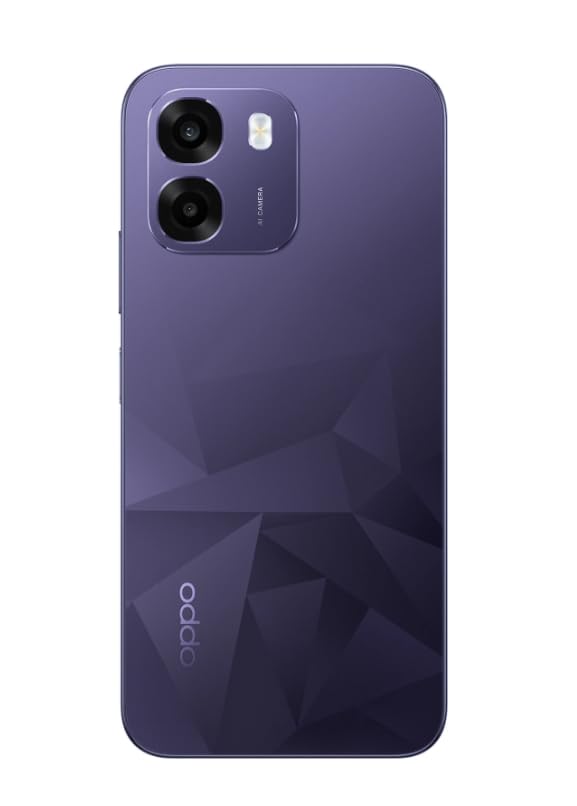
Imaj: Dèyè view of the OPPO K14 5G Smartphone, showcasing the dual camera setup and geometric pattern in Prism Violet.
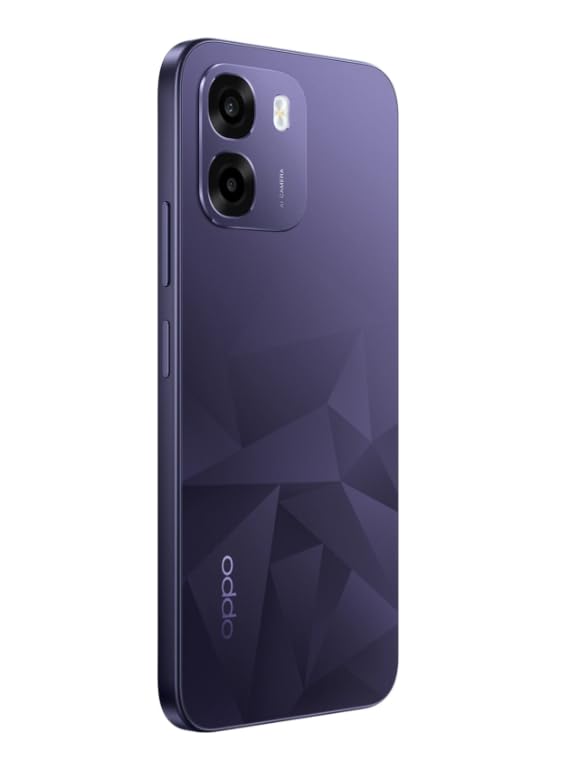
Imaj: Bò kote view of the OPPO K14 5G Smartphone, highlighting the slim profile ak plasman bouton.
3. Enstalasyon
3.1 Mete Kat SIM/SD a
- Jwenn plato kat SIM/SD a sou kote aparèy ou an.
- Mete zouti pou retire kat SIM lan nan ti twou ki akote plato a epi pouse dousman jiskaske plato a soti.
- Mete kat Nano-SIM ou yo ak/oswa kat microSD ou yo nan plato a ak kontak lò yo anba. Asire w ke yo byen chita.
- Remete plato a nan telefòn nan avèk prekosyon.
3.2 Premye Limen ak Konfigirasyon
- Peze epi kenbe bouton Power la jiskaske logo OPPO a parèt.
- Swiv enstriksyon ki sou ekran an pou chwazi lang ou, rejyon ou, konekte sou Wi-Fi a, epi konfigire kont Google ou.
- You can transfer data from an old device during this process or skip it for later.
3.3 Chaje Aparèy la
Before first use, it is recommended to fully charge your OPPO K14 5G. Connect the USB-C cable to the phone's charging port and the other end to a compatible power adapter. The device supports 45W fast charging.
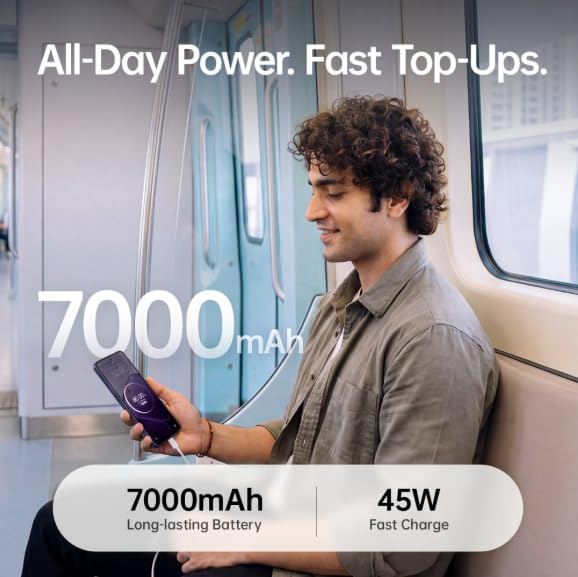
Image: The OPPO K14 5G highlighting its 7000mAh long-lasting battery and 45W fast charge capability.
4. Operasyon Enstriksyon
4.1 Navigasyon debaz
- Manyen: Tap to select items, open apps, or confirm actions.
- Glise: Move your finger across the screen to scroll, switch between home screens, or navigate within apps.
- Zongle: Sèvi ak de dwèt pou agrandi oswa diminye foto yo epi web paj.
- Jès: Customize navigation gestures in Settings for a fluid experience. The 120Hz display ensures smooth motion.
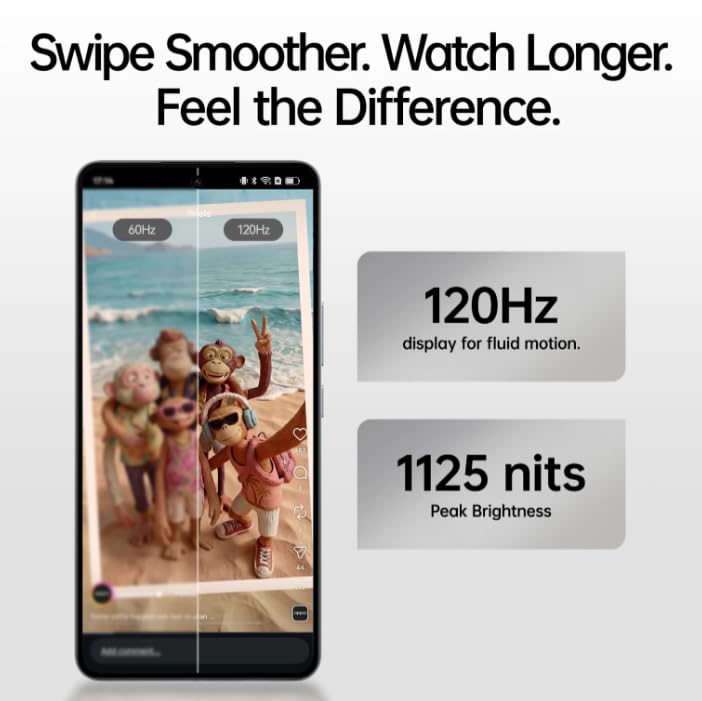
Image: The OPPO K14 5G display showcasing 120Hz for fluid motion and 1125 nits peak brightness.
4.2 Apèl ak Mesaj
- Fè apèl: Louvri aplikasyon Telefòn nan, antre nimewo a, epi tape ikòn apèl la.
- Voye Mesaj: Open the Messages app, tap to start a new conversation, enter the recipient and your message.
4.3 Koneksyon Rezo
The OPPO K14 5G supports 5G connectivity for fast internet speeds. Ensure your SIM card supports 5G and that you are in a 5G coverage area. You can manage Wi-Fi and mobile data settings in the Settings app.
5. Itilizasyon kamera
Your OPPO K14 5G is equipped with a dual AI camera system designed to capture sharp and detailed photos in various conditions. The main camera is 50MP.
5.1 Pran Foto ak Videyo
- Louvri aplikasyon Kamera a.
- Chwazi mòd ou vle a (Foto, Videyo, Pòtrè, Lannwit, elatriye).
- Tape bouton deklanchè a pou pran yon foto oswa pou kòmanse/sispann anrejistreman videyo.
- Use the zoom controls or switch between lenses as needed.
6. Jesyon batri
The OPPO K14 5G features a large 7000 mAh battery, providing extended usage time. To maximize battery life:
- Ajiste klète ekran an.
- Fèmen aplikasyon ki pa itilize yo kouri nan background nan.
- Aktive mòd ekonomize enèji yo lè batri a ba.
- Evite tanperati ekstrèm.
7. Pèfòmans ak Refwadisman
The device is engineered for smooth performance with 6GB RAM and is equipped with a SuperCool VC System. This system includes a 3900 mm² vapour chamber cooling area, which effectively dissipates heat during intensive tasks like gaming, ensuring sustained performance without overheating.
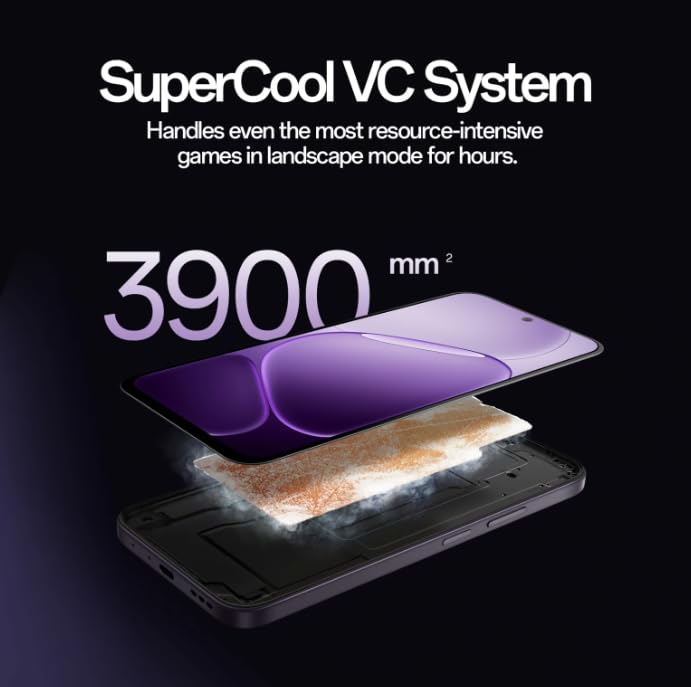
Image: Diagram illustrating the SuperCool VC System with its 3900 mm² vapour chamber, designed to prevent overheating during extended use.
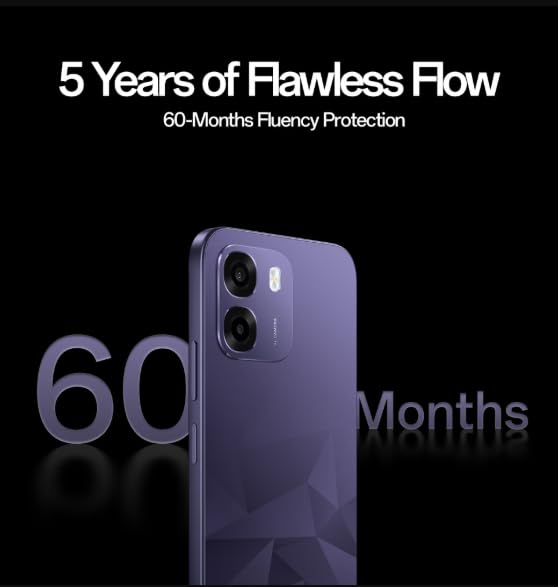
Image: The OPPO K14 5G promoting 60-Months Fluency Protection for long-term smooth performance.
8. Antretyen
8.1 Netwaye aparèy ou an
Use a soft, lint-free cloth to clean the screen and body of your phone. Avoid using harsh chemicals or abrasive materials. The device offers IP69 all-weather protection.
8.2 Mizajou lojisyèl
Regularly check for and install software updates to ensure your device has the latest features, security patches, and performance improvements. Go to Settings > About device > Software update.
8.3 Sovgad Done
Detanzantan, fè kopi done enpòtan ou yo (foto, kontak, dokiman) nan yon sèvis nwaj oswa yon òdinatè pou evite pèt done.
NAN. Depanaj
If you encounter issues with your OPPO K14 5G, try the following steps:
- Aparèy pa Limen: Asire w batri a chaje. Konekte l nan yon plato pou omwen 15 minit anvan ou eseye limen l.
- Aplikasyon k ap plante/bloke: Close the app and reopen it. If the issue persists, clear the app's cache (Settings > Apps > [App Name] > Storage > Clear cache).
- Network Issues (5G/Wi-Fi): Check if Airplane Mode is off. Restart your phone. For Wi-Fi, try forgetting the network and reconnecting. For 5G, ensure you have coverage and your SIM is active.
- Pèfòmans Ralanti: Fèmen aplikasyon ki an background, efase kach la, oswa rekòmanse aparèy la.
- Reset faktori: As a last resort, if problems persist, you can perform a factory reset (Settings > System settings > Back up and reset > Reset phone). Avètisman: Sa ap efase tout done ki sou telefòn ou an. Fè yon kopi done ou yo anvan ou kontinye.
10. Espesifikasyon
| Karakteristik | Spesifikasyon |
|---|---|
| Mak | OPPO |
| Modèl | K14 5G |
| Gwosè memwa RAM enstale | 6 GB |
| Kapasite Depo memwa | 128 GB |
| Teknoloji selilè | 5G |
| Koneksyon Teknoloji | 5G |
| Koulè | Prism Violet |
| Number of Rear Facing Cameras | 2 |
| Kapasite batri | 7000 Miliamp Orè |
| Itilizasyon espesifik pou pwodwi | Gaming, Content Creation |
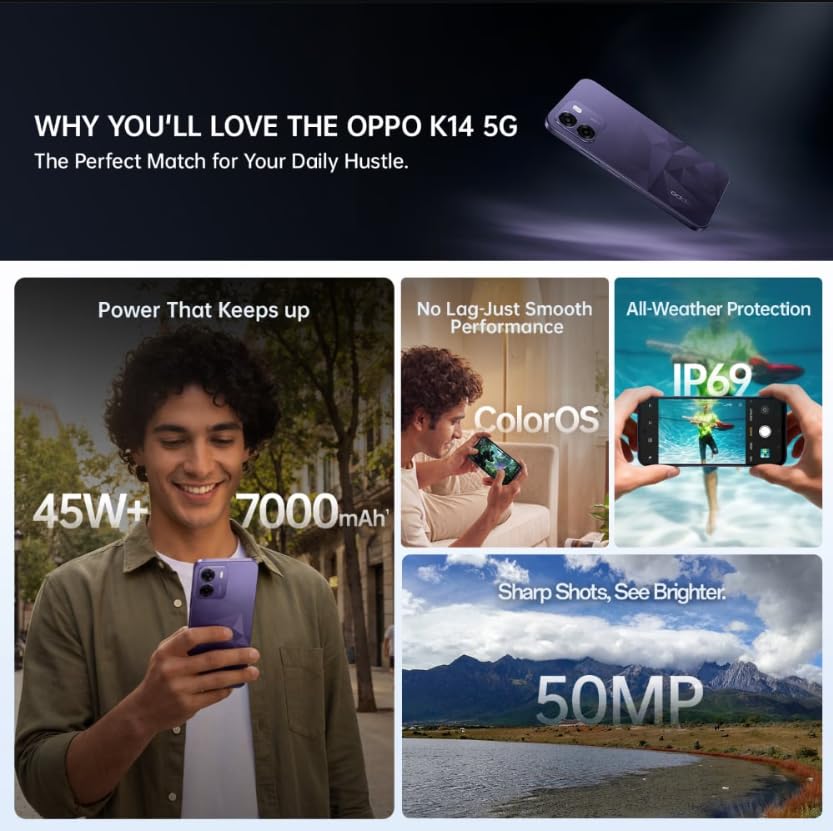
Image: A collage of key features for the OPPO K14 5G, including 7000mAh battery, smooth performance with ColorOS, IP69 all-weather protection, and a 50MP camera.
11. Garanti ak sipò
Your OPPO K14 5G Smartphone comes with a standard manufacturer's warranty. Please refer to the warranty card included in your product packaging for specific terms and conditions, including coverage duration and service procedures. For technical assistance, troubleshooting beyond this manual, or warranty claims, please contact OPPO customer support through their official websit oswa sant sèvis deziyen yo.
Kenbe resi acha ou ak anbalaj pwodwi a pou rezon garanti.