
1. Entwodiksyon
This manual provides essential information for setting up, operating, and maintaining your RebotAi A9 Android Tablet. Please read it thoroughly before using the device to ensure proper functionality and safety.

Imaj 1.1: Devan ak dèyè view of the RebotAi A9 Android Tablet.

Imaj 1.2: Plis paseview of the RebotAi A9 Android Tablet highlighting its 8.68-inch 90Hz IPS display, MediaTek Helio G100 processor, 7.8mm thickness, 360g weight, 18GB RAM, 128GB ROM, 5000mAh battery, 2.4GHz+5GHz WiFi, GPS, and BT5.2.
2. Karakteristik kle
- Processeur: Latest MediaTek Helio G100 (MT8781) octa-core CPU (up to 2.2GHz) for enhanced performance and energy efficiency.
- Memwa ak Depo: 18GB RAM (6GB physical + 12GB virtual) and 128GB internal storage, expandable up to 1TB via microSD.
- Ekspozisyon: 8.68-inch high-definition IPS LCD display with 1340x800 resolution, 90Hz refresh rate, and 450 nits brightness.
- Koneksyon: Dual nano SIM 4G LTE support (B1 / B3 / B7 / B8 / B19 / B20), high-speed 5G Wi-Fi, Bluetooth 5.2, and integrated high-precision GPS.
- Kamera: 13-megapixel autofocus rear camera and 5-megapixel front camera.
- Batri: 5000mAh large-capacity battery with 20W PD fast charging support.
- Konsepsyon: Ultra-thin 7.8mm and lightweight 360g nano-coated metal body.
- Lojisyèl: Runs on Android 15 with GMS certification, supporting various AI applications and features like face recognition (for unlocking).
3. Enstalasyon
3.1 Kontni pake a
Verifye ke tout atik yo prezan nan pakè a:
- RebotAi A9 Tablet x1
- Charger x1
- USB-C kab x1
- Stylus Pen x1
- Screen Protector (pre-applied) x1
- Instruction Manual (Japanese) x1
- SIM Card Pin x1

Image 3.1: Illustration of the RebotAi A9 tablet and its included accessories.
3.2 Premye chaj
Before first use, fully charge the tablet using the provided USB-C cable and charger. Connect the USB-C cable to the tablet's charging port and the charger to a power outlet.
Video 3.1: This video demonstrates the physical features of the RebotAi A9 tablet, including its rear camera, side buttons, USB-C port, and speaker grille. It also shows the tablet being charged and powered on, displaying the RebotAi logo.
3.3 Enstalasyon Kat SIM ak Kat MicroSD
Locate the card slot on the side of the tablet. Use the provided SIM card pin to open the tray. Insert up to two nano SIM cards and/or one microSD card (up to 1TB) into the tray, ensuring correct orientation. Gently push the tray back into the slot until it clicks into place.
4. Operasyon Enstriksyon
4.1 Power On/Off
- Pou limen: Press and hold the power button until the RebotAi logo appears.
- Pou etenn: Press and hold the power button, then select 'Power Off' from the options on the screen.
- Pou rekòmanse: Press and hold the power button, then select 'Restart' from the options on the screen.
4.2 Navigasyon debaz
The tablet uses a touch-sensitive screen for navigation:
- Tape: Touche ekran an yon fwa pou chwazi yon atik oswa louvri yon aplikasyon.
- Long Press: Manyen epi kenbe yon atik pou plis opsyon.
- Glise: Drag your finger across the screen to scroll or navigate between pages.
- Zongle: Sèvi ak de dwèt pou agrandi oswa diminye imaj yo epi web paj.
4.3 Fonksyonalite Ekran Fann
The tablet supports split-screen mode, allowing you to use two applications simultaneously. This feature is useful for multitasking, such as watching a video while chatting or browsing information.

Image 4.1: The tablet demonstrating split-screen mode, allowing two applications to be viewed ansanm.
5. Koneksyon
5.1 Koneksyon Wi-Fi
The RebotAi A9 supports dual-band 2.4GHz and 5GHz Wi-Fi (802.11ac) for fast and stable internet access.
- Ale nan Anviwònman > Rezo & Entènèt > Wi-Fi.
- Limen Wi-Fi.
- Chwazi rezo ou vle a nan lis la epi antre modpas la si sa nesesè.
5.2 4G LTE Mobile Data and Calls
With dual nano SIM support, you can use 4G LTE for mobile data and voice calls. The tablet supports bands B1 / B3 / B7 / B8 / B19 / B20.
- Ensure SIM cards are correctly installed.
- Ale nan Anviwònman > Rezo & Entènèt > Rezo mobil.
- Configure your mobile data settings as per your carrier's instructions.
5.3 Bluetooth Koneksyon
The tablet features Bluetooth 5.2 for connecting wireless accessories.
- Ale nan Anviwònman > Aparèy ki konekte > Bluetooth.
- Limen Bluetooth.
- Select the device you wish to pair from the list and follow the on-screen prompts.
5.4 Navigasyon GPS
The integrated high-precision GPS supports navigation and location-based services, compatible with Beidou, Galileo, and GLONASS.

Image 5.1: The tablet displaying GPS navigation, indicating its capability for accurate positioning.
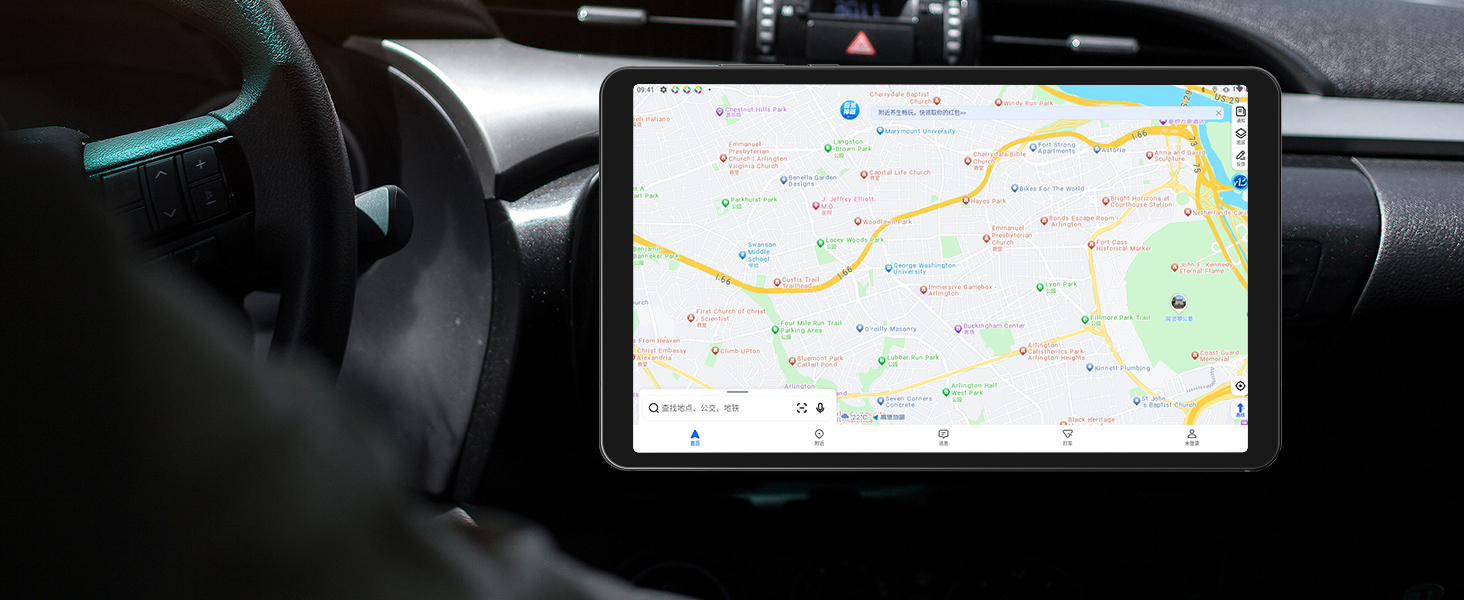
Image 5.2: The RebotAi A9 tablet being used for in-car navigation, demonstrating its GPS functionality.
6. Display and Multimedia
6.1 High-Definition Display
The 8.68-inch IPS LCD display offers a 1340x800 resolution, 90Hz refresh rate, and 450 nits brightness. Its full lamination structure ensures vibrant colors and clear visuals for videos, games, photos, and documents.

Image 6.1: The tablet screen displaying a visual representation of its 90Hz refresh rate.

Image 6.2: The RebotAi A9 tablet showcasing a colorful image on its IPS display, emphasizing visual quality.
6.2 Widevine L1 Support
With Widevine L1 certification, the tablet allows high-quality, full HD content streaming from services like Amazon Prime Video, Netflix, Disney+, and Hulu.

Image 6.3: The tablet highlighting its Widevine L1 support for high-definition streaming from various platforms.
6.3 Sòti odyo
The tablet features dual BOX speakers for clear audio and a 3.5mm headphone jack for private listening.

Imaj 6.4: Tablèt la ap montreasing its dual BOX speakers for enhanced audio experience.
6.4 Pwojeksyon san fil
The tablet supports wireless projection, allowing you to easily connect to a large-screen TV for sharing content.
7. Kamera
The RebotAi A9 is equipped with a 13-megapixel autofocus rear camera and a 5-megapixel front camera, suitable for photography, video calls, and QR code scanning.

Imaj 7.1: Gwo plan view of the RebotAi A9 tablet's rear camera module.

Image 7.2: Visual representation of the tablet's 5MP front and 13MP rear cameras.
8. Depo ak Pèfòmans
8.1 processeur
The tablet is powered by the MediaTek Helio G100 (MT8781) octa-core processor, featuring two Cortex-A76 and six Cortex-A55 cores, clocked up to 2.2GHz. This configuration provides an AnTuTu score exceeding 400,000, ensuring smooth performance for various applications, including gaming.

Image 8.1: Details of the MTK Helio G100 processor, highlighting its performance and efficiency.
8.2 Memwa ak Depo
The RebotAi A9 comes with 18GB RAM (6GB physical + 12GB virtual) and 128GB of internal storage. Storage can be expanded up to 1TB using a microSD card, providing ampespas pou aplikasyon, medya, ak dokiman.

Image 8.2: Visual representation of the tablet's 18GB RAM and 128GB ROM, with 1TB expansion capability.

Image 8.3: Illustration of the tablet's large storage capacity, including 6GB+12GB virtual memory, 128GB storage, and 1TB expansion.
8.3 Jwèt ak Divètisman
The combination of the Helio G100 processor, Mali-G76 GPU, 90Hz display, and 6-axis gyroscope provides a responsive and immersive experience for gaming and multimedia consumption.

Image 8.4: The tablet displaying a racing game, demonstrating its smooth performance for gaming.

Image 8.5: A user playing a game on the RebotAi A9 tablet, highlighting its suitability for gaming.

Image 8.6: A user reading comics on the RebotAi A9 tablet, showcasing its display quality for reading.
9. Batri ak Chaje
The tablet is equipped with a 5000mAh battery and supports 20W PD fast charging, providing extended usage times for various activities such as reading, online classes, video viewing, and work.
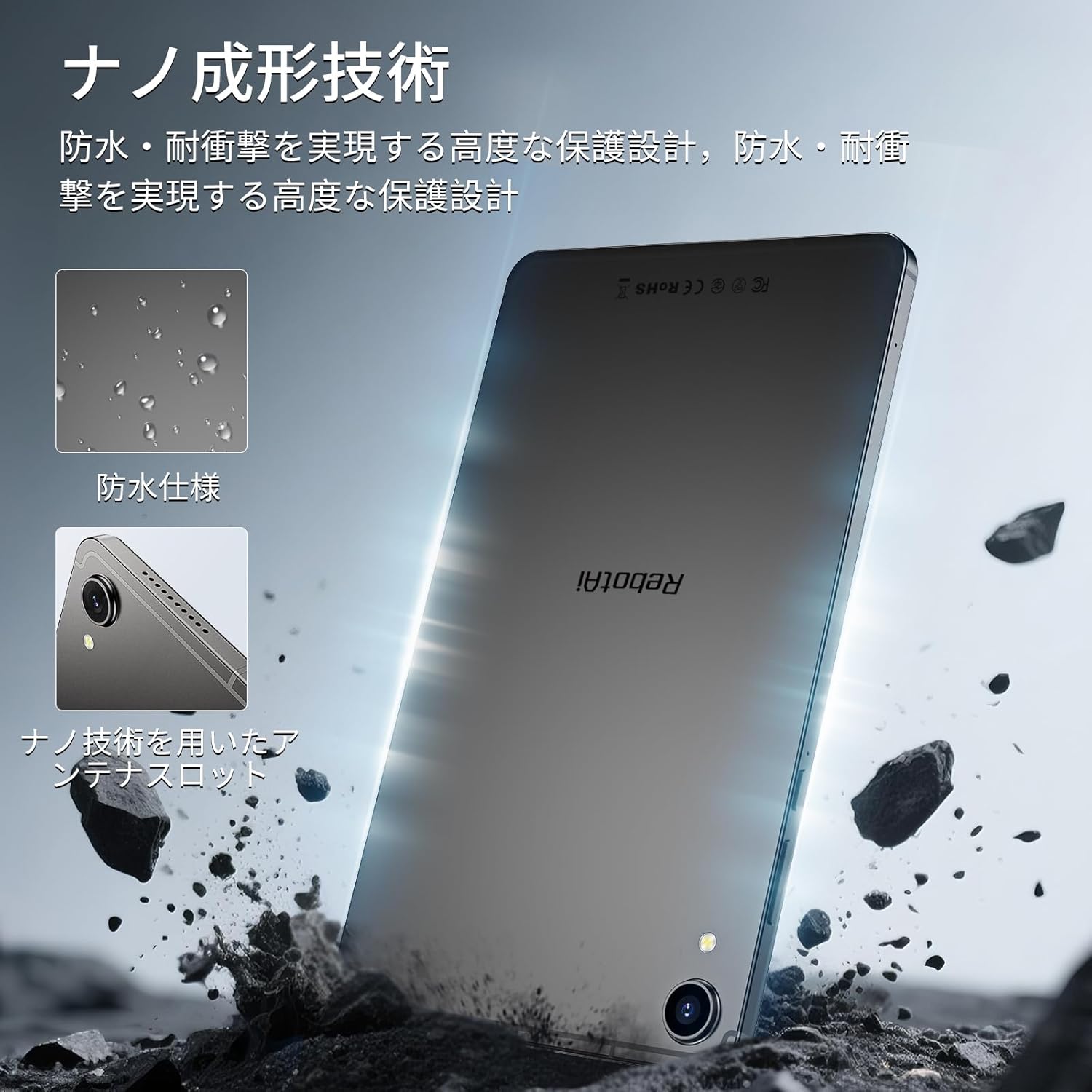
Image 9.1: The RebotAi A9 tablet connected to its charger, indicating its charging capability.

Image 9.2: Details of the tablet's 5000mAh battery and 20W fast charging, with estimated usage times for different activities.
10. Physical Design and Durability
The RebotAi A9 features a nano-coated metal body, offering a smooth and premium feel. Its ultra-thin 7.8mm profile and lightweight 360g design make it highly portable. The nano-molding technology provides enhanced protection against water and impacts.

Image 10.1: The tablet highlighting its water-resistant features and nano-molding technology for durability.

Image 10.2: The RebotAi A9 tablet emphasizing its thinness (7.8mm) and light weight (360g).

Imaj 10.3: Detaye view of the tablet's nano-molding technology, contributing to its robust design.
11. Espesifikasyon
| Karakteristik | Spesifikasyon |
|---|---|
| Mak | RebotAi |
| Non modèl | A9 |
| Sistèm operasyon | Android 15 |
| Processeur | MediaTek Helio G100 (Octa-core, up to 2.2 GHz) |
| GPU | Mali-G76 |
| RAM | 18 GB (6GB fizik + 12GB vityèl) |
| Depo Entèn | 128 GB |
| Depo dilatabl | Up to 1 TB via microSD |
| Gwosè ekran | 8.68 pous |
| Kalite ekspozisyon | IPS LCD |
| Rezolisyon | 1340x800 piksèl |
| Rafrechisman pousantaj | 90 Hz |
| Klète | 450 nits |
| Aspè rapò | 16:10 |
| Kamera dèyè | 13 MP (Autofocus) |
| Kamera devan | 5 MP |
| Kapasite batri | 5000 mAh |
| Chaje | Chaje rapid 20W PD |
| Wi-Fi | 802.11ac (2.4GHz/5GHz) |
| Bluetooth | 5.2 |
| Rezo mobil | 4G LTE (Dual Nano SIM, Bands: B1/B3/B7/B8/B19/B20) |
| GPS | Integrated (Supports Beidou, Galileo, GLONASS) |
| Detèktè | 6-axis Gyroscope, Light Sensor, Gravity Sensor, Hall Sensor, Proximity Sensor |
| Pò | USB 2.0 Type-C, 3.5mm Headphone Jack |
| Dimansyon | 7.8 mm epesè |
| Pwa | Apeprè. 360 g |
| Koulè | Gray-Metallic |
| Sètifikasyon | PSE, TELEC, GMS |
12. Antretyen
12.1 Netwayaj
Use a soft, lint-free cloth to clean the tablet screen and body. Avoid using harsh chemicals or abrasive materials that could damage the device.
12.2 Mizajou lojisyèl
Tcheke epi enstale mizajou sistèm yo regilyèman pou asire pèfòmans ak sekirite optimal. Ale nan Anviwònman > Sistèm > Aktyalizasyon sistèm lan.
12.3 Jesyon Depo
Pou kenbe pèfòmans lan, retire sa ki pa nesesè detanzantan files and applications. You can check storage usage in Anviwònman > Depo.
NAN. Depanaj
Tablèt 13.1 la pa limen
- Asire w batri a chaje. Konekte chajè a epi tann kèk minit anvan ou eseye limen l ankò.
- Press and hold the power button for at least 10-15 seconds to force a restart.
13.2 Pèfòmans Ralanti
- Fèmen aplikasyon ou pa itilize k ap fonksyone nan background nan.
- Efase done kach pou aplikasyon yo itilize souvan.
- Check for available system updates.
- Konsidere fè yon reset faktori si pwoblèm yo pèsiste (fè yon backup done ou yo an premye).
13.3 Pwoblèm Koneksyon Wi-Fi
- Asire w ke Wi-Fi a aktive sou tablèt la.
- Rekòmanse routeur Wi-Fi ou a.
- Bliye rezo a nan paramèt tablèt la epi rekonekte.
14. Garanti ak sipò
The RebotAi A9 tablet comes with a 2-year product warranty. This product has obtained all official certifications based on Japanese regulations, including PSE (Electrical Appliance and Material Safety Act), TELEC (Radio Act), and GMS (Google official certification).
14.1 Kontakte Sipò
For any inquiries or issues, please contact the seller through your Amazon purchase history. Alternatively, on the product page, click the store name below the 'Add to Cart' button, then click 'Ask a question' in the upper right corner.

Image 14.1: Warranty and support information for the RebotAi A9 tablet.