
1. Entwodiksyon
Thank you for choosing the GMKtec NucBox G3 Pro Mini PC. This compact and powerful device is designed for a wide range of applications, from daily office tasks and web browsing to video editing and light server operations. Featuring an Intel Core i3-10110U processor, expandable memory and storage, and versatile connectivity, the NucBox G3 Pro offers a stable and efficient computing experience. This manual provides essential information for setup, operation, maintenance, and troubleshooting to ensure optimal performance and longevity of your device.
2. Enfòmasyon sou Sekirite
- Always use the provided power adapter to prevent damage to the device.
- Pa ekspoze aparèy la nan dlo, imidite, oswa tanperati ekstrèm.
- Evite mete aparèy la nan limyè solèy la dirèk oswa tou pre sous chalè.
- Ensure proper ventilation to prevent overheating. Do not block the ventilation openings.
- Pa eseye ouvri oswa repare aparèy la tèt ou. Konsilte pèsonèl sèvis ki kalifye.
- Kenbe aparèy la lwen gwo chan mayetik.
3. Pake kontni
Tanpri tcheke kare a pou atik sa yo:
- GMKtec Mini PC Unit (NucBox G3 Pro) x 1
- Pake vis x 1
- Adaptè pouvwa x 1
- HDMI Kab x XNX
- Manyèl itilizatè x 1
- VESA Bracket x 1

Image: Contents of the GMKtec NucBox G3 Pro retail package.
4. Pwodwi souview
The GMKtec NucBox G3 Pro is a compact mini PC featuring an Intel Core i3-10110U processor, offering enhanced processing performance compared to previous generation models. It supports a wide range of uses from daily tasks to business applications. The device is designed for low power consumption (TDP 8W-15W) and low heat generation, ensuring stable operation.
Karakteristik kle:
- Processeur: Intel Core i3-10110U (2 Cores, 4 Threads, up to 4.1GHz, 6MB Cache)
- memwa: 16GB DDR4 (8GB x 2) standard, expandable up to 64GB via 2 SO-DIMM slots.
- Depo: 256GB NVMe SSD standard, expandable up to 8TB via 2 M.2 slots (M.2 2280 PCIe Gen3x4 x1, M.2 2242 SATA3.0 x1).
- Ekspozisyon Sòti: Supports dual 4K@60Hz display output via HDMI ports.
- Koneksyon: Wi-Fi 6 (up to 1201 Mbps), Bluetooth 5.2, 2.5G LAN.
- Karakteristik espesyal: Wake On LAN, PXE Boot, RTC Wake, Auto Power On.
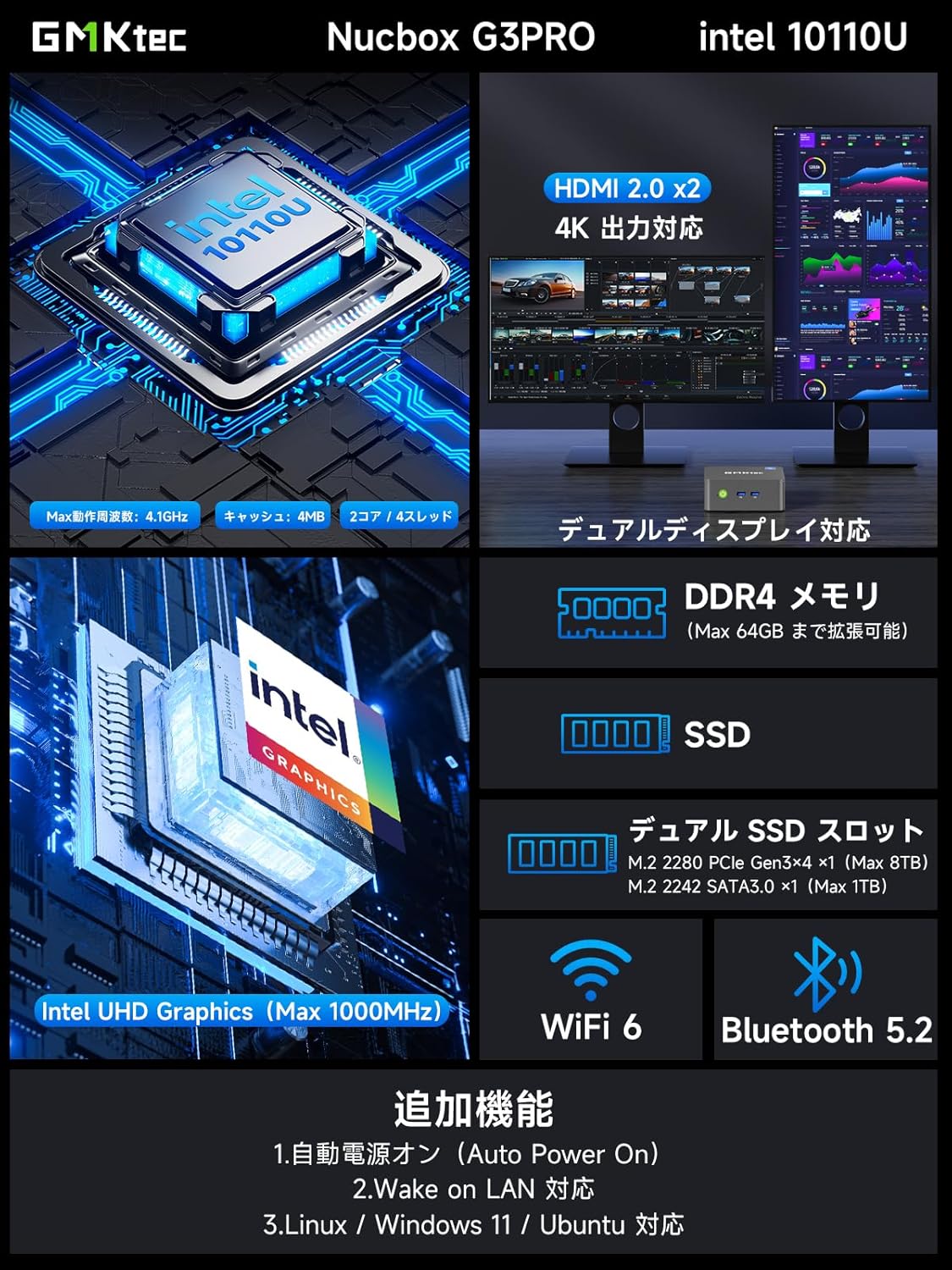
Imaj: Plis paseview of the GMKtec NucBox G3 Pro, highlighting ports, memory, storage, and wireless capabilities.
Pò ak entèfas:
The NucBox G3 Pro offers a comprehensive set of ports for various peripherals and displays:
- USB 3.2 (Gen1) x 2
- USB 2.0 x 2
- HDMI x 2 (4K@60Hz output)
- 2.5G LAN (RJ45) x 1
- 3.5mm Audio Jack x 1
- Power Button x 1
- DC IN x 1

Imaj: Detaye view of the NucBox G3 Pro's front and rear ports, including HDMI, USB, LAN, and audio jacks.
5. Enstalasyon
5.1 Koneksyon Inisyal
- Connect your monitor(s) to the HDMI ports on the back of the Mini PC using the provided HDMI cable.
- Konekte klavye ak sourit ou nan pò USB yo.
- For wired internet access, connect an Ethernet cable to the 2.5G LAN port.
- Connect the power adapter to the DC IN port on the Mini PC, then plug it into a power outlet.
- Peze bouton pouvwa a ki sou devan Mini PC a pou limen l.
5.2 Enstalasyon Mòn VESA
The NucBox G3 Pro supports VESA mounting, allowing you to attach it to the back of a compatible monitor or TV for a clutter-free workspace.
- Attach the VESA bracket to the back of your monitor using the appropriate screws.
- Secure the Mini PC to the VESA bracket.

Image: Demonstrates VESA mount installation and desktop placement options for the Mini PC.
6. Operasyon Enstriksyon
6.1 Power On/Off
- Pouvwa sou: Peze bouton pouvwa a sou panèl devan an.
- Pouvwa Off: From the operating system, select 'Shut down'. Alternatively, press and hold the power button for 5 seconds to force a shutdown (not recommended for regular use).
6.2 Konfigirasyon ekspozisyon
The NucBox G3 Pro supports dual 4K displays. Connect your monitors to the HDMI ports. The operating system will automatically detect and configure the displays. You can adjust display settings (resolution, orientation, extended/duplicated desktop) through the Windows Display Settings.
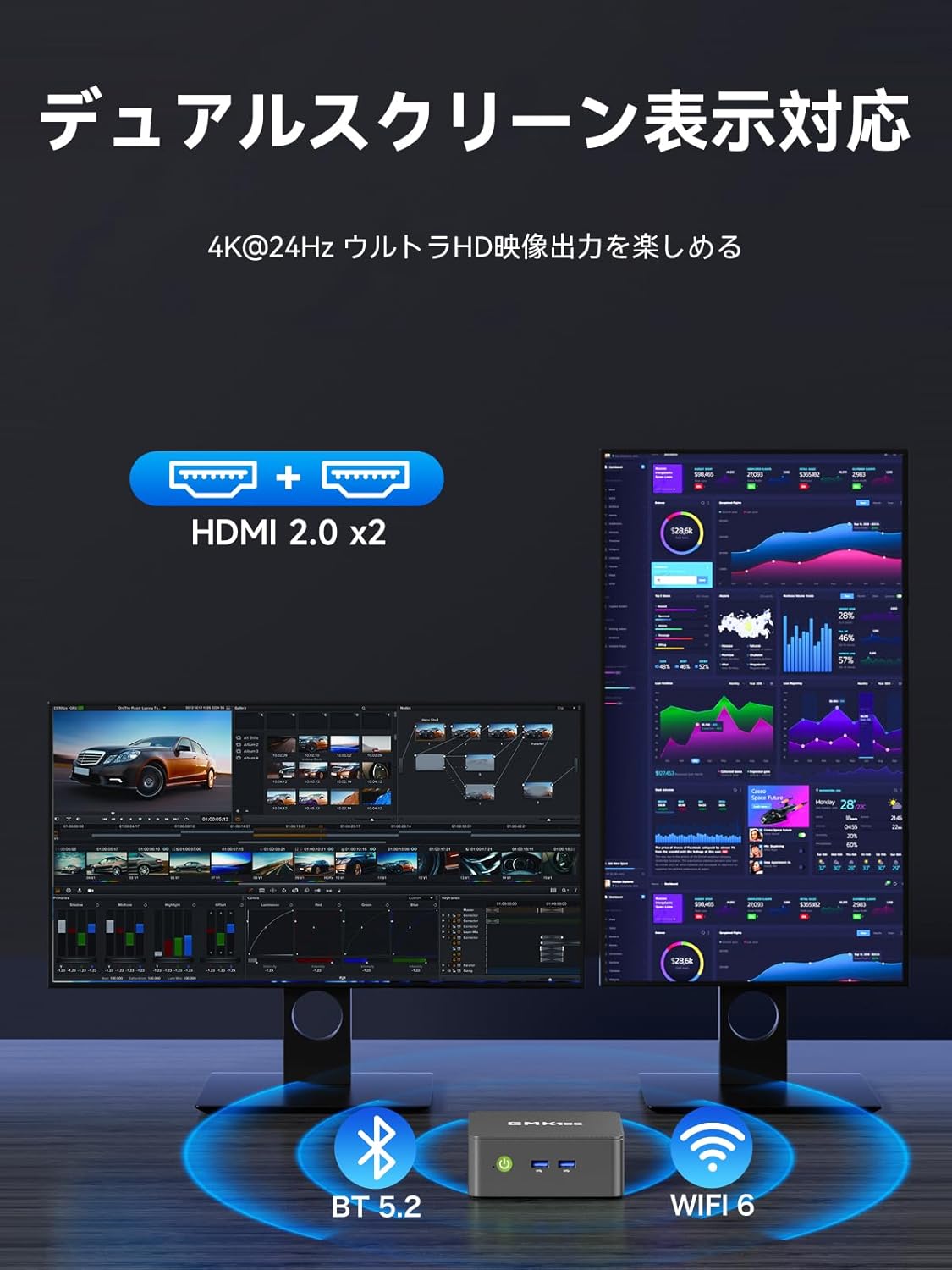
Image: Illustrates the dual-screen display capability of the Mini PC.
6.3 Operating Modes (TDP Adjustment)
The Mini PC features three adjustable TDP (Thermal Design Power) modes: 8W, 10W, and 15W. These modes allow you to balance performance and power consumption according to your needs (Quiet Mode, Power Saving Mode, Full Power Mode).
To adjust the operating mode:
- Power on the Mini PC and repeatedly press the 'ESC' key during startup to enter the BIOS setup screen.
- Navigate to the 'Advanced' tab using the arrow keys.
- Select 'Hardware Monitor' and press 'Enter'.
- Enter the 'System Smart Fan' menu.
- Select 'Enabled' for System Smart Fan.
- Under 'PWM Control System Fan Speed', you can choose from various fan speed percentages (20% to 100%) or 'OFF' to stop the fan. Adjust to your preferred speed.
- Once settings are complete, press 'F10' to save and exit.

Image: Shows the three operating modes (Silent, Balanced, Performance) and the BIOS screen for fan speed adjustment.
Video: Demonstrates how to adjust fan speed settings in the BIOS. Note: This video is for a similar GMKtec model (G10), but the BIOS fan control steps are generally applicable.
7. Antretyen
7.1 Netwayaj
Regularly clean the exterior of the Mini PC with a soft, dry cloth. Use compressed air to clear dust from the ventilation openings to maintain optimal airflow and cooling performance.
7.2 Depo ak Ekspansyon Memwa
The NucBox G3 Pro allows for easy expansion of both RAM and SSD storage. It supports up to 64GB DDR4 RAM and up to 8TB SSD storage.
- Etenn aparèy la epi dekonekte tout câbles.
- Retire kouvèti anba Mini PC a avèk prekosyon.
- Locate the SO-DIMM slots for RAM or the M.2 slots for SSDs.
- Install or replace the components as needed, ensuring they are securely seated.
- Reattach the bottom cover and reconnect all cables.

Image: Illustrates the process of expanding storage with M.2 SSDs in the Mini PC.

Imaj: Eksploze view showing internal components like DDR4 memory, M.2 SSDs, cooling fan, and heat vents.
NAN. Depanaj
- Pa gen pouvwa: Asire w adaptè kouran an byen konekte ak Mini PC a ak yon priz kouran ki fonksyone. Eseye yon lòt priz.
- Pa gen ekspozisyon: Check that the HDMI cable is securely connected to both the Mini PC and the monitor. Ensure the monitor is powered on and set to the correct input source.
- Pa gen koneksyon entènèt: For wired connections, check the Ethernet cable and router. For Wi-Fi, ensure the Wi-Fi adapter is enabled in Windows settings and connected to the correct network.
- Pèfòmans Ralanti: Close unnecessary applications. Check for background processes. Ensure sufficient free storage space. Consider upgrading RAM or SSD if performance issues persist.
- Surchof: Ensure the Mini PC has adequate ventilation. Clean dust from the vents. Adjust fan speed settings in BIOS if necessary (refer to Operating Instructions).
9. Espesifikasyon
| Karakteristik | Detay |
|---|---|
| Mak | GMKtec |
| Modèl | NucBox G3 Pro |
| Sistèm operasyon | Windows 11 Pro |
| Modèl CPU | Intel Nwayo i3-10110U |
| CPU vitès | Jiska 4.1 GHz |
| Grafik | Grafik Intel UHD entegre |
| Enstale RAM | 16 GB DDR4 (expandable to 64 GB) |
| Vitès memwa | 2400 MHz |
| Kapasite Depo | 256 GB NVMe SSD (expandable to 8 TB) |
| Entèfas Disk Difisil | PCIE x 2 (M.2 2280 PCIe Gen3x4 x1, M.2 2242 SATA3.0 x1) |
| Entèfas Sorti Videyo | HDMI x 2 (Supports 4K@60Hz) |
| Pò USB | USB 3.2 (Gen1) x 2, USB 2.0 x 2 |
| Koneksyon rezo | 2.5G LAN, Wi-Fi 6, Bluetooth 5.2 |
| Dimansyon pwodwi | 114 x 106 x 42.5 mm |
| Pwa pwodwi | 280 gram |
| Karakteristik espesyal | Wake On LAN, PXE Boot, RTC Wake, Auto Power On |
10. Garanti ak sipò
Your GMKtec NucBox G3 Pro Mini PC comes with a 1-year manufacturer's warranty. For technical support, warranty claims, or any inquiries regarding your product, please contact GMKtec customer service through the official channels or the seller from whom you purchased the device.
Seller: GMKtec-Official (1-year manufacturer's warranty)
Pou plis asistans, tanpri vizite GMKtec Store on Amazon.