
1. Enstriksyon Sekirite Enpòtan
Please read all instructions carefully before using the Airversa RDX Smart Waterless Diffuser. Retain this manual for future reference.
- Use only the provided DC-12V/1A power adapter.
- Do not immerse the diffuser in water or any other liquid.
- Kenbe lwen timoun ak bèt kay.
- Mete difize a sou yon sifas ki estab ki plat.
- Pa bloke priz vapè dlo a.
- Avoid direct contact with essential or fragrance oils, as they may cause irritation. In case of contact, rinse thoroughly with water.
- Debranche aparèy la anvan ou netwaye li oswa lè w pa itilize li pou yon bon bout tan.
- Pa eseye demonte oswa repare aparèy la tèt ou. Kontakte sèvis kliyan pou jwenn asistans.
2. Pwodwi souview
The Airversa RDX Smart Waterless Diffuser utilizes advanced cold diffusion technology to disperse essential or fragrance oils into an ultra-fine dry mist without heat or water. This preserves the oil's purity and ensures a powerful, whisper-quiet scent experience for areas up to 1500 sq ft.
Karakteristik kle:
- Waterless Cold Diffusion: Transforms oils into a fine mist without heat or water.
- Kontwòl aplikasyon: Manage settings, schedules, and intensity via the Sleekpoint App (Bluetooth connection).
- Gwo kapasite: 300 mL oil reservoir for extended use.
- Lajè Kouvèti: Effectively scents spaces up to 1500 sq ft.
- Ekspozisyon entegre: Visual countdown for diffusion and pause intervals.
- Limyè lannwit reglabl: Embedded ambient light with adjustable brightness.
- Konsepsyon dirab: Premium aluminum shell for longevity and aesthetic appeal.

Image: The Airversa RDX Diffuser in a living room, showcasing its main features and coverage area.

Image: Seamless App Control via Bluetooth, showing the Sleekpoint App interface and diffuser dimensions.

Imaj: Detaye view of the diffuser's control panel with touch buttons and visual indicators.
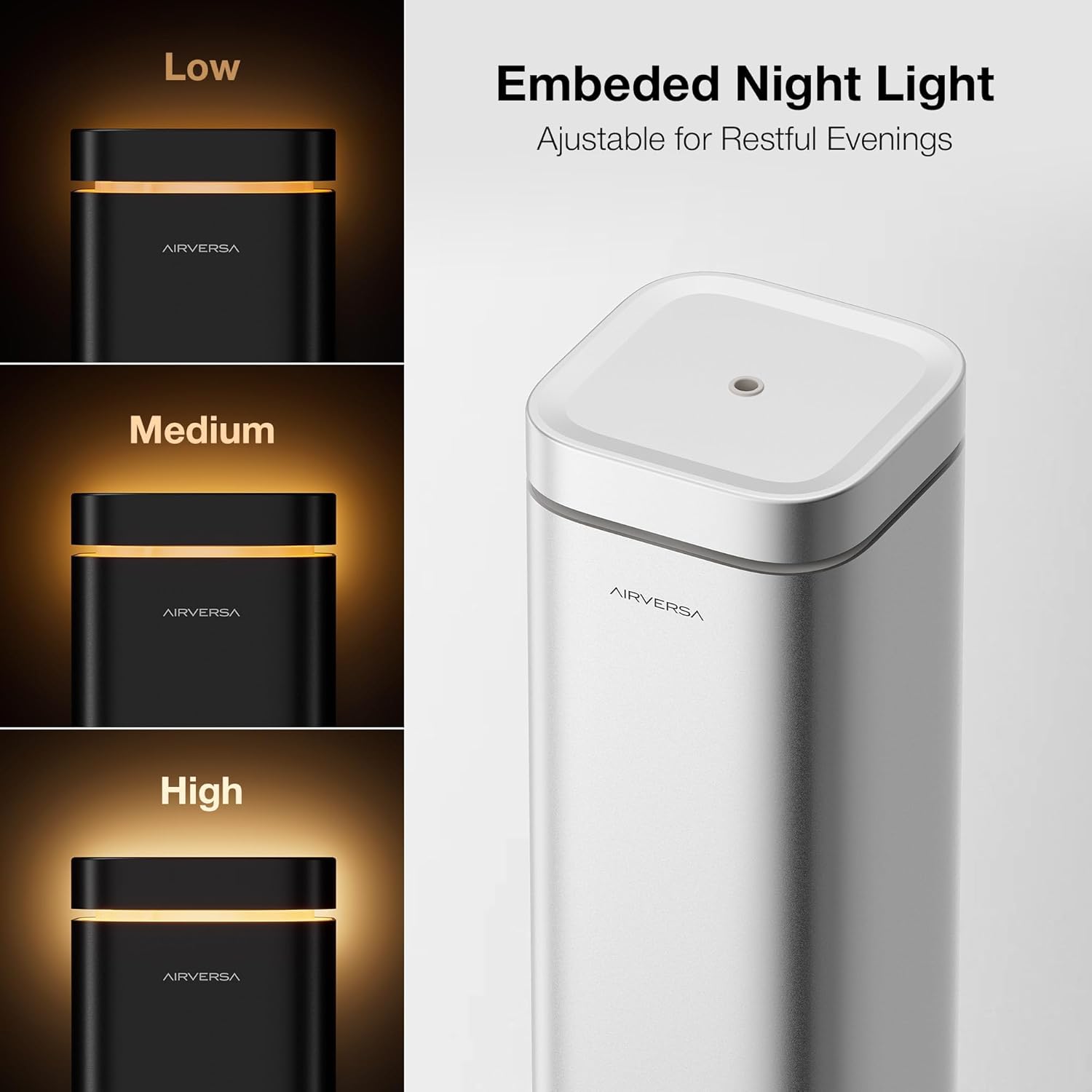
Image: The embedded night light with adjustable brightness levels (Low, Medium, High).

Image: The mistake-proof nozzle design ensuring intuitive one-way fit for oil bottles.
3. Pake kontni
Verifye ke tout atik yo prezan nan pakè ou a:
- Airversa RDX Waterless Diffuser
- Charging Cable (DC-12V/1A Power Adapter)
- Manyèl Itilizatè (dokiman sa a)
4. Enstalasyon
4.1 Plasman Inisyal
Place the diffuser on a flat, stable surface in the desired area. Ensure it is away from direct sunlight, heat sources, and out of reach of children and pets.
4.2 Filling the Oil Reservoir
- Gently lift the nozzle assembly out of the top of the diffuser.
- Unscrew the cap from your essential or fragrance oil bottle. Carefully pour the oil into the diffuser's reservoir. Do not overfill.
- Align the nozzle assembly with the opening and push it back into place. The design ensures a one-way fit.

Image: Lift the nozzle out of the device.

Image: Fill the reservoir with your chosen oil.

Image: Push the nozzle back into place (One-way Fit).
4.3 Koneksyon pouvwa
Connect the provided charging cable to the diffuser and plug the adapter into a standard electrical outlet.
4.4 Telechaje Aplikasyon an ak Koneksyon
- Telechaje la Sleekpoint App from the Apple App Store (iOS) or Google Play Store (Android OS).
- Pèmèt Bluetooth sou smartphone ou.
- Open the Sleekpoint App and follow the on-screen instructions to pair with your Airversa RDX diffuser. The app will guide you through the connection process.
Video: A demonstration of setting up and controlling the Airversa RDX Smart Scent Diffuser using the mobile application.
5. Operasyon
5.1 Limen/Etenyen
- Pou limen: Tap the Power Button (bottom button) on the diffuser's control panel.
- Pou etenn: Press and hold the Power Button for a few seconds.
5.2 Sèvi ak Panel Kontwòl
The diffuser features an intuitive touch control panel:
- Vizyèl Countdown: The circular display shows a real-time countdown for diffusion and pause intervals.
- Bouton limyè lannwit: Tap to adjust the brightness of the ambient night light. Press and hold to turn it off.
- Endikatè Bluetooth: Shows the connection status with the Sleekpoint App.
Imaj: Detaye view of the diffuser's control panel with touch buttons and visual indicators.
5.3 Fonksyonalite Kontwòl Aplikasyon an
Once paired, the Sleekpoint App provides comprehensive control:
- Orè: Set up to 5 different schedules with specific diffusion and pause intervals. Toggle schedules on or off with a single tap.
- Pèsonalizasyon: Adjust diffusion duration and pause intervals to match your room size and desired scent intensity.
- Oil Calculator: Simulate oil consumption and duration based on your settings.
- Refill Reminders: Set automated reminders to ensure continuous scenting.
Image: Seamless App Control via Bluetooth, showing the Sleekpoint App interface.
5.4 Operasyon Limyè Lannwit
The integrated night light can be adjusted via the control panel or the Sleekpoint App. Tap the Night Light button to cycle through brightness levels (Low, Medium, High) or press and hold to turn it off.
Image: The embedded night light with adjustable brightness levels.
6. Antretyen
6.1 Netwayaj
Regular cleaning helps maintain optimal performance. Unplug the diffuser before cleaning.
- Siye eksteryè a ak yon mou, damp twal.
- To clean the nozzle and oil reservoir, remove the nozzle assembly. Empty any remaining oil. You may use a small amount of rubbing alcohol on a cotton swab to gently clean the nozzle and the inside of the reservoir. Allow to air dry completely before reassembling.
- Pa sèvi ak pwodui netwayaj abrazif oswa pwodui chimik piman bouk.
6.2 Ranplasman lwil
When the oil level is low, follow the steps in Section 4.2 to refill the reservoir. The Airversa RDX is compatible with most essential and fragrance oils on the market.

Image: The diffuser is compatible with most essential and fragrance oils.
NAN. Depanaj
If you encounter issues with your Airversa RDX diffuser, refer to the following common problems and solutions:
| Pwoblèm | Kòz posib | Solisyon |
|---|---|---|
| No mist is being diffused. | Oil reservoir is empty. Bouch bouche. Aparèy la pa limen. | Refill the oil reservoir. Clean the nozzle as per Section 6.1. Asire w ke aparèy la konekte ak limen. |
| App cannot connect to the diffuser. | Bluetooth is off on phone. Diffuser is out of range. App needs restart. | Asire Bluetooth pèmèt. Move closer to the diffuser (within 20 feet). Close and reopen the Sleekpoint App. |
| Sant lan twò fèb/fò. | Diffusion intervals need adjustment. | Adjust diffusion duration and pause intervals via the Sleekpoint App to suit your preference. |
If the problem persists after trying these solutions, please contact Airversa customer support.
8. Espesifikasyon
| Karakteristik | Detay |
|---|---|
| Mak | Airversa |
| Non modèl | RDX |
| Kapasite | 300 Mililit (10 ons likid) |
| Zòn Kouvèti | Jiska 1500 pye kare |
| Antre pouvwa | DC-12V / 1A |
| Metòd kontwòl | Sleekpoint App (Bluetooth), Touch Buttons |
| Materyèl | Aliminyòm |
| Dimansyon (L x W x H) | 4.4"L x 4.4"L x 12.4"H |
| Otomatik fèmen | Wi |
| Smart Kay konpatibilite | Smart Home Compatible |
9. Garanti ak sipò
Airversa products are manufactured to high-quality standards and come with a limited warranty. For detailed warranty information, product support, or to purchase accessories, please visit the official Airversa store or contact our customer service team.
Airversa Store: Visit the Airversa Store on Amazon